



Key Takeaways
- 3D and AR interior design apps let you plan layouts on screen and overlay true-to-scale furniture into your actual room via your smartphone camera.
- Top picks: IKEA Place for furniture staging, Houzz for full room visualization, Magicplan for layout planning, and Vizbl for AR and 3D visualization of furniture.
- All top picks are free to download and run on any smartphone released after 2018.
- Using 3D and AR before renovating eliminates the costliest mistakes: wrong-scale furniture, color mismatches, and poor layout decisions.
What 3D and AR Interior Design Actually Do
3D and AR interior design tools solve the same problem from two different angles. 3D visualization apps let you build and explore a scaled digital model of your room on screen — ideal for planning layouts, testing floor plans, and experimenting with furniture arrangements before anything is purchased. AR interior design goes one step further by placing those digital models directly into a live camera view of your physical room, so you can confirm a sofa fits before the delivery truck arrives.
A 2023 report from Grand View Research valued the global AR and 3D visualization market in home design at over $2.4 billion, with projected annual growth exceeding 30% through 2030. For homeowners preparing to renovate — and real estate clients trying to picture life in an empty listing — 3D and AR interior design tools have moved from novelty to practical necessity.
The Best 3D and AR Interior Design Apps Available Today
The best toolkit combines 3D planning for layout work and AR placement for real-world scale confirmation.
IKEA Place uses LiDAR on compatible iPhones and ARCore on Android to map your floor and walls, then places true-to-scale products with shadow rendering that makes items look physically present. It is the most reliable AR starting point available without a subscription.
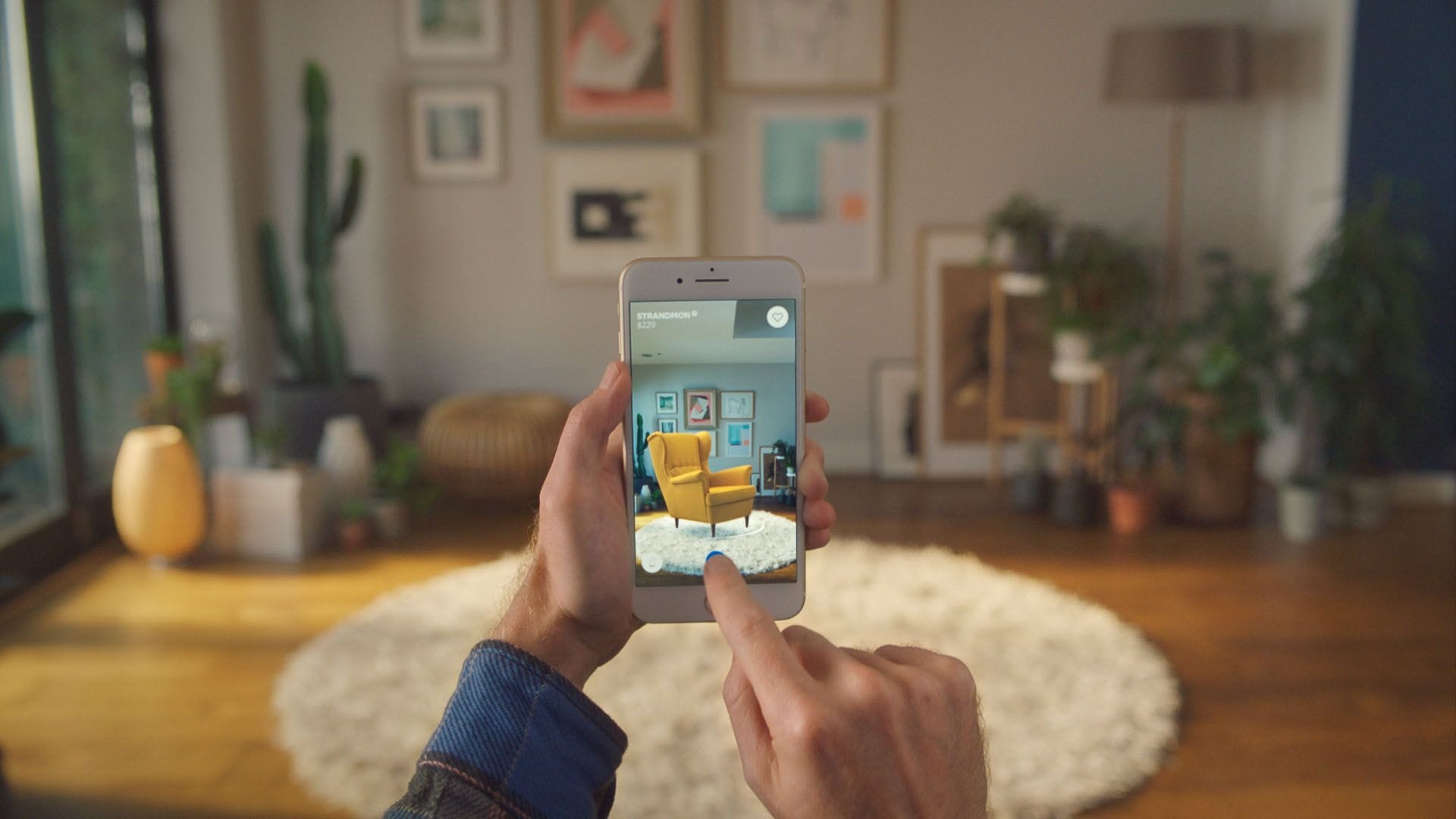
Houzz covers both 3D planning and AR visualization. Its "Room Sketch" feature lets you build a 3D floor plan from scratch, while "View in My Room" overlays real furniture and finishes into a live camera view. Houzz hosts over 21 million photos curated by verified design professionals — a reliable reference when making five-figure renovation decisions.
Roomstyler 3D lets you drag and drop furniture into a scaled floor plan, then switch to a 3D walkthrough view to evaluate the layout from any angle — no app download or AR-capable device required.
Magicplan scans walls and corners using your camera, generates a precise 3D floor plan, and converts that plan into an AR walkthrough. Contractors and real estate investors rely on Magicplan before issuing renovation bids.
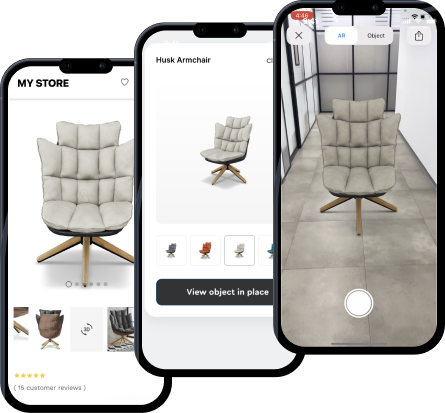
Vizbl supports both AR and 3D visualization of furniture, accessible via browser and app. Vizbl lets you inspect product models interactively without committing to a single retailer's ecosystem — a flexible option for homeowners and design professionals alike.
How 3D and AR Interior Design Eliminate the Most Expensive Renovation Mistakes
The three most common — and costly — renovation errors are wrong-scale furniture, incompatible color palettes, and layout choices that ignore natural light. 3D and AR interior design tools address all three before you spend a dollar.
Scale errors disappear when you use AR to place a model in your actual room. A sofa that looks perfect in a showroom photograph can overwhelm a 12×14 foot living room. Apps like IKEA Place render products at exact catalog dimensions, so the virtual item is precisely as wide as the one in the warehouse. For layout-level planning, 3D tools like Roomstyler 3D let you test multiple furniture arrangements on a floor plan before committing to any purchase.
Color palette conflicts are notoriously hard to judge from paint chips. AR tools like Houzz let you paint entire walls in seconds and watch how each shade interacts with your existing floors and furniture. The American Society of Interior Designers cites color selection errors as responsible for nearly 40% of renovation do-overs — 3D and AR interior design tools reduce that risk significantly.
Light and shadow behavior shifts through the day and across seasons. Some AR platforms now incorporate time-of-day lighting simulation so you can preview how a north-facing room handles a deep navy accent wall at 7 a.m. versus 4 p.m. — an insight that previously required hiring a lighting consultant.
Using 3D and AR Interior Design to Stage Listings and Win More Buyers
Virtual staging with 3D and AR interior design tools has become a competitive differentiator for real estate agents. Listings with professional virtual staging sell 73% faster, according to a 2022 study by the Real Estate Staging Association. 3D and AR tools make that staging interactive — buyers participate in the visualization rather than passively viewing static renders.
During showings, agents can open an AR interior design app and let buyers place their preferred furniture style directly into the vacant property. A 3D floor plan shared before the showing helps buyers arrive already oriented to the layout. This combination shifts the buyer's mental relationship with the space from "could I live here?" to "I already see my life here." For luxury listings, AR paired with a LiDAR-equipped device lets agents swap flooring, countertops, and wall finishes in real time — marketing to multiple buyer profiles without spending a dollar on physical staging.
Conclusion
Use 3D apps to plan your layout and test arrangements on screen. Use AR apps to confirm scale and visualize finishes in your actual room. Whether you are choosing between two sofas, planning a kitchen remodel, or helping a buyer fall in love with an empty listing, combining both gives you the visual certainty to act with confidence — before you open your wallet.


