



Exploring the world in Pokémon GO can be exciting, but not always practical. Some of the rarest Pokémon only appear in specific regions, while events and raids often require being in the right place at the right time.
That’s why Pokémon GO spoofers have become increasingly popular, especially on iOS devices, where options are more limited but often safer when used correctly. In this guide, we’ll break down the best Pokémon Go spoofers for iOS and how to spoof in Pokémon Go safely.
What Is a Pokémon GO Spoofer?
A Pokémon GO spoofer is a tool that allows you to fake GPS location on your device. Instead of physically moving, you can teleport your in-game character to any place in the world. These tools typically offer features like:
- Location teleportation to anywhere globally
- Joystick movement for real-time control
- Route simulation to mimic natural walking
- Custom speed settings to avoid detection
With the right location spoofer, players can change location on iPhone, explore global hotspots, and catch rare Pokémon without moving.
Top 4 Best Pokémon GO Spoofers iOS
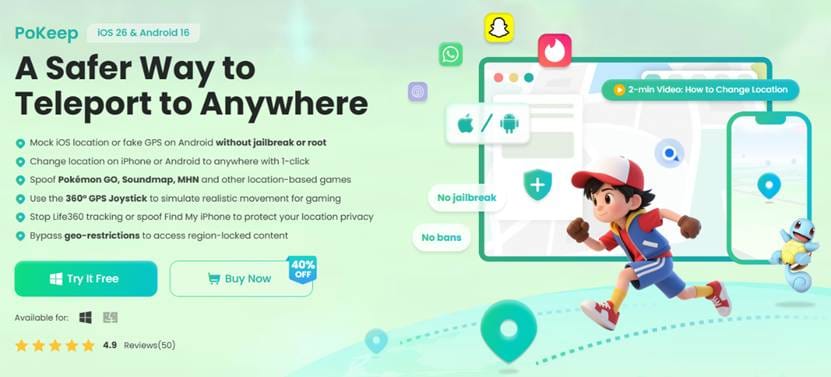
Tool 1: PoKeep Location Changer (Safest & Beginner-Friendly Choice)
PoKeep Location Changer is widely considered one of the safest and most reliable spoofing tools for iOS and Android, especially for beginners. Unlike modded apps, PoKeep works through a computer connection, meaning it changes your device’s GPS location externally rather than modifying the Pokémon GO app itself. This significantly lowers the risk of detection.
Key Features:
- Teleport Mode: Instantly jump to any location worldwide
- Joystick Mode: Simulate real-time walking with flexible control
- Multi-Spot Movement: Create routes with multiple stops
- Cooldown Timer: Helps you follow safe travel intervals
- Adjustable Speed: Mimic walking, cycling, or driving
Best For:
Players who want a safe, simple, and stable spoofing experience without technical setup.
Tool 2: iPoGo (Feature-Rich but Higher Ban Risk)
iPoGo is a powerful spoofing tool designed for advanced Pokémon GO players who want more control and automation features. It goes beyond basic spoofing by offering enhanced gameplay tools, making it popular among users focused on efficiency and rare Pokémon hunting.
Key Features:
- Live Pokémon feeds and filters
- Auto-walk and route generation
- Teleportation with favorite locations
- Shiny scanner and IV checker
- Customizable interface settings
Best For:
Experienced players who want advanced features and automation tools for faster progression.
Tool 3: iMyFone AnyTo (Reliable but More Expensive Option)
iMyFone AnyTo is another highly trusted GPS spoofing solution that works similarly to PoKeep, offering a stable experience through a desktop connection. It’s known for its smooth performance and compatibility with multiple apps, not just Pokémon GO.
Key Features:
- One-click teleportation
- Two-spot and multi-spot movement modes
- Joystick control for real-time navigation
- Custom speed adjustment
- Wide iOS compatibility
Best For:
Users looking for a balanced, low-risk solution with consistent performance.
Tool 4: iSpoofer (All-in-One Spoofing with Built-in Map)
iSpoofer was once one of the most popular Pokémon GO spoofing apps due to its all-in-one functionality built directly into the game interface. It offered a modified version of Pokémon GO with added spoofing features, making it very convenient, no external tools or PC required. However, it has a higher detection risk due to its modified client.
Key Features:
- Built-in joystick and teleportation
- Enhanced map with spawn points
- Auto-walk and GPX route support
- IV checker and Pokémon filters
Best For:
Users who prefer all-in-one convenience, but are aware of the potential risks.
How to Spoof Pokémon GO on iOS (Step-by-Step Guide)
Getting started with spoofing is easier than you might think. Here’s a simple guide using PoKeep Location Changer for an example:
Step 1: Install the Pokémon Go Spoofer
Download and install PoKeep Location Changer on your computer, then open the program to get started.
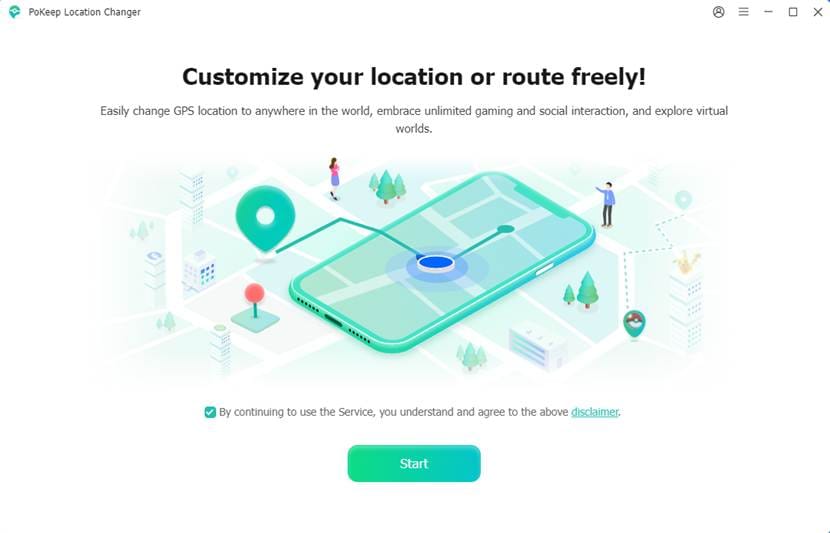
Step 2: Connect Your iPhone
Connect your iPhone to the computer, then set up it according to the on-screen guide.
Step 3: Choose and Change Location
Select Teleport Mode, search for a destination or click on the map, then click Start Modifying to change your GPS location.
Step 4: Start Spoofing in Pokémon GO
Open Pokémon GO, and follow cooldown rules before taking actions. You can explore the new location by using joystick mode or other movement modes to set path and speed.
Comparison Table of the 4 Best iOS Spoofers
|
Tool Name |
Ease of Use |
Safety Level |
Key Feature |
|
PoKeep Location Changer |
⭐⭐⭐⭐⭐ |
⭐⭐⭐⭐ |
Stable PC-based spoofing |
|
iPoGo |
⭐⭐⭐ |
⭐⭐⭐ |
Advanced
Pokémon filters |
|
iMyFone AnyTo |
⭐⭐⭐⭐ |
⭐⭐⭐⭐ |
One-click
teleport |
|
iSpoofer |
⭐⭐⭐⭐ |
⭐⭐ |
Built-in
game features |
Tips to Avoid Getting Banned While Pokémon GO Spoofing
1. Respect Cooldown Times
Always wait the appropriate time before interacting in a new location.
2. Avoid Long-Distance Teleport Spam
Jumping across continents too quickly can trigger detection.
3. Use Realistic Movement
Joystick walking is safer than constant teleporting.
4. Don’t Use Multiple Accounts on One Device
Multiple accounts can increase suspicious activity.
5. Stay Updated
Use the latest version of your spoofer to ensure compatibility.
6. Avoid Modded Apps When Possible
PC-based tools are generally safer than modified game clients.
Conclusion
Spoofing in Pokémon GO opens up a new level of gameplay. However, choosing the best Pokémon Go spoofer is critical to maintaining your account’s safety. Among the options, PoKeep Location Changer stands out for its stability and low detection risk, while iPoGo and iSpoofer offer advanced features for experienced users. By combining a reliable spoofer with smart usage practices, you can enjoy the benefits of location spoofing while minimizing the risk of getting banned.


