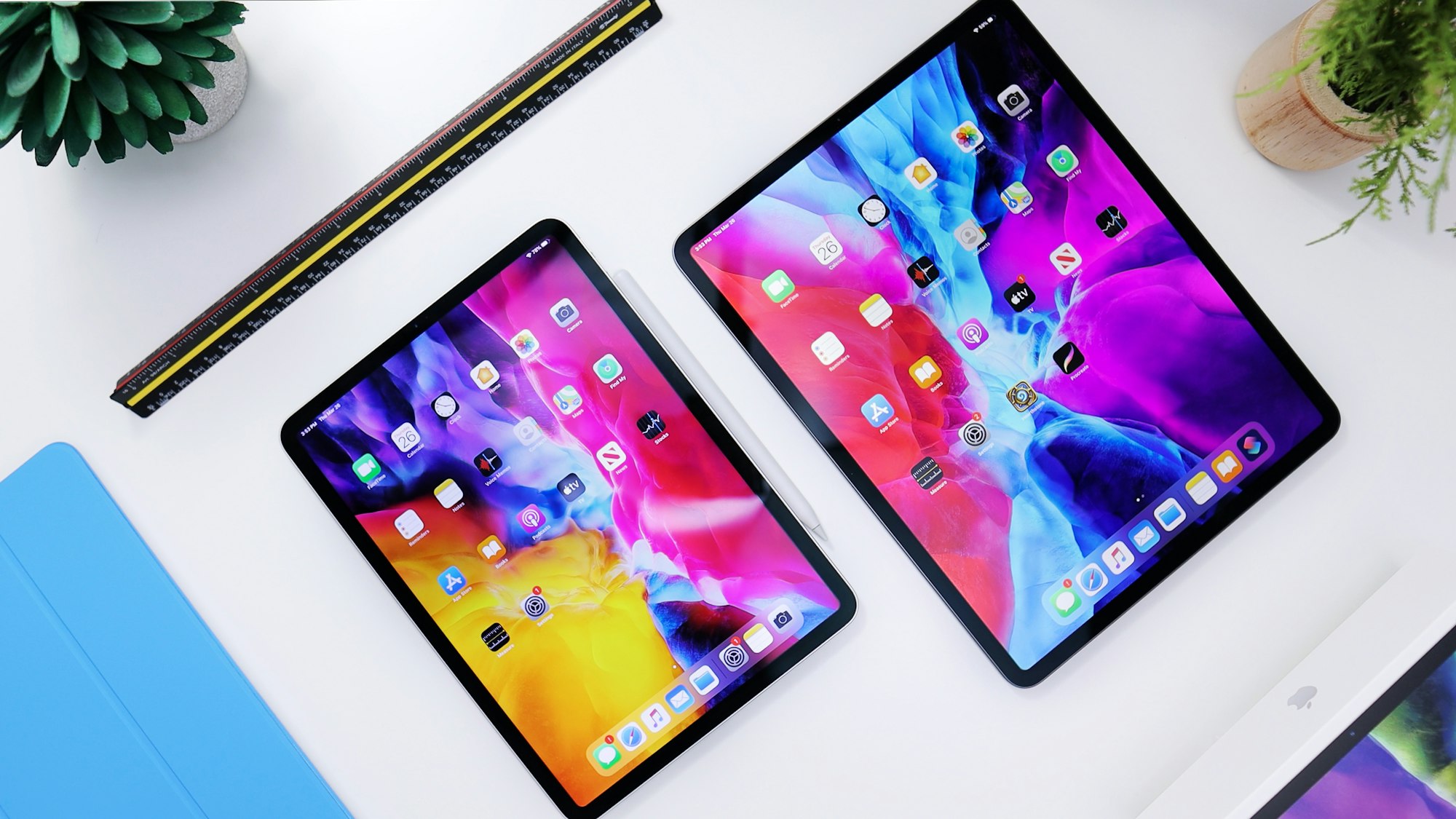
Apple has started rolling out its latest round of software updates, with version 26.2 now available across iOS, iPadOS, macOS, watchOS, and visionOS. The updates began reaching users on December 12. While none of them radically change how your devices work, there are several quality-of-life improvements worth paying attention to, especially on iPhone and Mac.
As usual, iOS is getting the most buzz. Apple says iOS 26.2 focuses on refinements to Apple Music, Podcasts, and Games, alongside security patches and under-the-hood fixes. If you’ve been following the beta cycle since November, most of this will feel familiar. If not, there are some genuinely useful upgrades waiting.
 Louis Eriakha
What’s new in iOS 26.2?
On iPhone, Apple Music gets some thoughtful touches. Your “Favourite Songs” playlist now shows up directly in Top Picks, and if you download music, you can finally access lyrics offline, a small but welcome upgrade for flights and spotty connections.
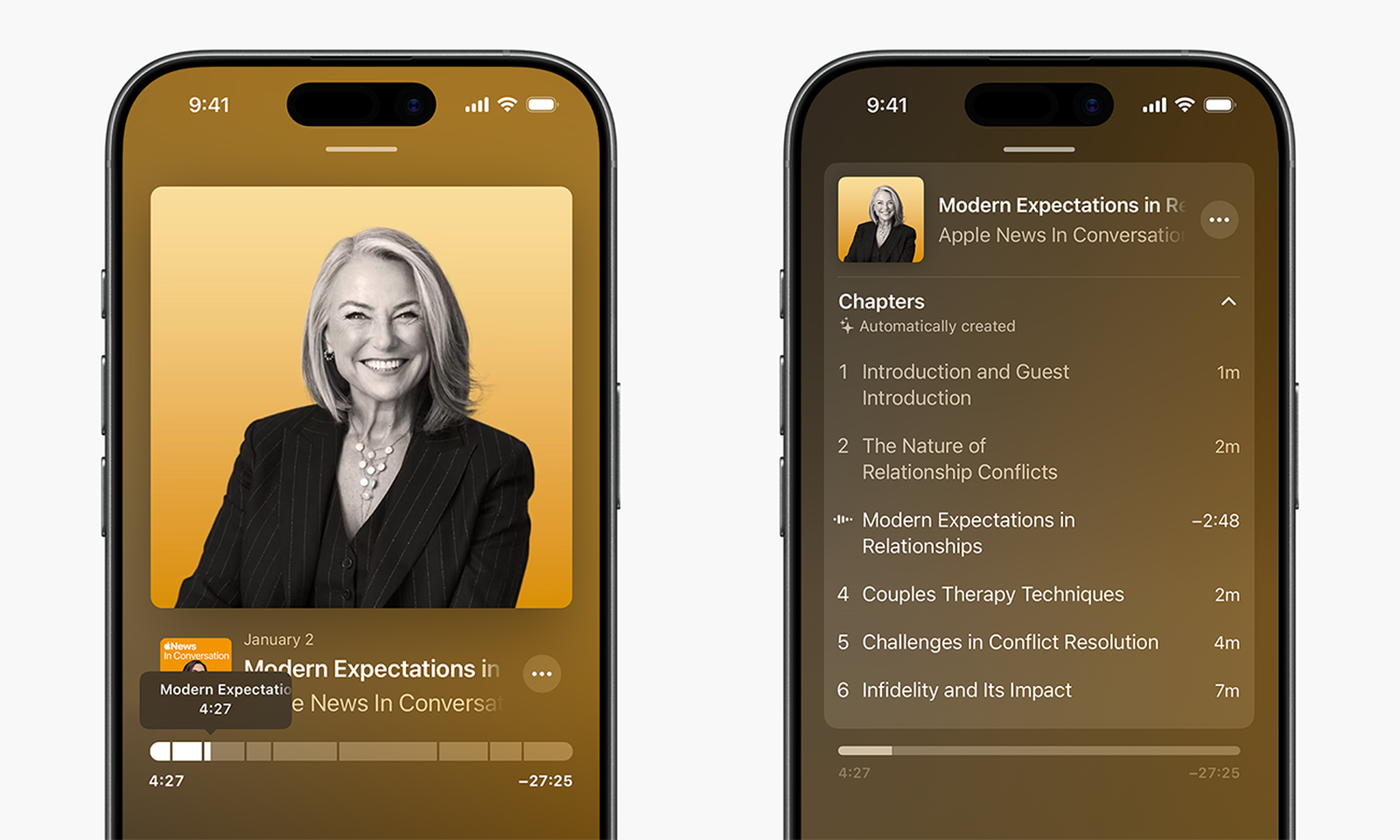
Podcasts are also easier to navigate thanks to automatically generated chapters, making it simpler to jump between segments. Meanwhile, Apple is continuing to quietly invest in gaming on iPhone, adding new filters to the Games library and improving support for third-party mobile controllers.
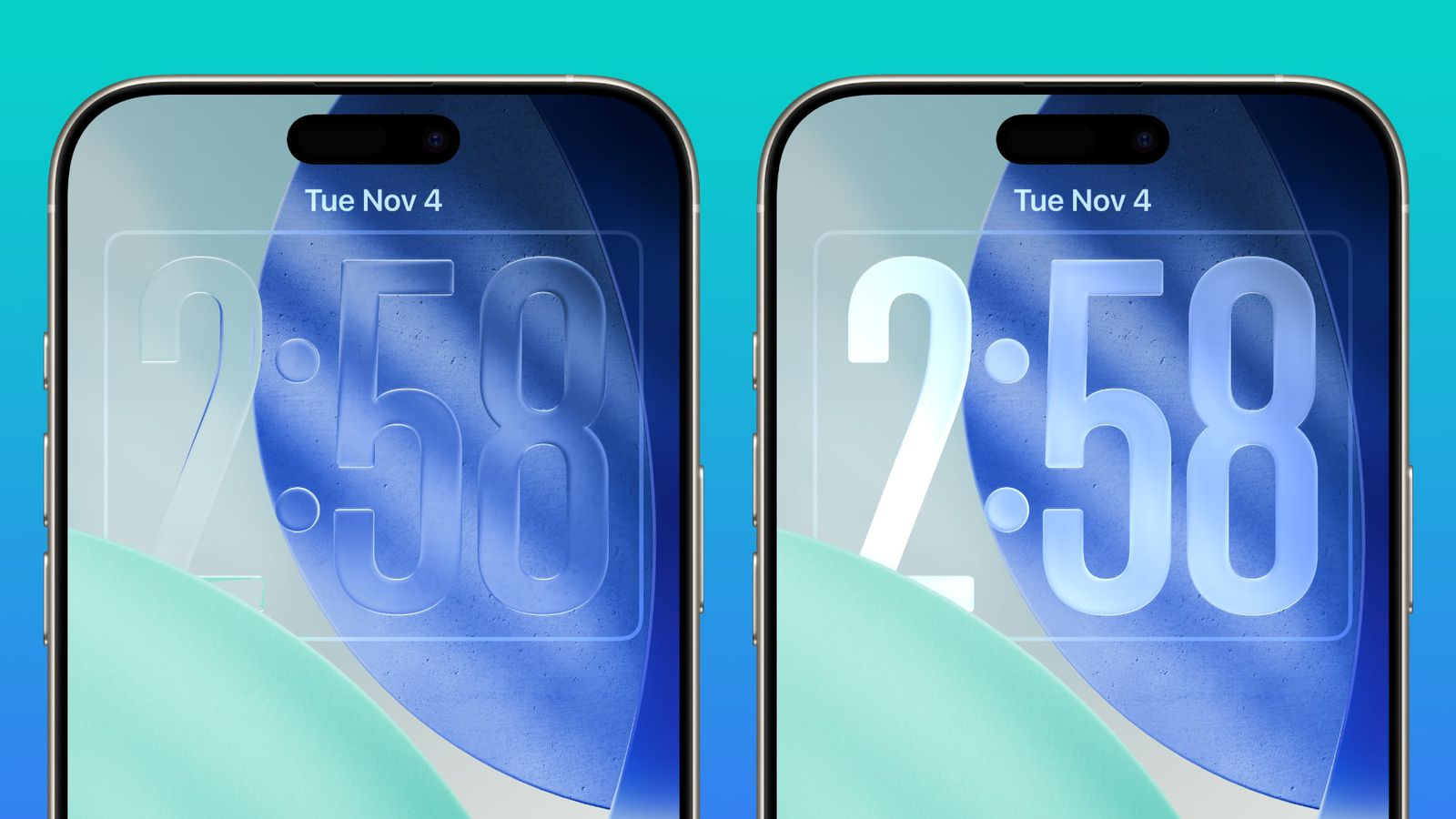
Customization and safety also get attention. The Lock Screen now offers finer control over the opacity of Apple’s Liquid Glass aesthetic, while AirDrop introduces verification codes when connecting with unfamiliar contacts. There are also enhanced safety alerts, new navigation options in Apple News, and a new accessibility feature that flashes the screen when notifications arrive, helpful for users who may miss audio cues.
What’s new in iPadOS 26.2?
Much of what arrives on iOS also shows up on iPad, but iPadOS 26.2 leans heavily into multitasking. Apple continues refining the new windowing system introduced earlier in the 26-cycle, making it feel more natural for long-time iPad users.
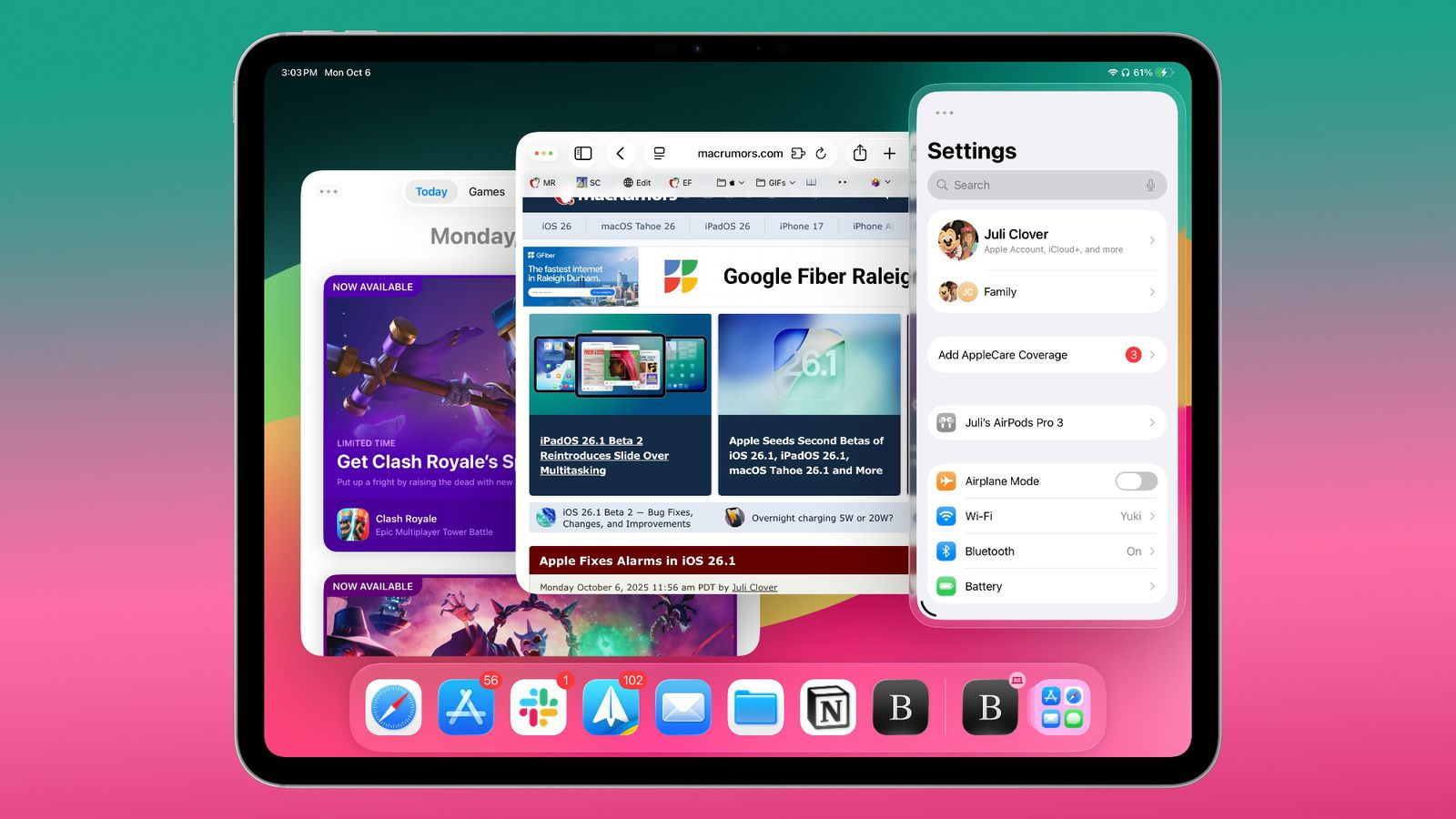
You can now drag apps from the Dock to quickly tile them side by side or drop them into Slide Over using familiar gestures. These drag-and-drop improvements make juggling multiple apps feel closer to desktop workflows, without losing the iPad’s touch-first feel. Apple Music, Podcasts, Games, and Lock Screen updates mirror what’s available on iPhone, keeping the experience consistent across devices.
macOS 26.2 introduces Edge Light
The most visually interesting addition in this update cycle lands on the Mac. macOS 26.2 introduces a new video calling feature called Edge Light, and it’s exactly what it sounds like.
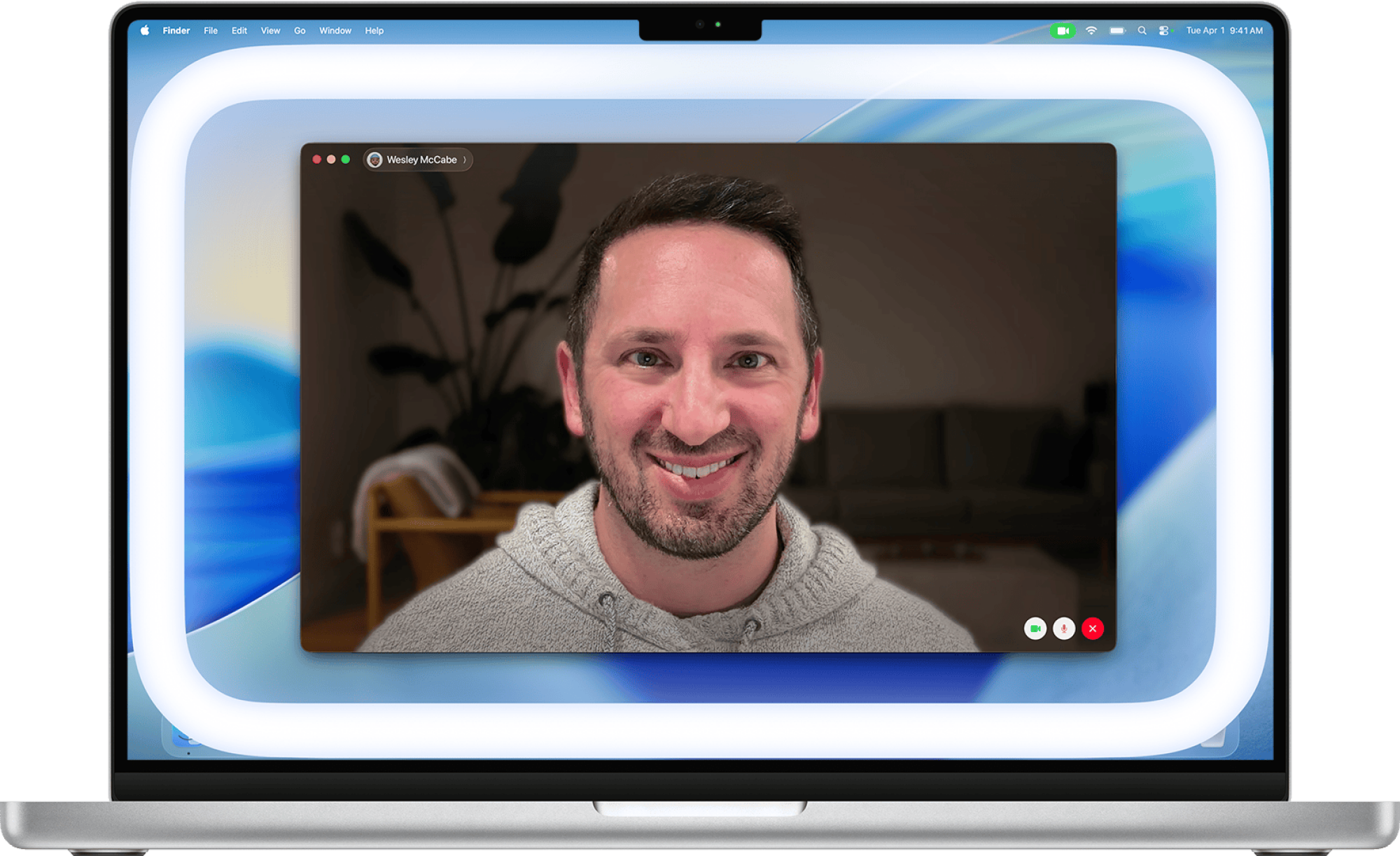
Edge Light simulates a ring light by softly illuminating the edges of your screen during video calls, giving your face a more balanced look in low-light environments. Instead of blasting light directly at you, the effect wraps around the display and intelligently fades away near your cursor so it doesn’t get in the way of your work.
Apple says Edge Light works best at night or in dim indoor lighting, and it can be combined with other video effects already available on macOS. For anyone who lives on Zoom, FaceTime, or Teams calls, it’s a subtle but thoughtful upgrade that saves you from buying extra hardware.
 Emmanuel Umahi
How to update your Apple devices
If you’ve enabled automatic updates, there’s a good chance your device has already installed the new software or will do so overnight. If you prefer doing things manually, the process is still straightforward. Head into Settings, tap General, then Software Update. From there, you can install the update immediately or schedule it for later when your device isn’t in use.
The same basic steps apply across iPhone, iPad, and Mac, while Apple Watch and Vision Pro updates can be managed through their companion apps.
The takeaway
Apple’s 26.2 updates aren’t about flashy overhauls. They’re about polishing the everyday experience, making media apps easier to use, multitasking smoother, gaming more flexible, and video calls a little more flattering. It’s the kind of update you may not notice all at once, but you’ll appreciate over time, especially if you bounce between multiple Apple devices every day. If you haven’t checked for updates yet, now’s a good time to do it.
 Ogbonda Chivumnovu