If you’ve been hearing about Clawdbot and wondering what the hype is about, you’re in the right place. The viral AI assistant that tech communities can’t stop talking about just became Moltbot on January 27, 2026, after Anthropic requested a name change over trademark concerns.
For anyone trying to catch up: Clawdbot and Moltbot are the same project. Same code, same functionality, same lobster mascot (now called Molty instead of Clawd). The only thing that changed is the name. Everything else—including what makes it so different from every other AI assistant you’ve used—remains exactly the same.
 Partner Content
What is Clawdbot (now Moltbot)?
Moltbot is an open-source AI assistant created by Austrian developer Peter Steinberger, who previously founded PSPDFKit and sold it to Insight Partners. But unlike Siri, Alexa, or ChatGPT, Moltbot doesn’t live in the cloud or wait for you to open an app. It runs on your own hardware—a Mac Mini, Raspberry Pi, old laptop, or $5/month cloud server—and talks to you through messaging apps you already use daily.
The project launched in late 2025 as what Steinberger calls a “hobby project.” Within 24 hours, it hit 9,000 GitHub stars. Within days, it crossed 80,000 stars, making it one of the fastest-growing open-source projects in GitHub’s history. By January 28, it had an active Discord community of over 8,900 members, all sharing workflows, building extensions, and pushing what’s possible with a truly personal AI.
AI researcher Andrej Karpathy praised it publicly. Investor Chamath Palihapitiya shared that Moltbot helped him save 15% on car insurance in minutes. MacStories called it “the future of personal AI assistants.” Tech investor David Sacks tweeted about it. The momentum is real, and it’s happening fast.
What makes Moltbot so special?
Three things set Moltbot apart from every other AI assistant you’ve used.
First, it has persistent memory. Your preferences, past conversations, ongoing projects—everything is stored locally as actual files on your hardware. This means your assistant doesn’t reset every day. It learns how you work, remembers what you told it last week, and builds understanding over time. One user maintains conversation history dating back to the project’s launch with full context preserved across thousands of exchanges.
Second, it’s proactive. Instead of waiting for you to ask questions, Moltbot can send you morning briefings, remind you about tasks, alert you to important emails, and deliver summaries exactly when they matter. It reaches out to you. You don’t always have to go to it.
Third—and this is the big one—it can take real actions. With the right permissions, Moltbot can execute terminal commands, write and run scripts on the fly, control your web browser, manage emails, update calendars, perform web research, commit code to GitHub, and even program new capabilities for itself. It’s not just answering questions. It’s actually doing things.
The project is free and fully open-source. You pay only for the underlying AI models (OpenAI or Anthropic APIs) and server hosting if you choose cloud deployment. Steinberger recommends Anthropic’s Claude Opus 4.5 for best results, though users can connect locally running models if they’re technically proficient.
What can you actually do with Moltbot?
The real-world use cases go far beyond what traditional assistants offer. Users are automating thousands of emails—unsubscribing, categorising, drafting replies. They’re getting daily briefings that pull calendar events, task lists, health data from devices like WHOOP or Apple Health, and personalised news summaries. They’re planning travel—checking flights, booking tickets, managing itineraries.
Developers are debugging code via chat. They send error messages to Moltbot and get fixes applied directly to their repositories. Others are building prototypes entirely through conversation: “Create a simple web app for tracking expenses” actually results in a working application. Git workflows—commits, pull requests, code reviews—all happen from a phone via WhatsApp or Telegram.
The assistant integrates with over 50 services out of the box: Gmail, Google Calendar, Todoist, Obsidian, GitHub, WordPress, Philips Hue for smart homes, Spotify for music management, fitness tracking tools, and creative platforms like ElevenLabs for voice synthesis and image generation. And because it’s open-source with an active community, new integrations appear constantly.
Users frequently ask Moltbot to create custom “skills”—modular plugins that extend capabilities. The AI can often write these skills for itself. Tell it “Create a skill to monitor flight prices and alert me when they drop below $300,” and it builds the automation. The Skills marketplace (ClawdHub) contains hundreds of community-contributed plugins.
Is Moltbot safe to use?
This is where it gets nuanced. Moltbot is designed to have almost no safety guardrails. It can execute any command you give it with nearly unlimited permissions. Steinberger himself describes running it on a primary machine as “spicy.” The project documentation explicitly states that “no perfectly secure setup exists when operating an AI agent with shell access.”
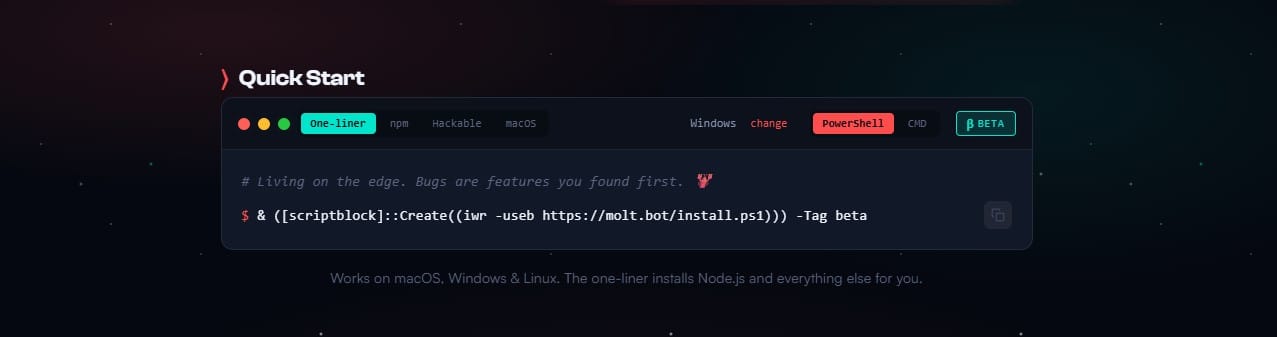
The recommended approach is to run Moltbot in an isolated environment—a separate machine or sandboxed virtual server—rather than giving it access to your main computer with sensitive data. Think of it like hiring an incredibly capable assistant who needs proper boundaries and oversight.
The project is also unfinished and experimental. This isn’t a polished consumer product. It’s a developer tool built by someone who previously achieved a successful tech exit and is now exploring what’s possible when you give AI actual capabilities instead of keeping it locked in a chat interface.
For technically proficient users willing to manage the setup and accept the trade-offs, Moltbot delivers on promises that Siri, Alexa, and Google Assistant never quite fulfilled. For everyone else, it’s worth watching how the project evolves.
Why did Clawdbot become Moltbot?
Steinberger named his AI assistant “Clawd”—a deliberate play on Anthropic’s “Claude” AI model. Many users specifically configured Moltbot to use Claude as its underlying brain, effectively driving significant subscription revenue to Anthropic’s API. Despite this free marketing, Anthropic issued a trademark request on January 27, 2026, forcing the name change.
“Anthropic asked us to change our name (trademark stuff), and honestly? ‘Molt’ fits perfectly—it’s what lobsters do to grow,” Steinberger announced.
The new name references how lobsters shed their shells to grow larger—a fitting metaphor for a project evolving beyond its original identity. The mascot, a space lobster that was Clawd, is now Molty. The website moved from clawd.bot to molt.bot. The official X handle is now @moltbot instead of @clawdbot.
The transition wasn’t smooth. During the rename process, Steinberger attempted to change the GitHub organisation and X account simultaneously. In the approximately 10-second gap between releasing the old handles and claiming new ones, crypto scammers grabbed both accounts and immediately began promoting fraudulent cryptocurrency tokens to tens of thousands of unsuspecting followers. The fake tokens briefly reached market capitalisations in the millions before collapsing after Steinberger publicly warned they were scams.
But for users, nothing about the actual software changed. Clawdbot and Moltbot are identical. If you see references to either name, they’re talking about the same project.
 Partner Content