You’ve probably checked your Spotify Wrapped and cringed at how many times you played that one song. But what about Discord?
How many messages did you send, which servers dominated your attention, and who actually heard from you the most in 2025? Enter Discord Checkpoint, the platform’s new year-in-review feature that lets you see your year in activity, quirks, and connections.
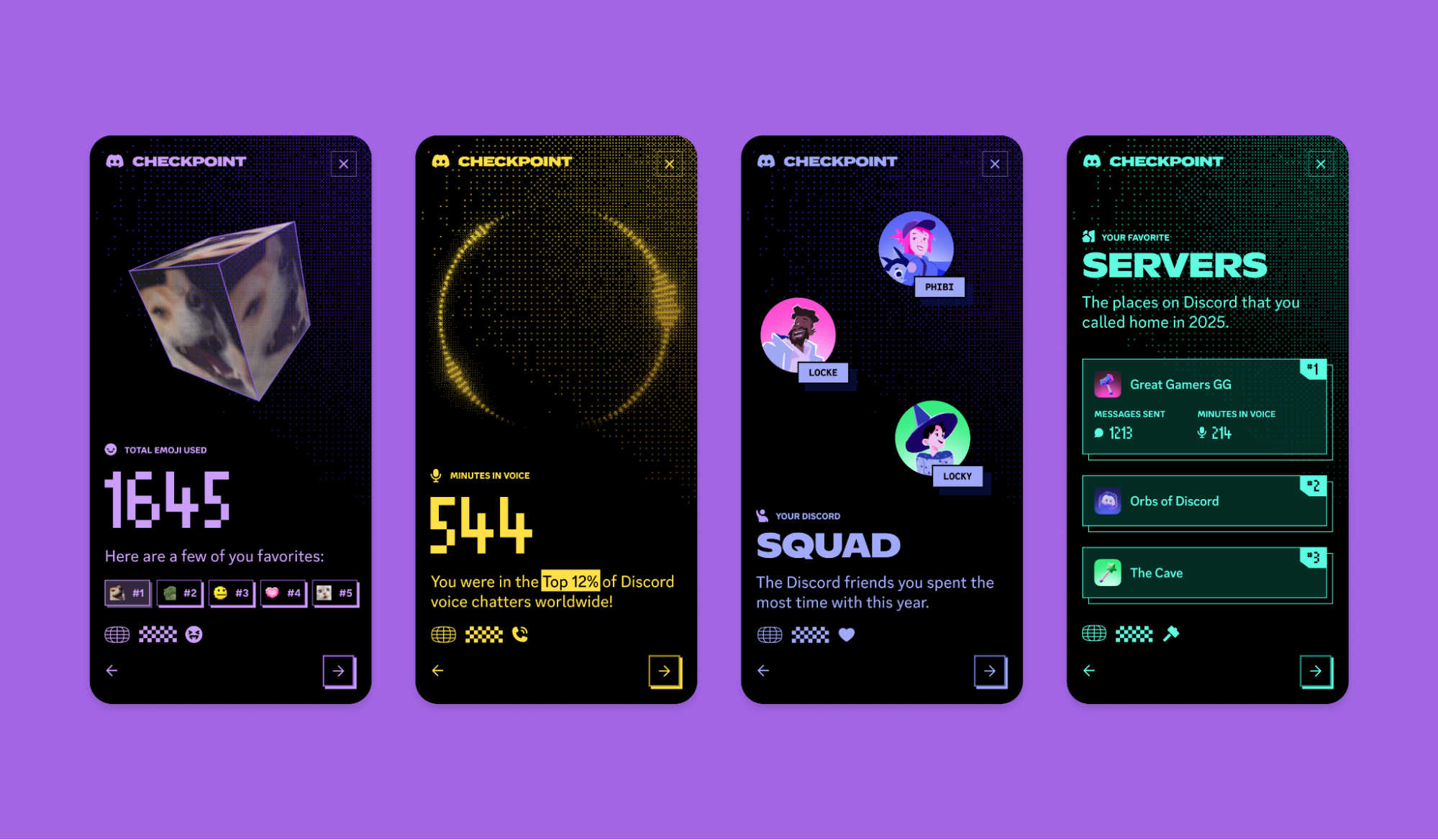
It rolled out on December 4 and works on mobile and desktop, though some users may need to wait for it to appear. On a desktop, look for a green flag icon near your inbox. On mobile, check under your profile after updating the app. Checkpoint counts your messages, your most-used emotes, your favourite servers, and even the friend you messaged the most. Some people find out they sent tens of thousands of messages this year, landing them in the top 2% of users worldwide.
Checkpoint also shows trends across Discord. League of Legends was the most popular game for the 16th year in a row, REPO led indie games, and standout servers included Minecraft, Genshin Impact, and Marvel Rivals. Discord joins the growing list of platforms with annual recaps, like Spotify Wrapped, Apple Music Replay, and even YouTube’s Year in Review, giving users both personal stats and broader community insights.
 Emmanuel Umahi
Some users may not have seen their Checkpoint yet due to limited activity or a staggered rollout. But for those who do, it’s a rare chance to see how they spent their year on Discord, and maybe even humble-brag a little.
How to Check Your Discord Checkpoint
On Mobile:
Step 1: Update your Discord app to the latest version.
Step 2: Open the app and tap your profile picture.
Step 3: Look for the Checkpoint tab below your profile.
Step 4: Tap it and watch your 2025 stats compile.
On Desktop or Web:
Step 1: Open Discord on your desktop app or browser.
Step 2: Look for a flag icon with a checkmark in the top-right corner.
Step 3: Click it to generate your Discord Checkpoint.
Discord Checkpoint is a simple way to see your year on the platform, showing your activity, favourite servers, and most-talked-to friends. It’s a fun way to reflect on your digital year and share it with friends.
Emmanuel Umahi