If you’ve used a Pixel phone long enough, you’ll realise Google has a habit of quietly refreshing the experience every month through its Pixel Drops. These updates rarely overhaul Android in dramatic ways. Instead, they add small features that ideally would make the user experience better.
When the March Pixel Drop was announced earlier this month, one of those features, Transit Mode, barely got a mention. Now, weeks later, it’s finally rolling out to Pixel users worldwide.
 Ogbonda Chivumnovu
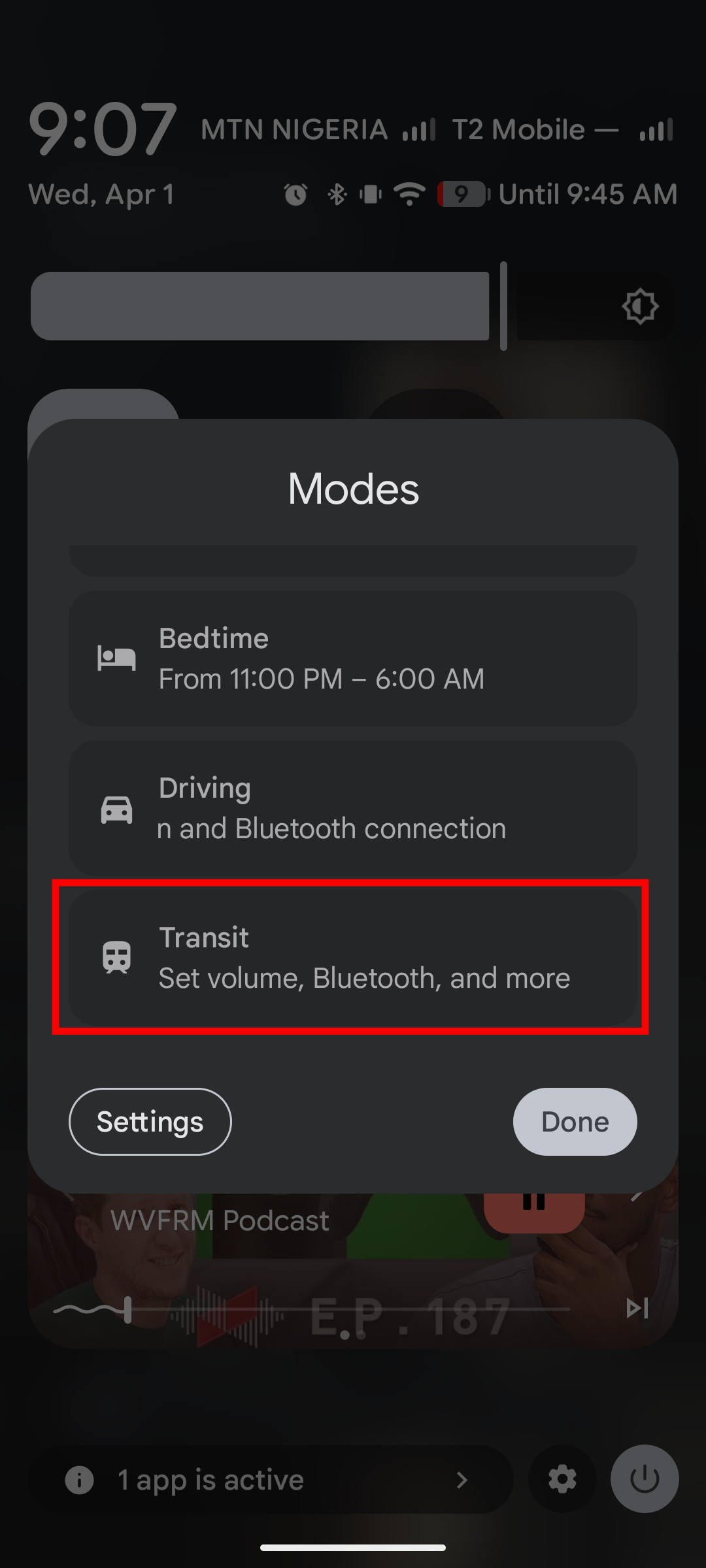
Transit Mode lives inside Pixel’s growing “Modes” system, alongside Do Not Disturb, Bedtime, and Driving. But unlike those, this one is built specifically around your commute. It's built with the idea that your phone should behave differently when you’re in transit without having to make changes manually.
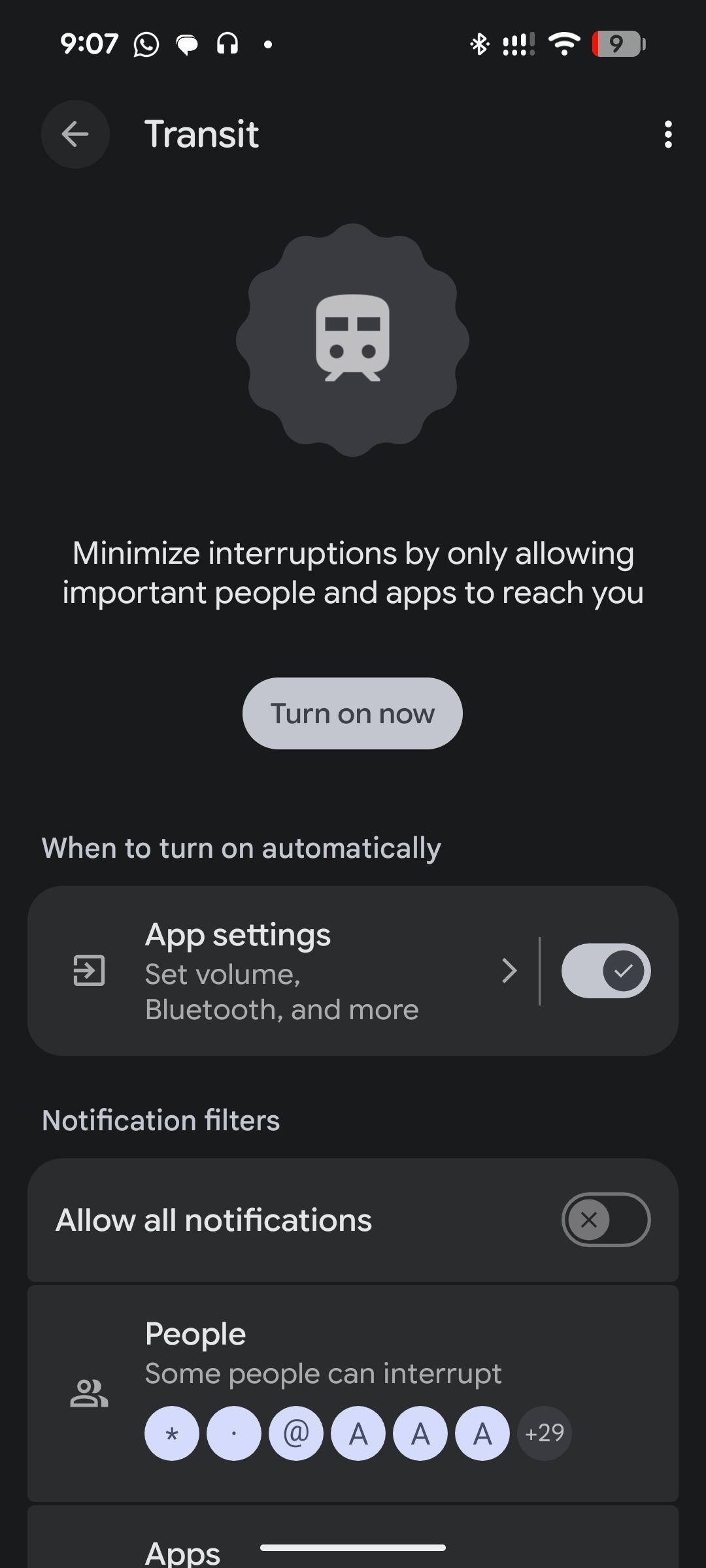
Once active, Transit Mode can automatically adjust your sound profile, filter notifications, turn on Bluetooth for your earbuds, and limit interruptions like alarms or media sounds. It’s designed for those chaotic moments when you’re leaving home, walking to a bus stop, or stepping into a train.
But the feature goes beyond just managing your phone’s behaviour. As part of the same update, Google also added real-time commute updates to the At a Glance widget on the lock screen and home screen. After learning your routine for a couple of weeks, your phone will start showing live transit conditions, delays, departure times, and alternative routes before you even open Maps. In other words, the phone doesn’t just react to your commute anymore; it anticipates it.
How To Set Up Transit Mode on Your Pixel Phone
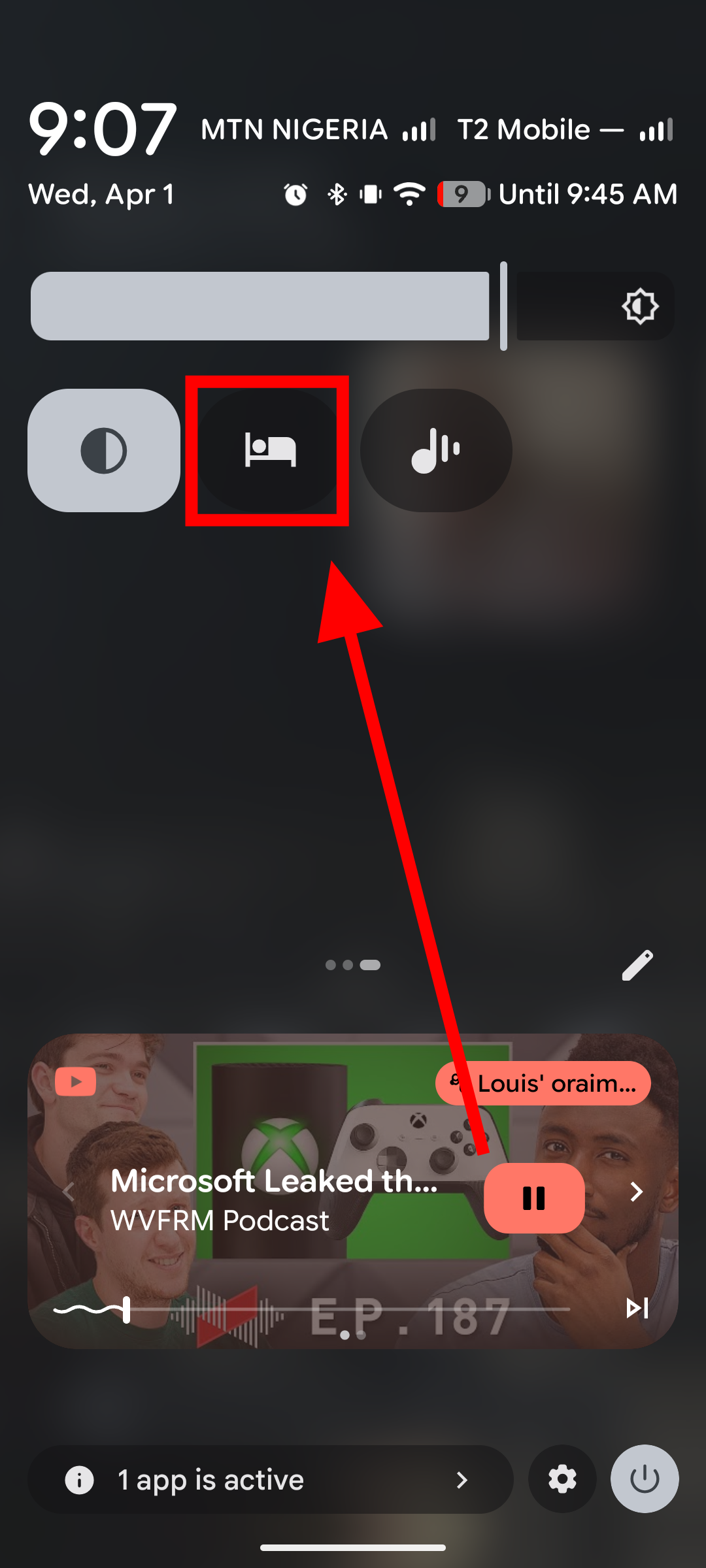
Step 1: Setting it up is straightforward. You can start by swiping down to Quick Settings and long-pressing the “Modes” icon.
Step 2: From there, long-press the Transit mode to open its configuration page. Here, you can choose how notifications behave, set your preferred volume profile (sound, vibrate, or silent), and enable Bluetooth to switch on automatically during your commute.