



Losing your phone is terrible, but the real fear isn't losing the device itself. It's the thought of a stranger scrolling through your private photos, reading your messages, or accessing your banking apps. Fortunately, with Android's Auto factory reset, you could set a digital tripwire that would protect your data automatically if your phone ever fell into the wrong hands.
This security setting acts as a last line of defense. Once enabled, it will automatically erase everything on your device if someone incorrectly enters your PIN, pattern, or password too many times. It's the digital equivalent of burning a secret document to prevent it from being captured.
In this guide, learn how to enable the factory reset feature to prevent your data from getting into the wrong hands.
 Oyinebiladou Omemu
How to enable auto factory reset on Android
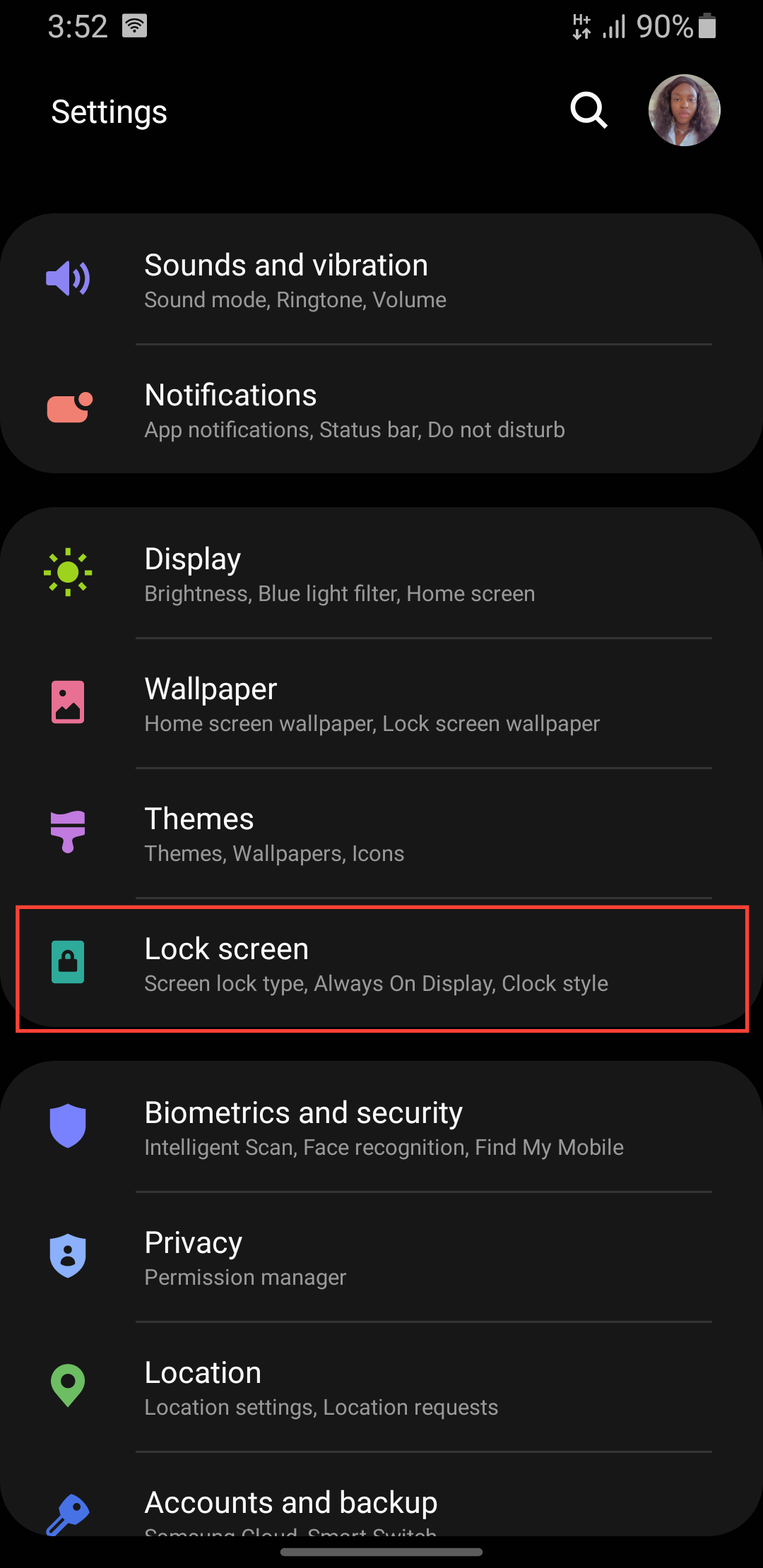
Step 1: Go to settings on your phone and scroll down and select or search for Lock screen.
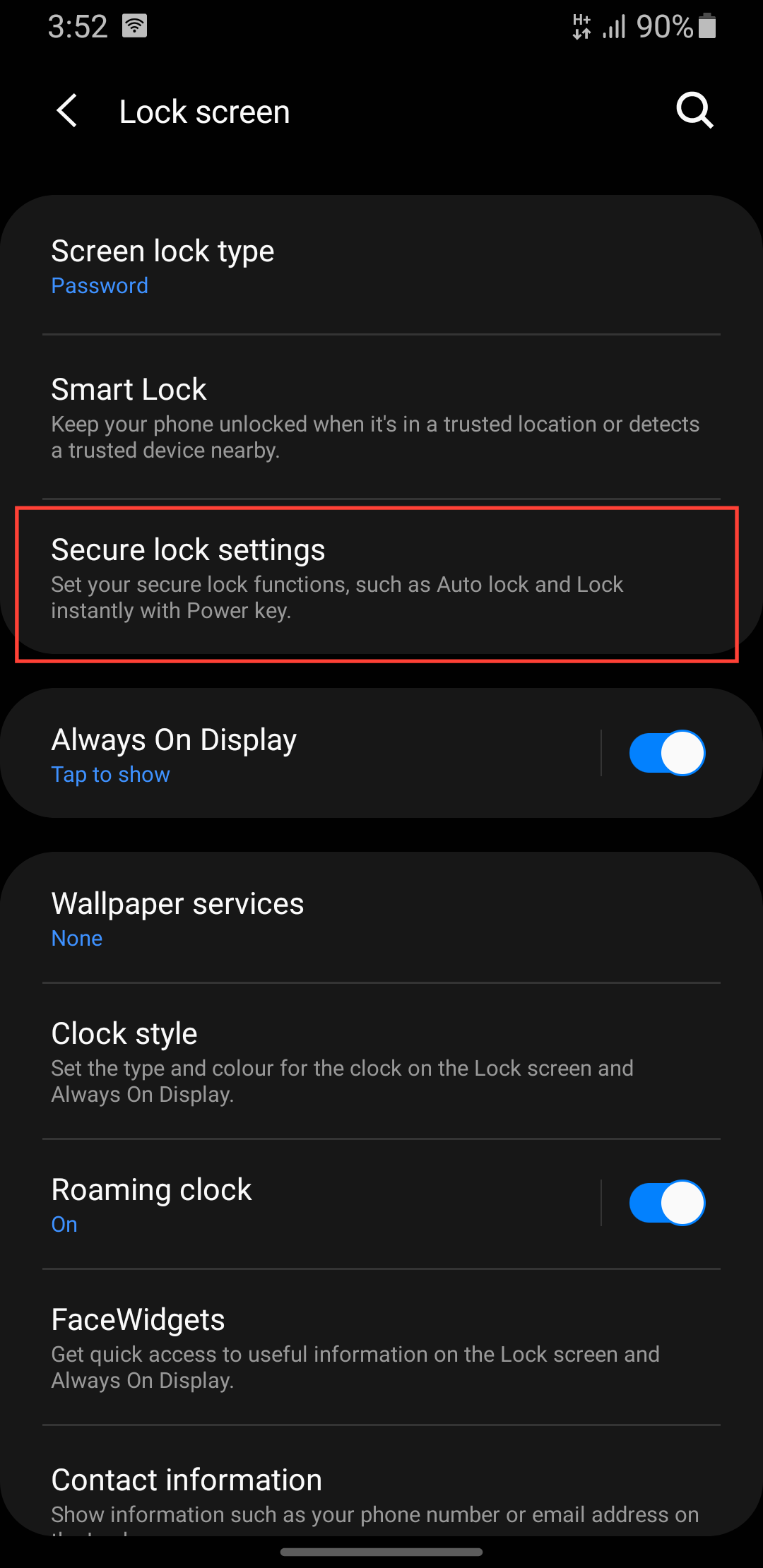
Step 2: Select Secure lock settings (you'll be prompted to enter your password).
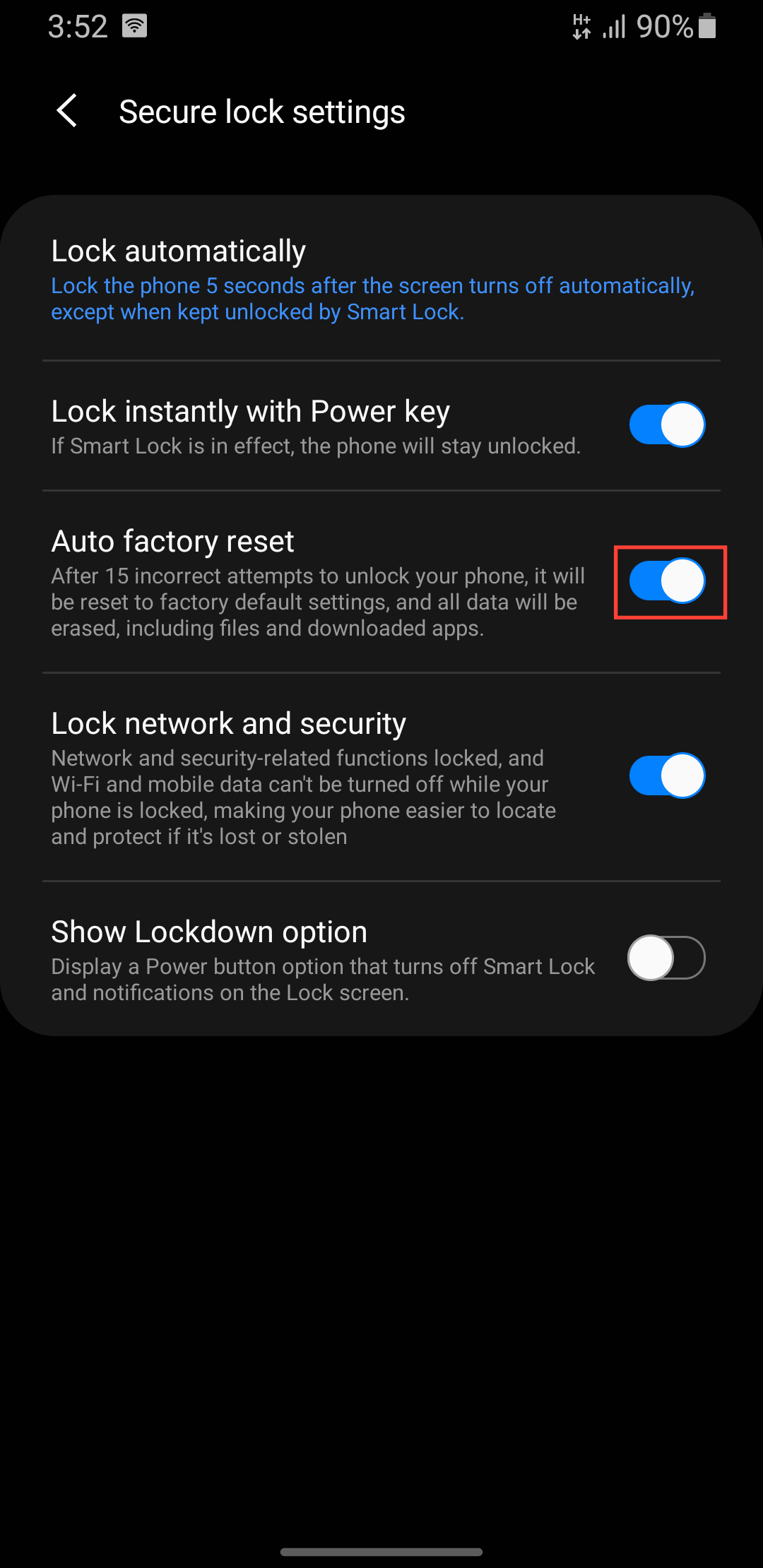
Step 3: Toggle on Auto factory reset.
 Oyinebiladou Omemu
Conclusion
Enabling auto factory reset is a double-edged sword. On one side, it's one of the most powerful privacy tools available, ensuring your privacy won't be compromised if your phone is lost or stolen.
However, on the other hand, this feature doesn't discriminate between a thief and a curious toddler. It won't ask for confirmation before wiping your data due to an innocent mistake. The consequence of enabling this is accepting that a simple accident could lead to permanent data loss.
If you decide to enable this feature, make absolutely sure your photos, files, and important data are continuously backed up to the cloud or a computer.
Image credit: Oyinebiladou Omemu/Techloy.com


