Backing up your WhatsApp chats is essential if you're planning to switch phones or just want to make sure you never lose your conversations. WhatsApp makes it easy to save your messages and media to the cloud, so you never lose those important conversations.
Here’s how to do it in just a few taps.
How to back up your WhatsApp chats
💡
A tip before you start: it's best to do this over a Wi-Fi connection. Depending on how much you chat and the number of media files involved, the backup can use up a lot of mobile data.
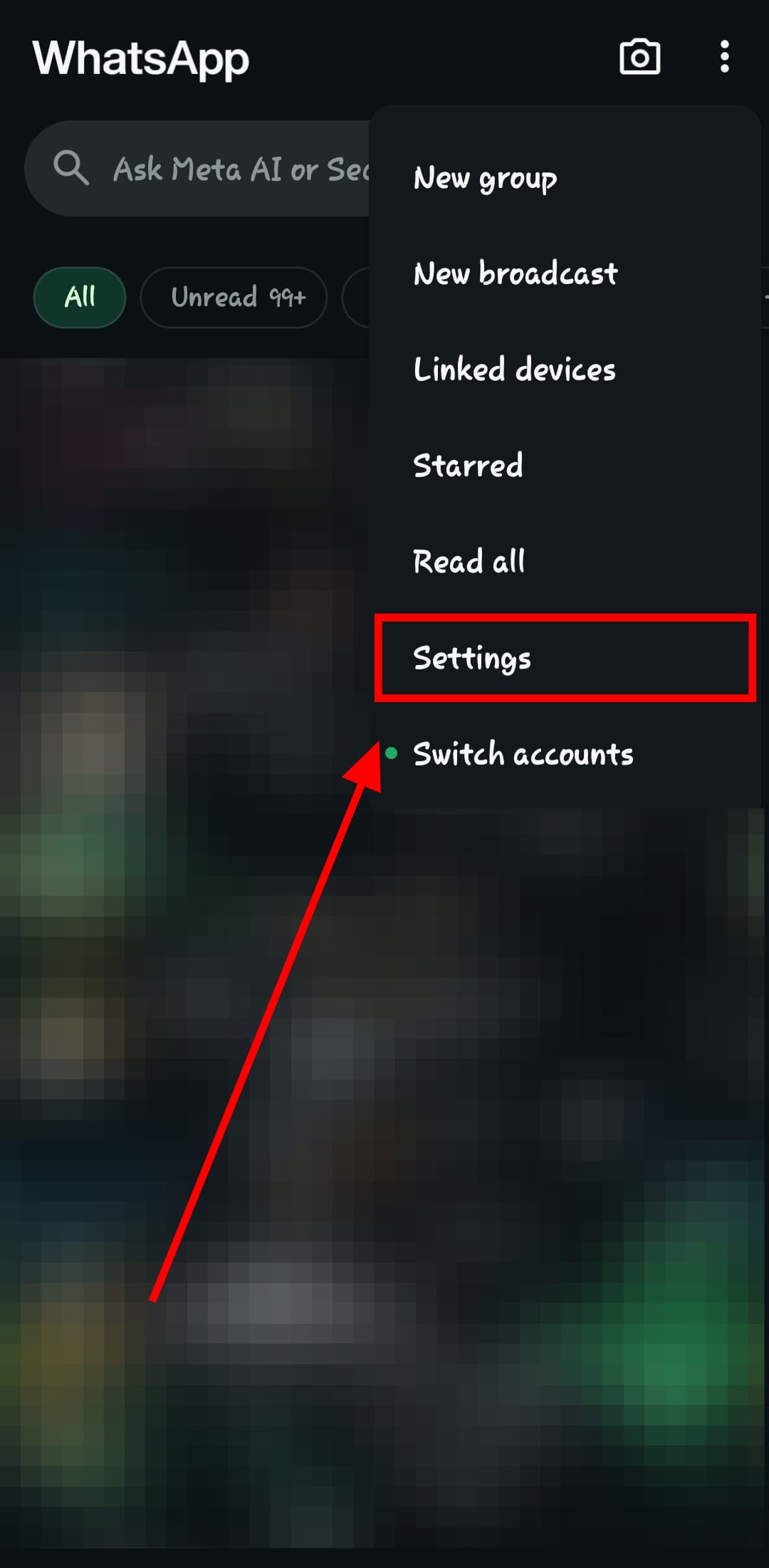
Step 1: Open WhatsApp and tap the three-dot menu icon at the top right corner.

Step 2: Select ‘Settings’ from the dropdown.
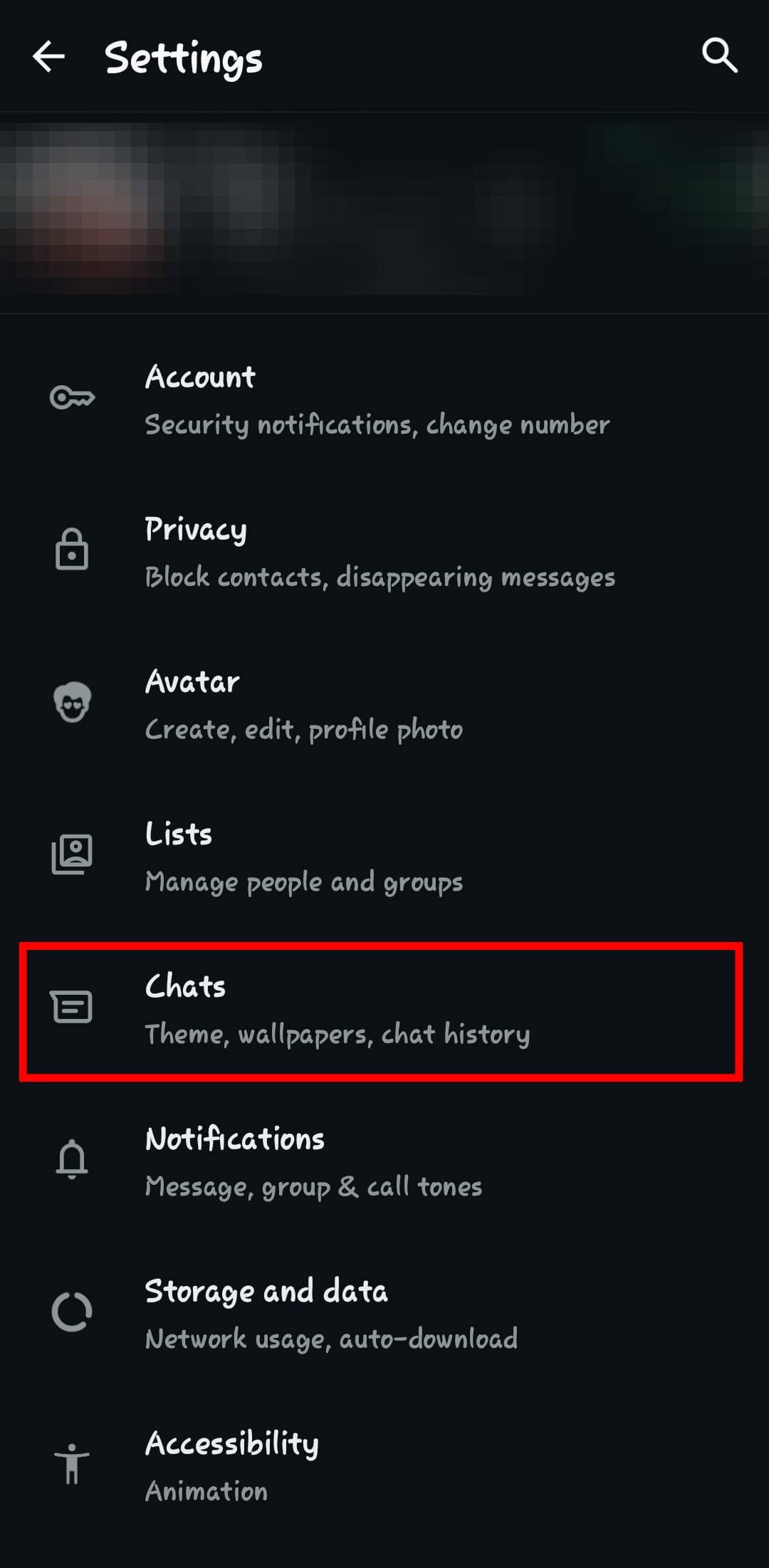
Step 3: Tap 'Chats'
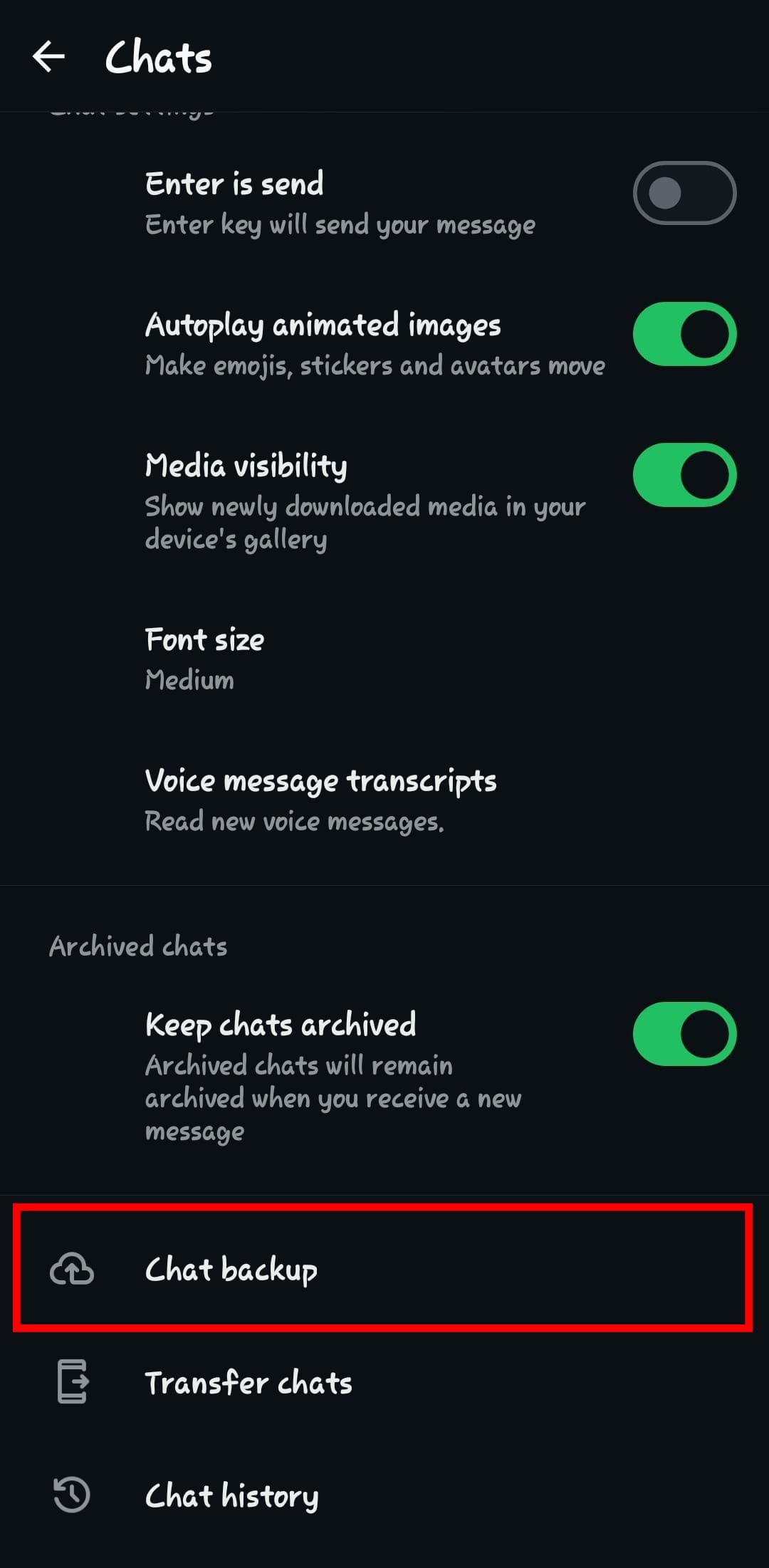
Step 4: Scroll down and tap on "Chat backup".
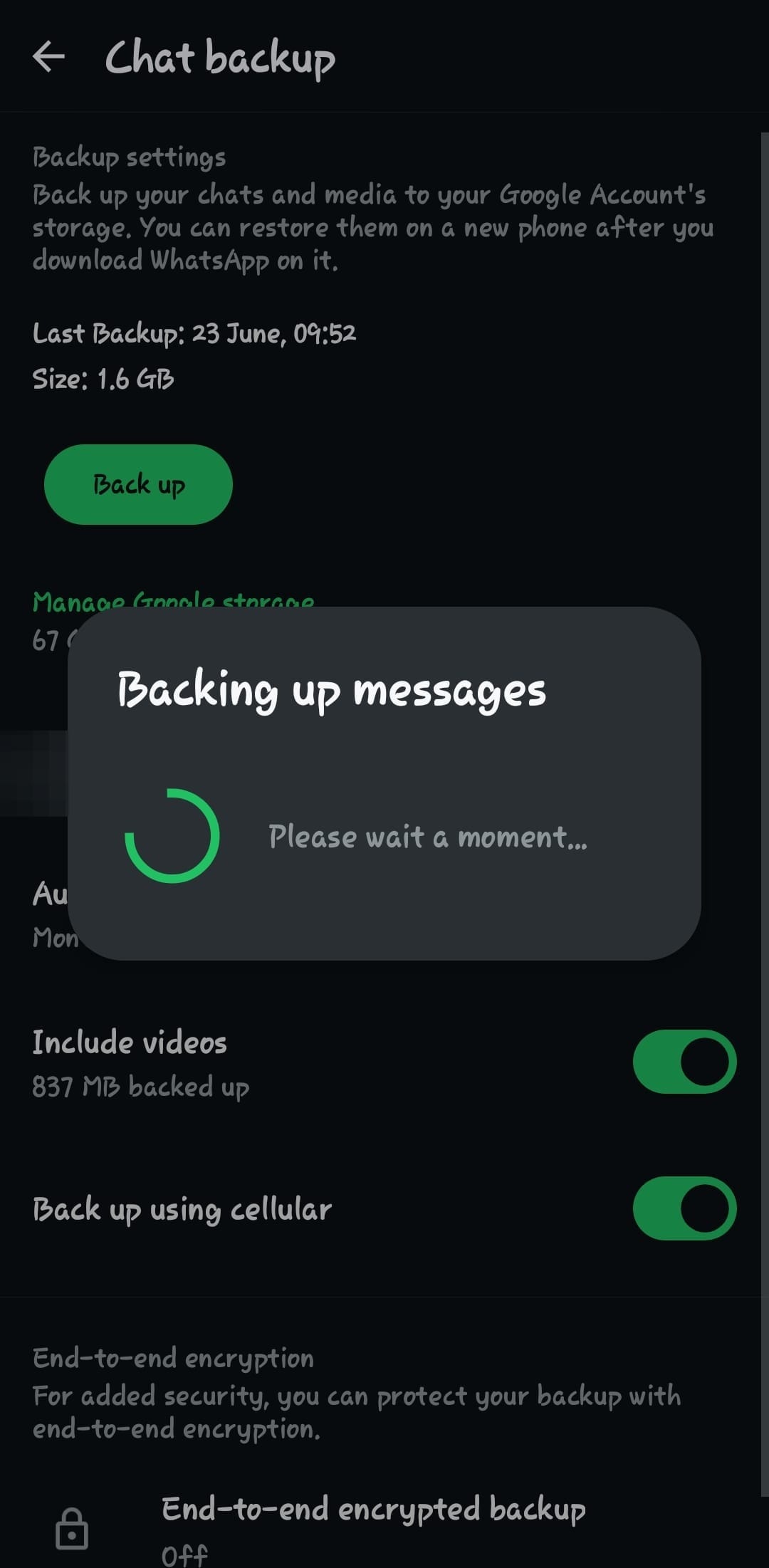
Step 5: Tap the 'Back up' button
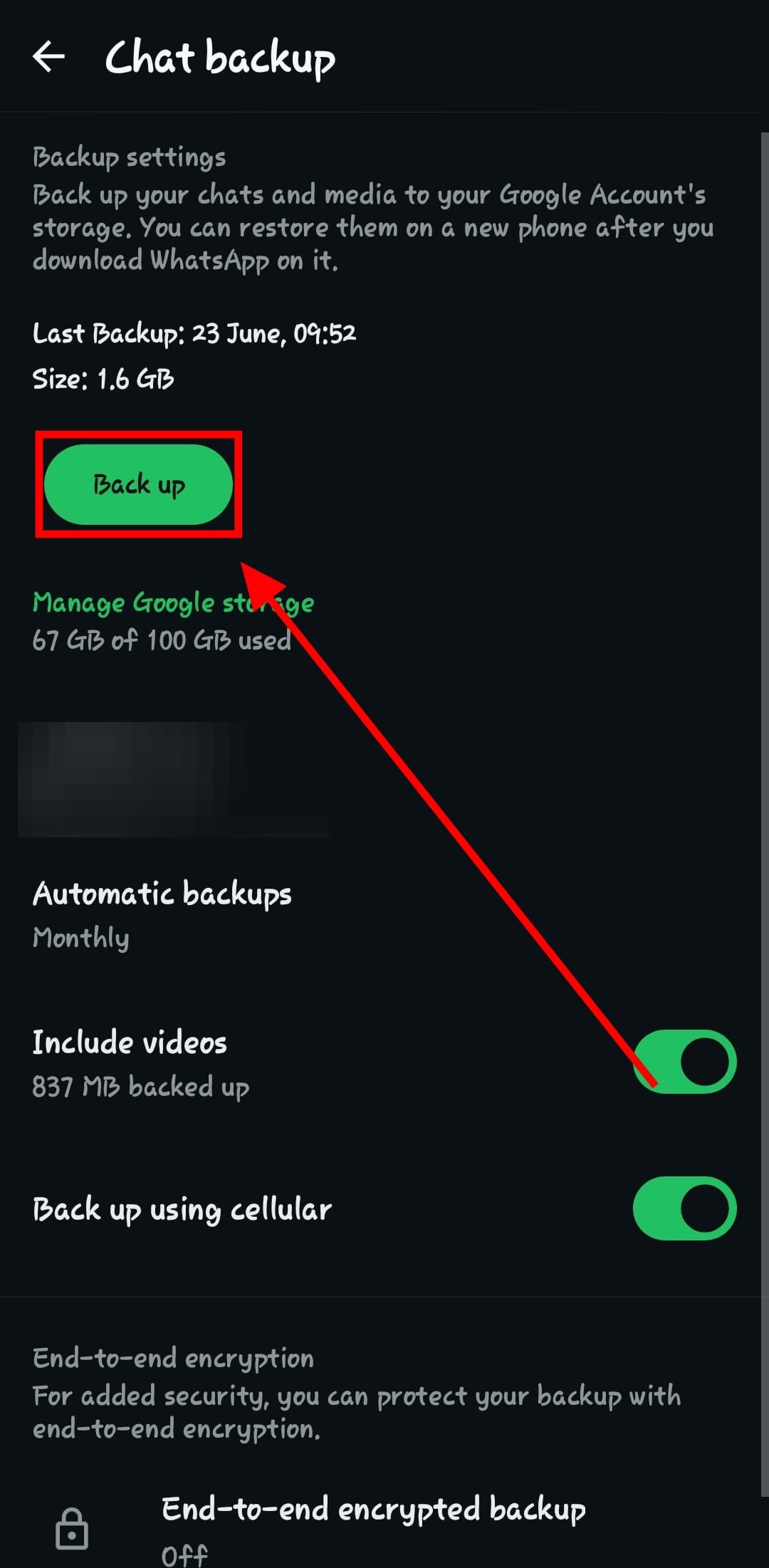
Step 6: That’s it! WhatsApp will begin backing up your chats to your linked Google account.
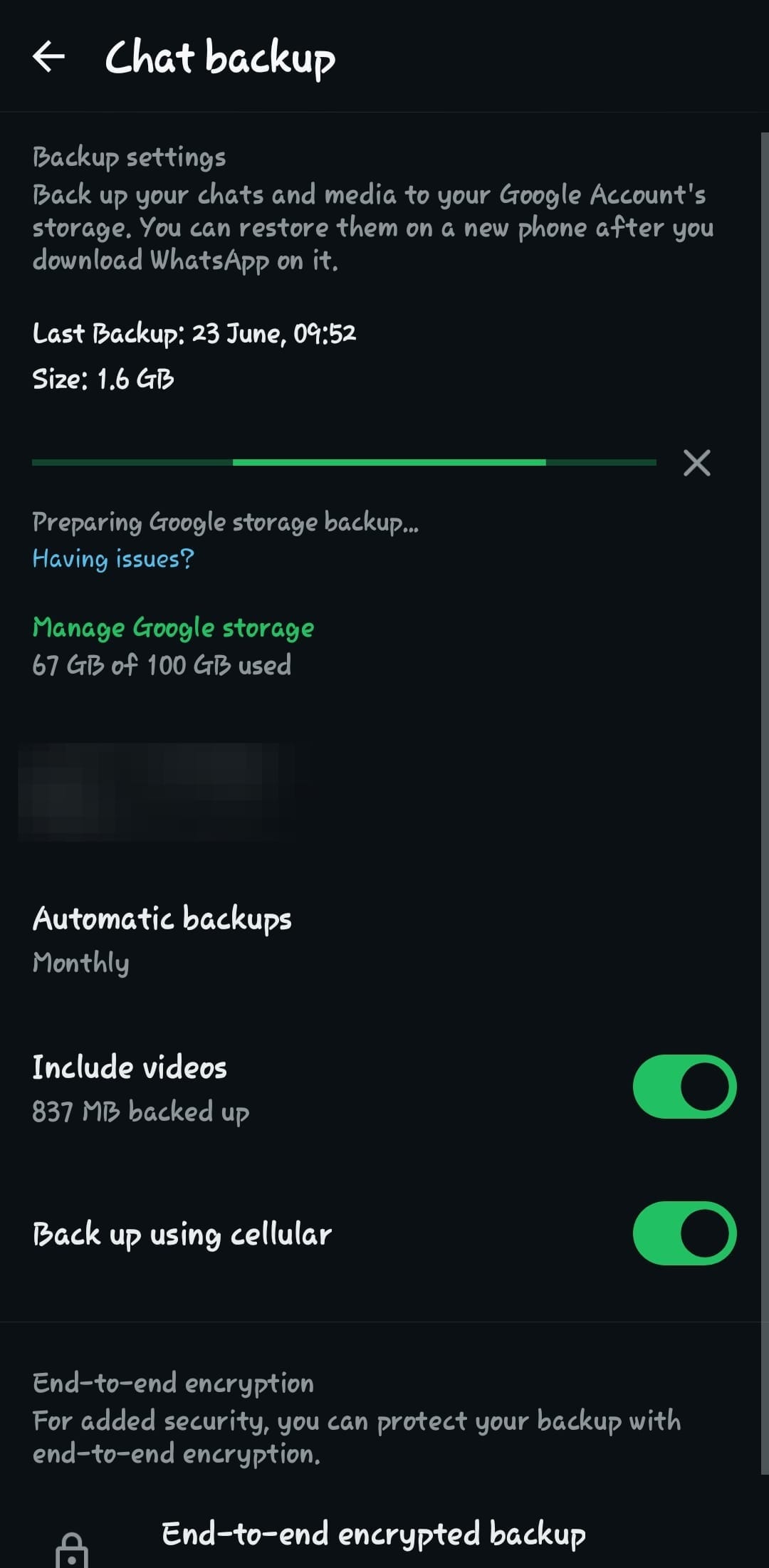
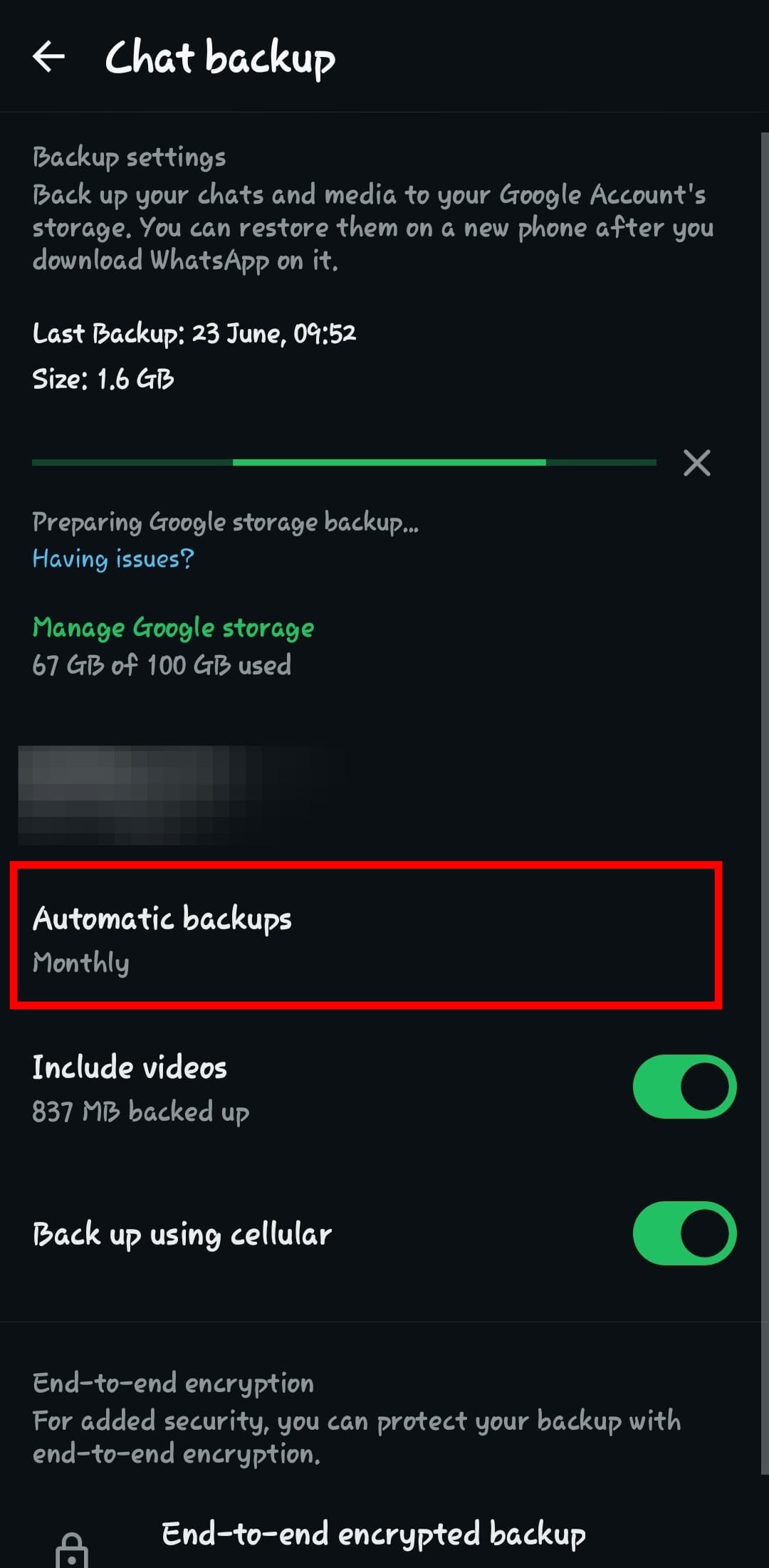
Step 7: Optionally, you can set how often backups occur. Simply tap 'Automatic backups'
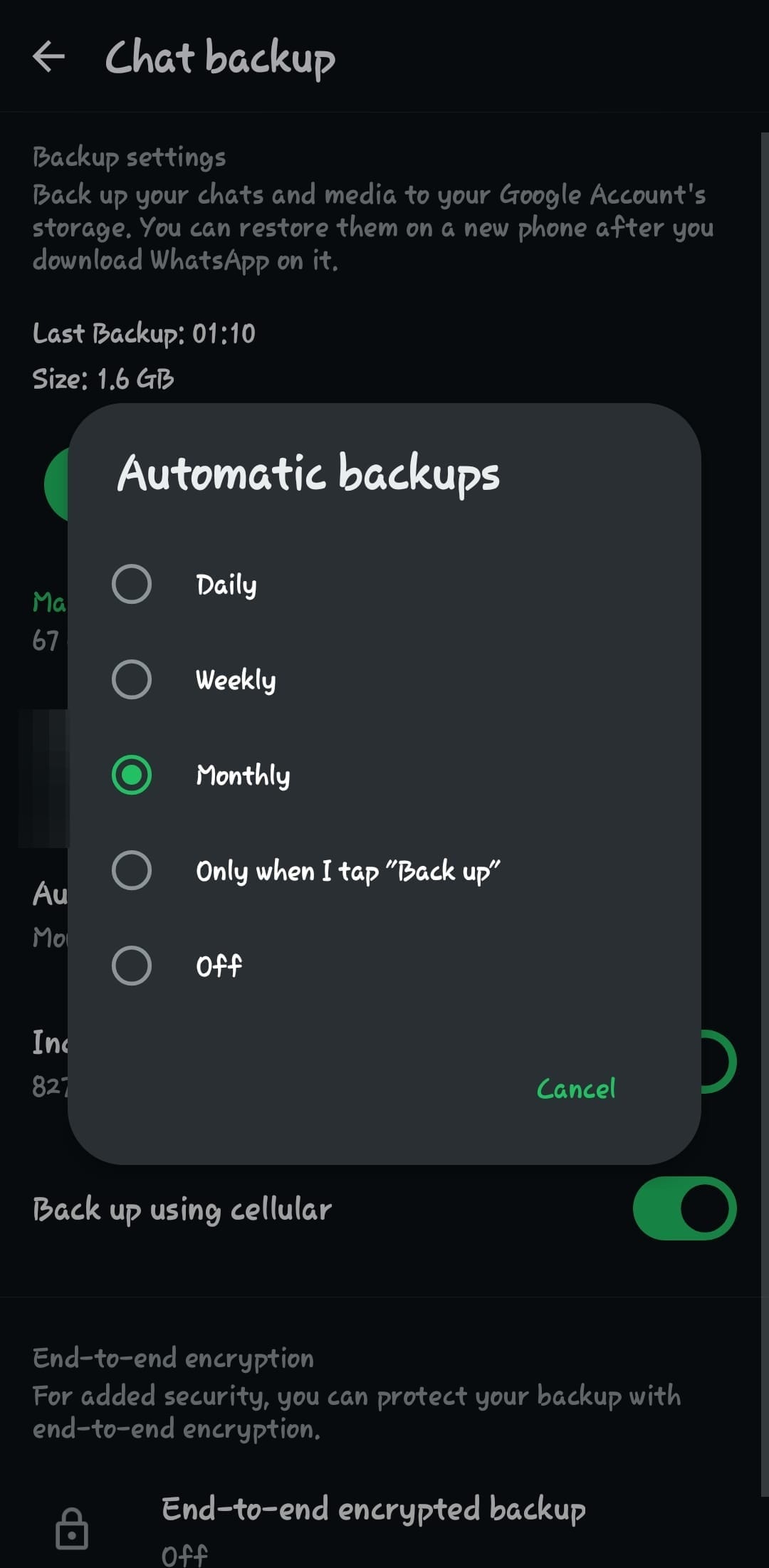
Step 8: Then, choose between Daily, Weekly, Monthly, "Only when I tap 'Back up'" or Off. Whichever suits your needs.
Conclusion
Taking a moment to back up your WhatsApp chats can save you a lot of stress down the line. Whether it’s precious memories, work conversations, or important files, keeping your data safe means you’ll never have to start from scratch.
Make it a habit, and whenever possible, back up over Wi-Fi to avoid unexpected data charges. Your future self will thank you.
Image Credit: Louis Eriakha /Techloy.com
How to Back up Your PC Files Using Google Drive
Data loss is increasingly becoming common with the rise of ransomware attacks and hardware failures
 Fishon Amos