



You open Google Drive and find your “Shared with me” folder overflowing with files from someone you’d rather avoid—maybe from an old colleague, a persistent marketer, or just that one person who keeps sharing things you never asked for.
While Google Drive is great for collaboration, it lacks a simple "reject all future shares" button, leaving many of us feeling like we have no control over what enters our workspace. The good news, though, is that you can block specific people from sharing files with you again.
This guide will walk you through the exact steps to block someone on Google Drive.
 Oyinebiladou Omemu
How to block someone on Google Drive
Step 1: Open Google Drive on your PC.
Step 2: Click Shared with me on the left menu to see files that have been shared with you.
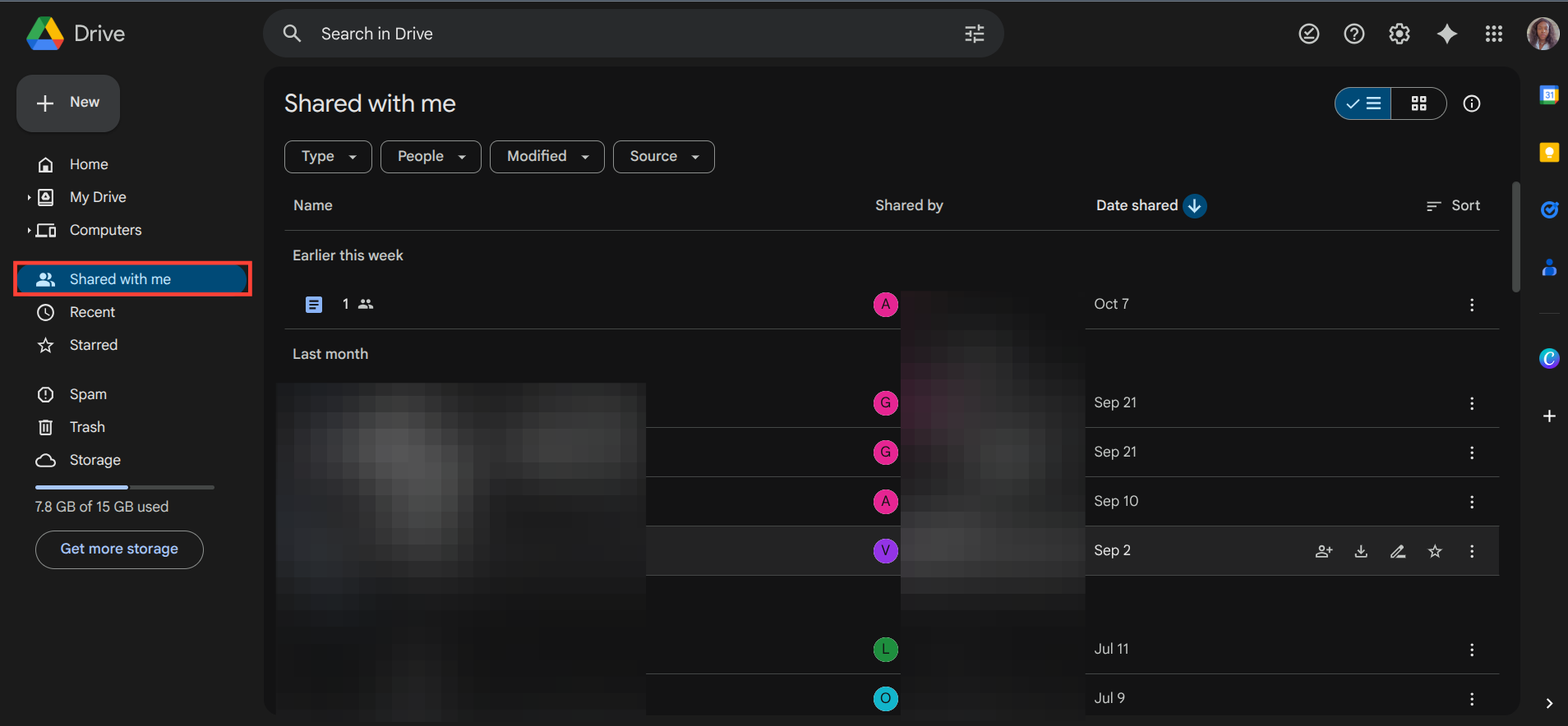
Step 3: Click on the three-dot menu of the file sent by the person you want to block.
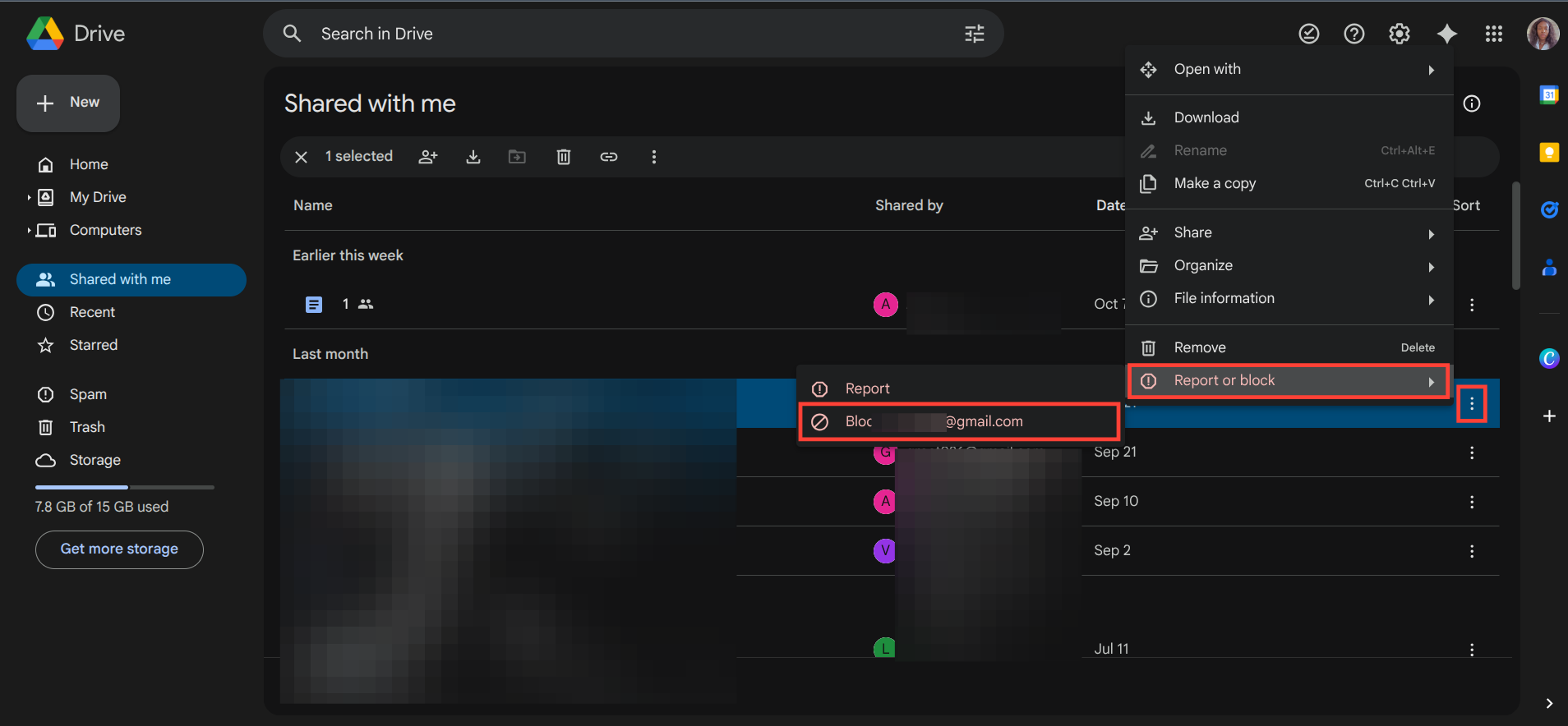
Step 4: Select Report or Block and click on the option to block the email of the person.
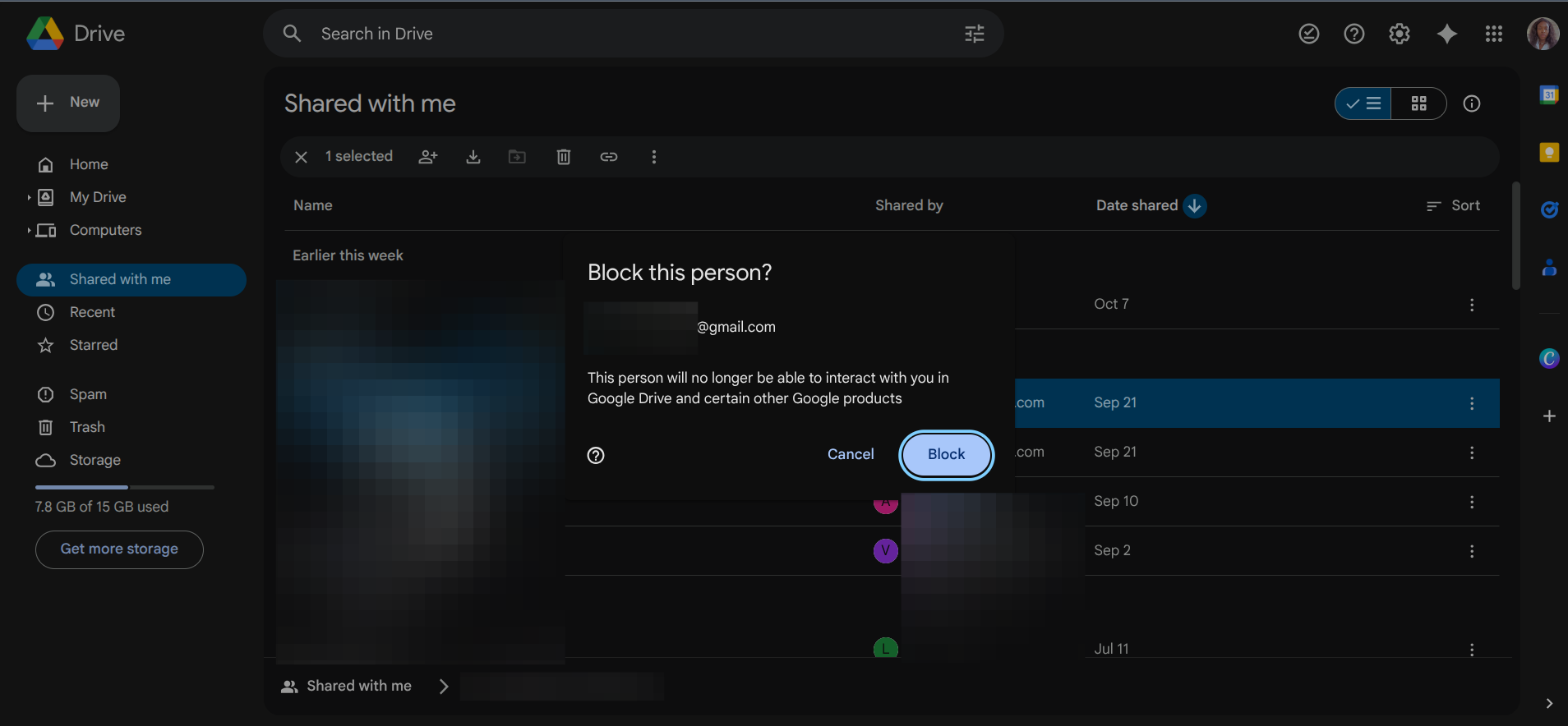
Step 5: Confirm the block action.
 Oyinebiladou Omemu
Conclusion
Taking the step to block someone on Google Drive is the ultimate way to stop unwanted file sharing at the source. Think of it as a Do Not Disturb sign specifically for one individual, ensuring your productivity and digital sanity remain intact. This action is specific to the person you block and won't affect files already shared by others.
Image Credit: Oyinebiladou Omemu/Techloy.com


