



Some stories are for everyone. Others are for… well, not everyone. Maybe it’s a chaotic night out, a private moment, or just something you’d rather not explain in the group chat the next morning. And if you’ve ever wanted to hide a Snap story from a friend without turning it into an awkward conversation,
Snapchat gives you a way out. The best part is that it takes only a few taps, and no one gets notified, so you keep your privacy without hurting anyone’s feelings. It’s one of those small features that instantly makes the app feel more in your control especially when you want your story to stay exactly where you meant it to.
1. Use “Custom” under View My Story
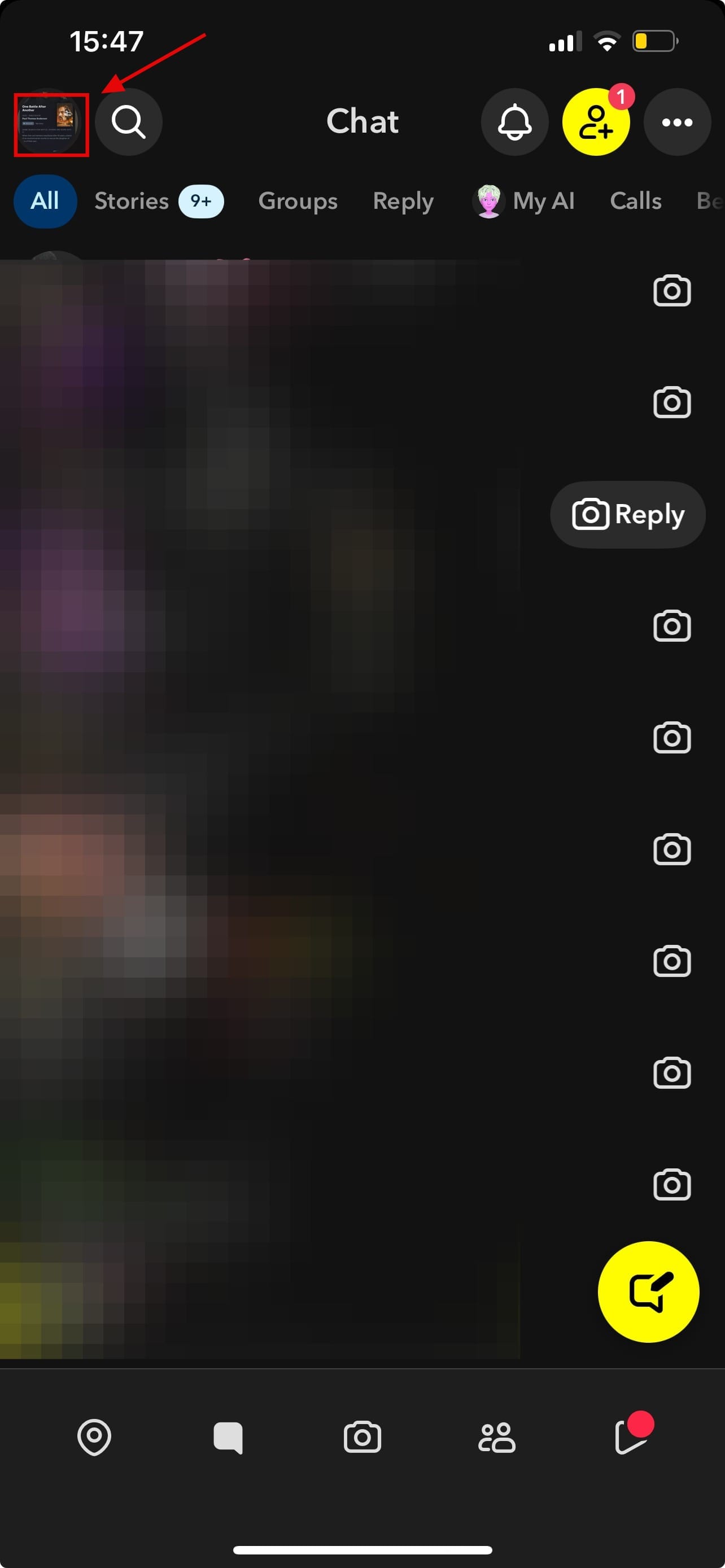
Step 1: Open Snapchat on your device, then click on your profile icon at the top left of your screen
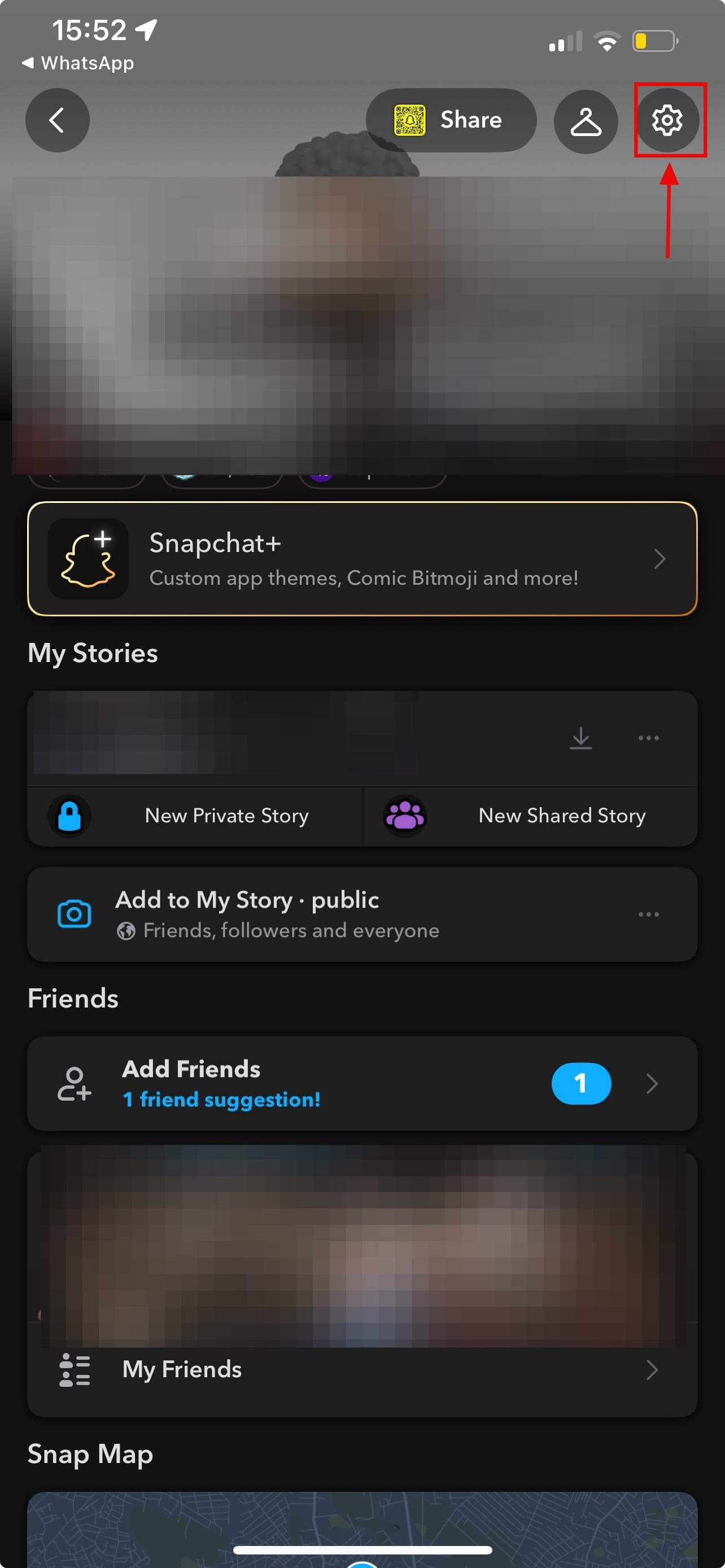
Step 2: Click on the settings icon
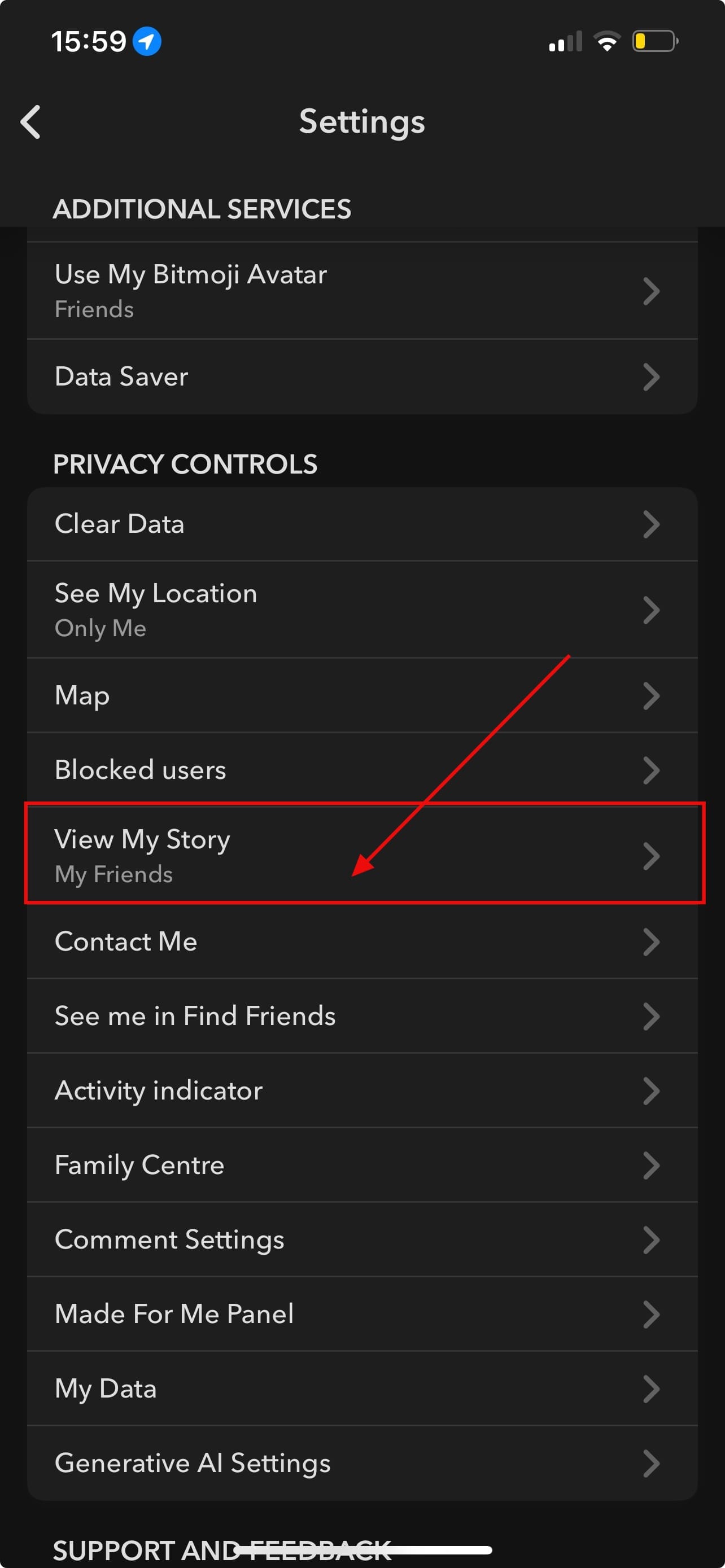
Step 3: Scroll to "Privacy Controls" and click "View My Story"
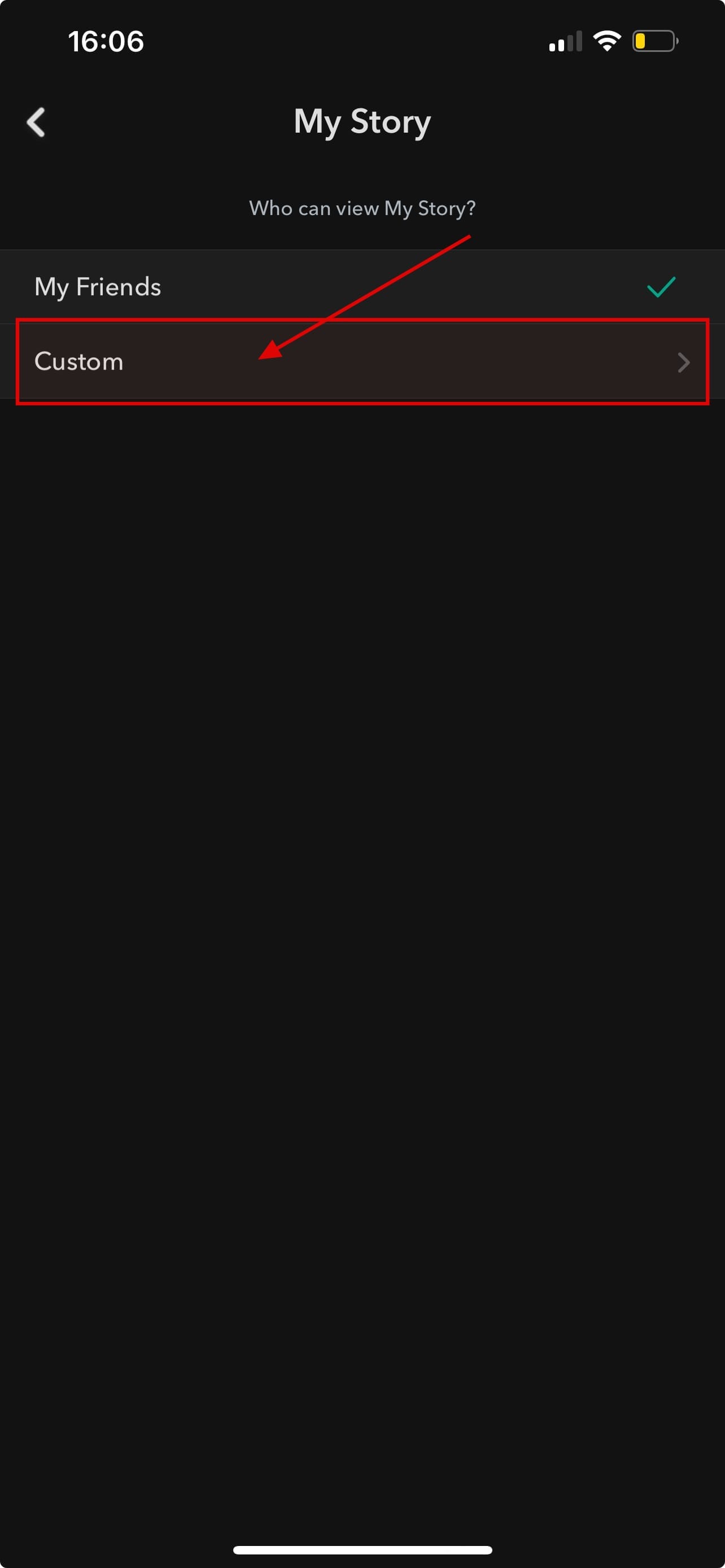
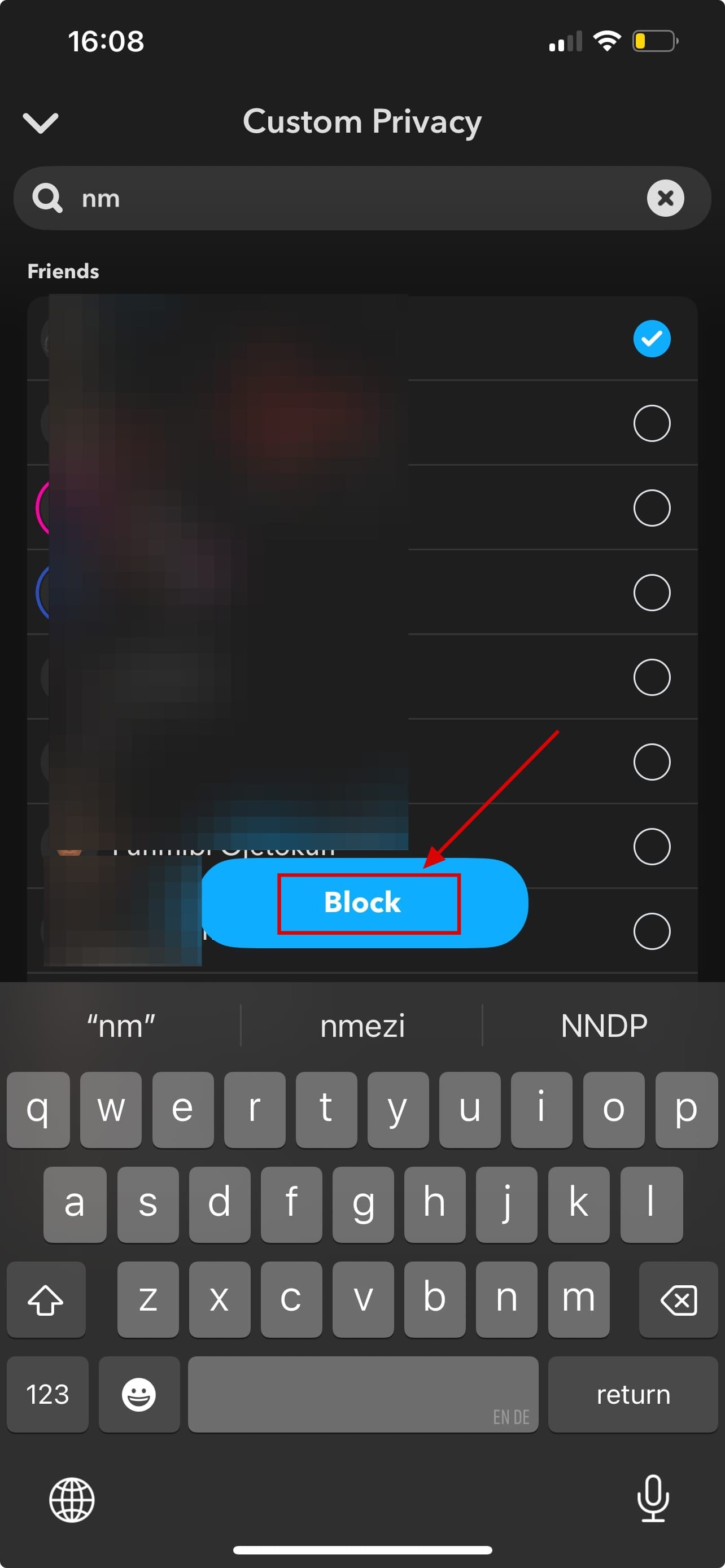
Step 4: Click on "Custom"
Step 5: Select the friend or friends you want to block from viewing your Snap story, then click "Block." This automatically blocks the friend/friends you have selected from seeing your story
2. Use “Shared Stories” for selective groups
Step 1: Launch the app and tap your profile icon at the top left of your screen
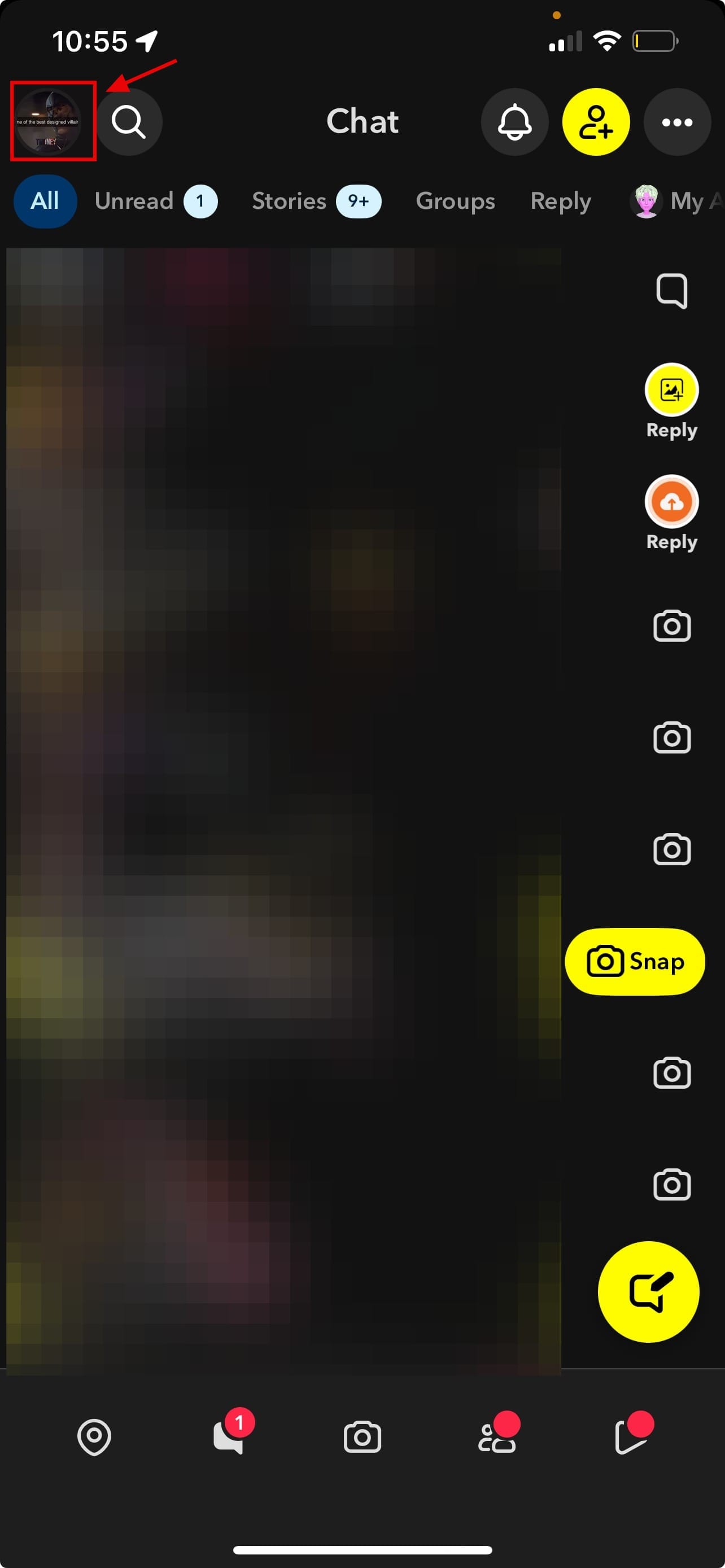
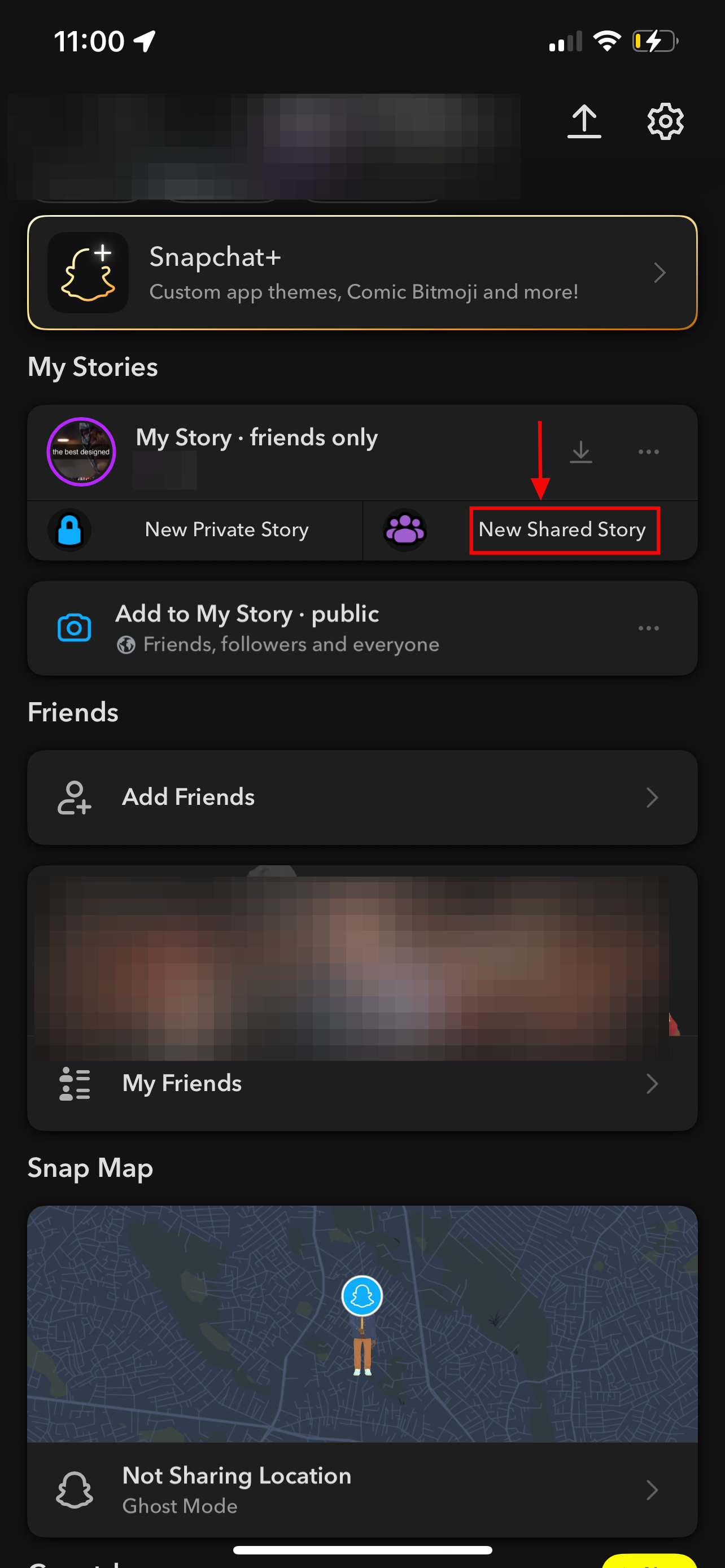
Step 2: Scroll down until you see the My Stories section. Then select “New Shared Story”
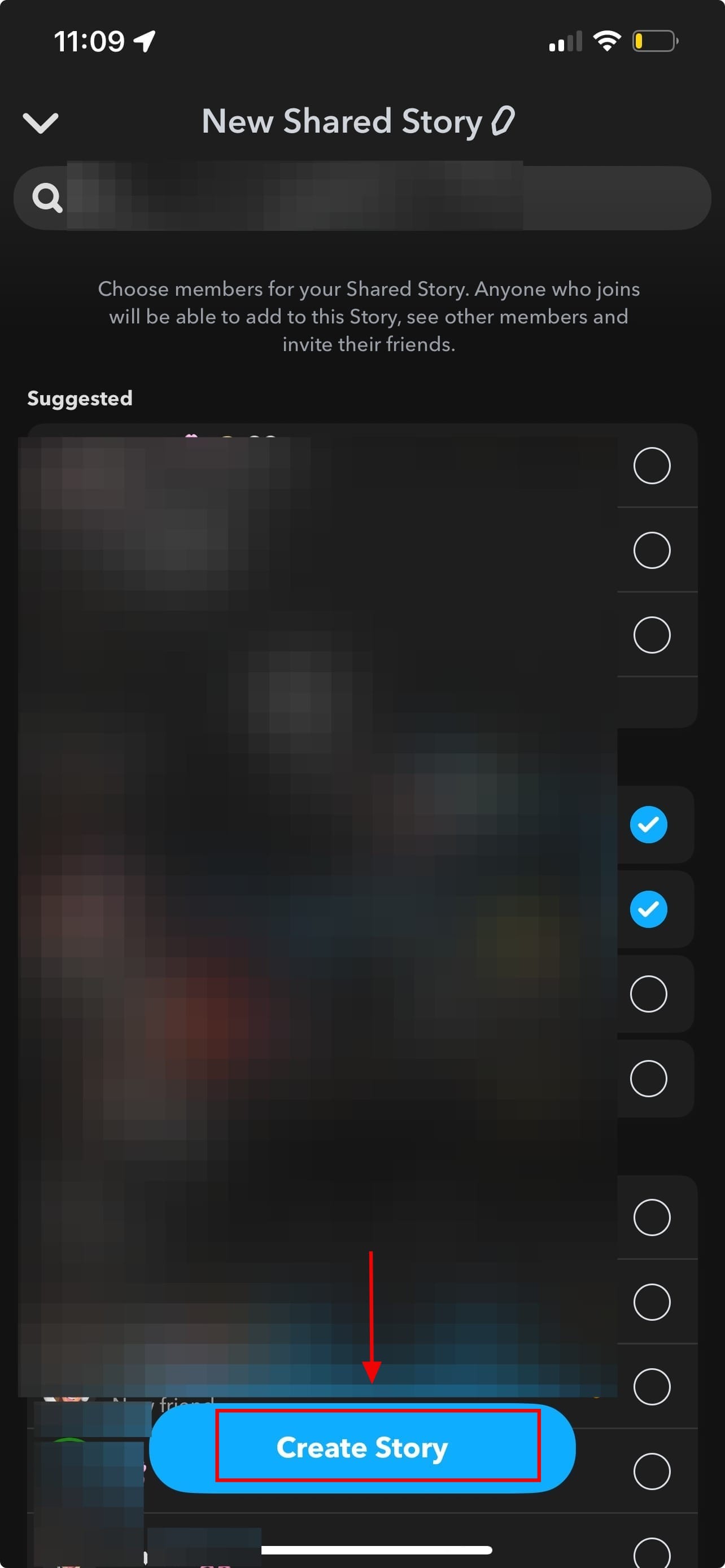
Step 3: You’ll see your friends list. Select the specific people who can view and add Snaps to this shared story
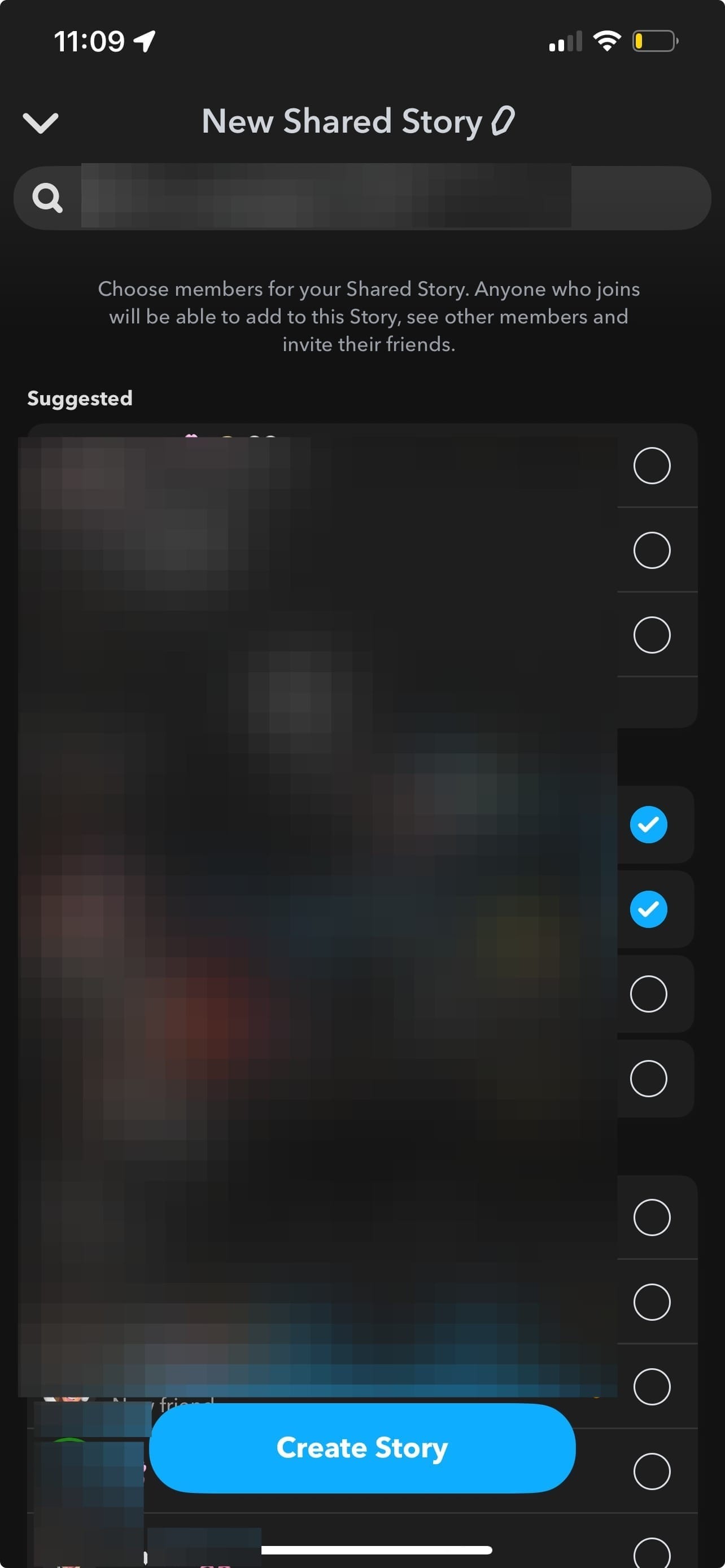
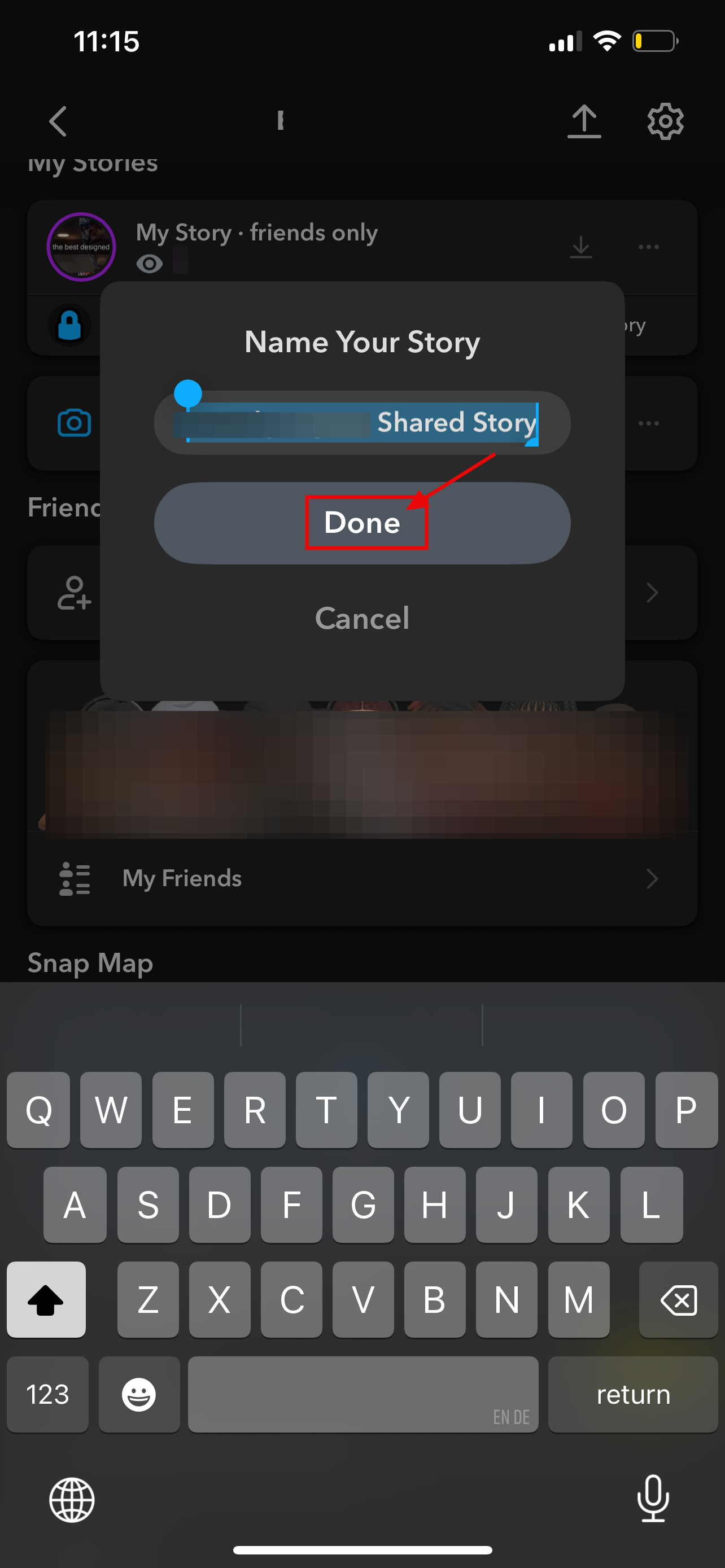
Step 4: Then click on "Create Story." Then name your shared story and click on "Done"
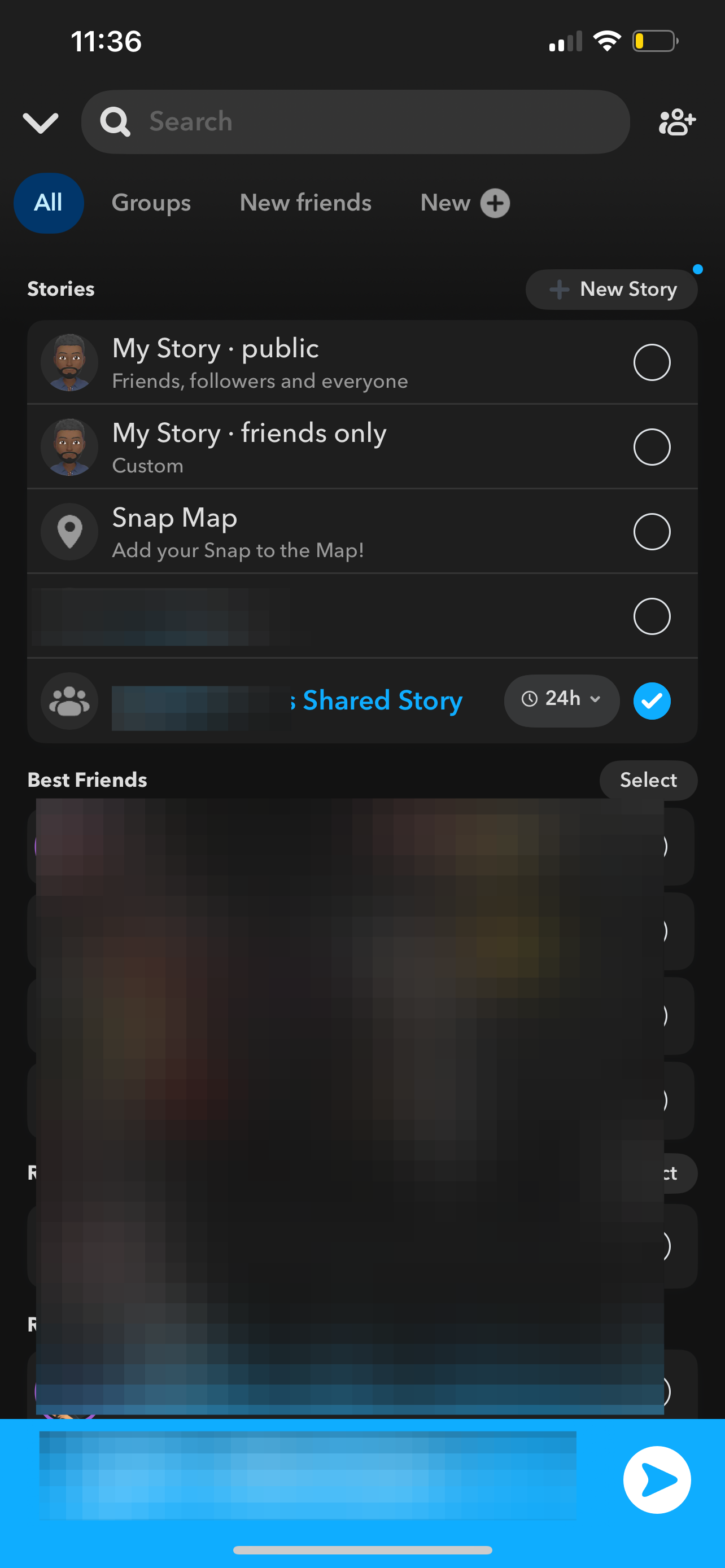
Step 5: Take a Snap, then select your Shared Story instead of “My Story.” Only the friends you added in Step 3 will see it
 Louis Eriakha
Conclusion
Once you’ve saved your settings, you’re good to go. Your story will appear normally to everyone else, while the people you’ve blocked stay completely unaware. It keeps things simple, private, and drama-free.
Whether you’re sharing something personal or just curating your audience a little more carefully, this small tweak gives you full control over who sees what, without breaking any friendships along the way.


