



PlayStation Plus offers some great perks like monthly free games, cloud storage, and access to online multiplayer, but it is not for everyone all the time. Maybe you have shifted toward single-player games, or maybe you are trying to reduce your monthly spending.
I found myself in that situation a few months ago when trying to reduce spending and noticed my PlayStation Plus subscription quietly renewed. Well, canceling the subscription on your PlayStation 5 console can save you from such a predicament. Here's how to go about it.
 Oluwaseun Bamisile
Steps to Cancel PlayStation Plus
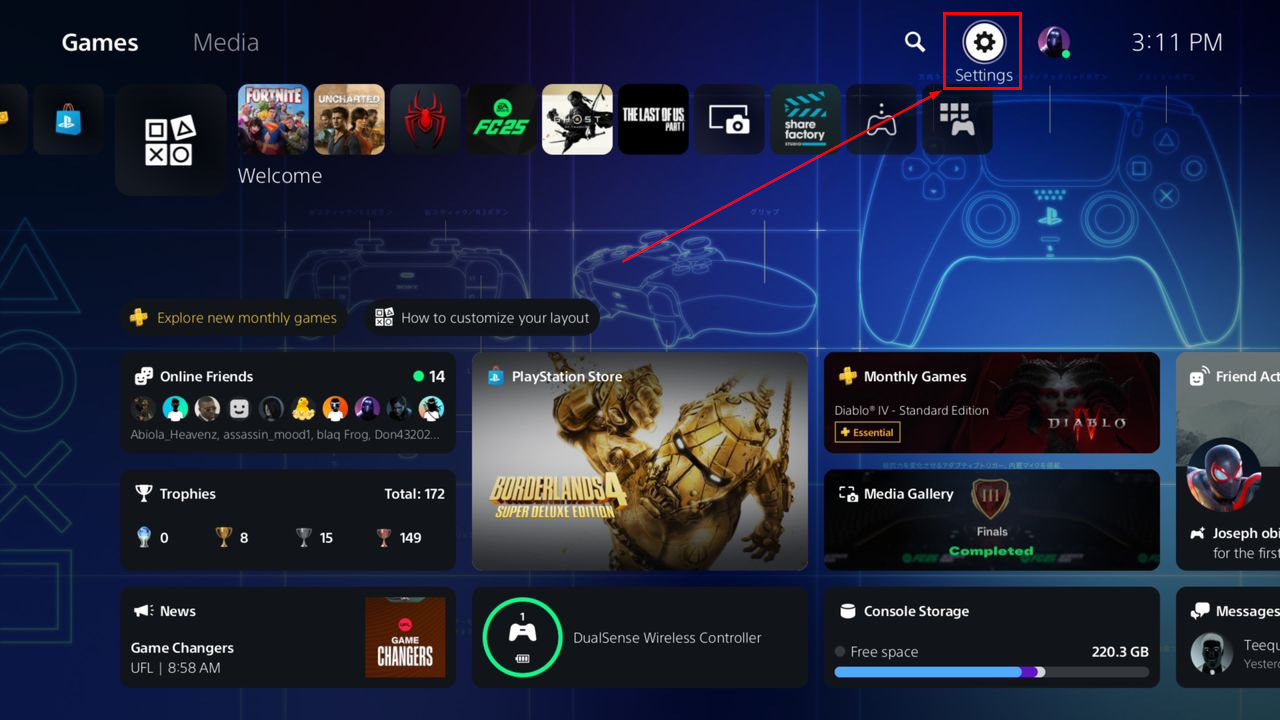
Step 1: Log in to your PS5 console, navigate to the top right corner, and select the Settings icon
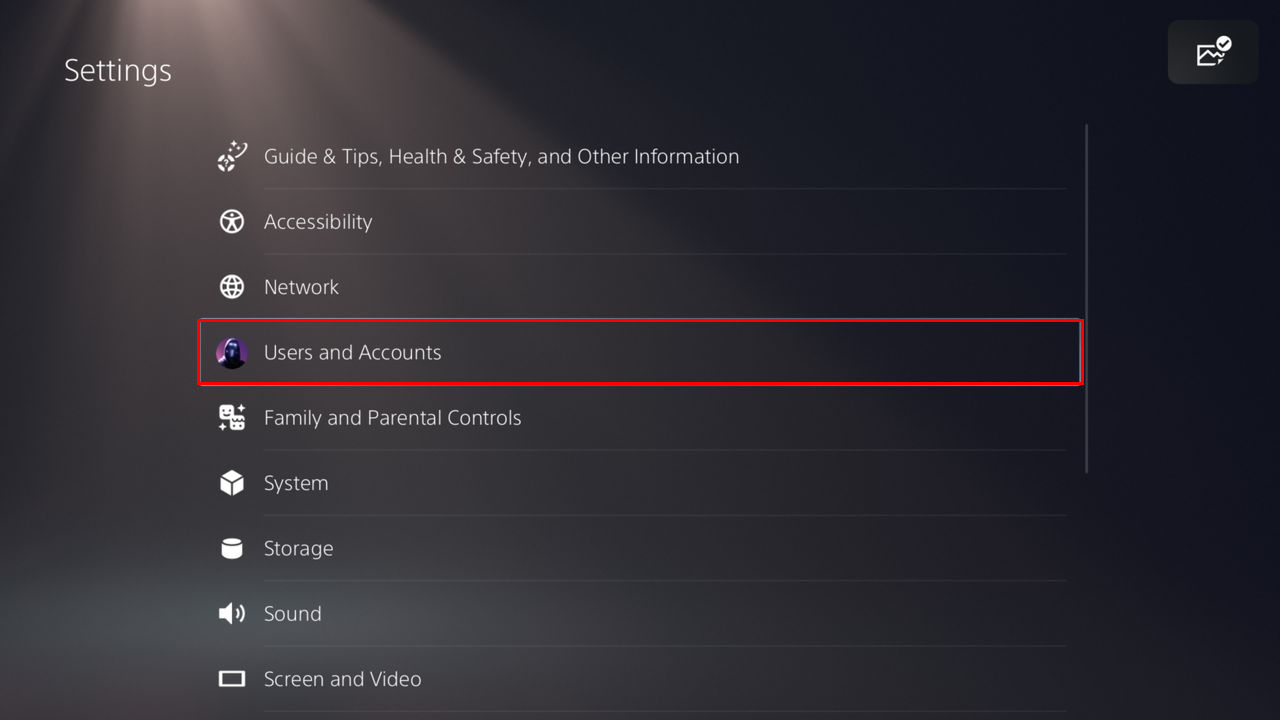
Step 2: Select "Users and Accounts"
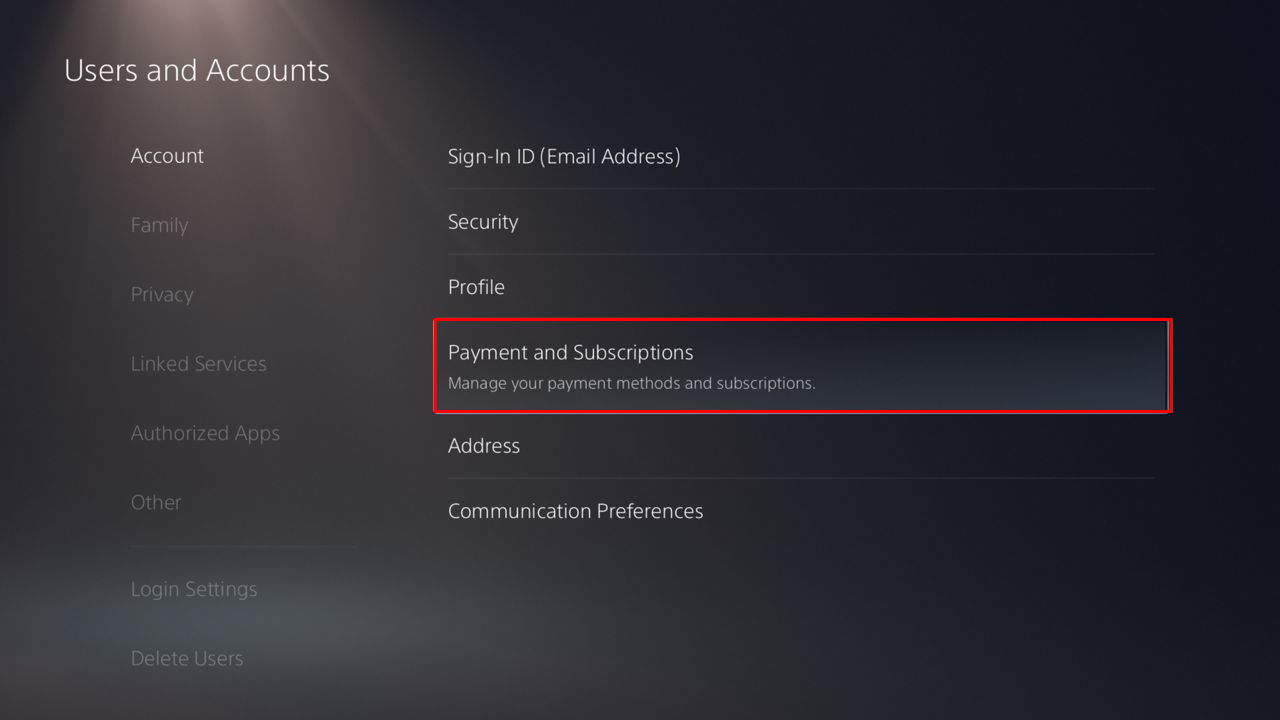
Step 3: On the Account tab, select "Payment and Subscriptions"
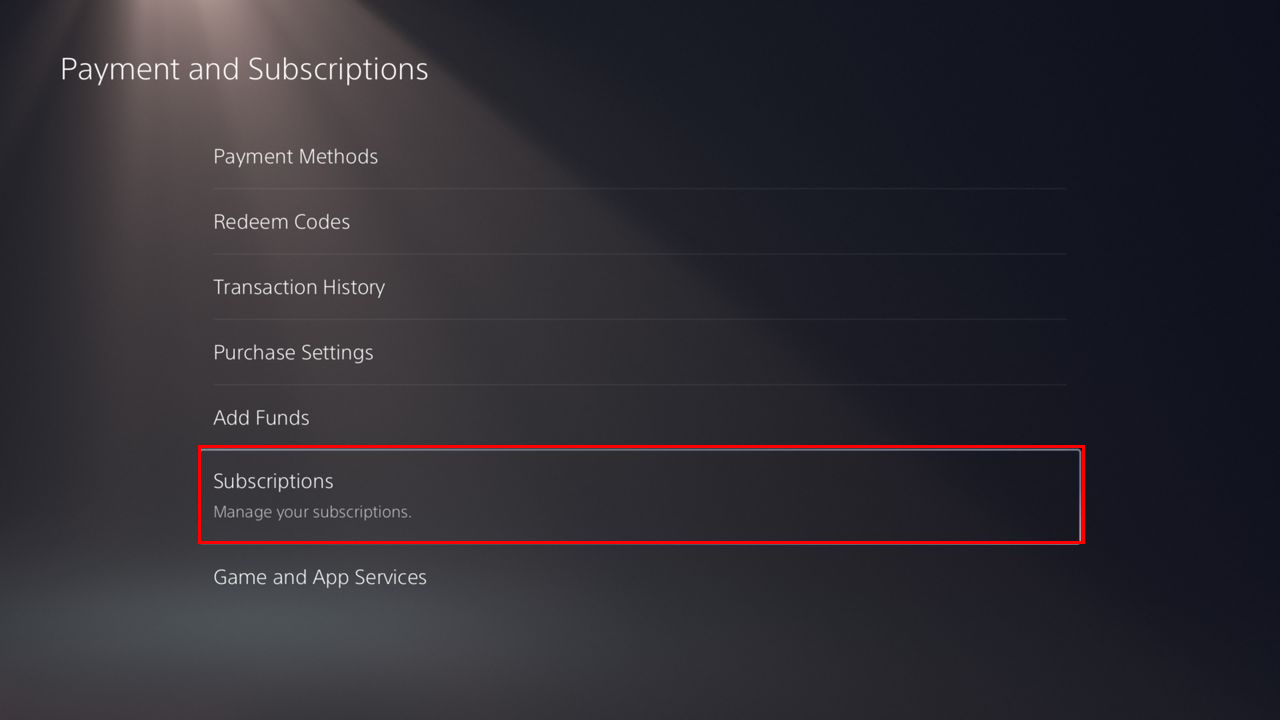
Step 4: Now, click on "Subscriptions"
Step 5: Afterwards, choose PlayStation Plus
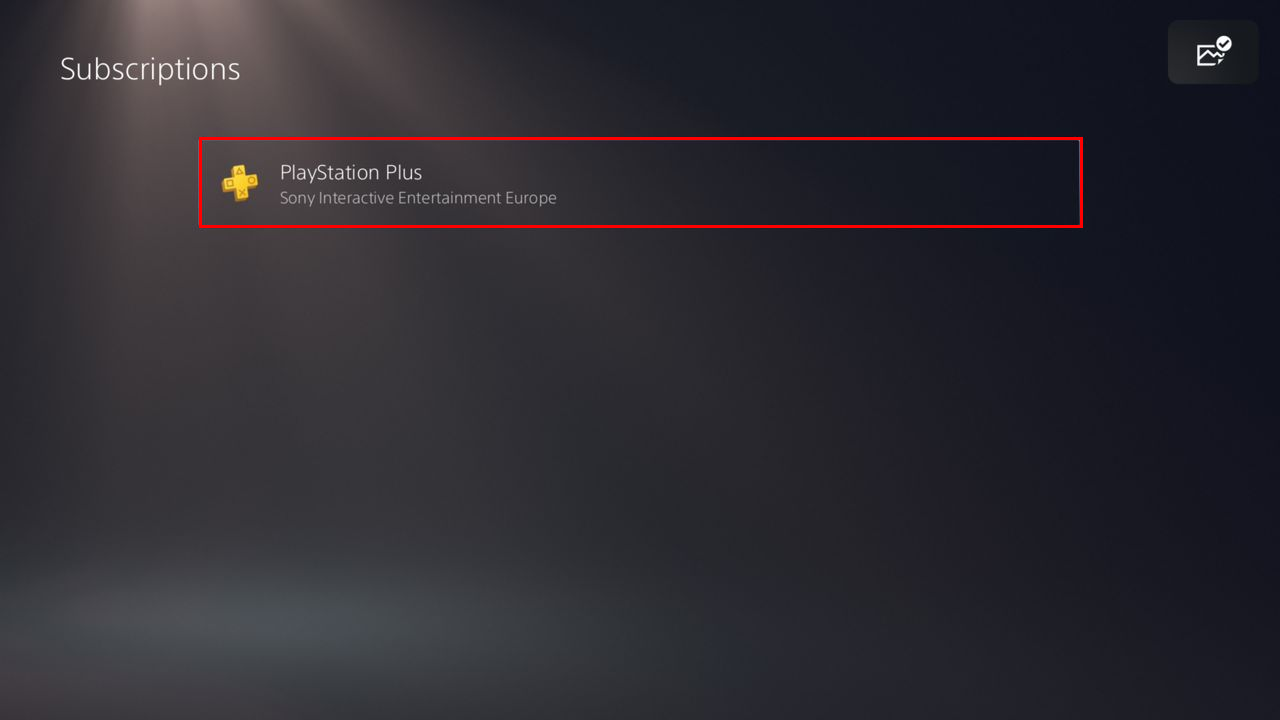
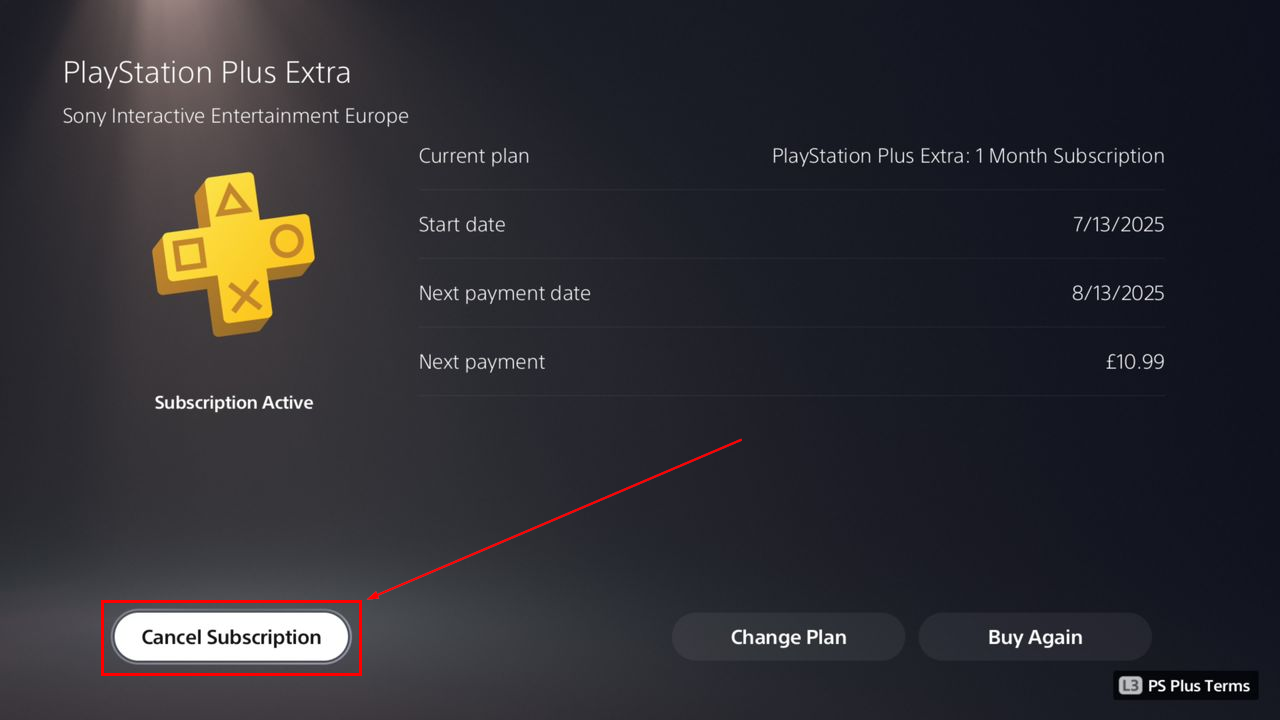
Step 6: At the bottom left corner, click the Cancel Subscription button
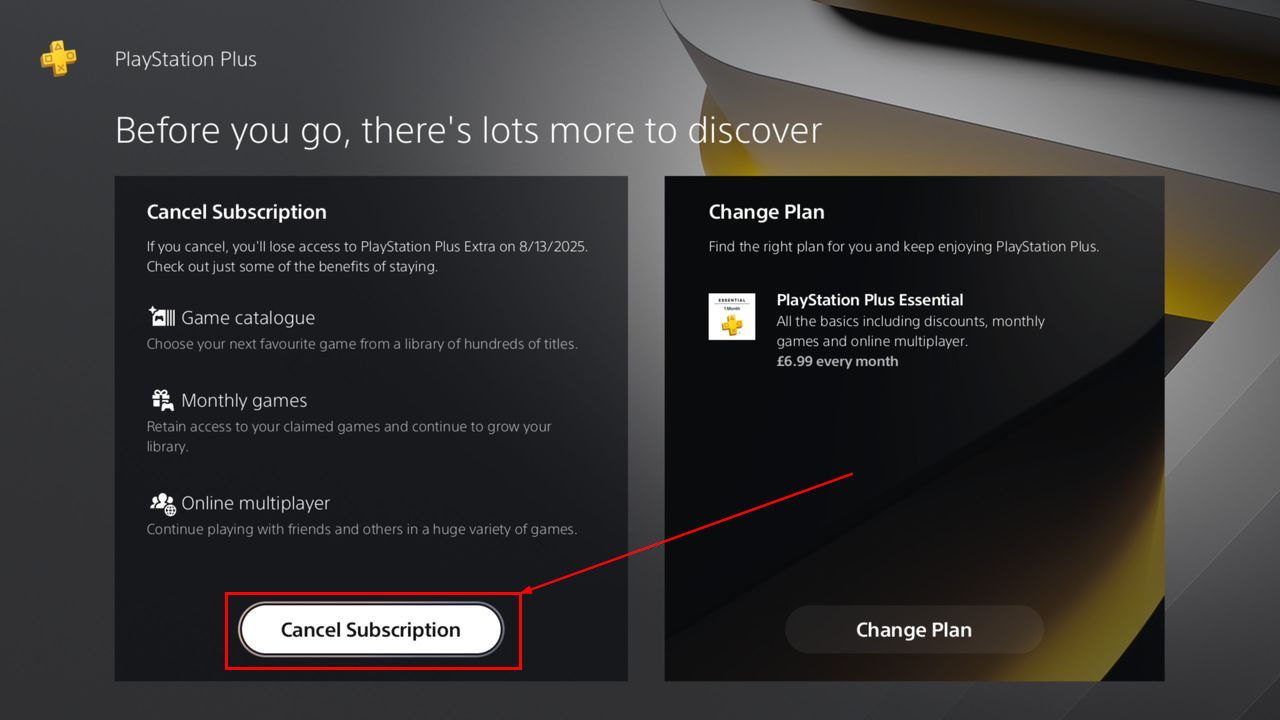
Step 7: Confirm by selecting "Cancel Subscription" on the next screen
 Oluwaseun Bamisile
Conclusion
Canceling PlayStation Plus is not about quitting PlayStation or giving up on games. It is about making your console and your spending work for you. Maybe you are focused on offline titles right now, or you are not using the extra perks as much as you thought you would. That is perfectly okay.
The great thing is, canceling does not delete your progress or purchases. You are simply choosing when and how to subscribe again. And if you ever feel like jumping back in, you can reactivate your subscription just as easily.
Image credit: Oluwaseun Bamisile/Techloy.com


