



I remember when I started using two SIM cards—one physical SIM and an eSIM—in my iPhone 12. It seemed like the perfect setup, but when I needed to switch my data connection from one SIM to the other, things got confusing fast.
The settings weren’t obvious, and I kept wondering if I was doing it right or accidentally messing with my setup instead. Whether you’re trying to take advantage of a better data plan or switch between carriers for better coverage, being able to control your data connection is essential. And once you know where to find the setting, it’s surprisingly easy.
Here's how to do it.
Steps to Change Data Connection Carrier on iPhone
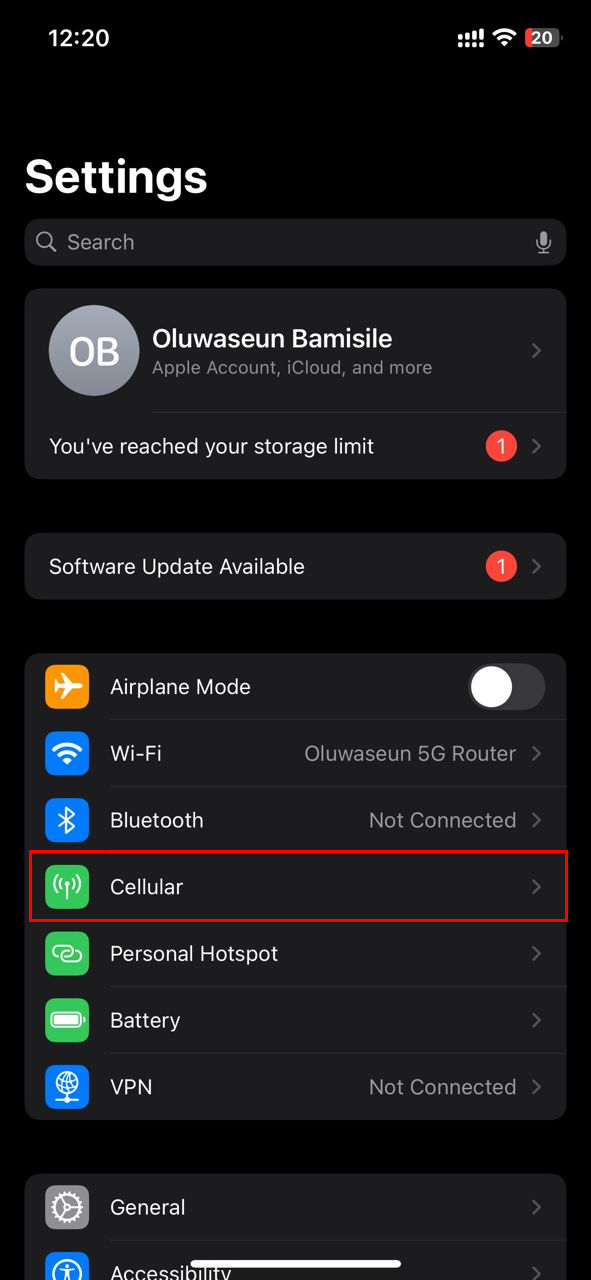
Step 1: Open the Settings app and tap Cellular (or Mobile Data, depending on your region)
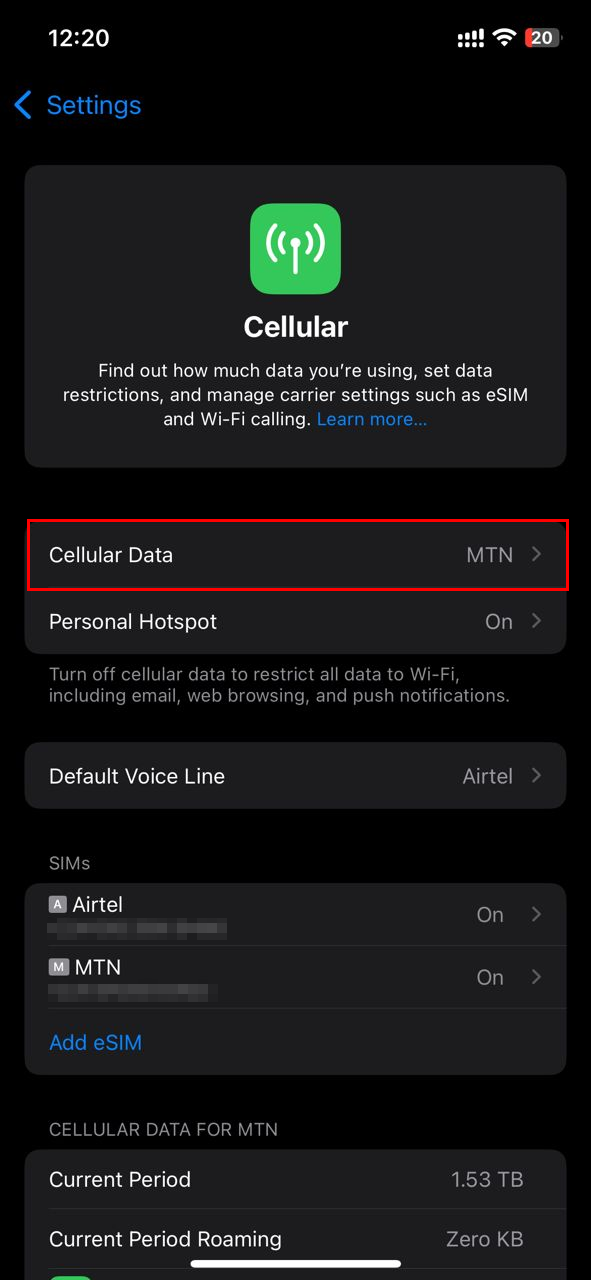
Step 2: Select "Cellular Data"
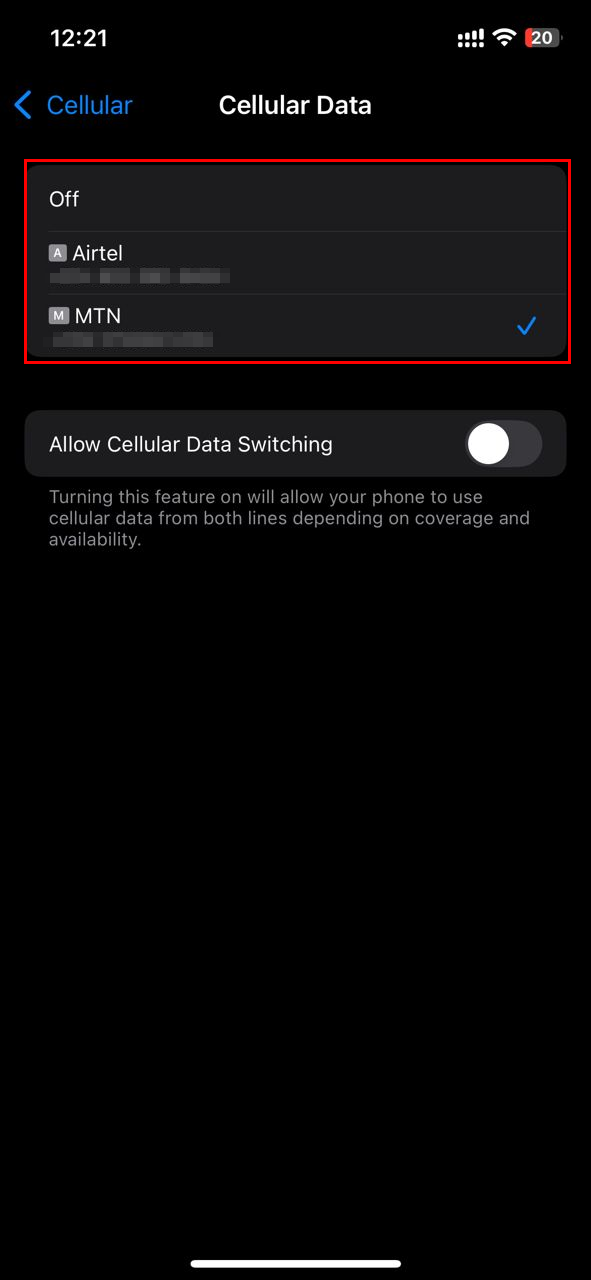
Step 3: Finally, select your preferred carrier from the available options. Hence, your data connection will be changed to the carrier you selected
 Kelechi Edeh
Conclusion
Being able to switch your data connection carrier on an iPhone is a small but powerful feature, especially if you’re using dual SIMs to juggle costs, coverage, or travel needs. Once you get familiar with the settings, it only takes a few taps to switch between carriers and make sure you’re always connected to the best option for your situation.
Image Credit: Oluwaseun Bamisile/Techloy.com


