



Switching between 2G, 3G, and 4G (LTE) on your Android phone might sound technical, but it’s actually really simple once you know where to look. Maybe you’ve noticed your data draining too quickly, or your signal strength isn’t quite as reliable as you’d like. That’s where changing your preferred network type comes in handy, as you can then choose the balance between speed and efficiency.
Whether you’re on a newer Android version or on an earlier one, the process is pretty much the same. With just a few taps in your settings, you can quickly tell your phone to prioritize 4G for speed, 3G for balanced use, or even 2G if you’re just sending texts and saving battery.
This guide will teach you the methods you can use to take control of your network connection.
 Oluwaseun Bamisile
How to change the preferred network type on an Android phone
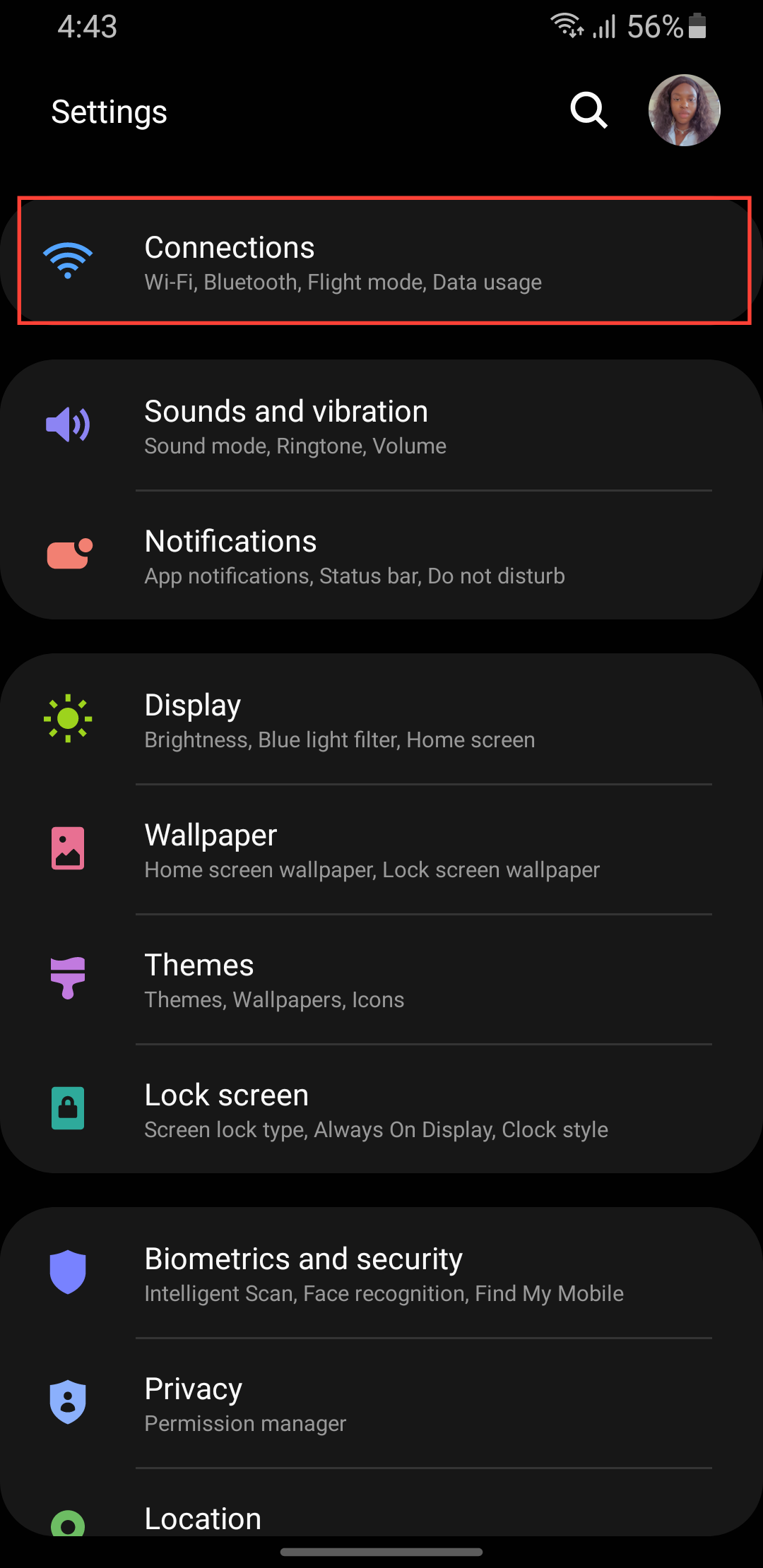
Step 1: Go to settings on your phone and select Connections.
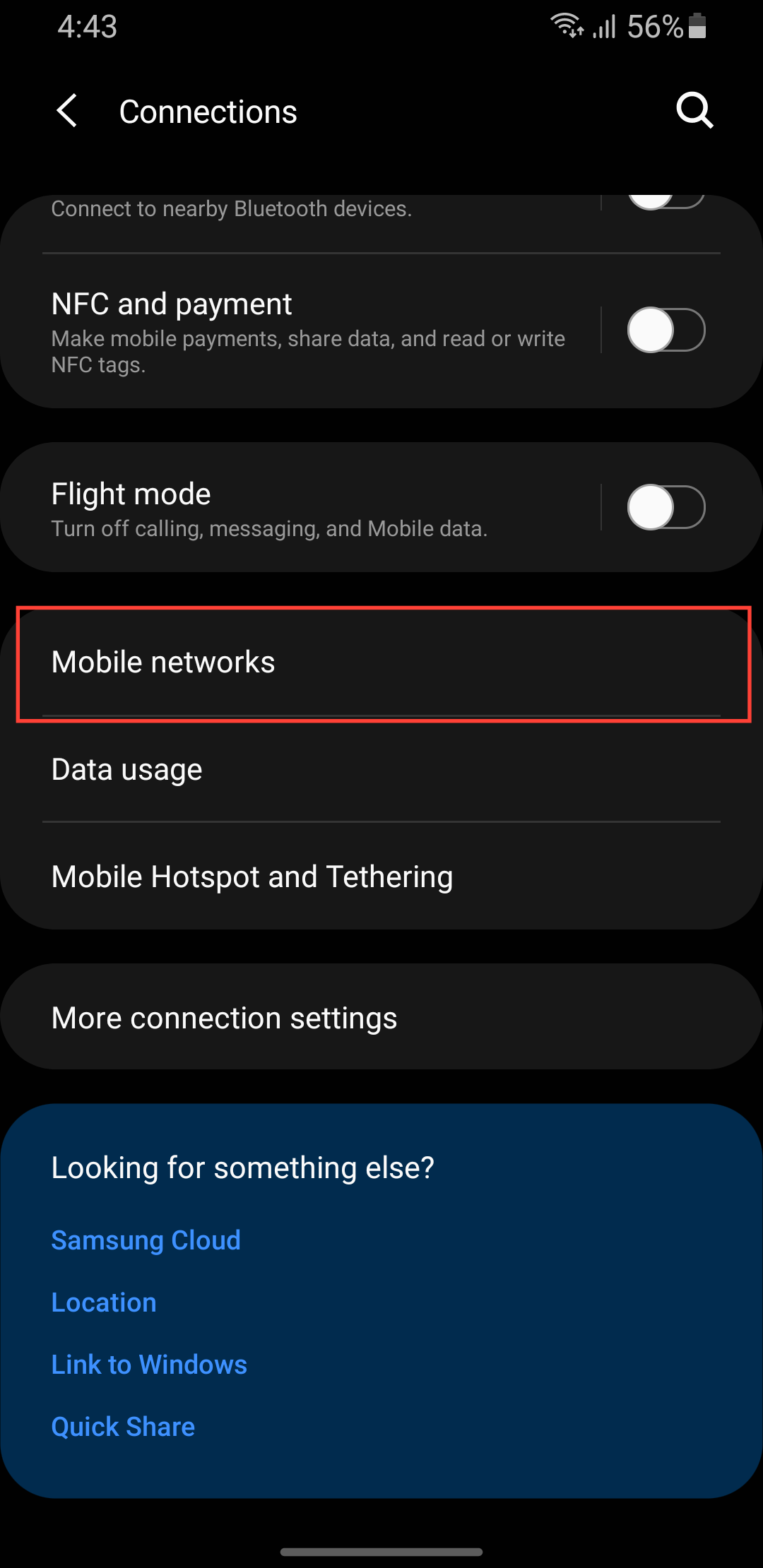
Step 2: Select Mobile networks.
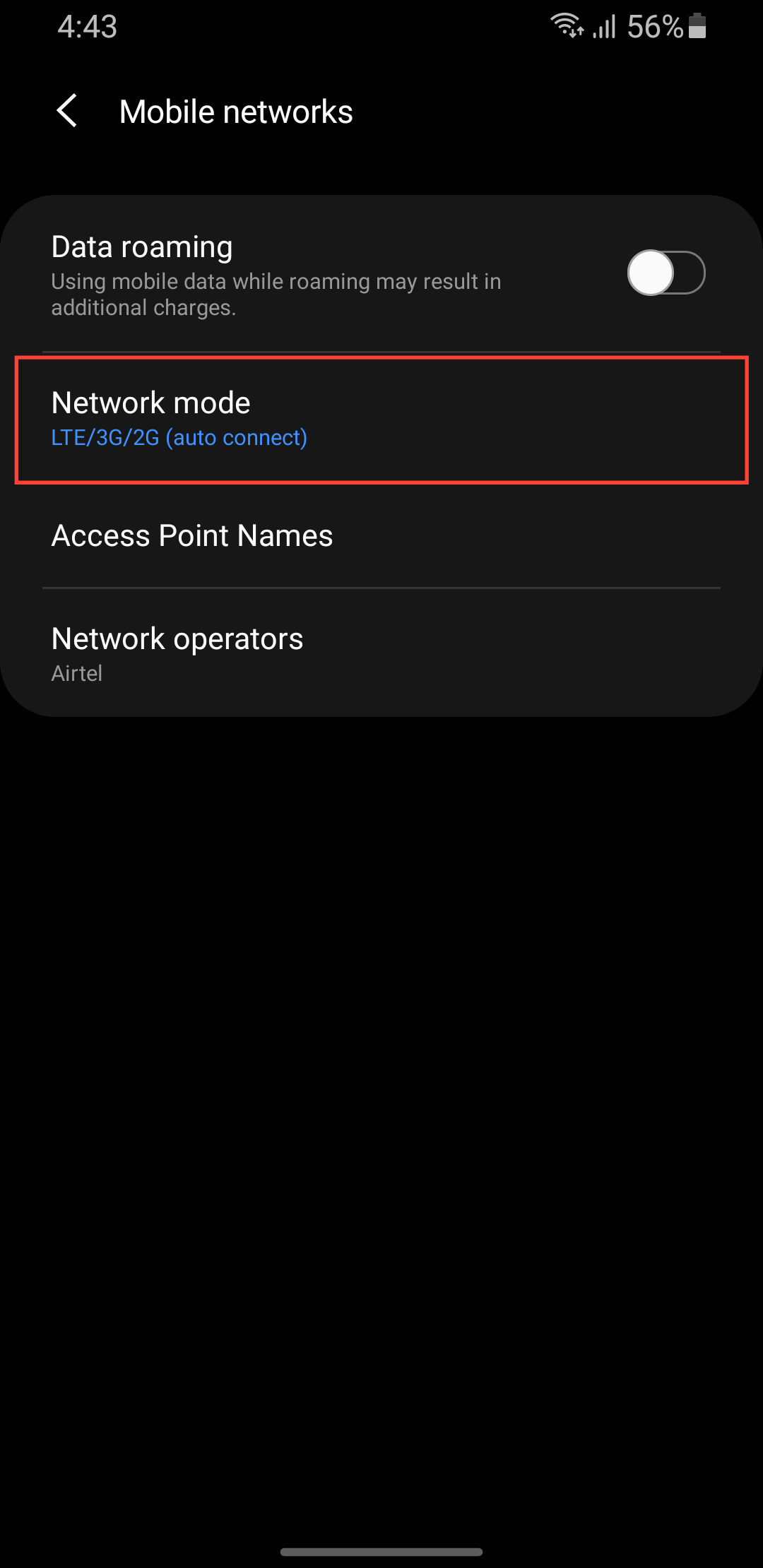
Step 3: Select Network mode.
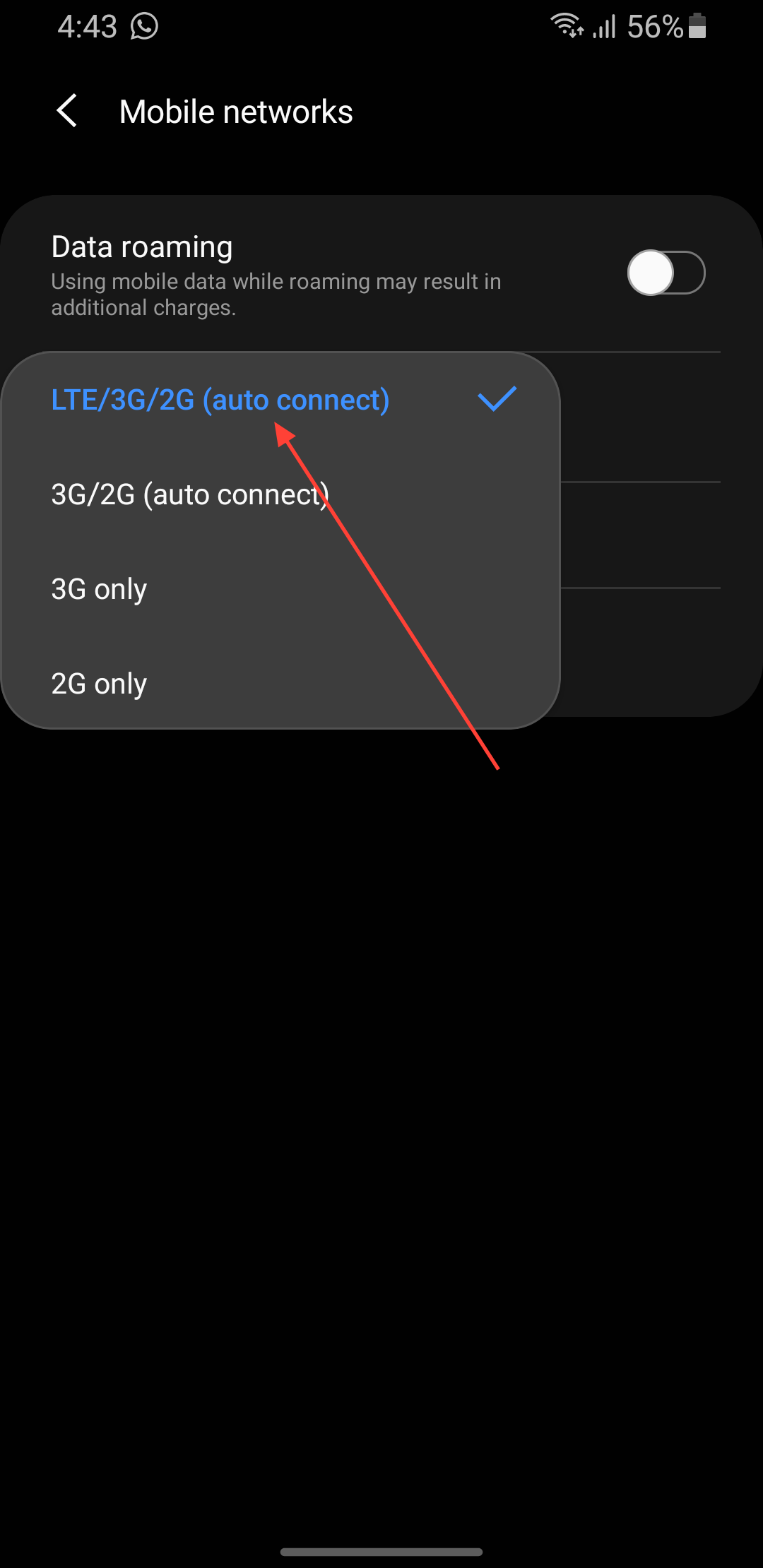
Step 4: Tap on your preferred network type (from 2G - 5G, depending on your device).
Conclusion
That’s all there is to it. Changing your preferred network type on Android is easy once you know where to go. The best part is that you don’t need any special apps or complicated steps; everything you need is already built into your phone’s settings.
Next time your internet feels sluggish, or you want to conserve data and battery, remember that a quick switch between 2G, 3G, or 4G can make a big difference.
Image Credit: Oyinebiladou Omemu/Techloy.com


