Using an eSIM always comes in handy, especially for people who travel a lot. eSIMs remove the stress of swapping tiny SIM cards when you change networks or cross borders.
Before you buy an international data plan for your next trip, it’s important to confirm that your phone actually supports eSIM. Here are the fastest ways to check:
Method 1: The Universal Shortcut (Works on All Phones)
This is the quickest method and works for both iPhone and Android.
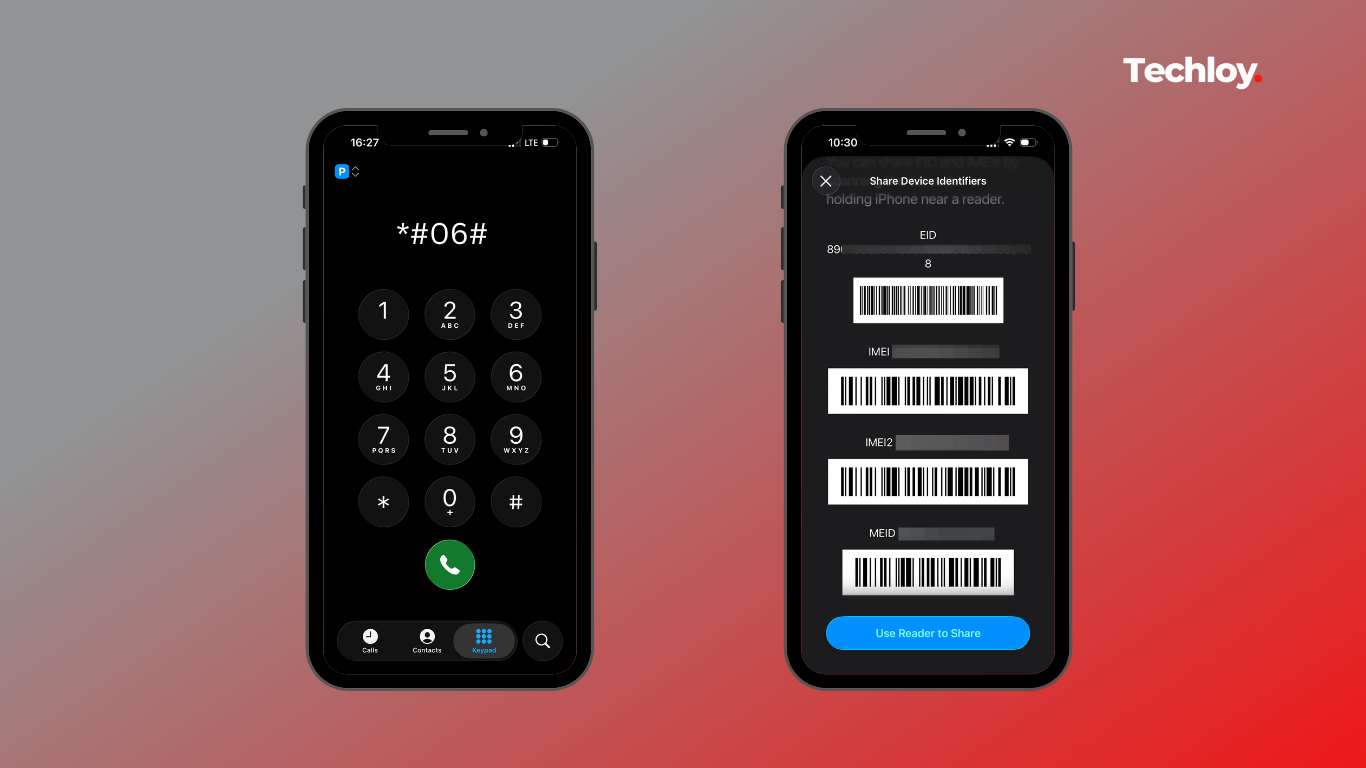
- Open your Phone app (dialled).
- Dial *#06#.
- A "Device Info" screen will pop up automatically.
 David Adubiina
Method 2: Check via Settings (iPhone)
If the dialled code doesn't work, you can verify compatibility in the iOS menu.
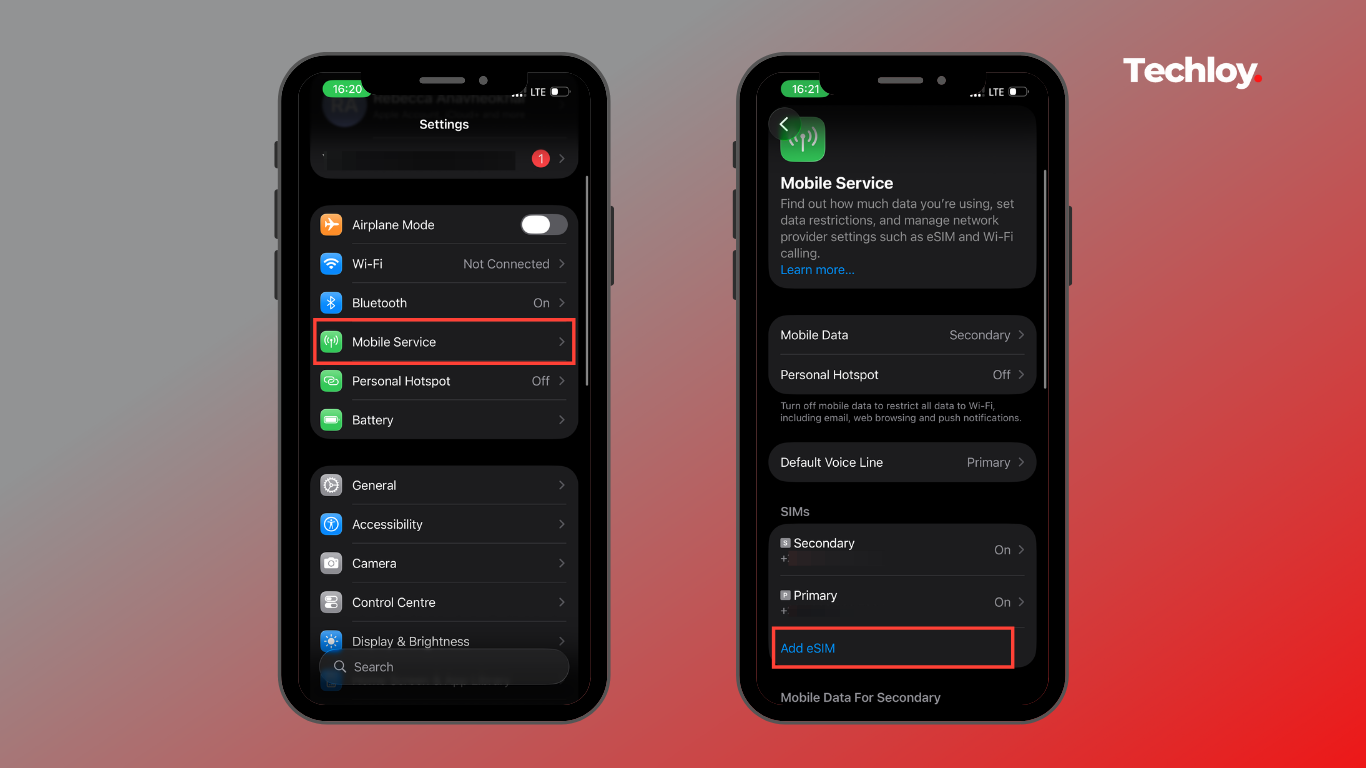
Requirement: iPhone XR, XS, or newer (including iPhone SE 2nd Gen).
- Open Settings.
- Tap Cellular (or Mobile Service, depending on your region).
- Look for a button that says Add eSIM or Set up Cellular.
- If you see this option: Your iPhone supports eSIM.
Method 3: Check via Settings (Android)
Menus vary by brand (Samsung, Pixel, Motorola), but the "EID" identifier is universal.
- Open Settings
- Go to About Phone
- Tap Status or Status Information
For Samsung users: open IMEI Information
- Look for a field labelled EID
For Google Pixel users:
- Go to Settings > Network & Internet
- If you see Download a SIM or Add operator, your device is eSIM-compatible.
Why It Matters
Travel: Apps like Airalo or Holafly let you buy local data plans instantly, avoiding expensive roaming fees.
Dual Numbers: You can run two numbers (e.g., Work and Personal) on a single device, one on the physical SIM and one on the eSIM.
Security: Unlike a physical card, an eSIM cannot be stolen or removed if your phone is lost.
If your phone was released in the last 4 years (iPhone 11/Samsung S20 or newer), you almost certainly have eSIM support. If you are holding onto a budget device or an older flagship, use the *#06# trick to be sure before paying for a digital plan.
 David Adubiina