



If you frequently use social media platforms especially Instagram, you will likely agree that the search icon is one of the handy features. It lets you quickly search for and revisit accounts, locations, or hashtags.
However, over time, using this feature makes your search history cluttered with results that may no longer be relevant leaving you with the option to clear history.
Clearing this history not only keeps your Instagram experience more organized but also helps you maintain your privacy when you share your device with others. To get you started on how to wipe the slate clean or declutter for new searches this guide will show you how.
5 Steps to Clear Your Instagram Search History
Step 1. Open the Instagram app and tap on your profile picture at the bottom right to access your profile page.

Step 2. Tap the three horizontal lines in the top right corner of your profile.

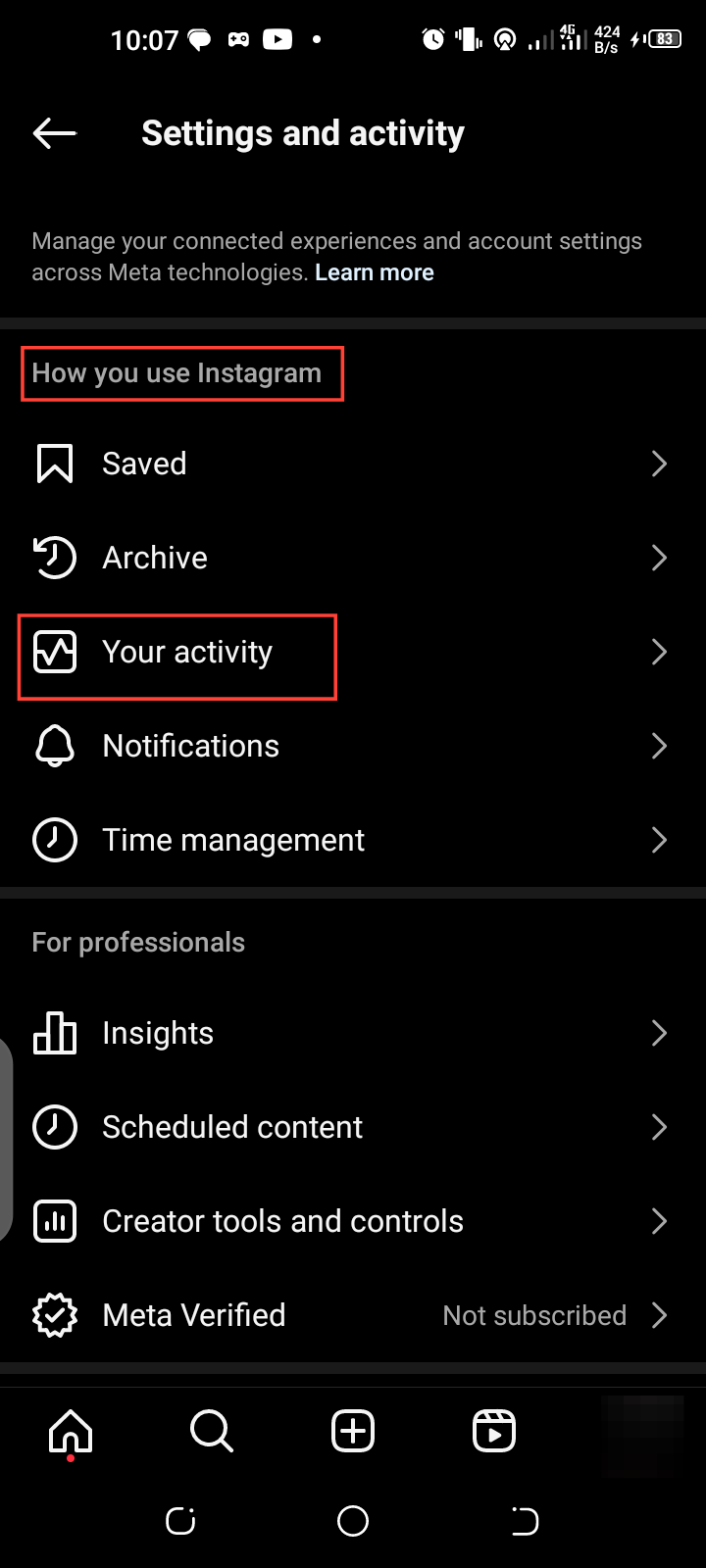
Step 3. Tap "Your Activity" under the "How you use Instagram" section
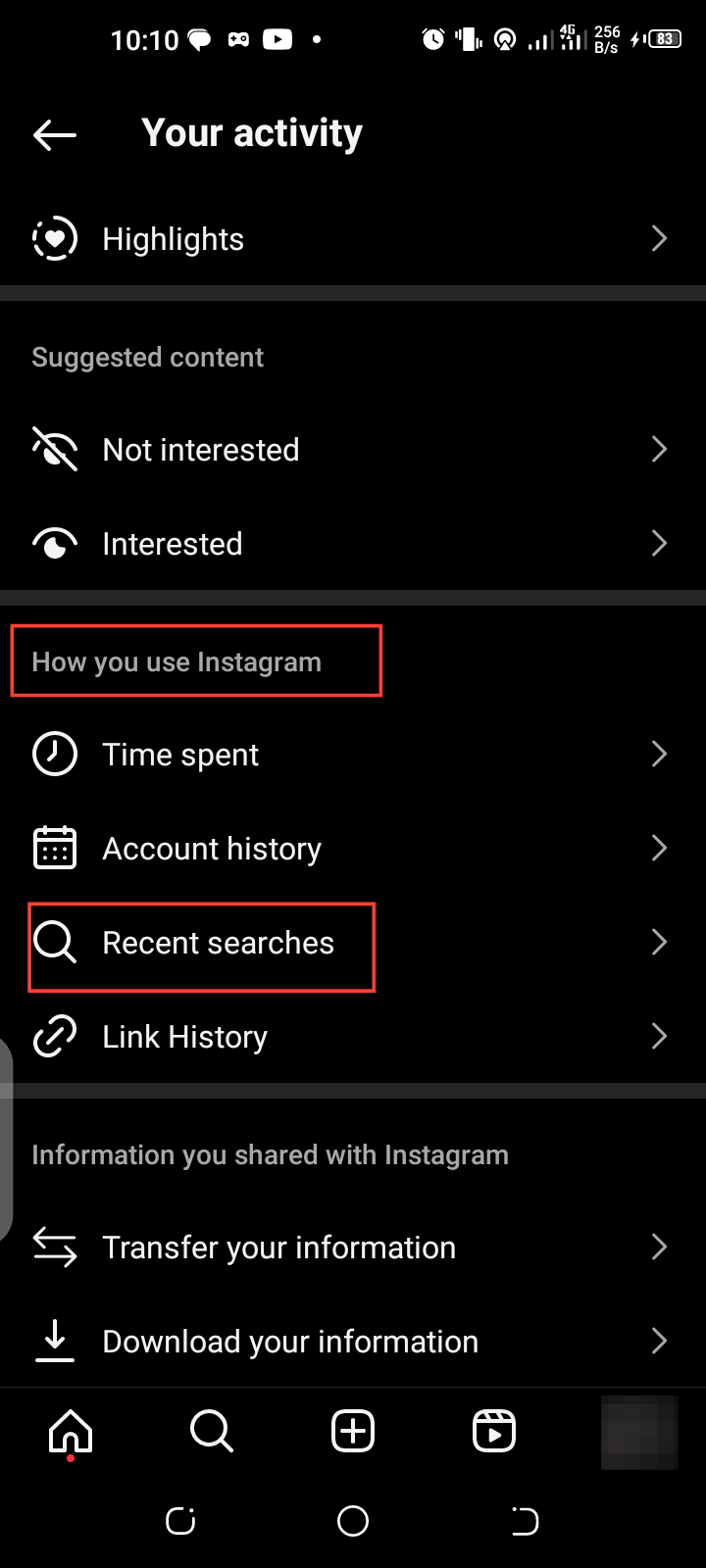
Step 4. Next, Select "Recent Searches" under the "How you use Instagram" section to see your search history.
Step 5. Tap "Clear All" at the top right. Confirm by selecting "Clear All" again to delete your search history.


Conclusion
If you ever want to keep your search organized and secure clearing your Instagram search history is an effective method. With just a few taps, you can easily remove old searches and refresh your app experience. When you clear your history regularly, you also get the added benefit of securing your privacy while making your app run more smoothly.
Image credit: David Adubiina/Techloy.com


