



Creating and sharing music playlists on Spotify is a fantastic way to curate your favorite tunes, share your musical tastes with friends, and discover new tracks from others.
With Spotify, you can express your music creativity from putting together a collection of upbeat songs for a workout session to compiling a mellow playlist for a cozy evening.
In this guide, learn how to create and share playlists on Spotify through a step-by-step process, so you can start crafting your personalized soundtrack and connecting with fellow music enthusiasts.
Spotify Launches Personalized AI Playlists
It will allow users to generate a playlist based on written AI prompts.
 Henry Chikwem
A Step-by-Step Process on How to Create and Share Music Playlists on Spotify
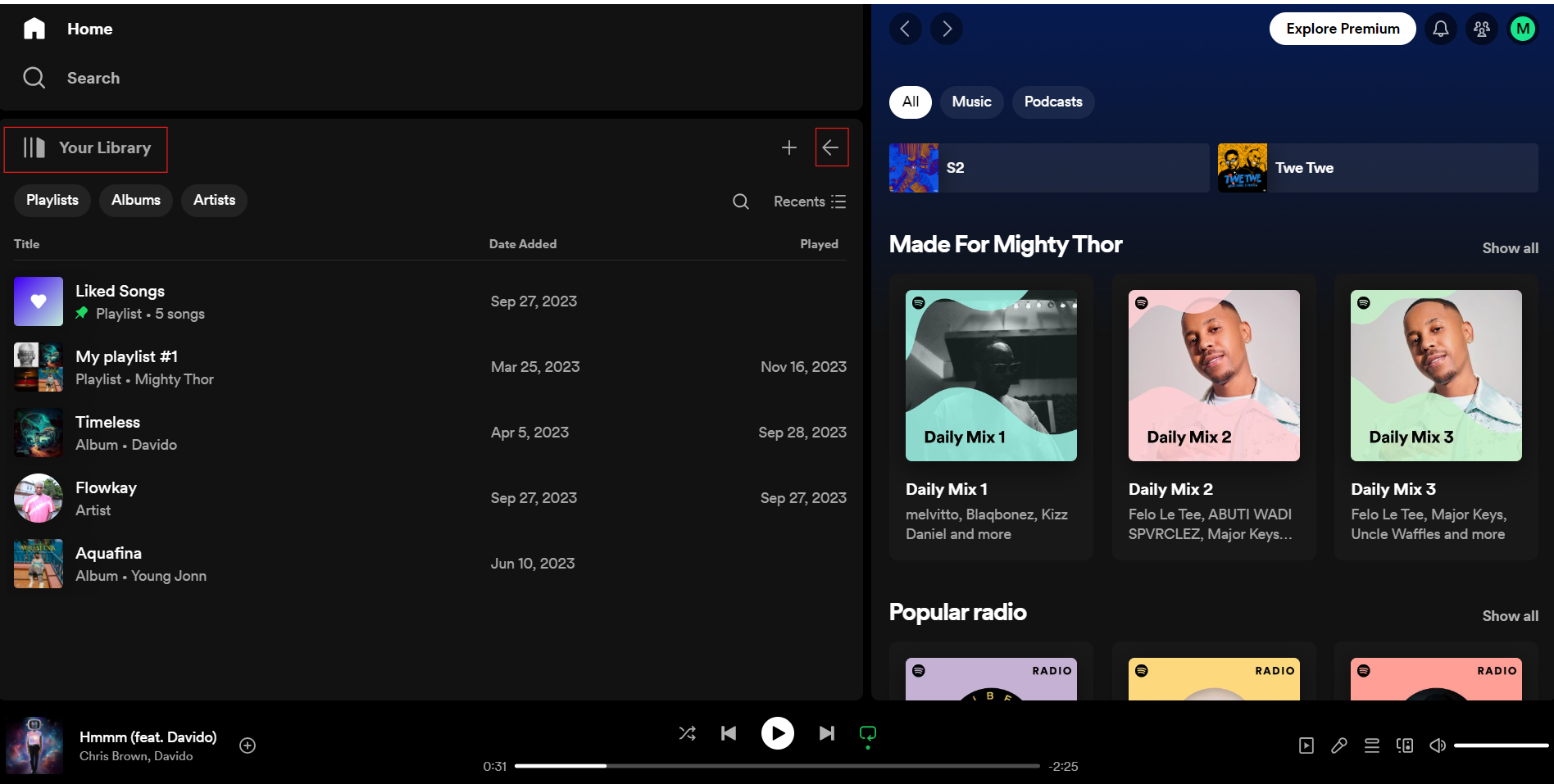
Step 1: Go to Your Library
Once you have signed up or logged in as a Spotify user, go to your Library section on the bottom right corner of the app or the top left corner on the desktop version.
![INFOGRAPHIC: The Cost of Electronic Transactions in Nigeria [2024] Post feature image](https://images.unsplash.com/photo-1601597111158-2fceff292cdc?crop=entropy&cs=tinysrgb&fit=max&fm=webp&ixid=M3wxMTc3M3wwfDF8c2VhcmNofDF8fEFUTXxlbnwwfHx8fDE3MTUyNTYzODV8MA&ixlib=rb-4.0.3&q=80&w=1200)


