



Deciding to delete your Gmail is a big step, and there are plenty of reasons you might want to do it. Maybe you’re tired of managing multiple inboxes. Perhaps you’re switching to a different email provider for better privacy or features, and keeping an old Gmail account around just feels unnecessary.
Whatever your reason, deleting your Gmail doesn’t mean losing your entire Google Account. You’ll still have access to Google Drive, Photos, YouTube, and other services, just without the email.
Once you delete your Gmail, your messages and settings will be gone for good after 30 days, and your old address won’t work for sending or receiving emails. It also won’t be reusable by anyone else, so if you ever regret the decision, you might still recover it, though there’s no guarantee. If you’re ready to move on, let’s show you the steps.
 Oyinebiladou Omemu
How to delete your Gmail from your Google account
Step 1: Open your Gmail App and tap your profile icon at the top right.
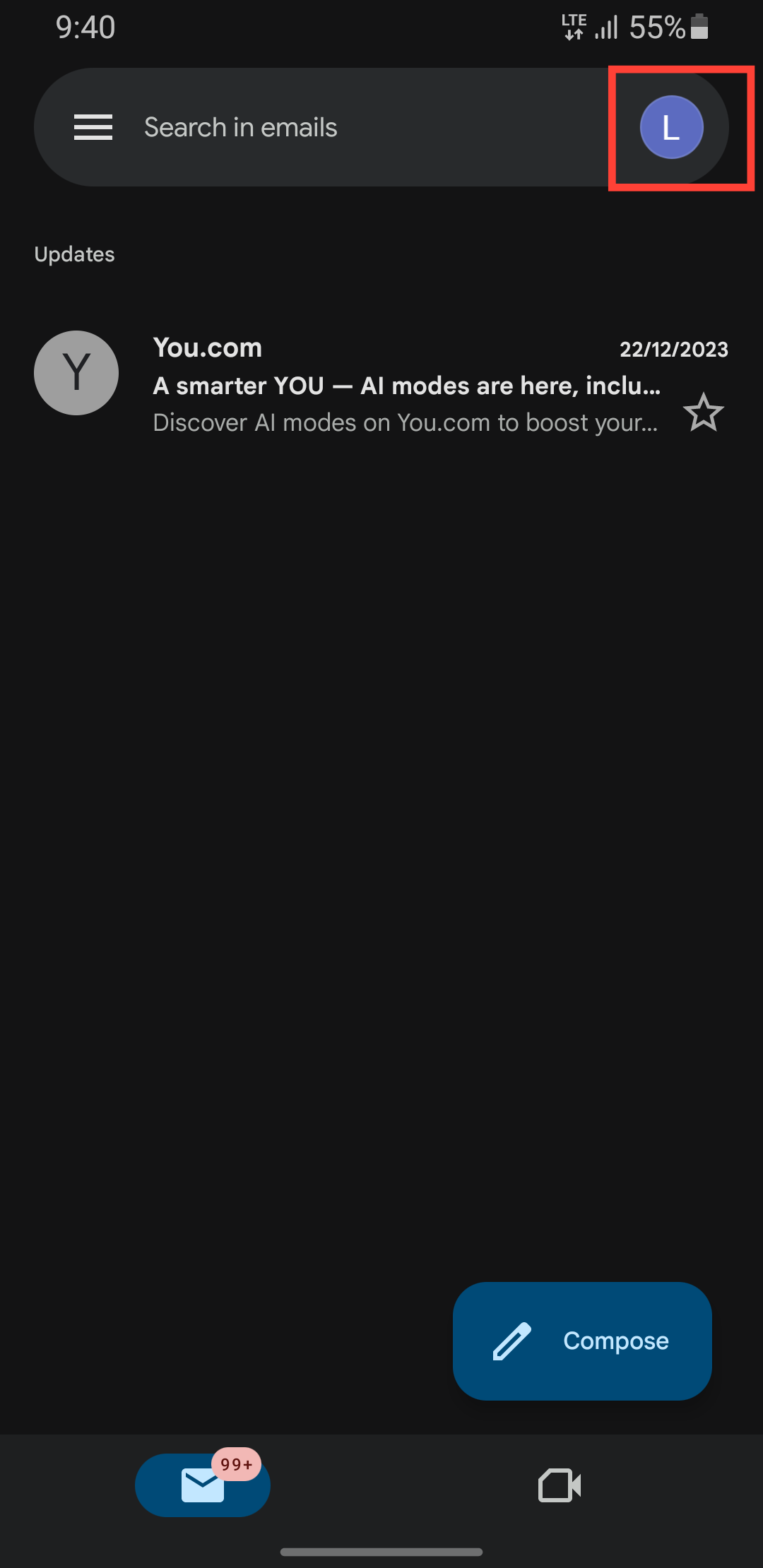
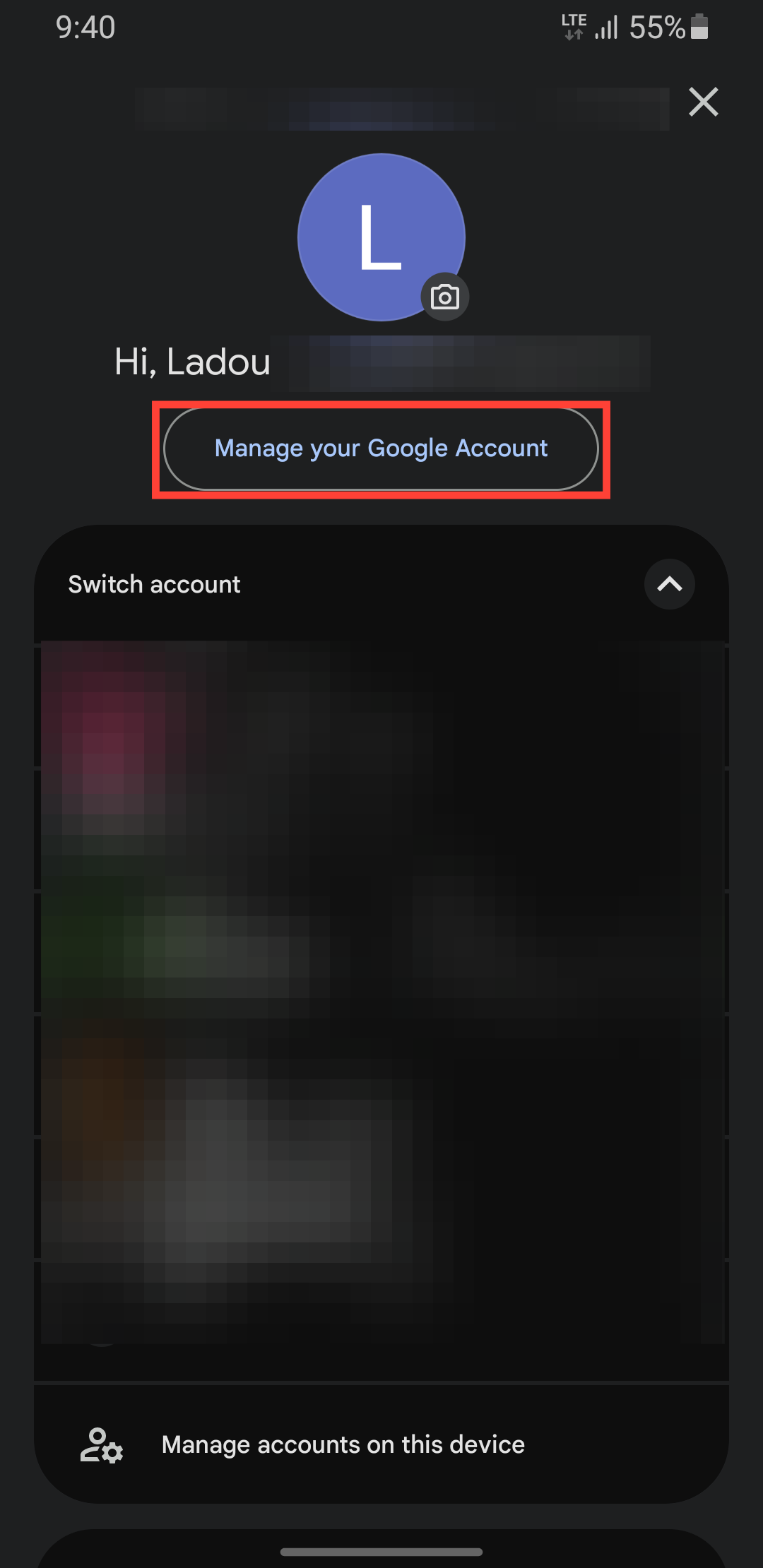
Step 2: Select Manage your Google Account.
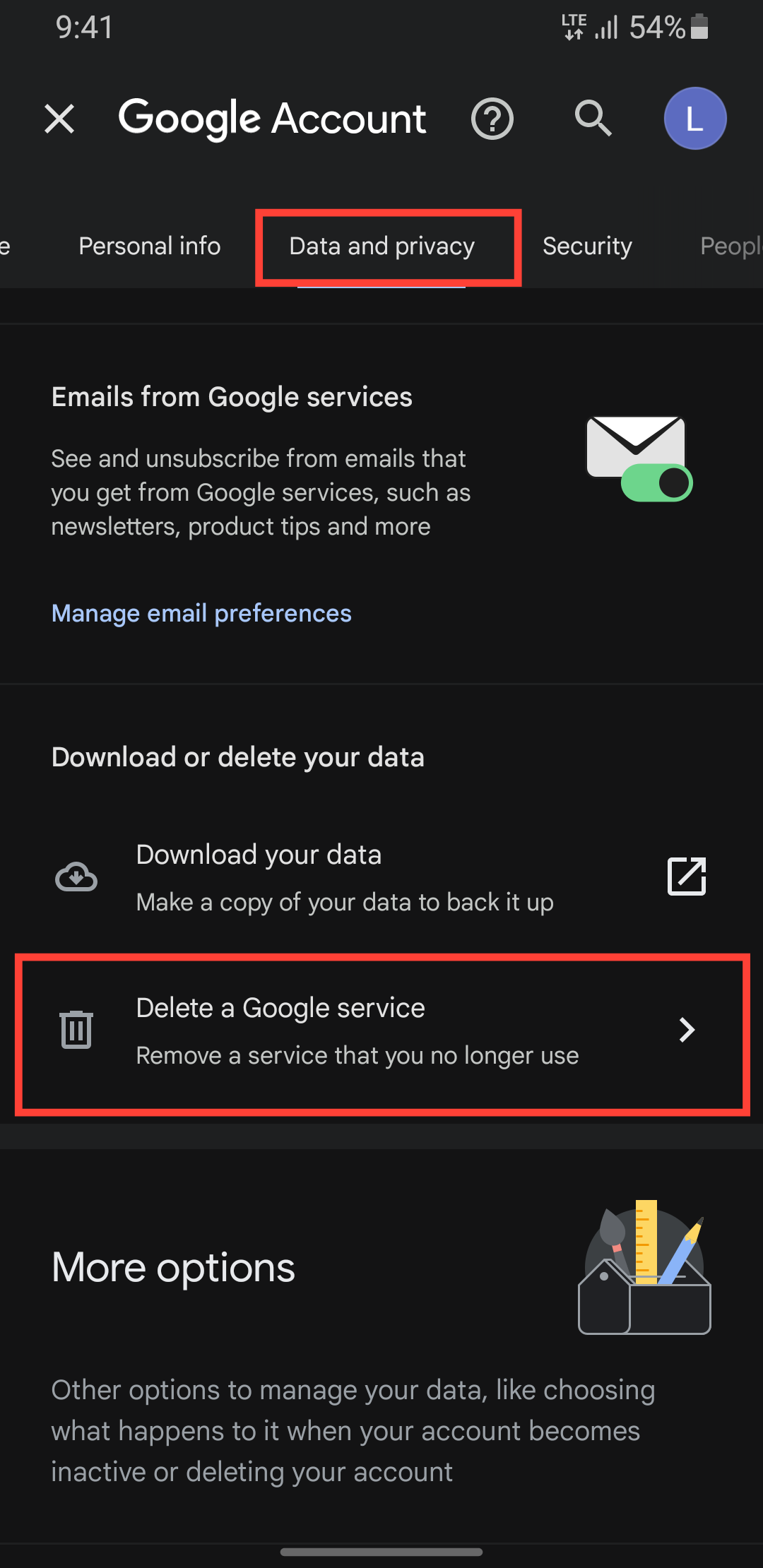
Step 3: Tap Data & privacy and select Delete a Google service.
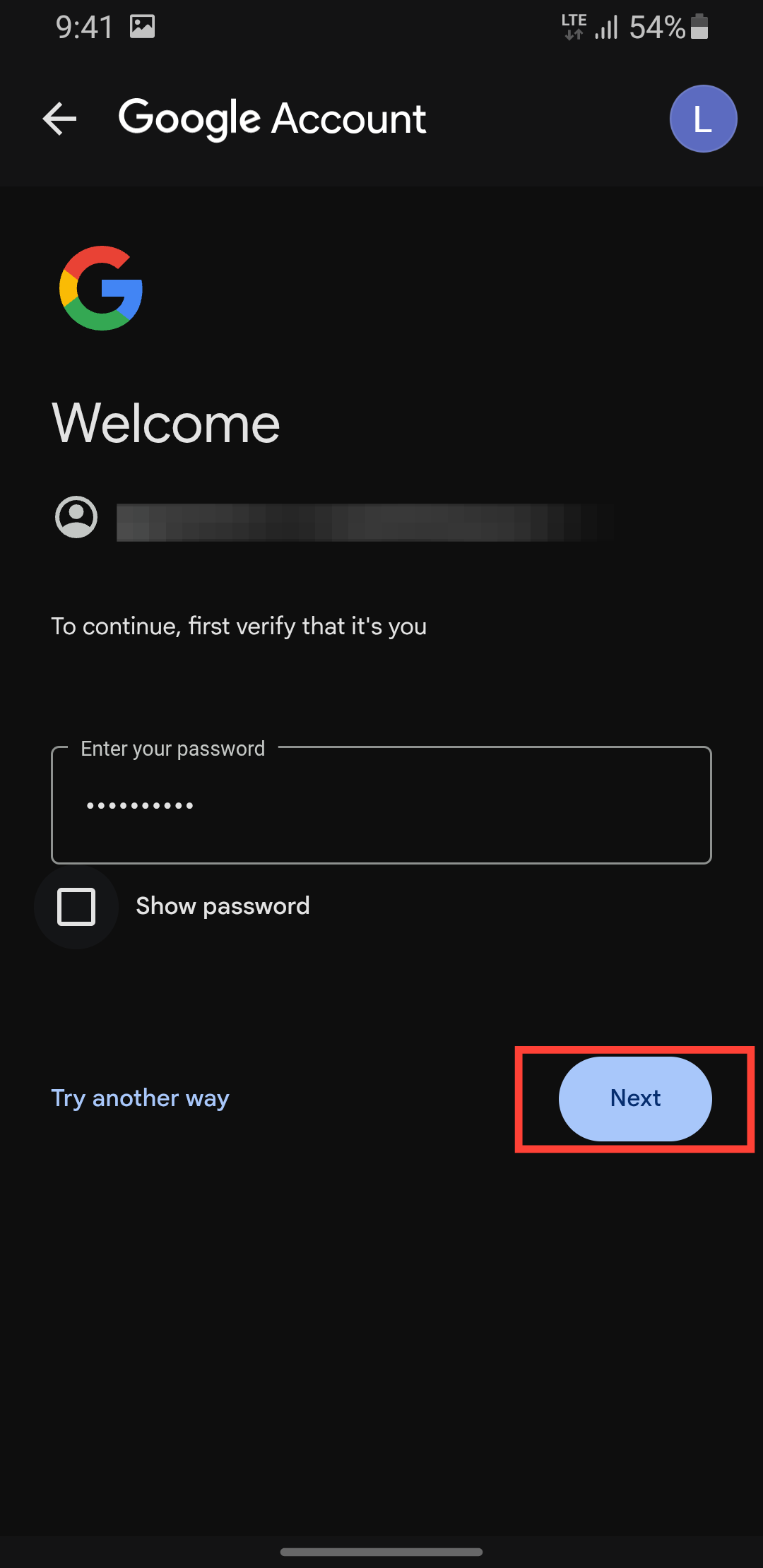
Step 4: You'll be prompted to sign in, enter your email address, and password.
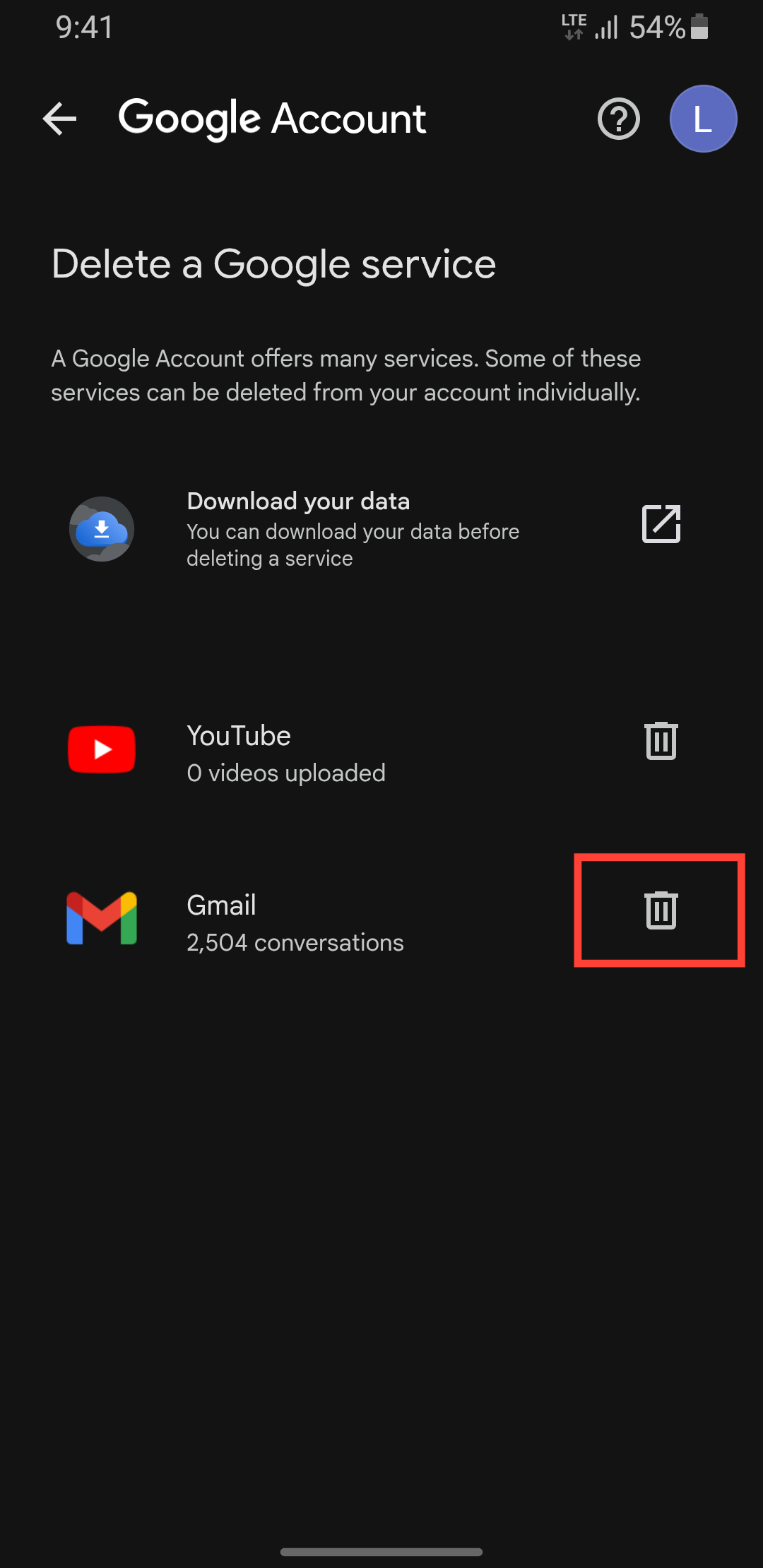
Step 5: You'll see your available Google services; tap the delete icon next to Gmail.
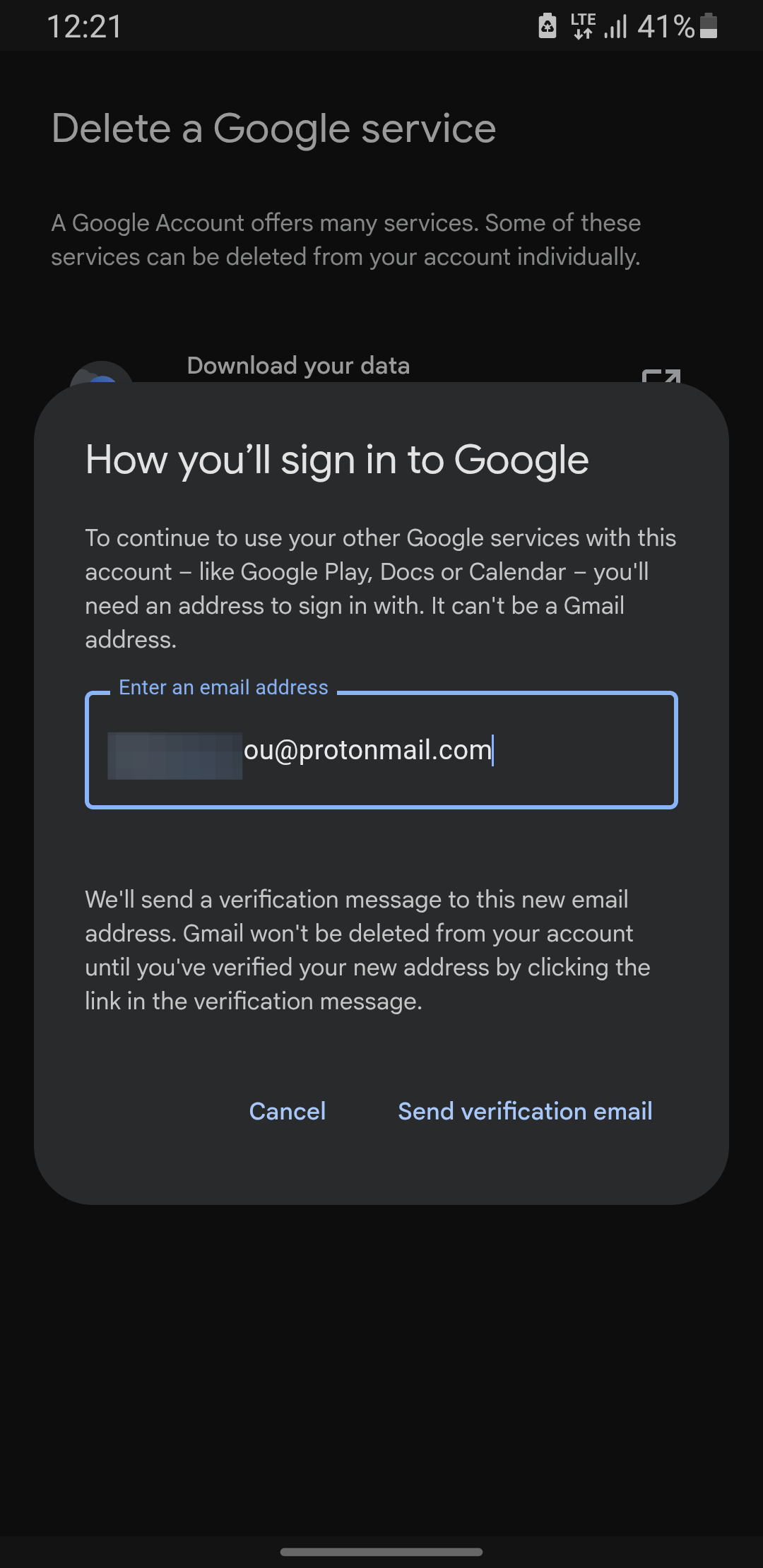
Step 6: Enter an existing email address you want to sign in with and tap Send verification email. This email can't be a Gmail address.
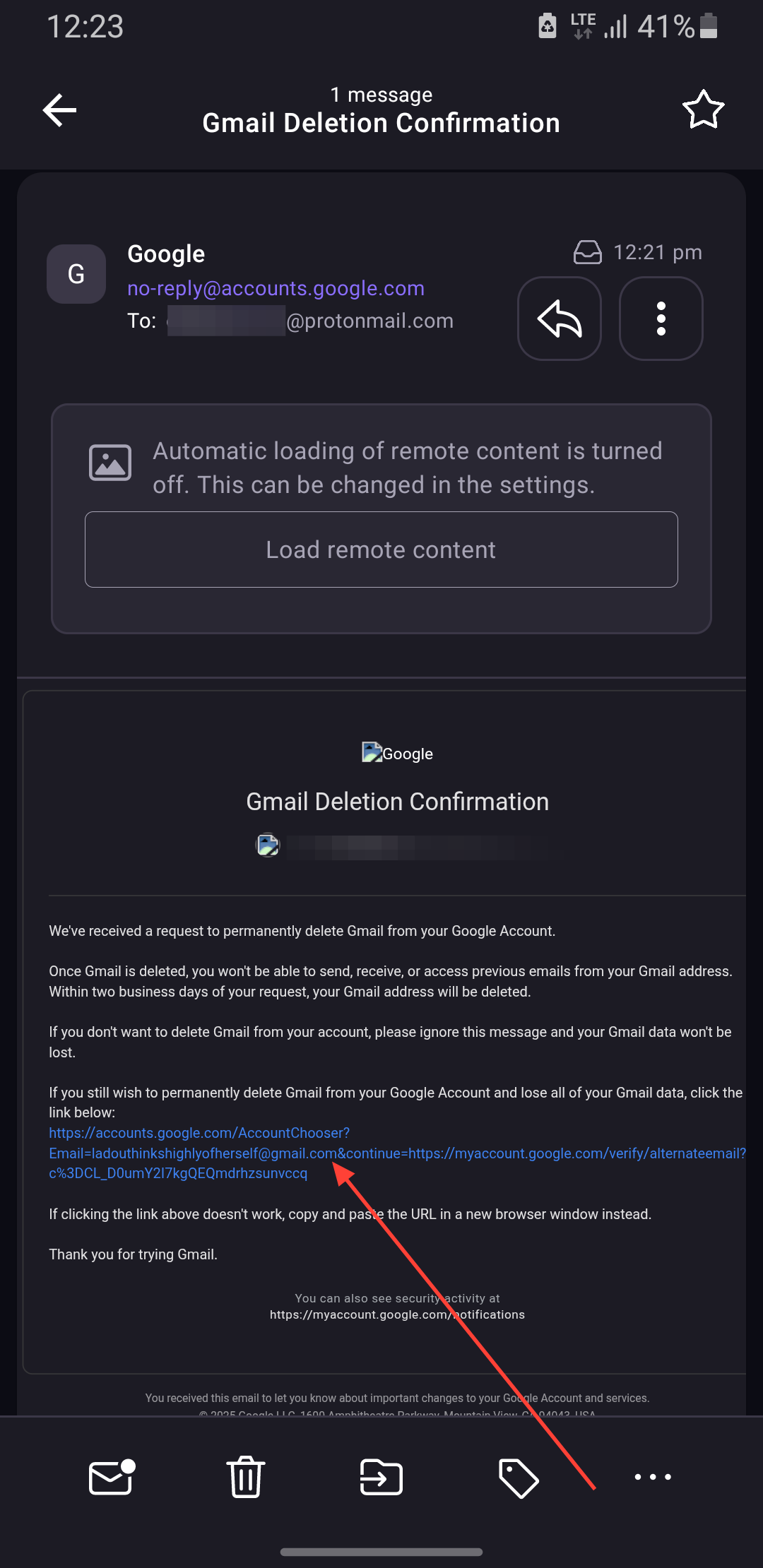
Step 7: Open your new email inbox for the verification mail and click on it to confirm the deletion operation.
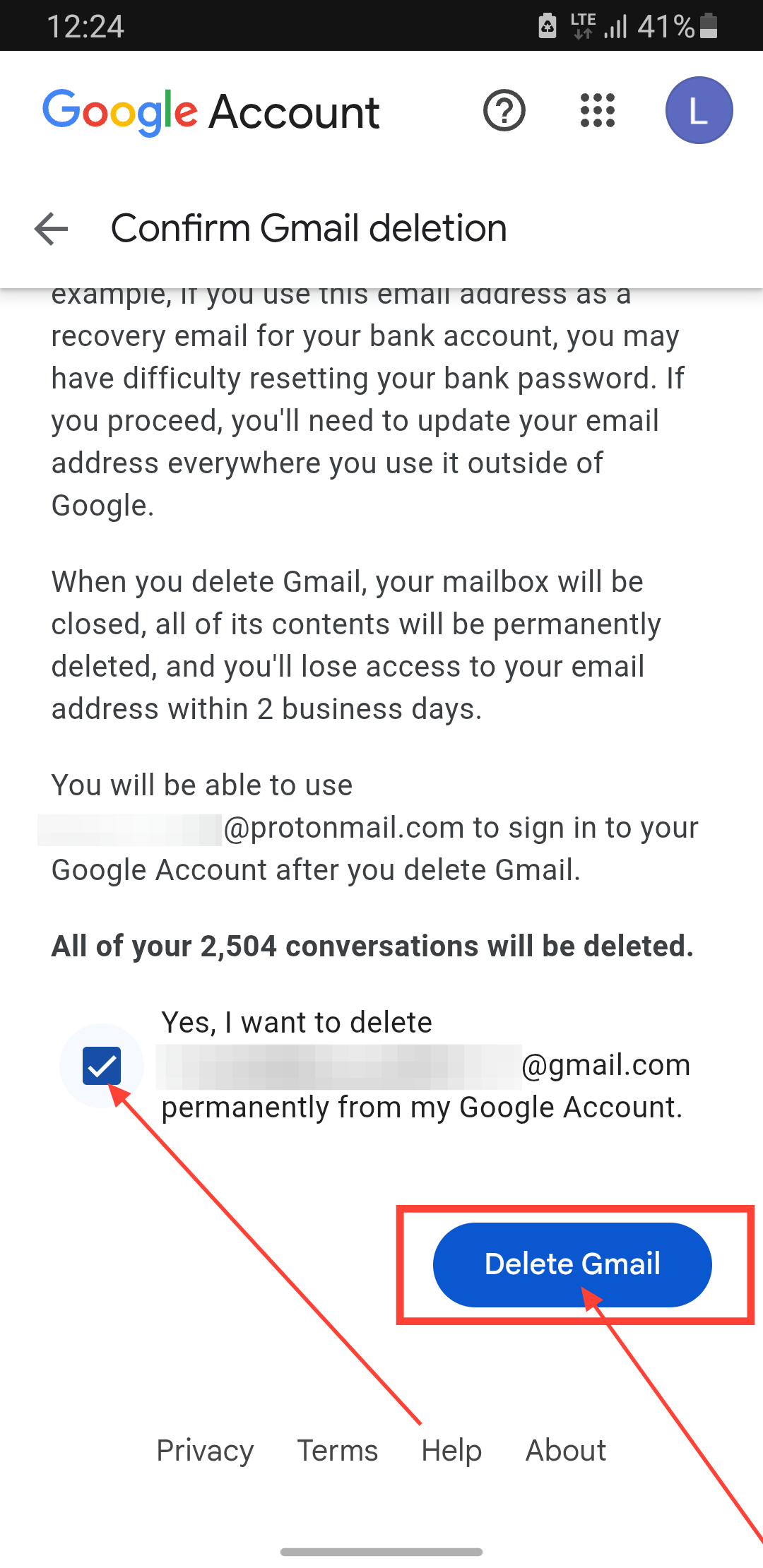
Step 8: On the browser redirected to, check the box to confirm the delete and tap the Delete Gmail button.
 Henry Chikwem
Conclusion
Deleting your Gmail service is a permanent change, so it’s important to understand what happens next. After you confirm the deletion, your emails and settings will remain in limbo for 30 days before being erased. During that time, you won’t be able to use your Gmail address, but if you have second thoughts, you might still be able to restore it. Once the 30-day window passes, your emails are gone for good, and the address can never be claimed by anyone else.
The good news is that your Google Account stays intact. You’ll keep access to everything else, Google Drive, Photos, Play Store purchases, and more, just without the Gmail baggage. Whether you’re decluttering, switching providers, or making a clean break from the past, this process ensures you only keep what you need.
Image Credit: Oyinebiladou Omemu/Techloy.com


