



Deleting your Google Account is a major decision with lasting consequences. Maybe you’re concerned about privacy, tired of managing multiple accounts, or want a fresh start. Whatever your reason, it’s important to understand what you’re giving up before you hit that delete button.
When you delete your Google Account, you’re not just losing access to Gmail. You’re wiping out everything connected to it: years of emails, Google Drive files, precious photos in Google Photos, calendar events, contacts, and even paid content like apps, movies, and music from Google Play. If you use your account to log in to third-party apps or services, those could stop working too. And once it’s gone, recovery may be impossible after a short window.
But if you're sure of this decision and want to proceed, this guide will teach you how to delete your Google account.
 Oyinebiladou Omemu
How to delete your Google Account
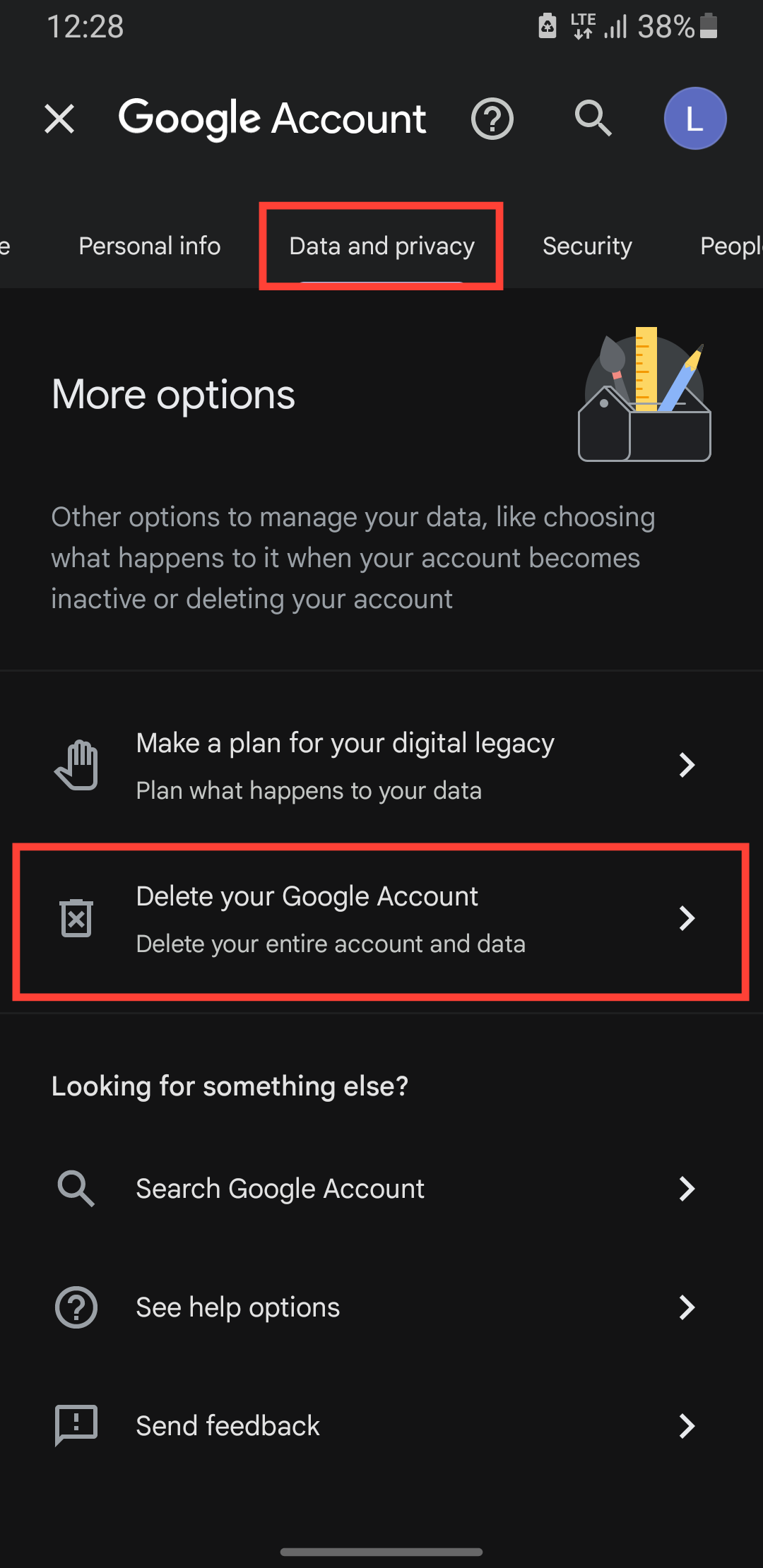
Step 1: Go to your Google account on your browser and tap Data & Privacy at the top, then scroll down and select Delete your Google Account.
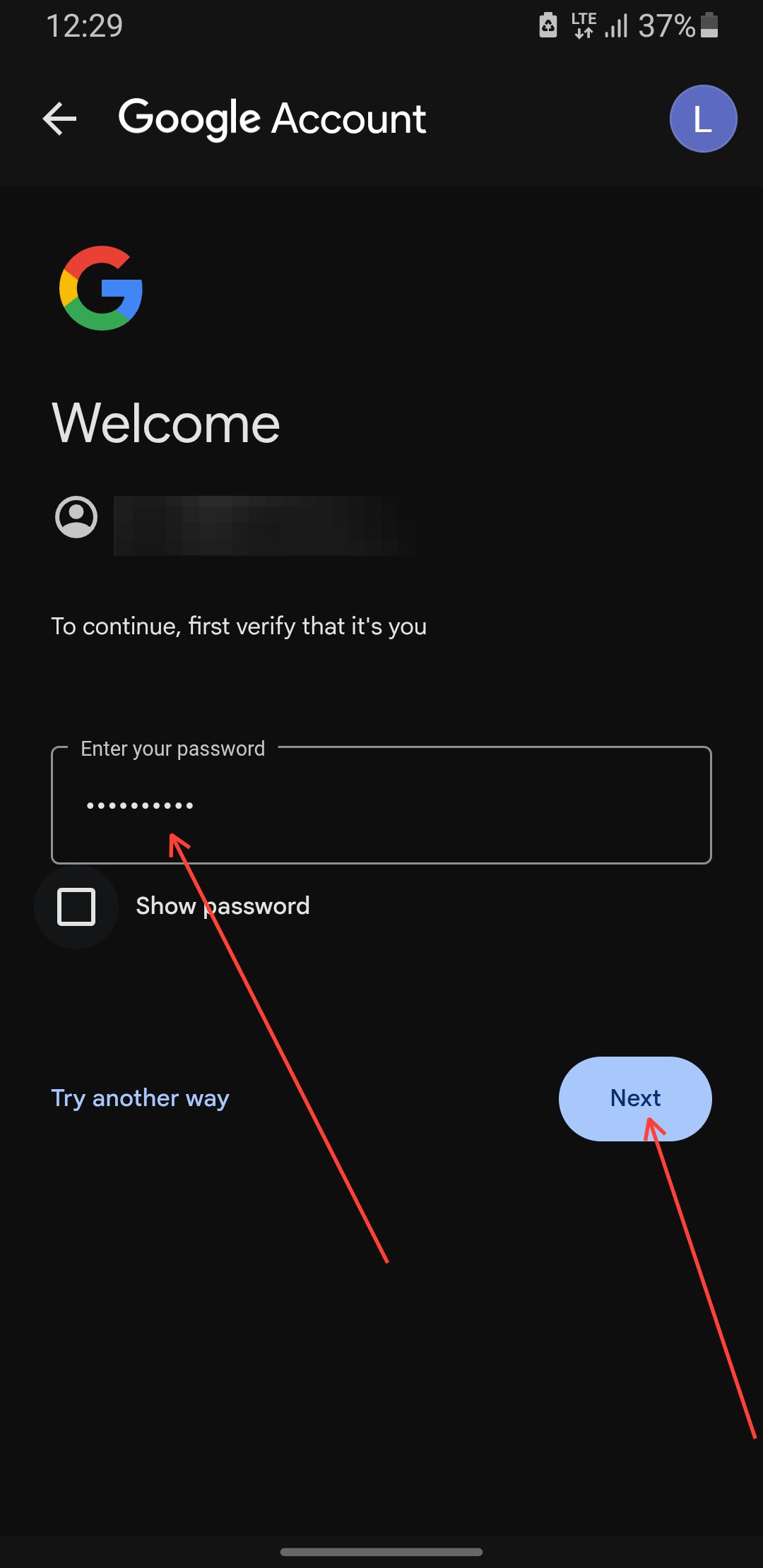
Step 2: You'll be asked to enter your password to verify your account.
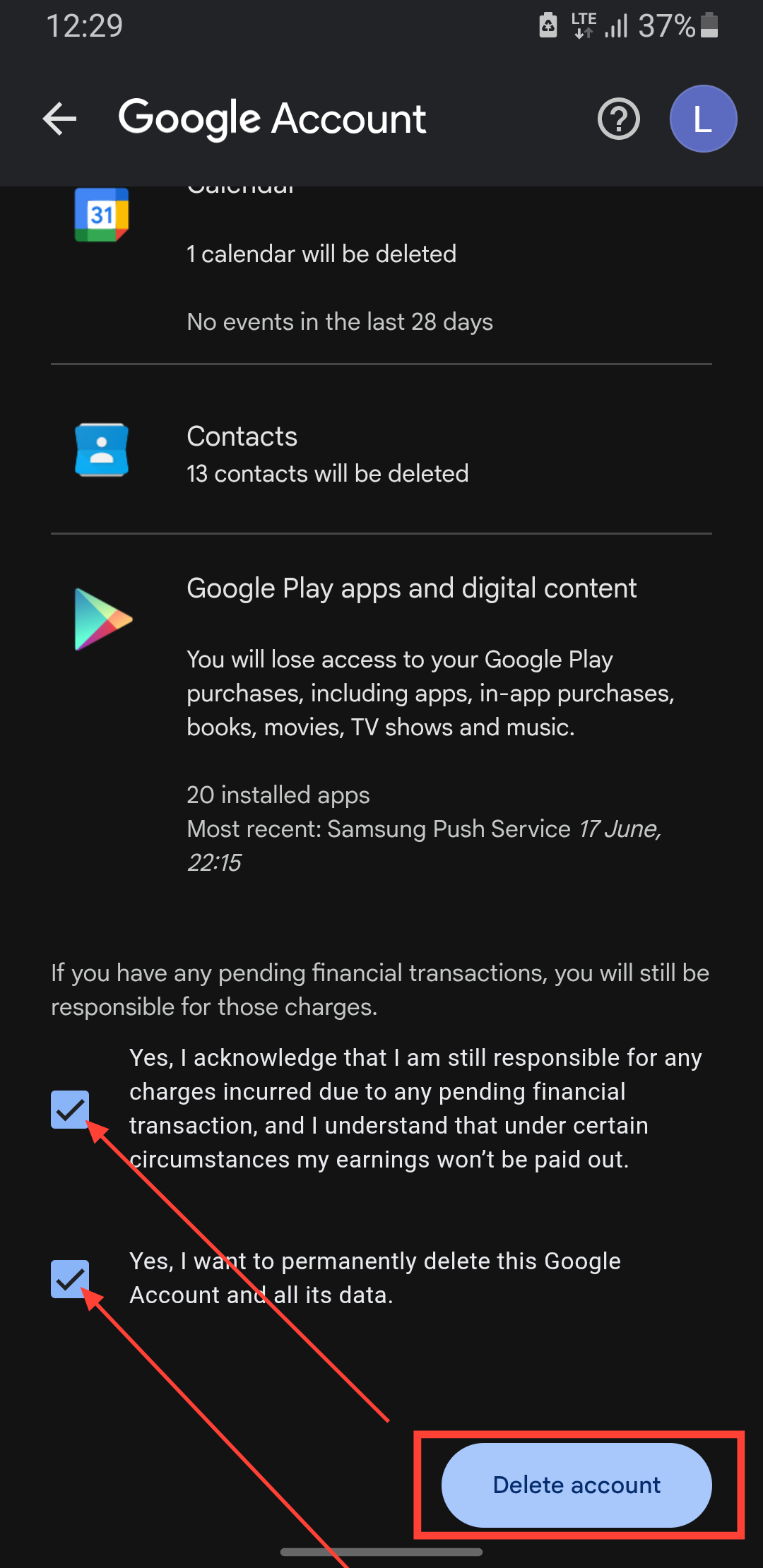
Step 3: Check the boxes and tap the Delete Account button.
 Oyinebiladou Omemu
Conclusion
Deleting your Google Account is essentially throwing a lot of important things away: years of memories, important documents, and services you rely on daily. Before you proceed, ask yourself if you can export your essential emails, photos, and files. You can also update your logins for other services that use your Google Account.
Once you've done all that, you can safely delete your account. Once your account is deleted, Google doesn’t guarantee recovery, so be certain this is what you want to do.
Image credit: Oyinebiladou Omemu/Techloy.com


