



Have you ever talked about a product with a friend, only to see an ad for it pop up on your phone minutes later? While it might feel like your device is listening, the reality is that it's just about data tracking, specifically, through your Google Advertising ID.
The ID is a unique, anonymous license plate that Google assigns to your device. It doesn't contain your name or email, but it allows apps and advertisers to quietly follow your activity across different services, building a detailed profile of your interests, habits, and purchases, often even when you're not signed into anything.
This constant background tracking is how your phone delivers those personalized ads. While it powers the free apps we use, it comes at a cost to your privacy. Your movements on your phone are being logged, packaged, and sold to create a shadow profile of who you are. If you want to reduce your digital footprint, understanding and managing this identifier is a crucial step.
This guide will show you exactly what this ID is and how you can either delete it entirely or reset it to break the link to your past activity.
 Ogbonda Chivumnovu
How to delete your Google advertising ID
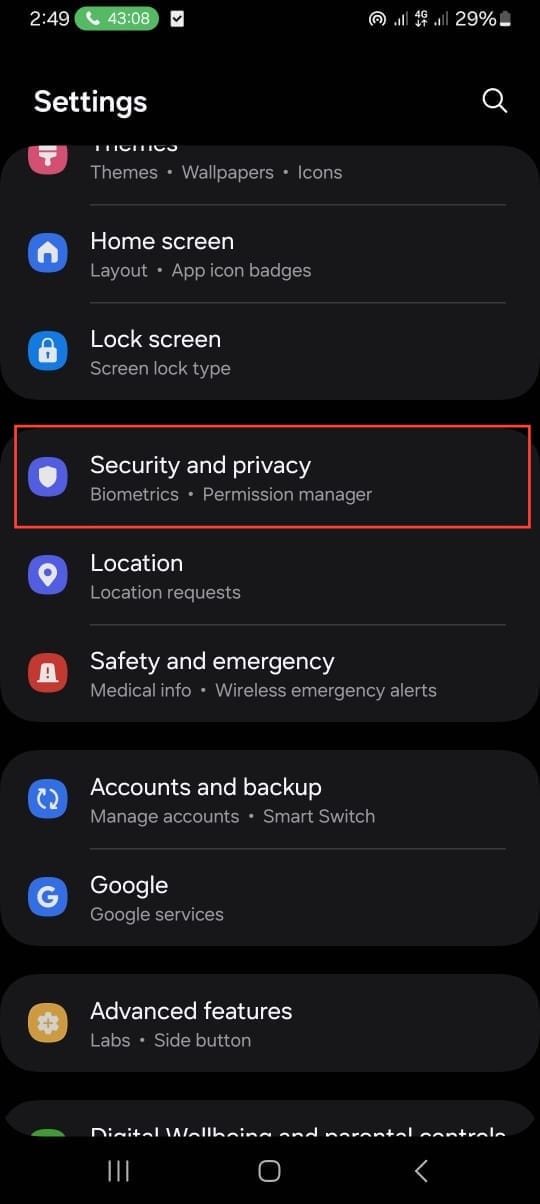
Step 1: Open Settings on your Samsung phone and select Security and privacy.
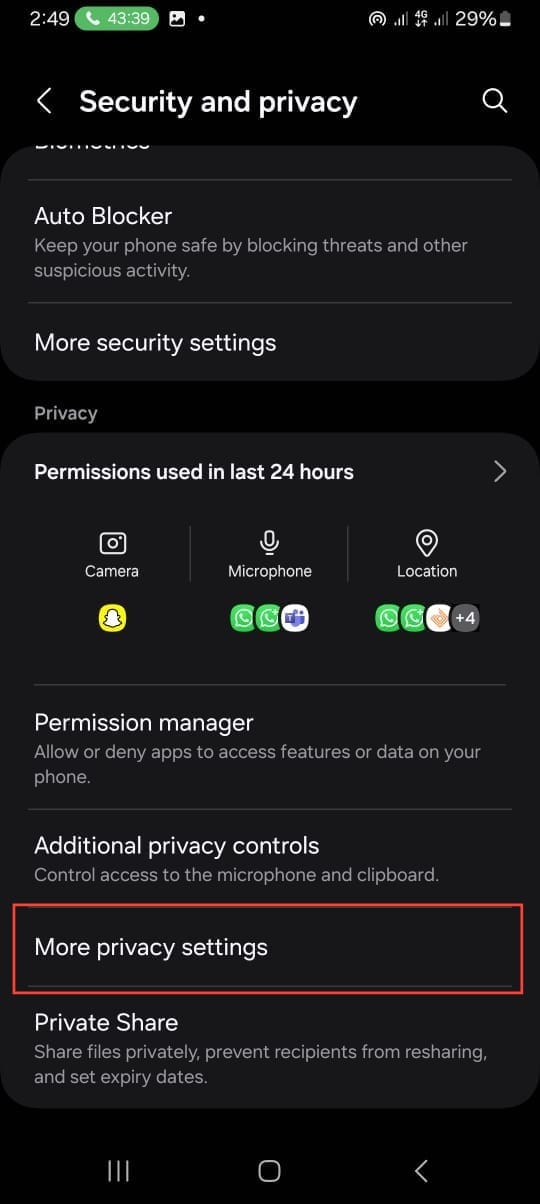
Step 2: Select More privacy settings.
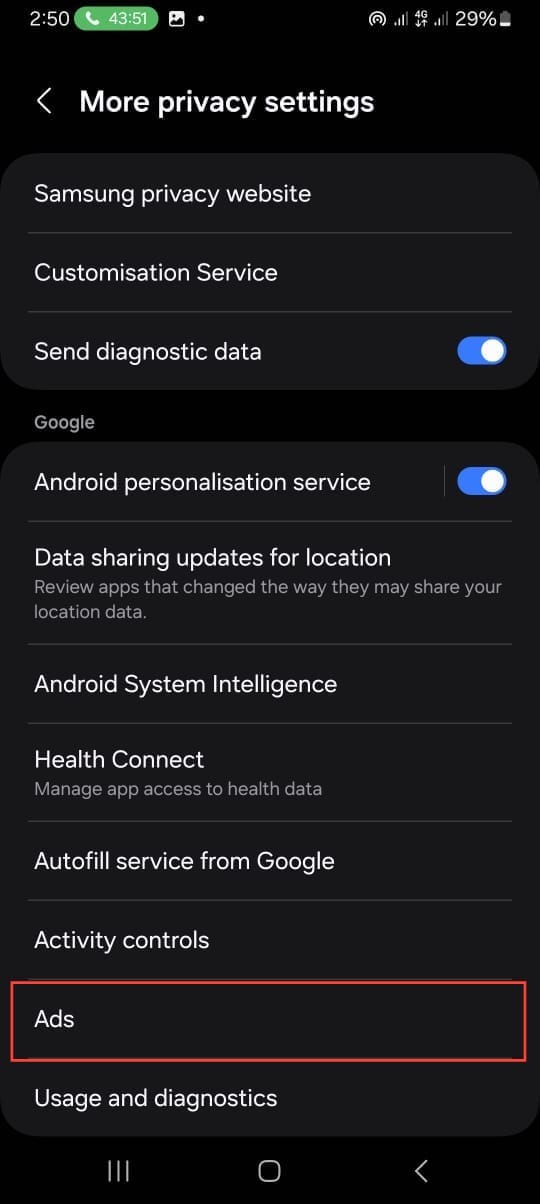
Step 3: Tap Ads.
Step 4: Choose Delete advertising ID
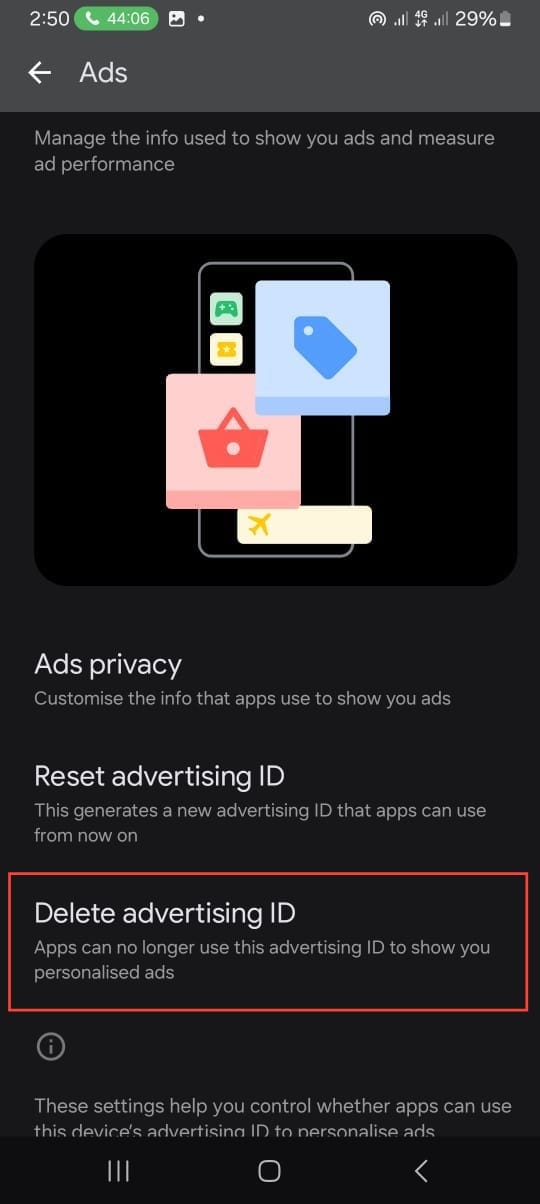
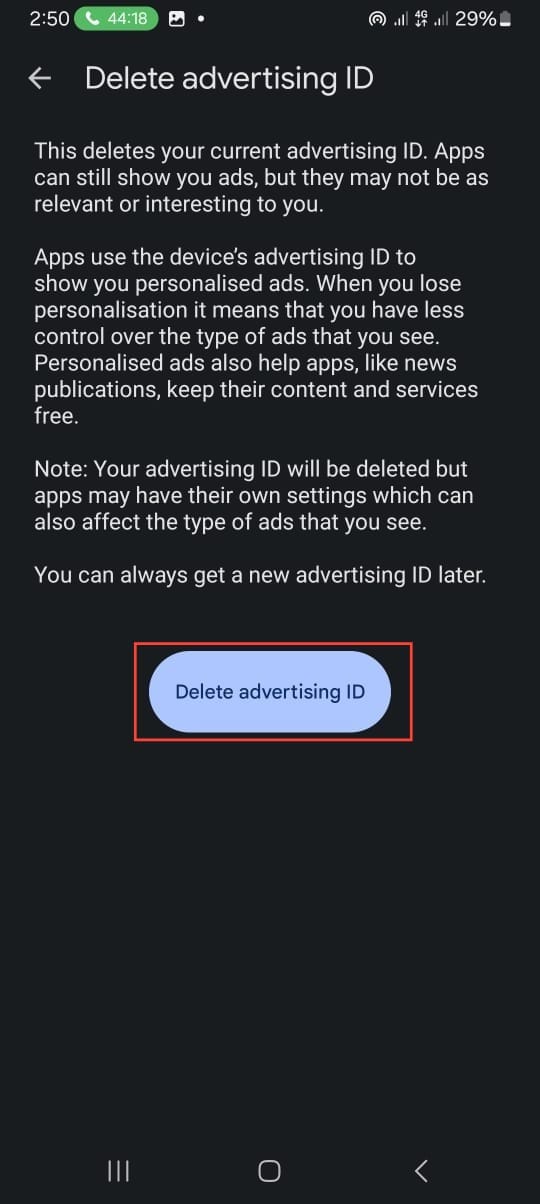
Step 5: Click the Delete advertising ID button.
 Oyinebiladou Omemu
Conclusion
Taking the step to delete or reset your Advertising ID is a way to protect your online privacy. By wiping it clean, you effectively erase the built-up profile that advertisers have been using to target you, making your digital presence a little more anonymous.
It won't stop all ads, but it will make them less personalized and, more importantly, disrupt the seamless tracking that happens across the apps you use every day.
Image Credit: Oyinebiladou Omemu/Techloy.com


