



Maybe you're done ordering from Temu, concerned about privacy, or simply tired of the endless deals and clutter. In recent months, growing reports have raised concerns about data handling and product quality on the platform. That’s why so many users decide to delete their Temu account and disconnect entirely.
So, before you rush to just uninstall the app on your device, make sure you delete your account properly. That ensures your account and purchase history are removed and your financial info is no longer linked.
 Oyinebiladou Omemu
Steps to Delete Your Temu Account
Step 1: Open the Temu app and tap the You tab at the bottom

Step 2: Click the Settings icon in the top right corner

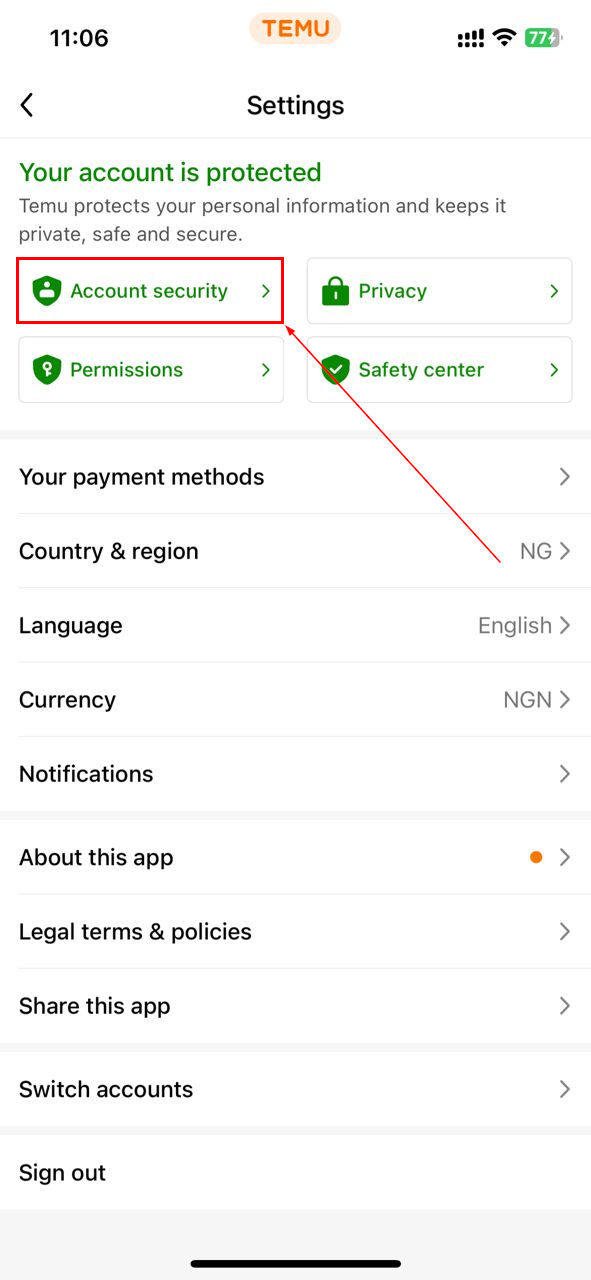
Step 3: Now, select "Account Security"
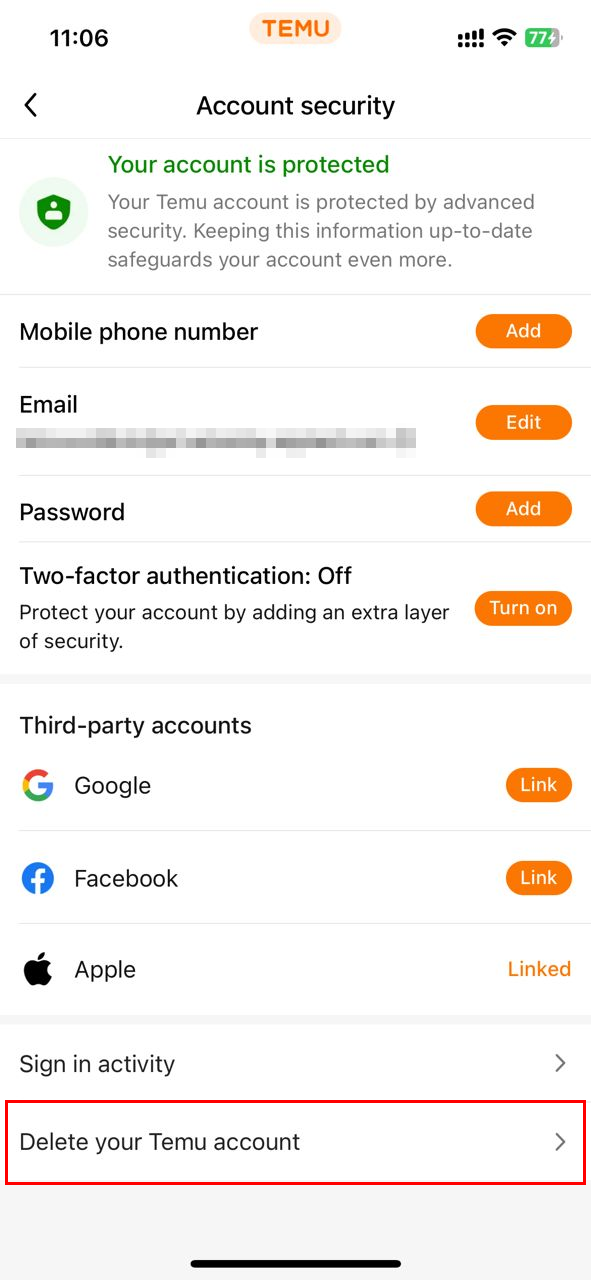
Step 4: Scroll down and select "Delete your Temu account"
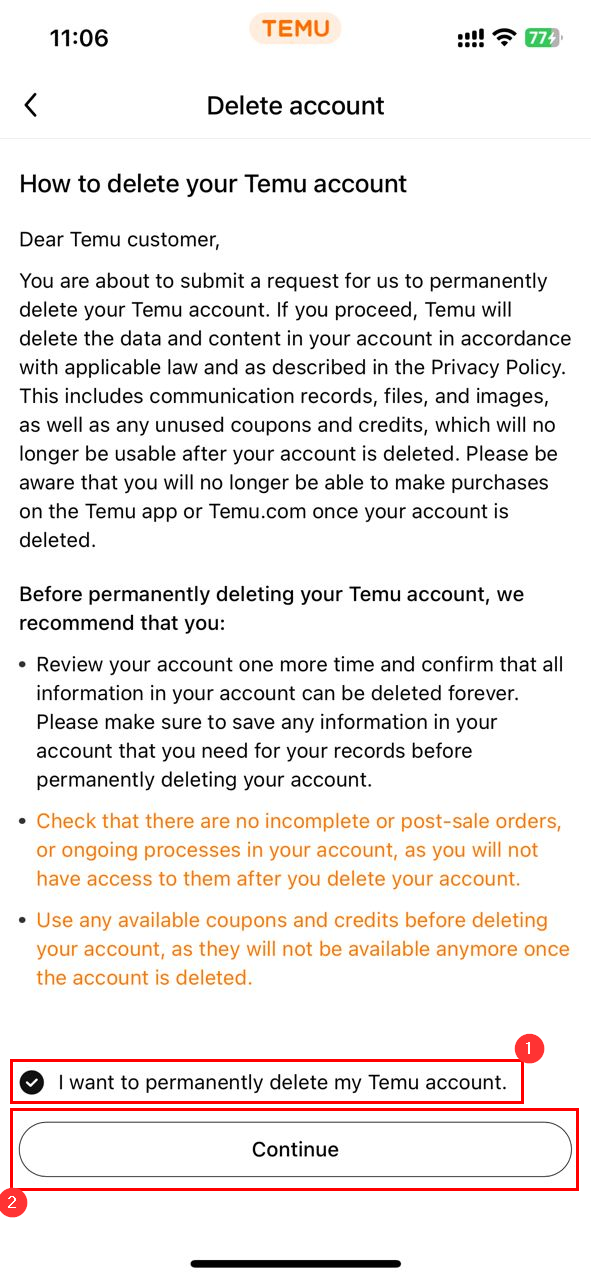
Step 5: Select "I want to permanently delete my Temu account", then click the Continue button
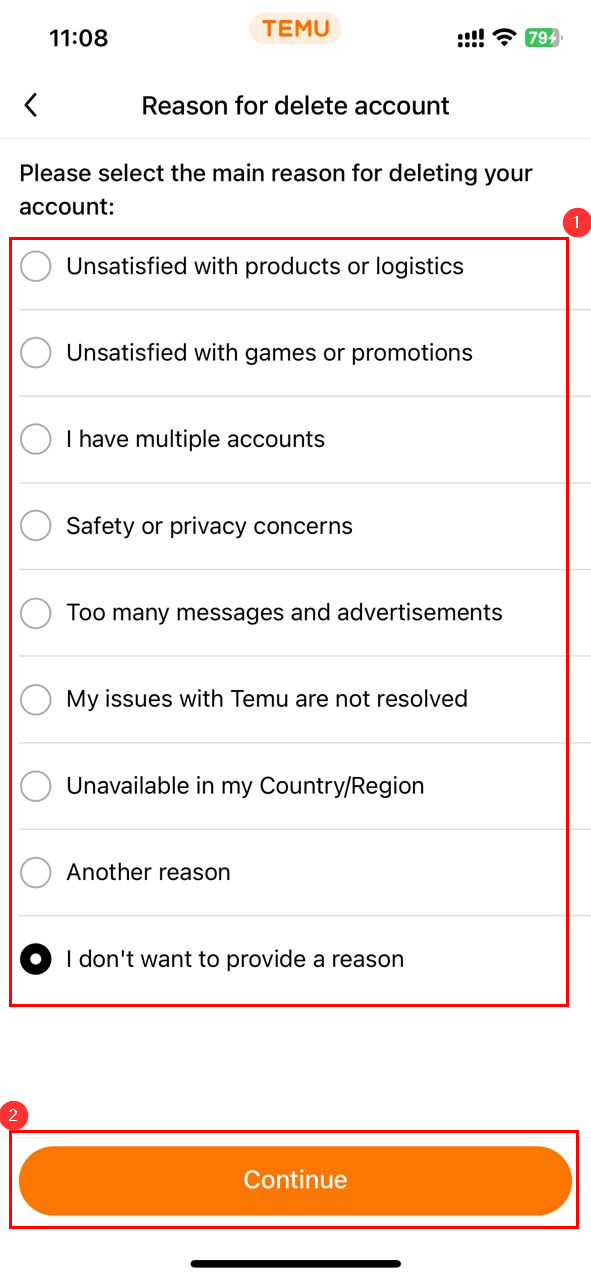
Step 6: Following that, select the reason you want to delete your account, then click the Continue button again
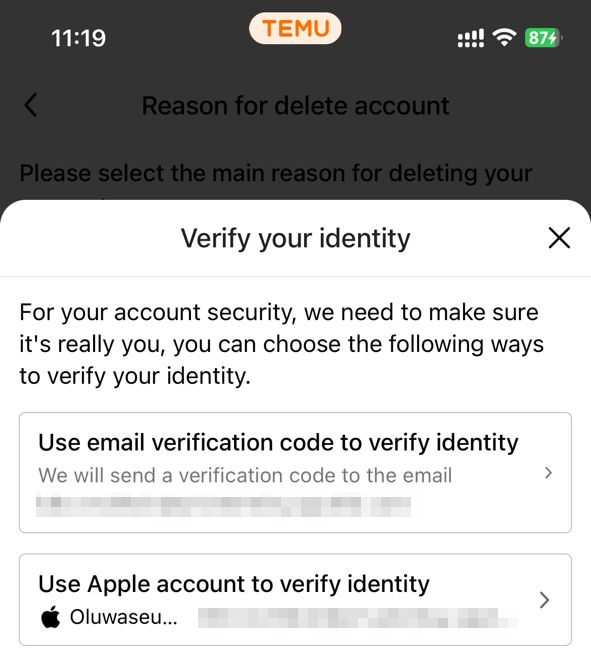
Step 7: Finally, you will be prompted to verify your identity to complete the deletion process
 Oyinebiladou Omemu
Conclusion
Deleting your Temu account means removing your digital footprint from the service. You regain control, protect your financial and order data, and minimise exposure to the platform going forward.
Once you hit delete and confirm, your account is slated for permanent removal. And if you ever decide to return, you'd need to create a brand new account from scratch.
Image credit: Oluwaseun Bamisile/Techloy.com


