Every search, every map route, and even the videos you watch can gradually add up to a detailed profile of your life. For many, that level of tracking feels less like convenience and more like being followed around the internet.
That’s essentially what Google’s Web & App Activity tracking does: it collects your searches, browsing, location history, and app usage to build a more personalised experience across its services.
The idea is to make your Google experience smoother, but it also means the company holds a vast record of your digital habits. The good news is, you can turn it off. Here’s how to disable Google’s Web & App Activity tracking.
 Oyinebiladou Omemu
How to Disable Google's Web & App Activity Tracking
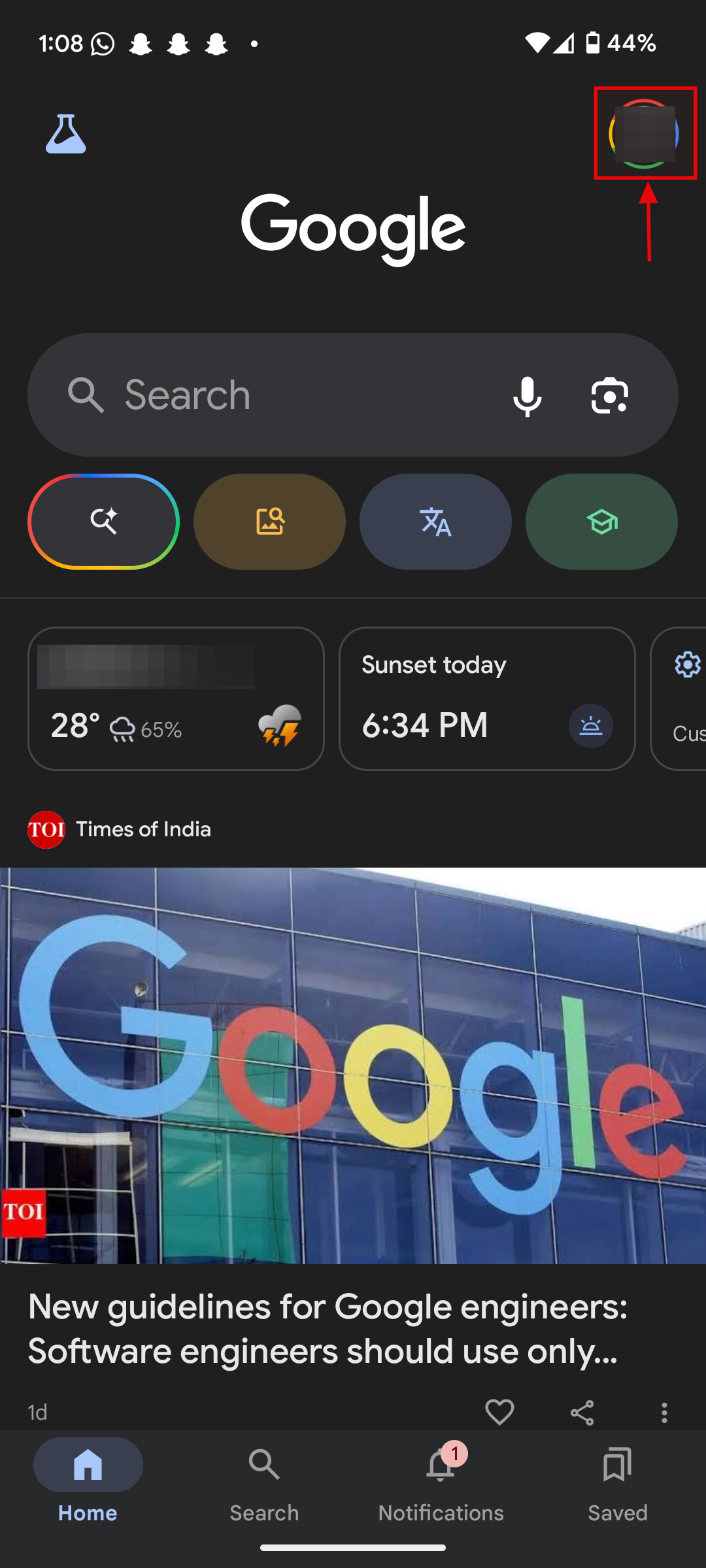
Step 1: Open the Google app on your device and click on the profile
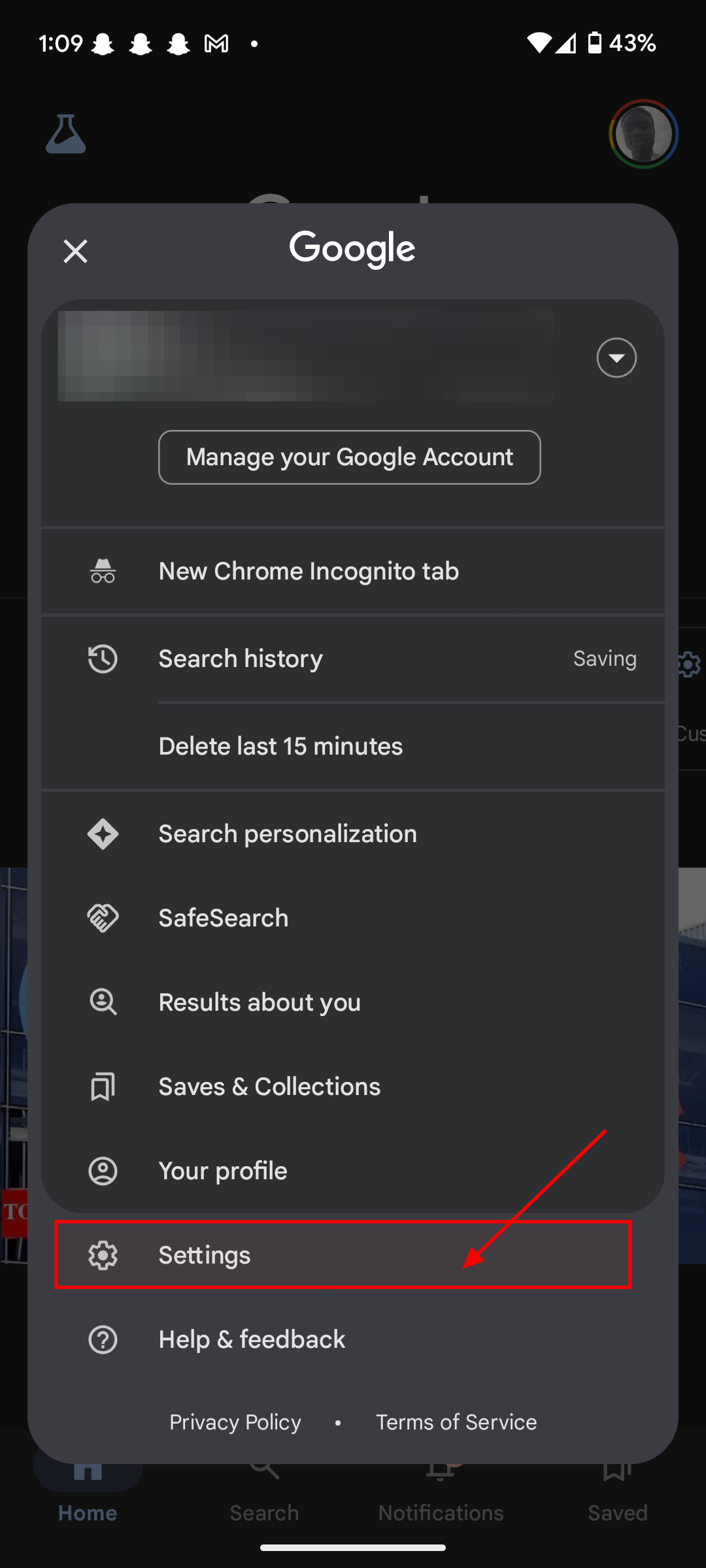
Step 2: Select Settings
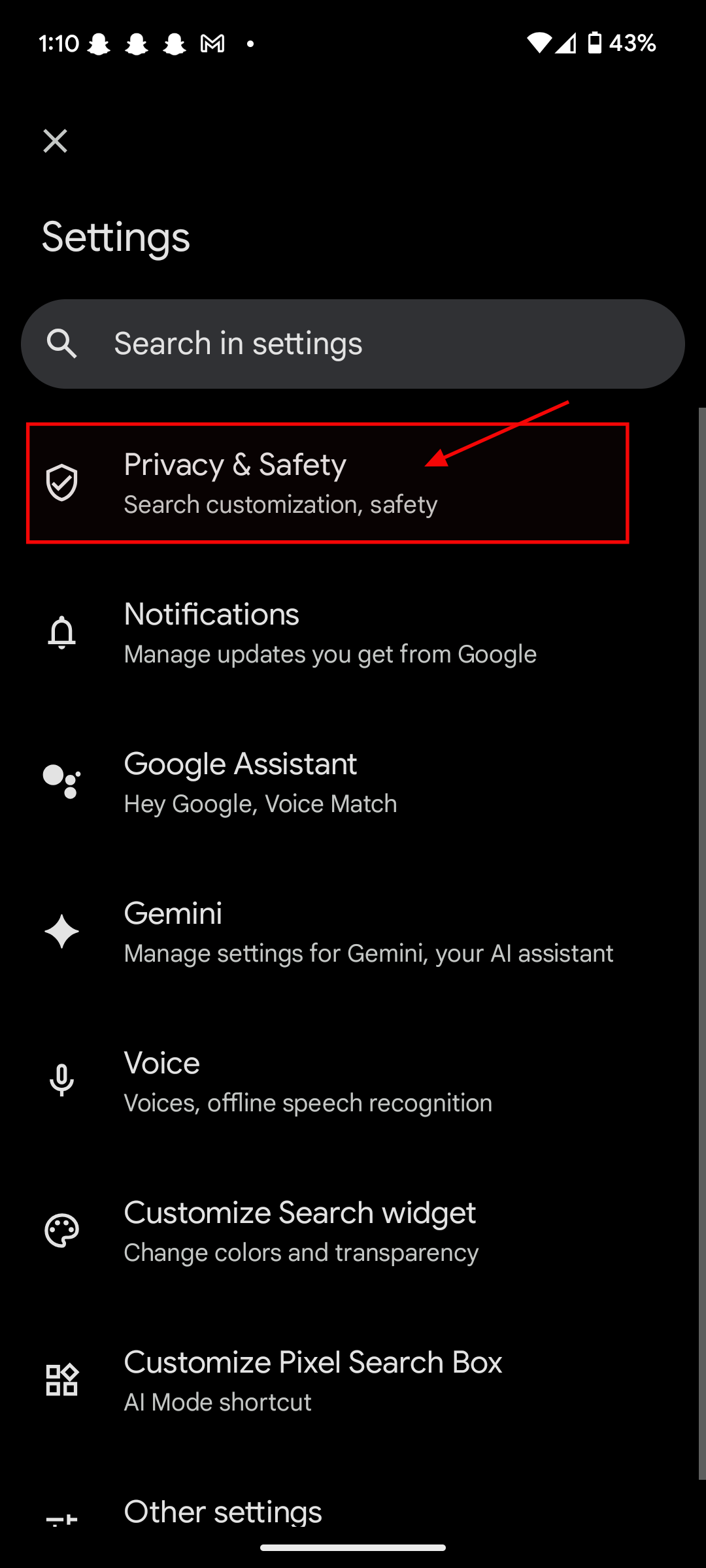
Step 3: Select Privacy & Safety
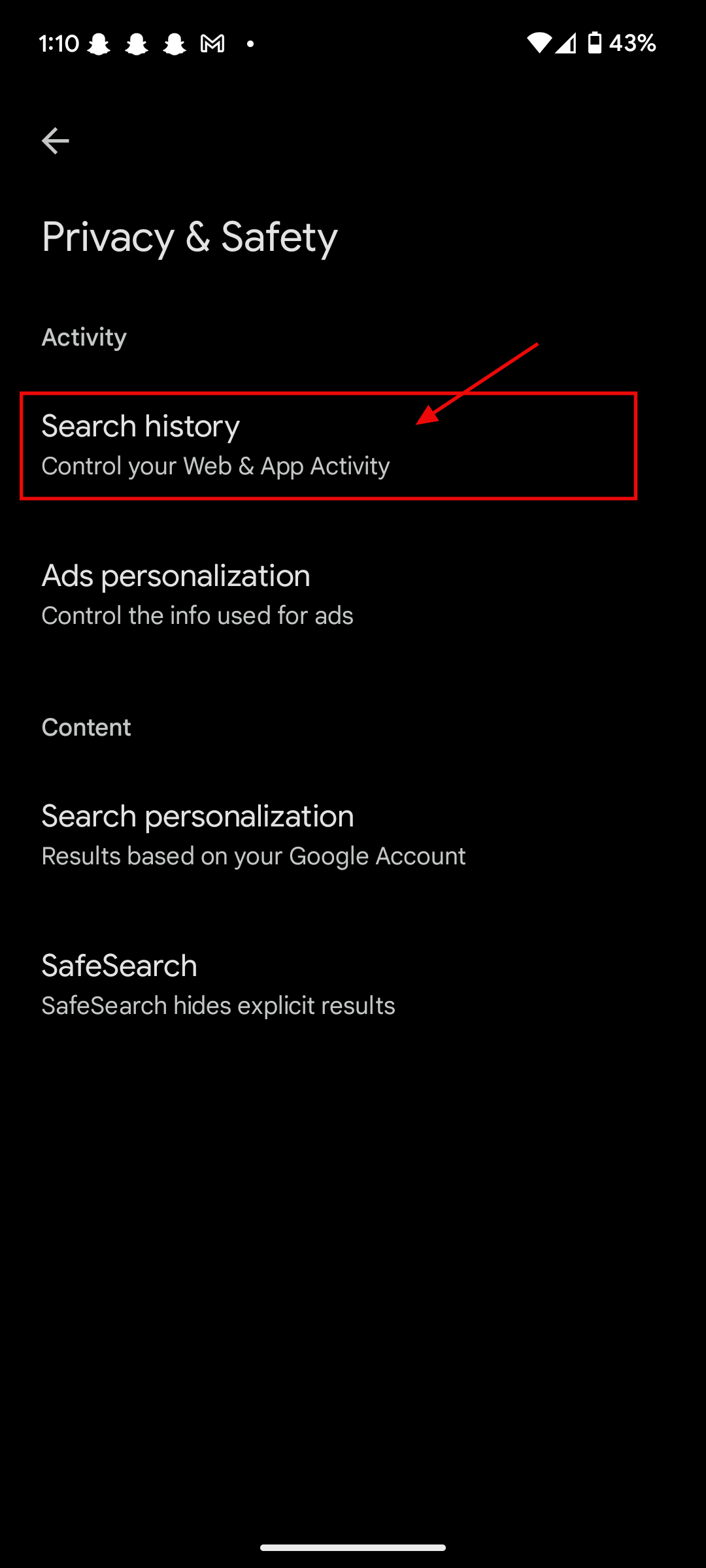
Step 4: Select Search history
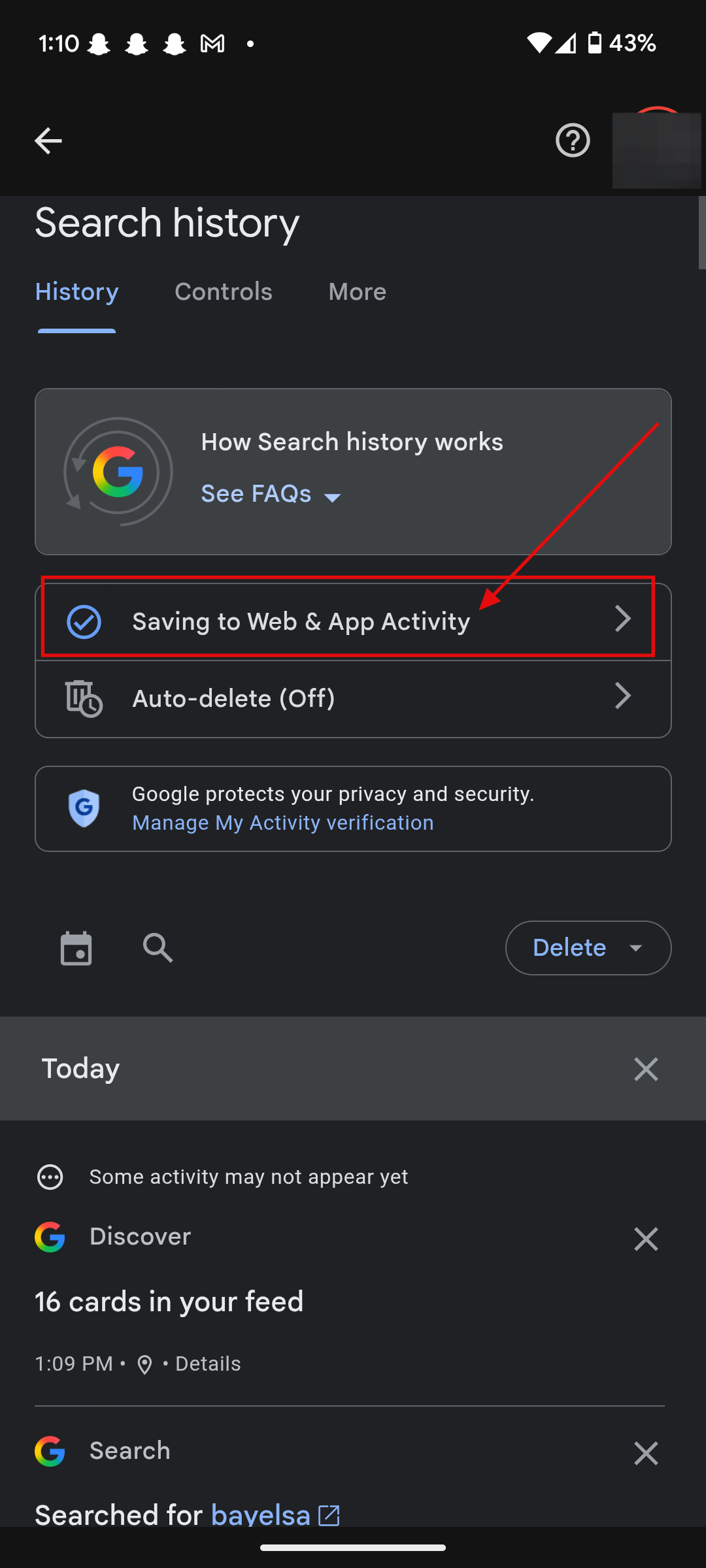
Step 5: Select Saving to Web & App Activity
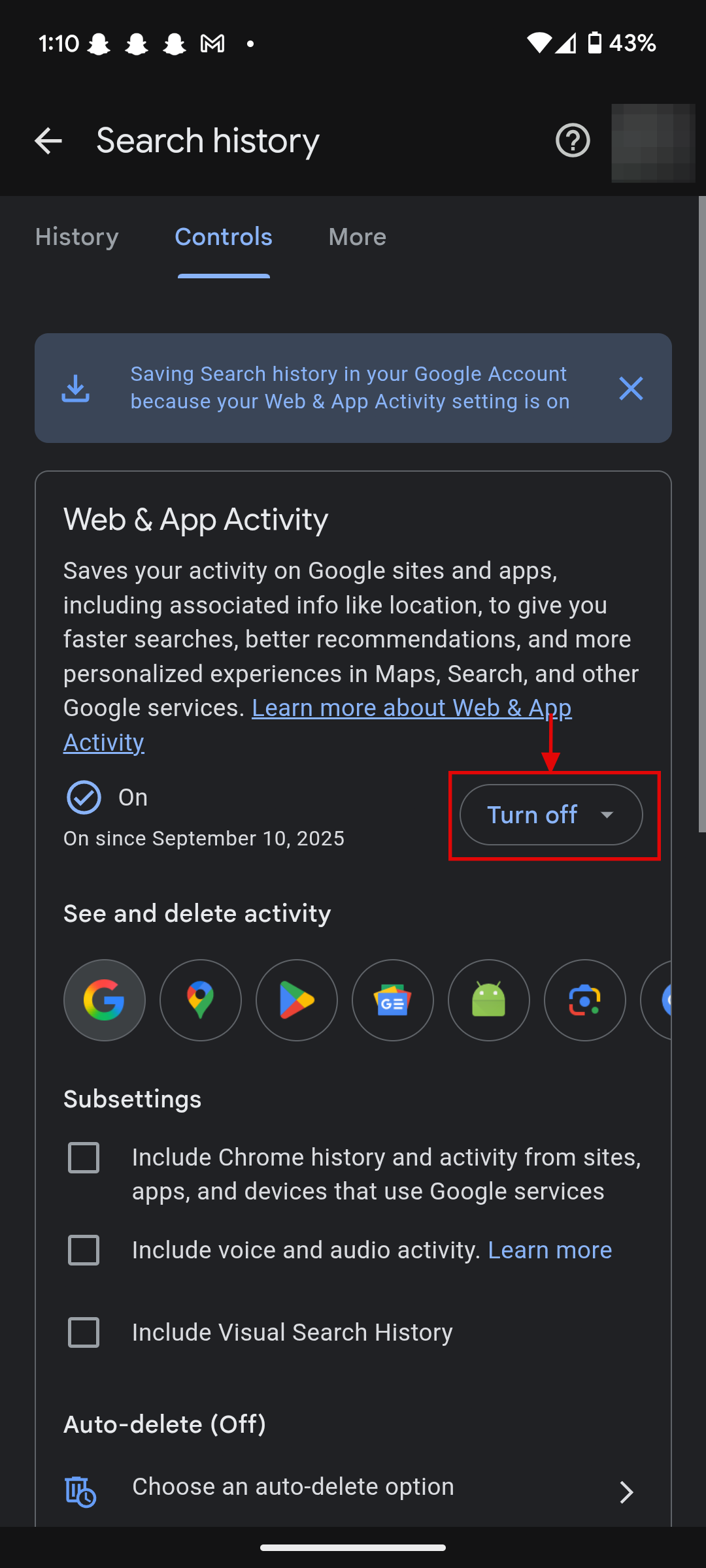
Step 6: Select Turn off to disable Web & App Activity Tracking
Conclusion
Turning off Web & App Activity won’t stop Google from collecting all data, but it does reduce how much of your daily activity is logged and used for personalisation. For many people, that small step is enough to feel a bit more private in an increasingly connected world.
Image Credit: Ogbonda Chivumnovu/Techloy.com
 Ogbonda Chivumnovu