In case you have been searching for how to disable notifications on Microsoft Edge and haven't found a solution, you can stop worrying now.
Like Chrome, Microsoft Edge has a one-stop button to control push notifications, allowing you to disable all notifications. Whether it's a news site pushing alerts, an online store offering a discount, or a social media update, this Edge notification feature will put a stop to all disturbance. So, if you want to keep interruptions off and focus on, this article will walk you through how to access this function to disable push notifications.
5 Steps to Disabling Notifications in Microsoft Edge
Step 1: Open the Microsoft Edge browser on your computer.

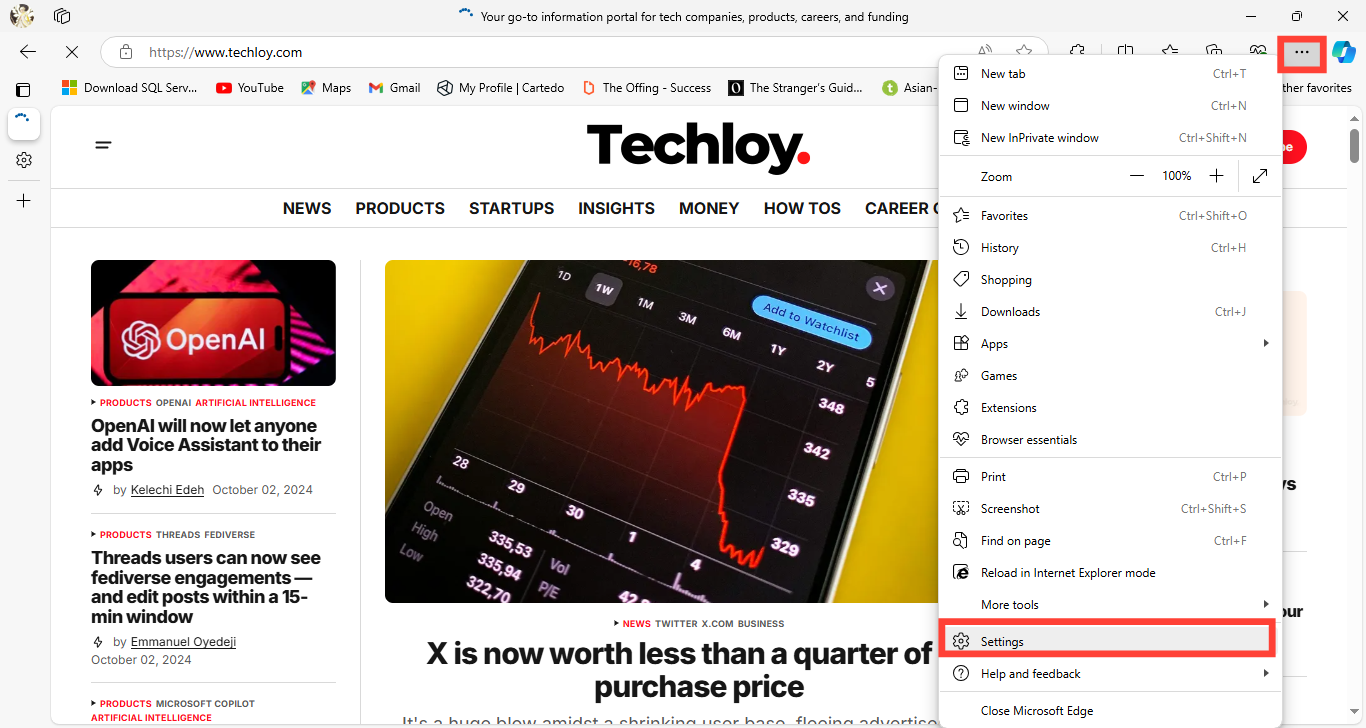
Step 2: Click on the three-dot menu (ellipsis) at the upper right corner of the browser and select “Settings” from the dropdown menu.