



Have you ever noticed ads on your Android phone that seem oddly specific, like they know you? Maybe you searched for running shoes on Chrome, and suddenly, every ad is about sneakers. That’s simply personalized advertising at work.
Personalized ads are tailored to your interests, online activity, and even details from your Google Account, like your age, interests, or general location. They help businesses show you relevant promotions while keeping many apps and services (like YouTube and Google Search) free to use. Google uses your activity, searches, watched videos, and installed apps to make these ads feel more useful.
I'm not going to lie, I love personalized ads; they give me exactly what I want. But if you’d rather not share your data, you can turn off ad personalization to keep your privacy intact. Now, this won't stop you from seeing ads; they’ll just be more generic and less relevant.
If you want to disable personalized ads on Android, this guide will show you how to do that in just a few taps.
 Oyinebiladou Omemu
How to disable personalized Ads on Android
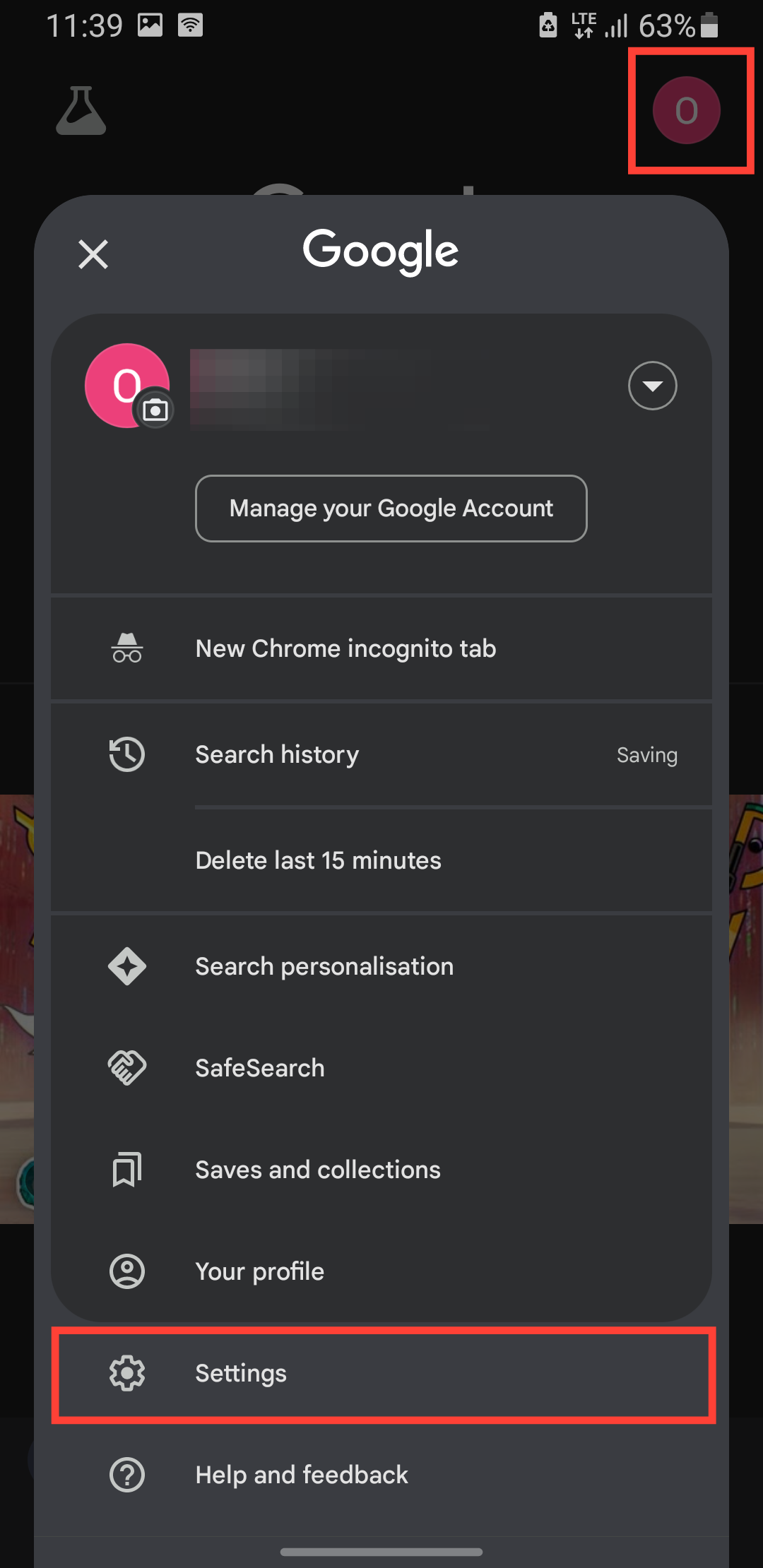
Step 1: Open your Google app and tap your profile icon at the top right and select Settings.
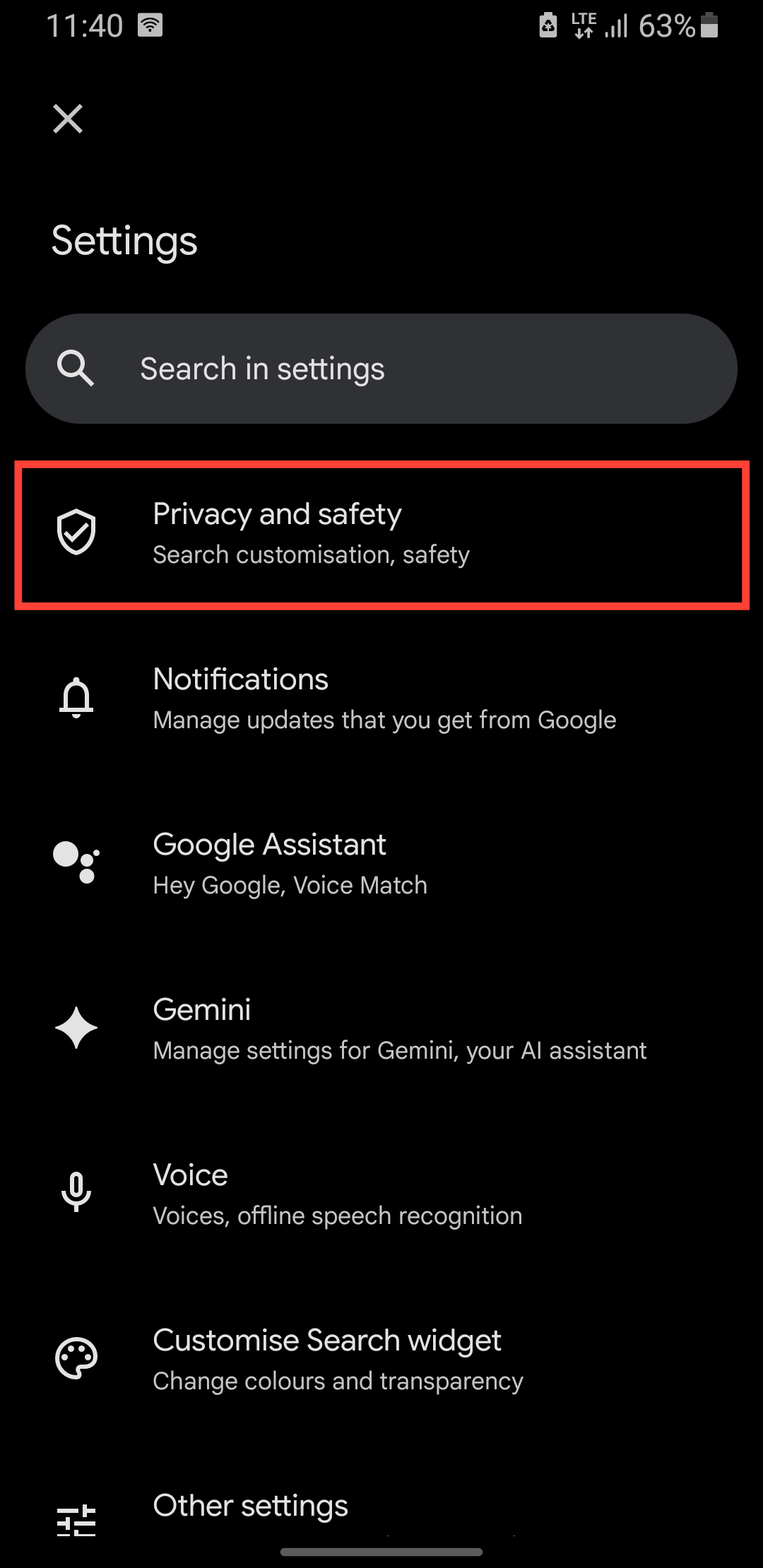
Step 2: Select Privacy and Safety.
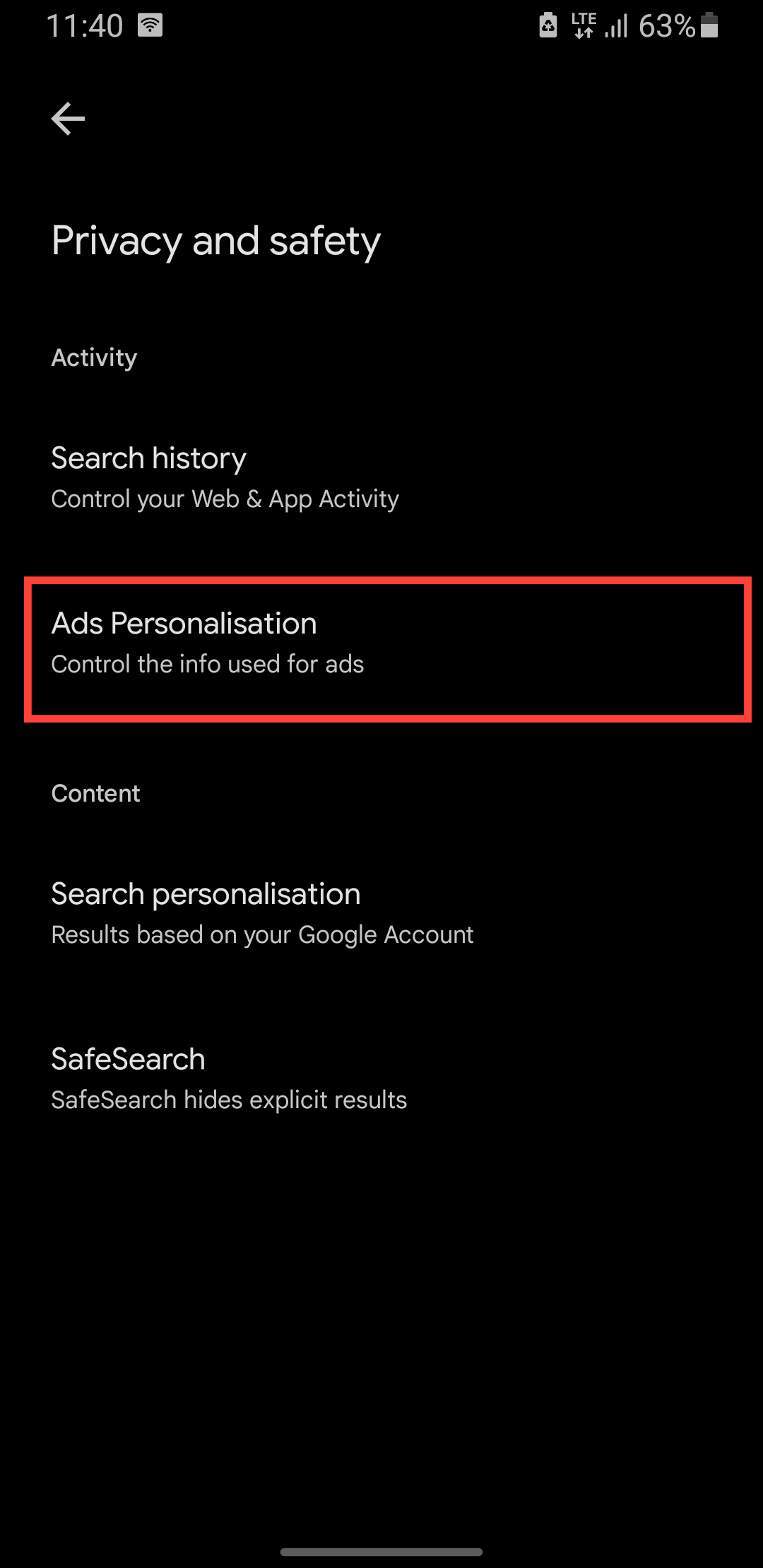
Step 3: Select Ads Personalization.
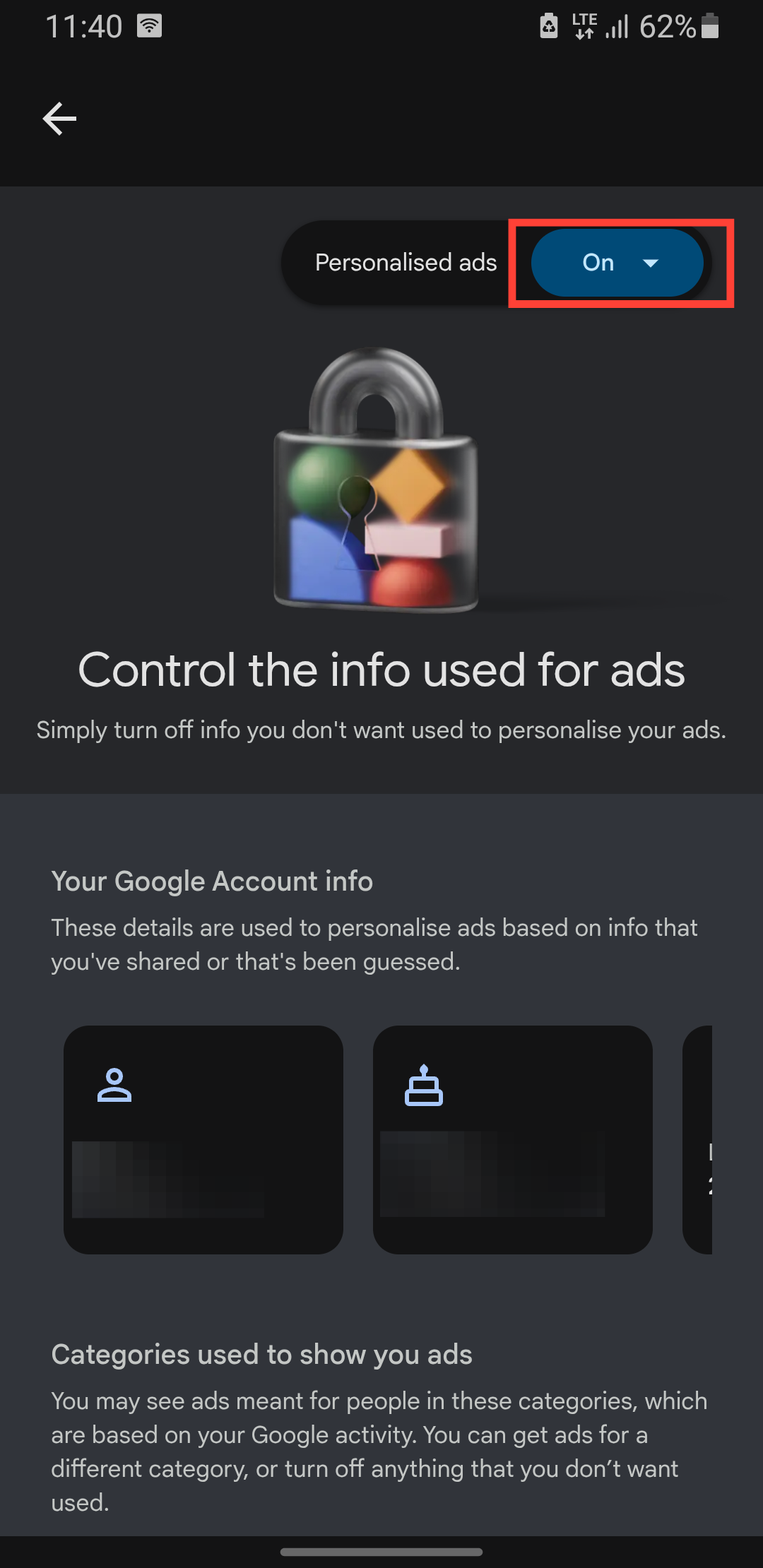
Step 4: Tap the on drop-down menu.
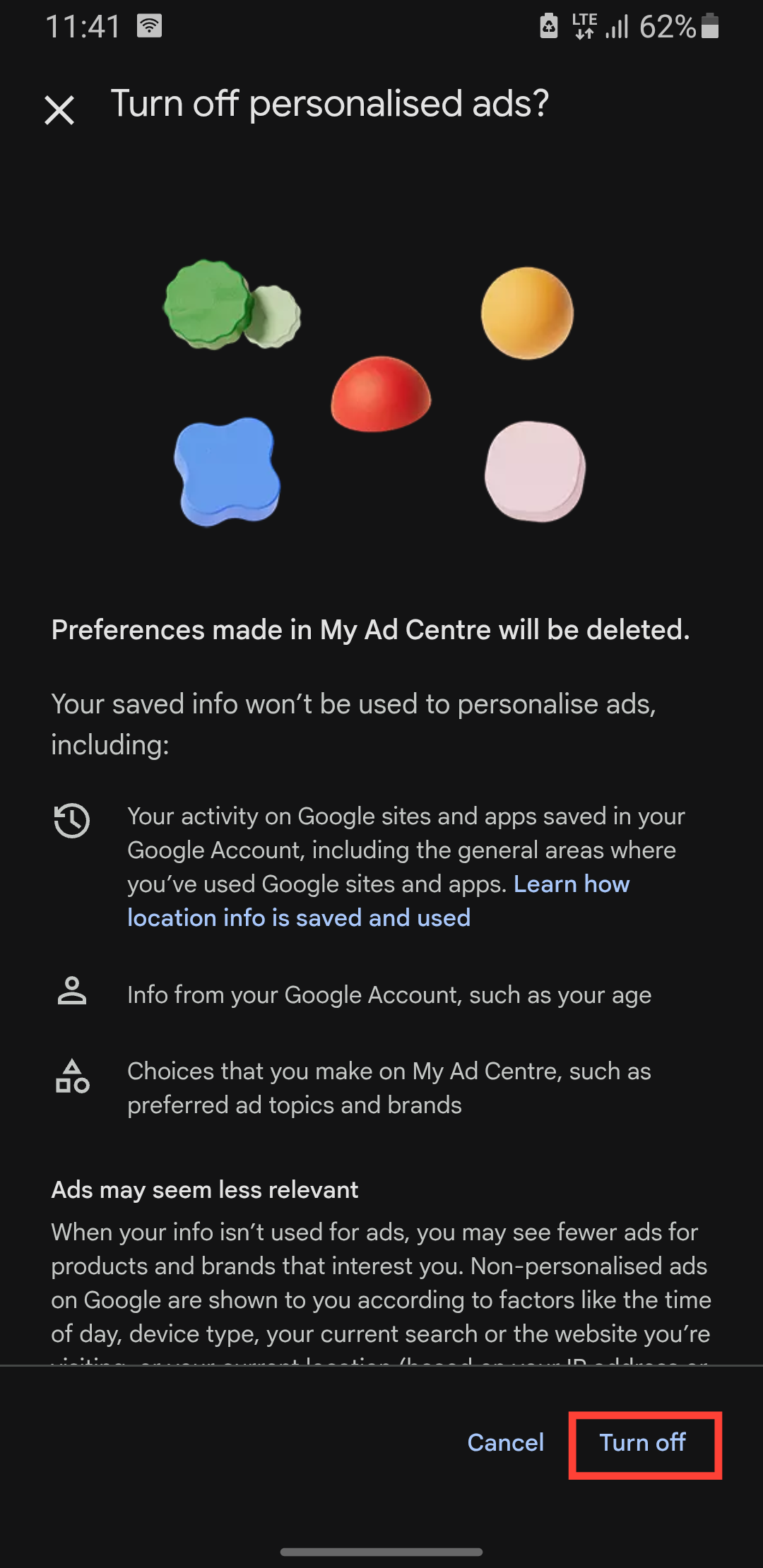
Step 5: Tap Turn off.
 Oyinebiladou Omemu
Conclusion
Disabling personalized ads gives you more privacy, but it also means the ads you see won’t be as tailored to your interests. You might get more random promotions, like cat food ads, when you don’t even own a cat. Still, if you’d rather keep your browsing habits out of Google’s ad system, turning off personalization is a straightforward process.
Just remember: Ads help support free services, so you’ll still see them, just not the ones that feel like they’re reading your mind. Whether you prioritize privacy or prefer relevant ads, the choice is yours.
Image Credit: Oyinebiladou Omemu/Techloy.com


