



Many emails, especially marketing ones, come with hidden tracking pixels. These tiny, invisible images ping the sender when you open the message, sharing details like your IP address, location, and even the exact time you viewed it. It’s a common trick, but also a quiet invasion of your privacy.
Fortunately, you don’t have to accept this as the price of using email. Your iPhone has a built-in feature called Mail Privacy Protection, which blocks this kind of tracking, so you can read your emails without tipping off the sender.
In this guide, we’ll show you how to turn on Mail Privacy Protection and keep your inbox free from silent surveillance.
 Oyinebiladou Omemu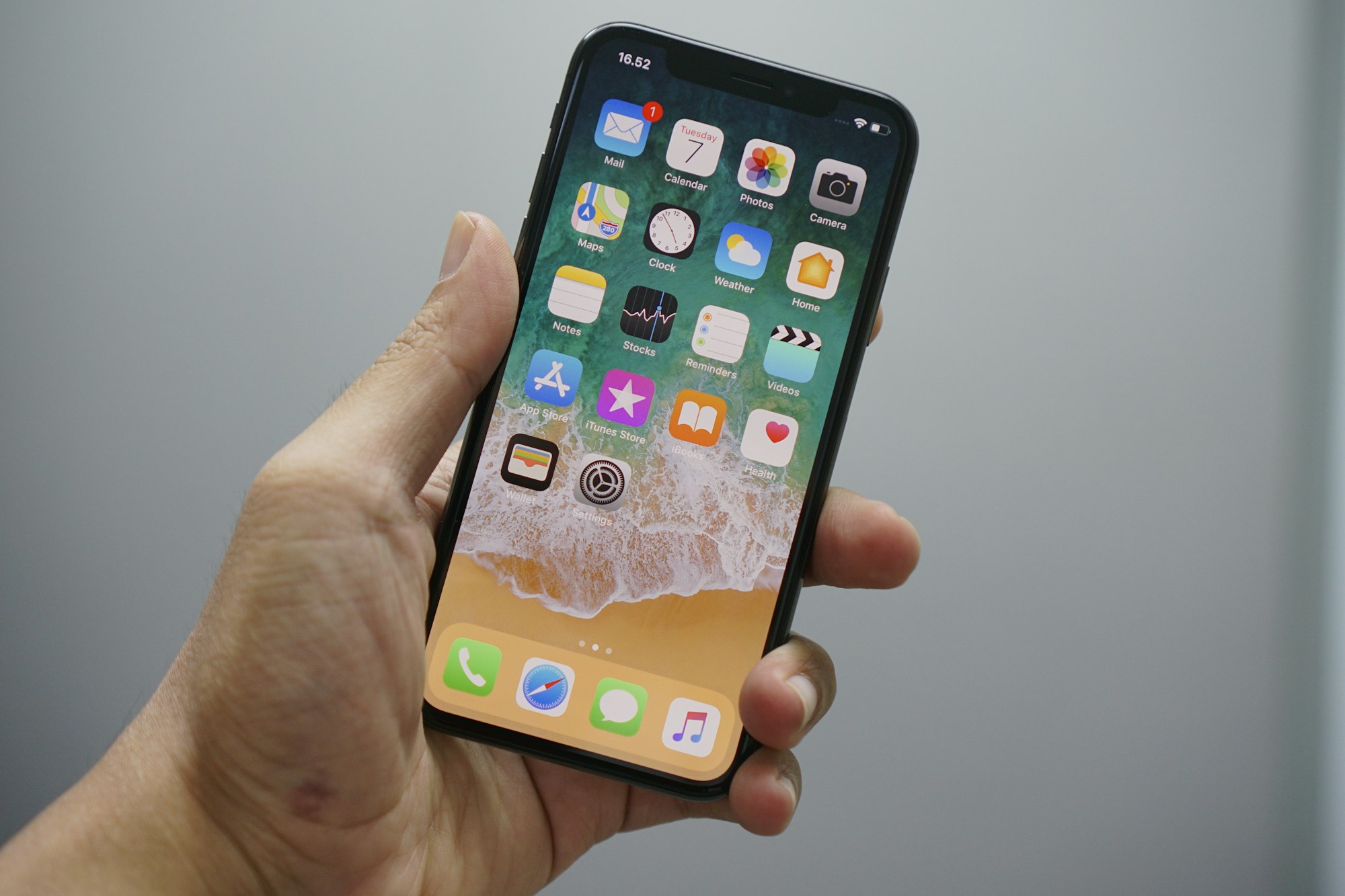
4 Steps to turn on Mail Privacy Protection
Step 1: Open the Settings App on your phone.
Step 2: In the Apps section, select Mail.
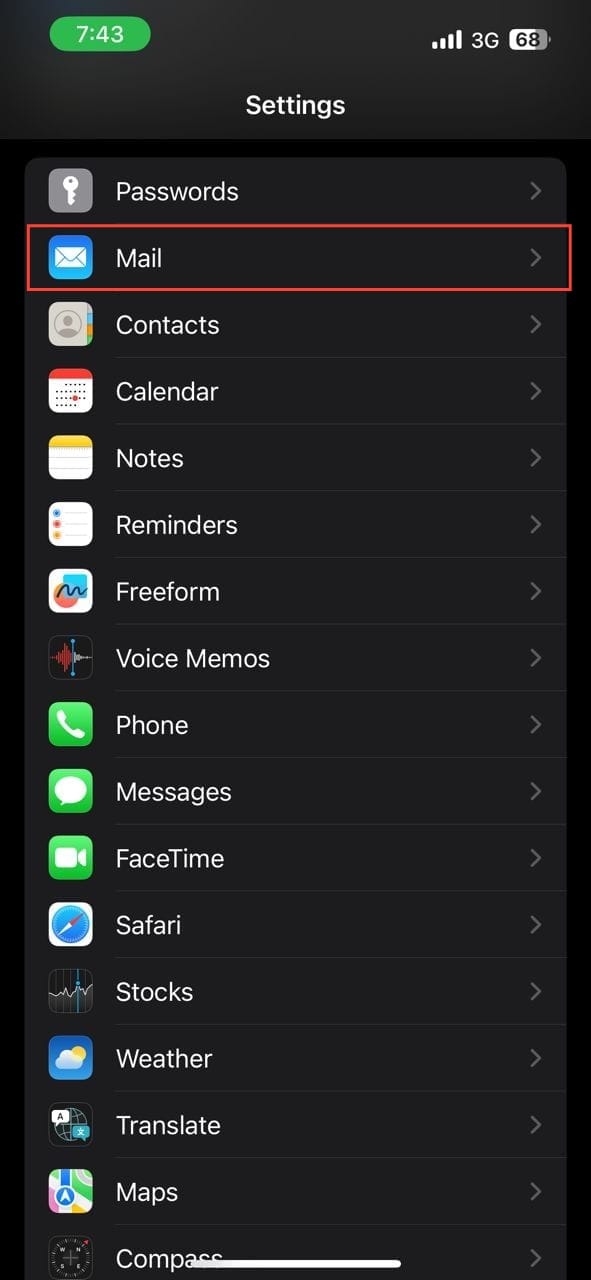
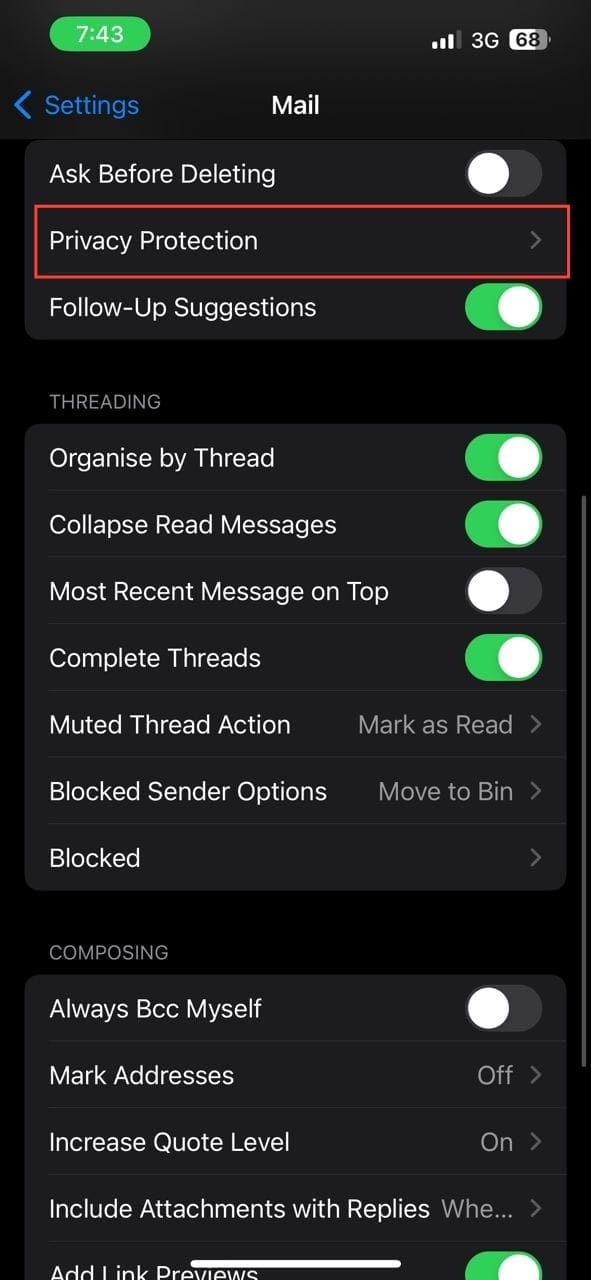
Step 3: Select privacy protection.
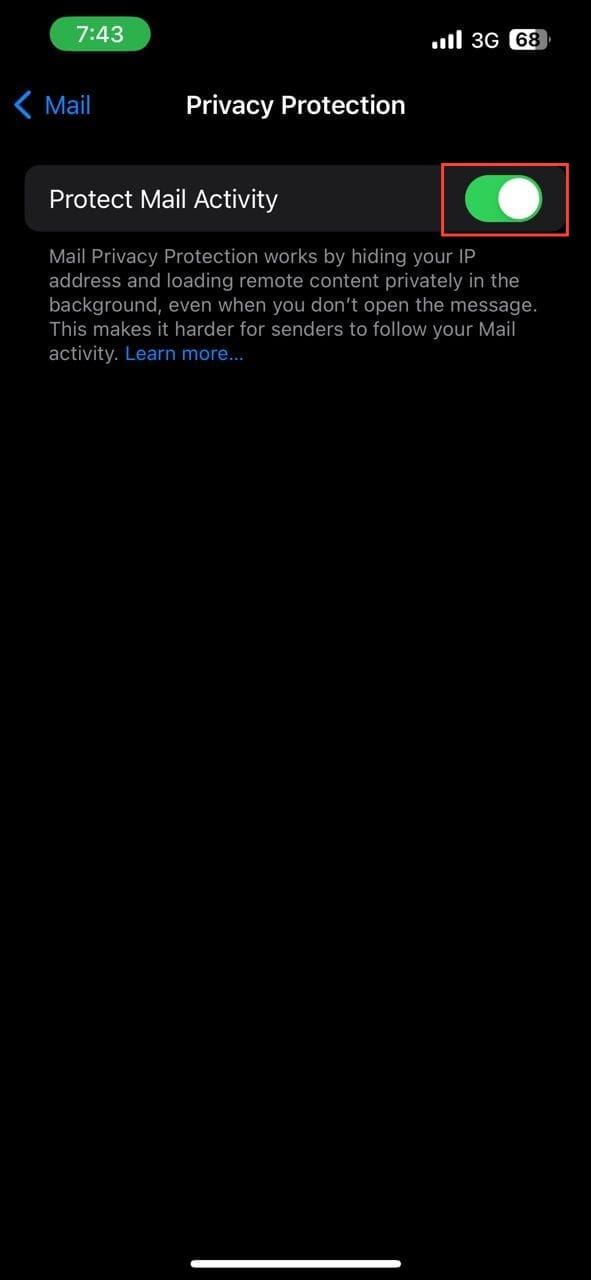
Step 4: Toggle on Protect Mail Activity.
 Louis Eriakha
Conclusion
Enabling this feature is a simple but effective step toward protecting your privacy. It works silently in the background, ensuring that your email habits remain your business alone.
While this tool blocks the most common form of email tracking, it’s still important to stay cautious. Always think before you click on links from unknown senders, as that’s a whole other way information can be gathered. For now, though, you can browse your inbox with the confidence that you’ve closed one of the quietest backdoors into your personal life.
Image Credit: Oyinebiladou Omemu/Techloy.com


