



Not sure who has access to your Instagram? It happens especially when you’ve used someone else’s device to keep up with trends, maybe because your phone got lost or stopped working.
You sign in, scroll a bit, and forget to log out. Then one day, you notice something weird on your account. Messages show as read when you never opened them. Activity that feels off. Now you’re wondering if someone’s been snooping through your account, reading your DMs, or watching your every move. Either way, it’s worth checking which devices have access. Instagram makes it pretty easy, and if anything looks off, you can log them out in seconds. If you are curious to know how you can check and take back control, here's how.
Steps To Find Out Which Devices Are Logged In to Your Instagram
Step 1. Open Instagram and tap your profile icon.

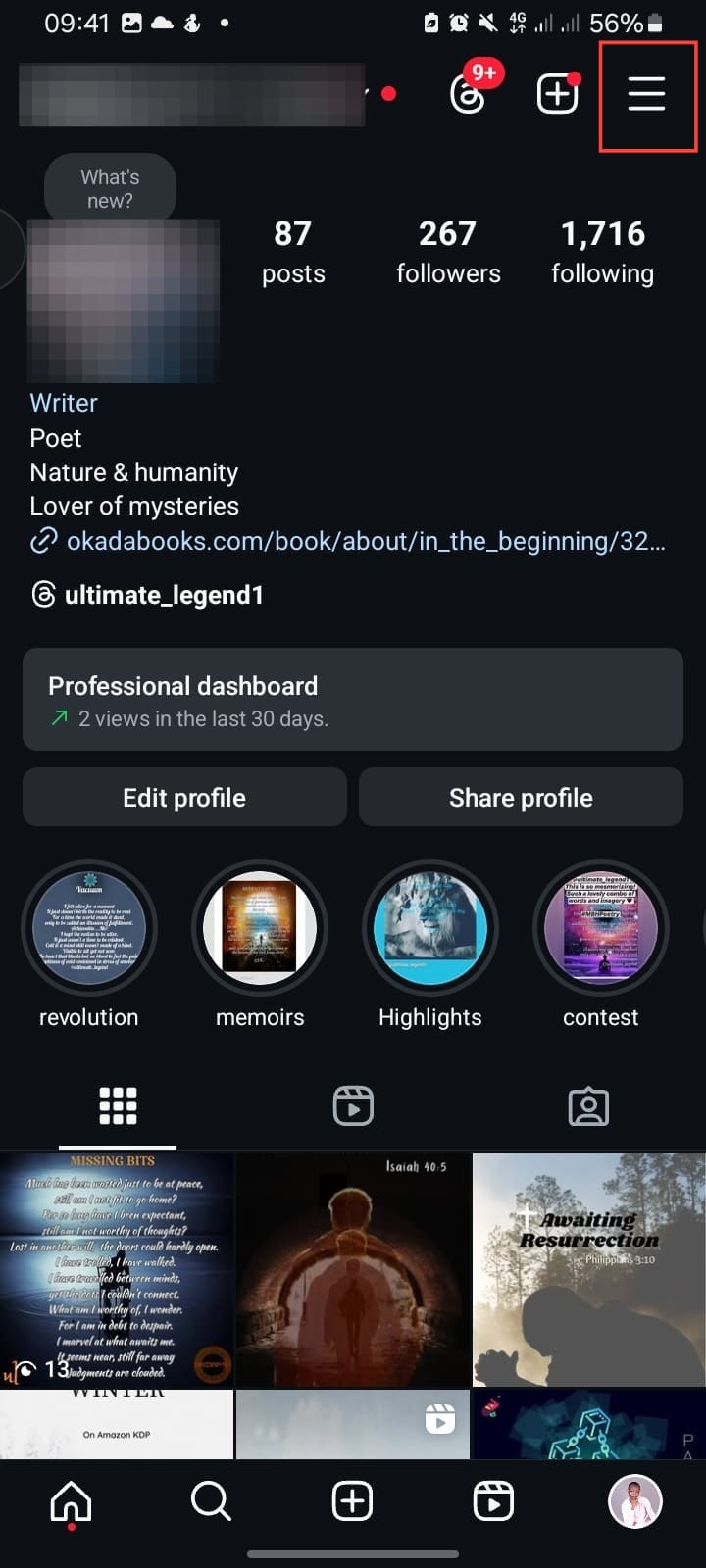
Step 2. Hit the three-line menu at the top right to access "Settings and Activity."
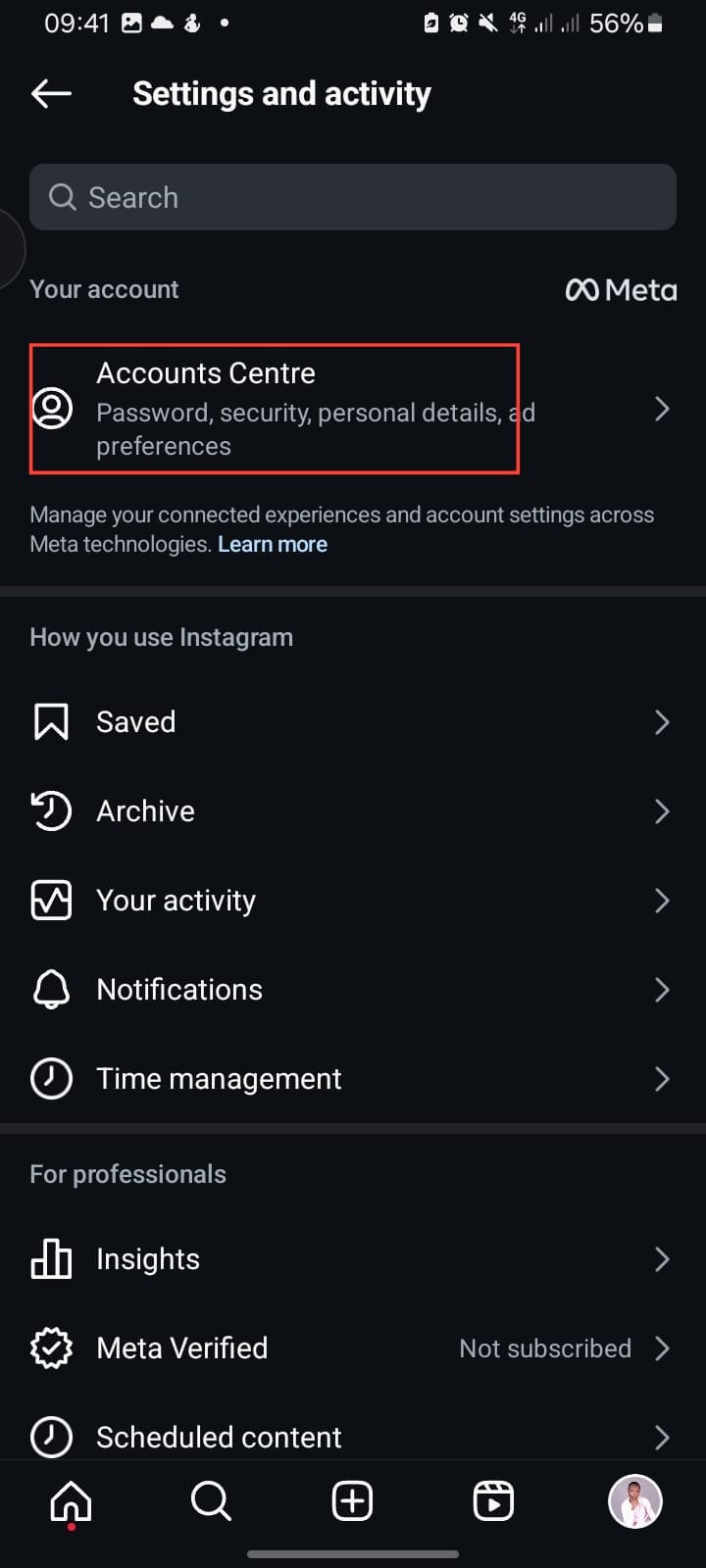
Step 3. Tap Accounts Centre, then scroll down to Password and Security.
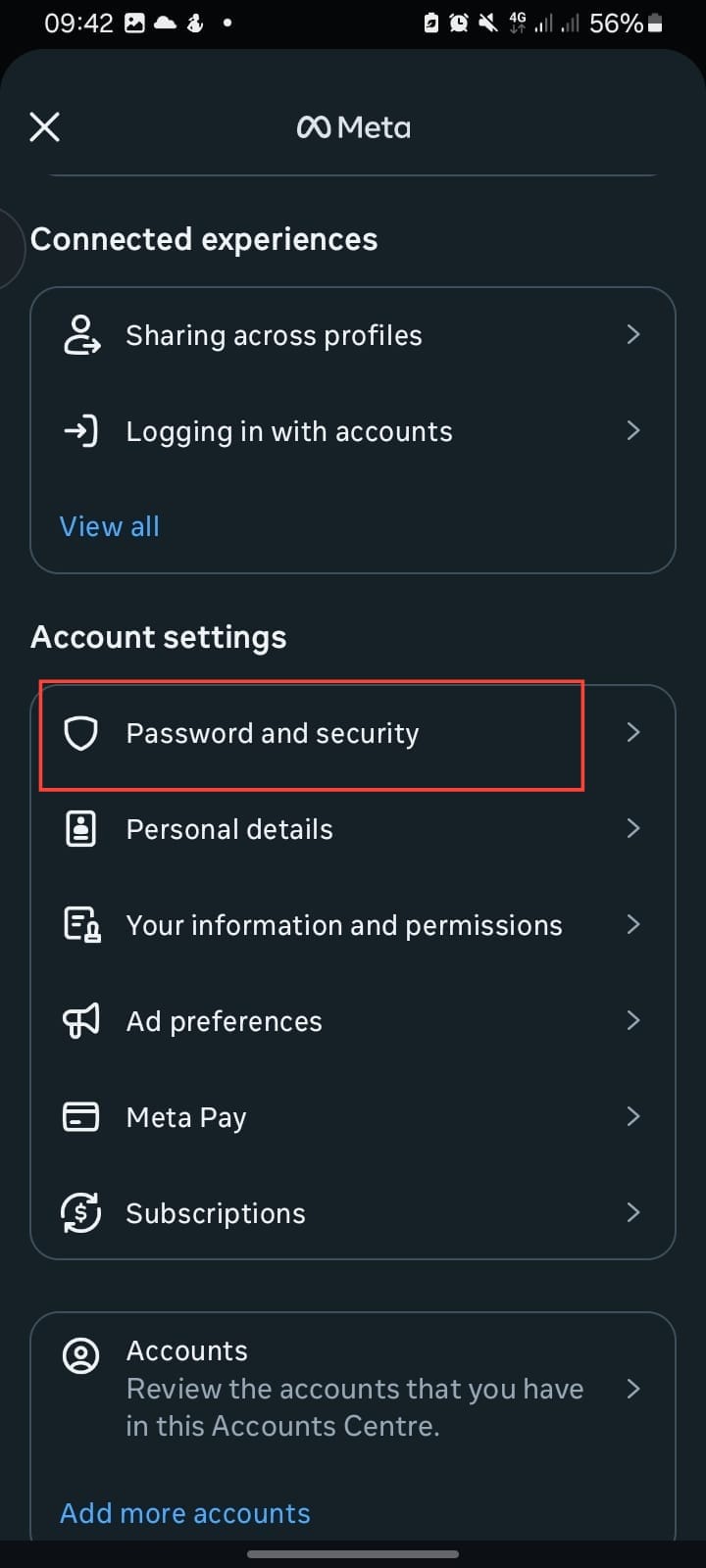
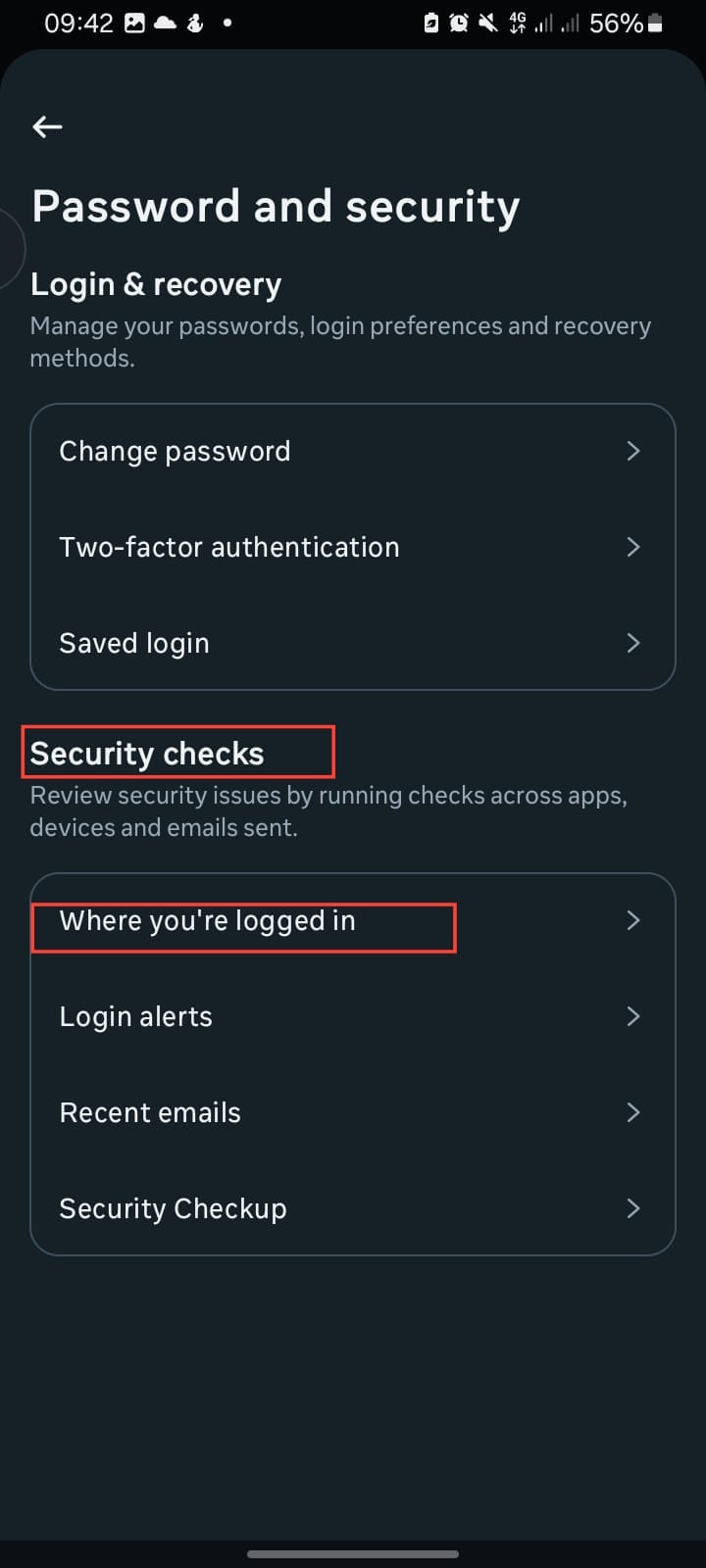
Step 4. Under "Security Checks," tap "Where you’re logged in."
Step 5. You’ll now see a list of all the devices your account is logged into.
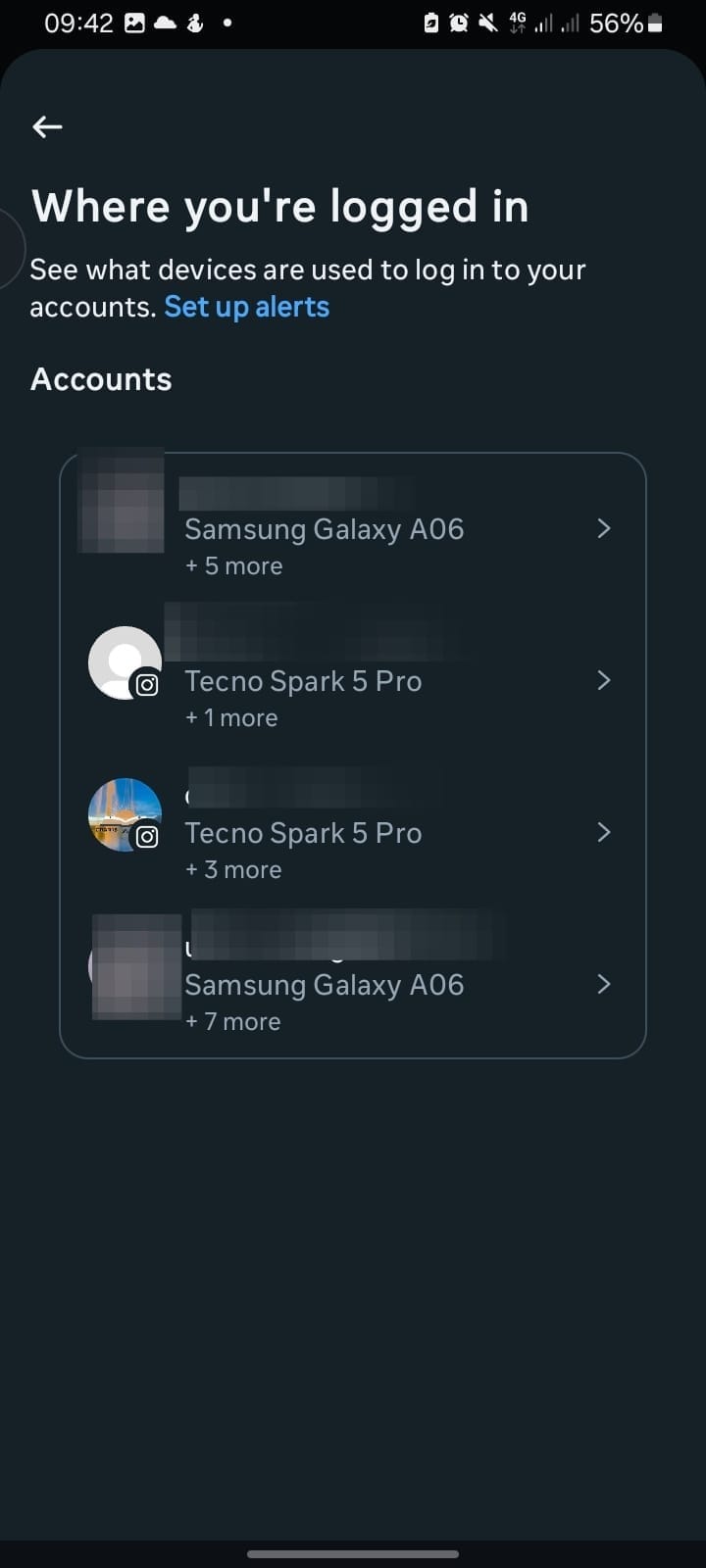
If you spot any devices you don’t recognise — or ones you’re just done using — here’s how to log them out:
Step 1. Tap the device you want to remove.
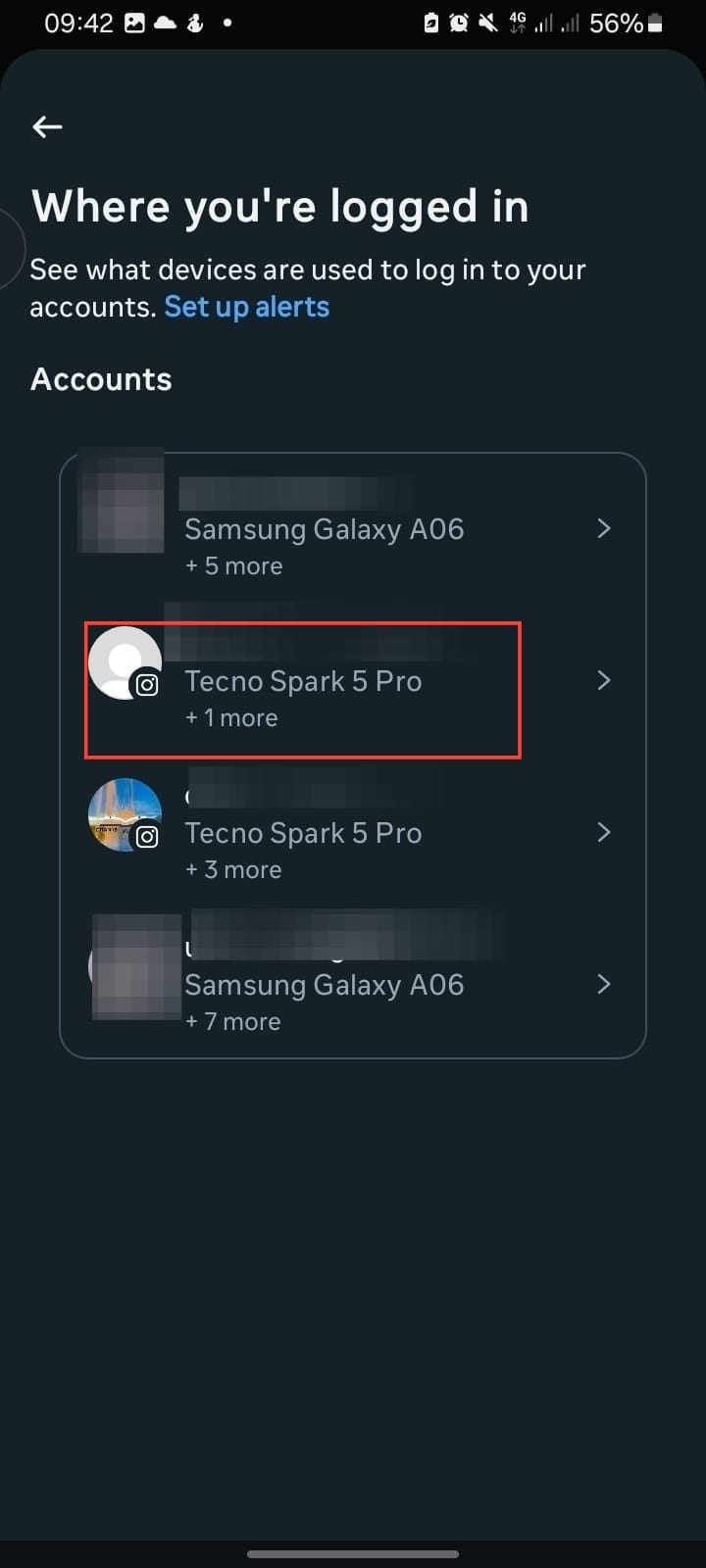
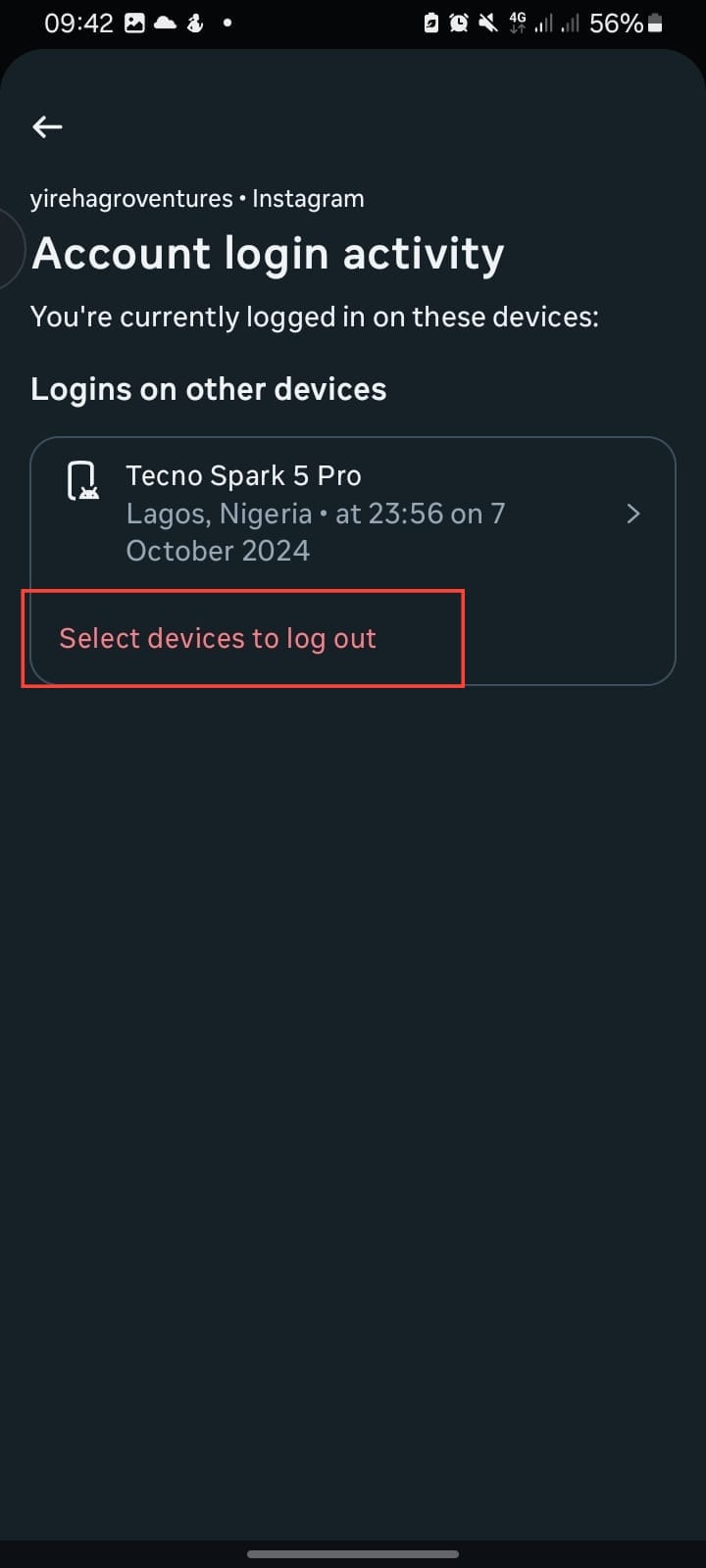
Step 2. Hit "Select devices to log out."
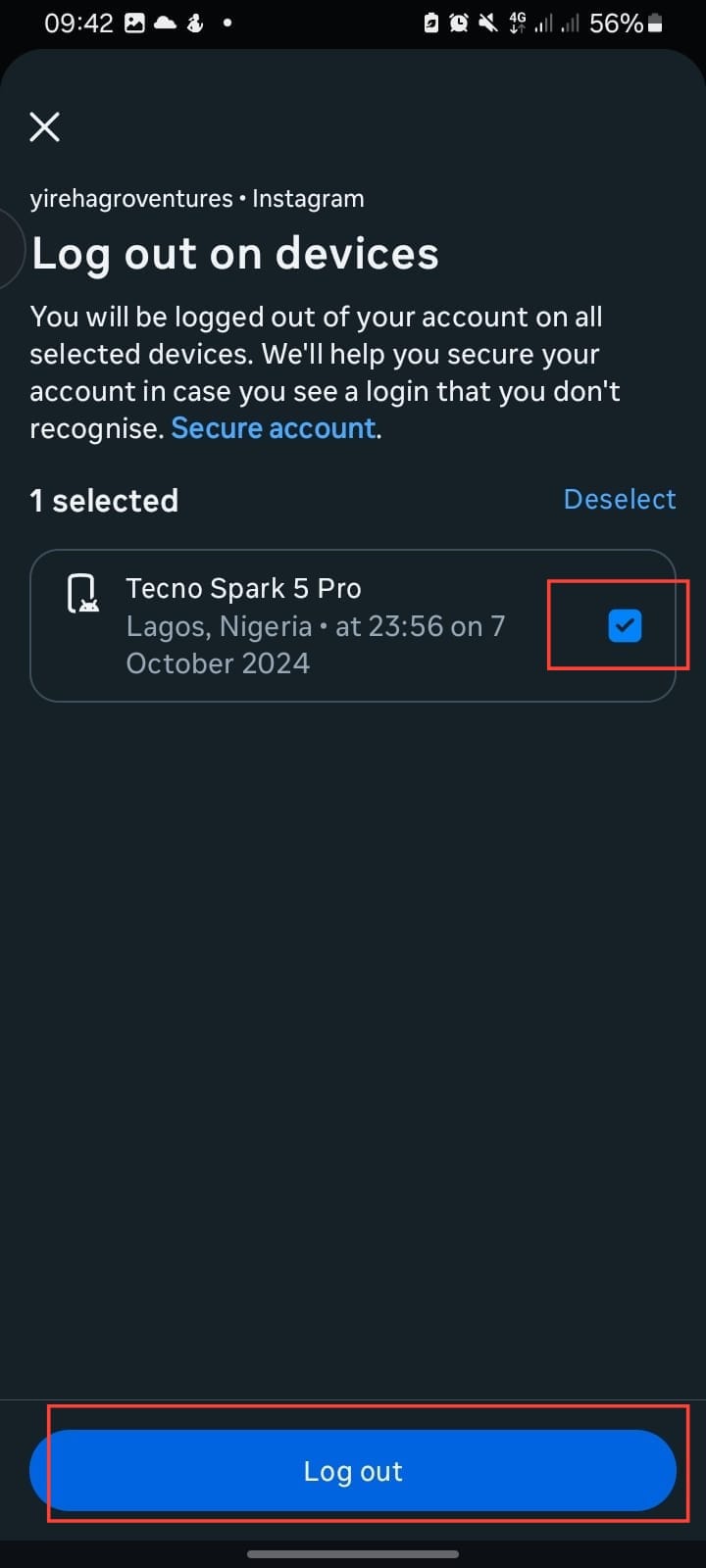
Step 3. Tick the box, then tap "Log out."
Conclusion
Taking the right steps is all you need to do to secure your account. If you see any device you don’t recognise, just log it out. No need to overthink it. Even if nothing looks suspicious, it’s still a good habit to check every now and then if you’ve used someone else’s phone or switched devices recently. Like the saying goes, "it is better safe than sorry."
Image credit: David Adubiina/Techloy.com


