



In a high-inflation economy, smartphones are one of those things we can’t really do without after food, and that’s not even an exaggeration. Think about it: we use them to stay in touch, send money, order food, run businesses, apply for jobs, even get entertainment when the day gets heavy. For most people, the phone in their hand is their office, their bank, and their TV rolled into one. The only catch is that not everyone can afford the latest Samsung or Pixel fresh out of the box. So a lot of people go for UK-used or refurbished Android phones, which are usually cheaper and still get the job done. However, the problem is that sellers aren’t always upfront. You’ll hear things like “It’s barely six months old” or “The person just used it lightly.” But unless you know how to check, you have no idea how long that phone has really been in use. Here in this guide, we will show you how you can check it in seconds to save you from stories that touch the heart.
 Oyinebiladou Omemu
3 Steps To Check the Activation Date on Android
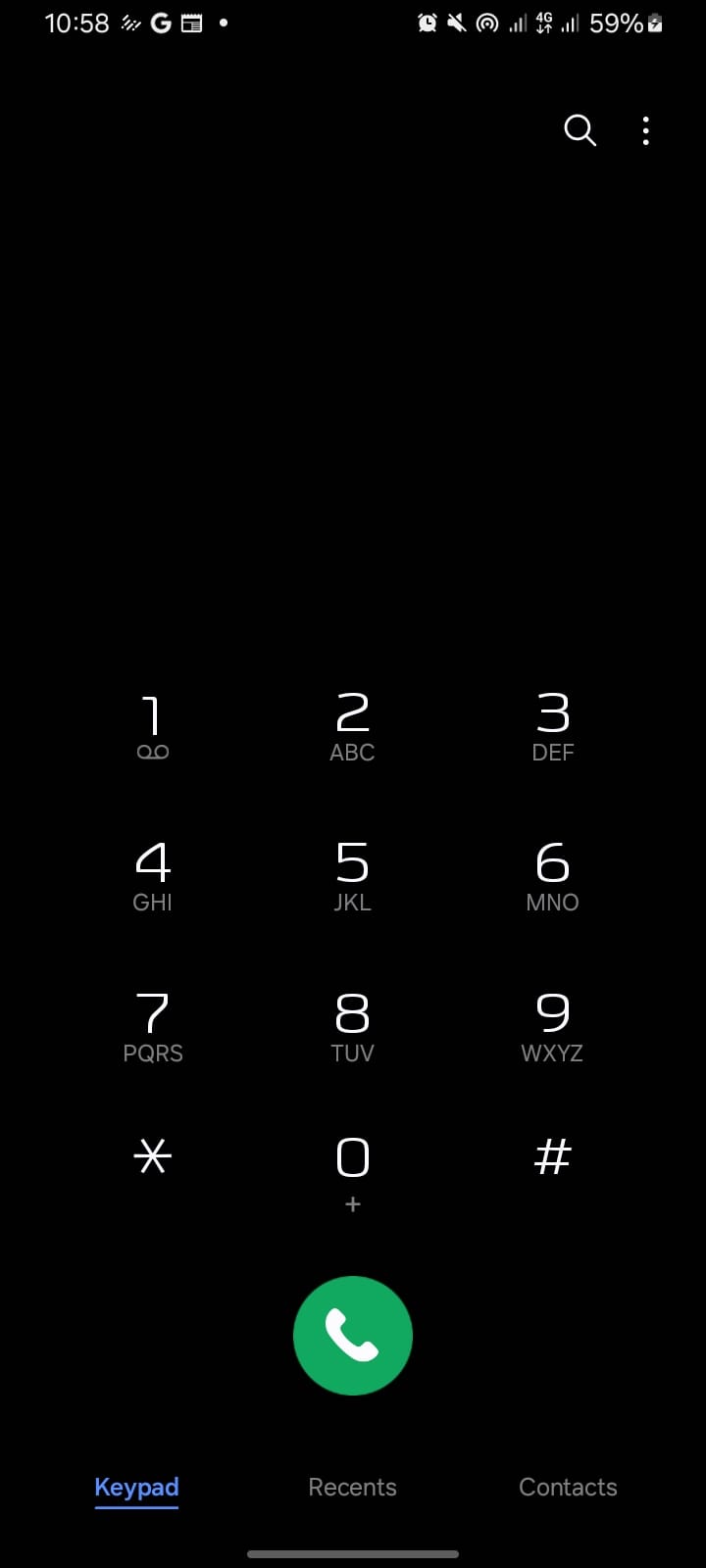
Step 1. Open your dial pad.
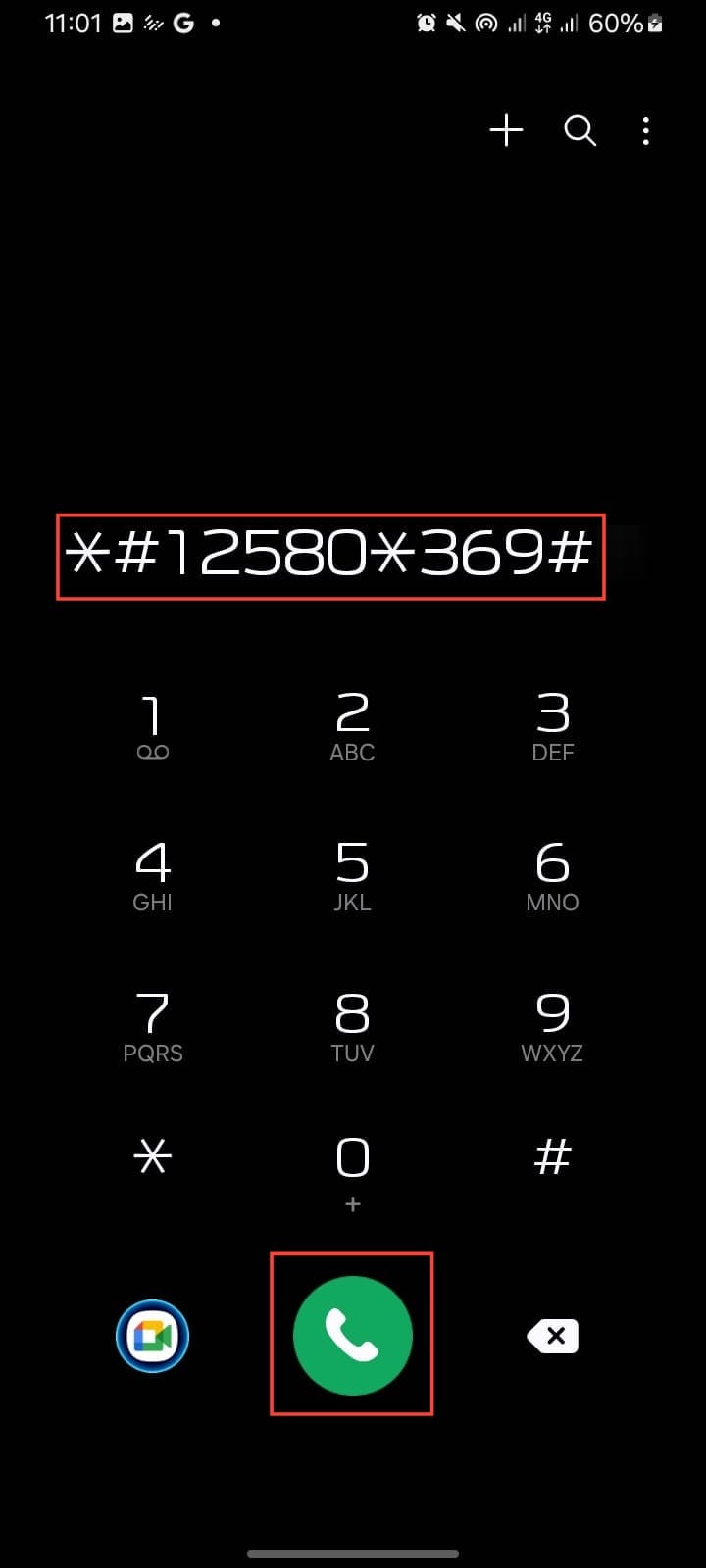
Step 2. Type "*#12580*369#" and tap send.
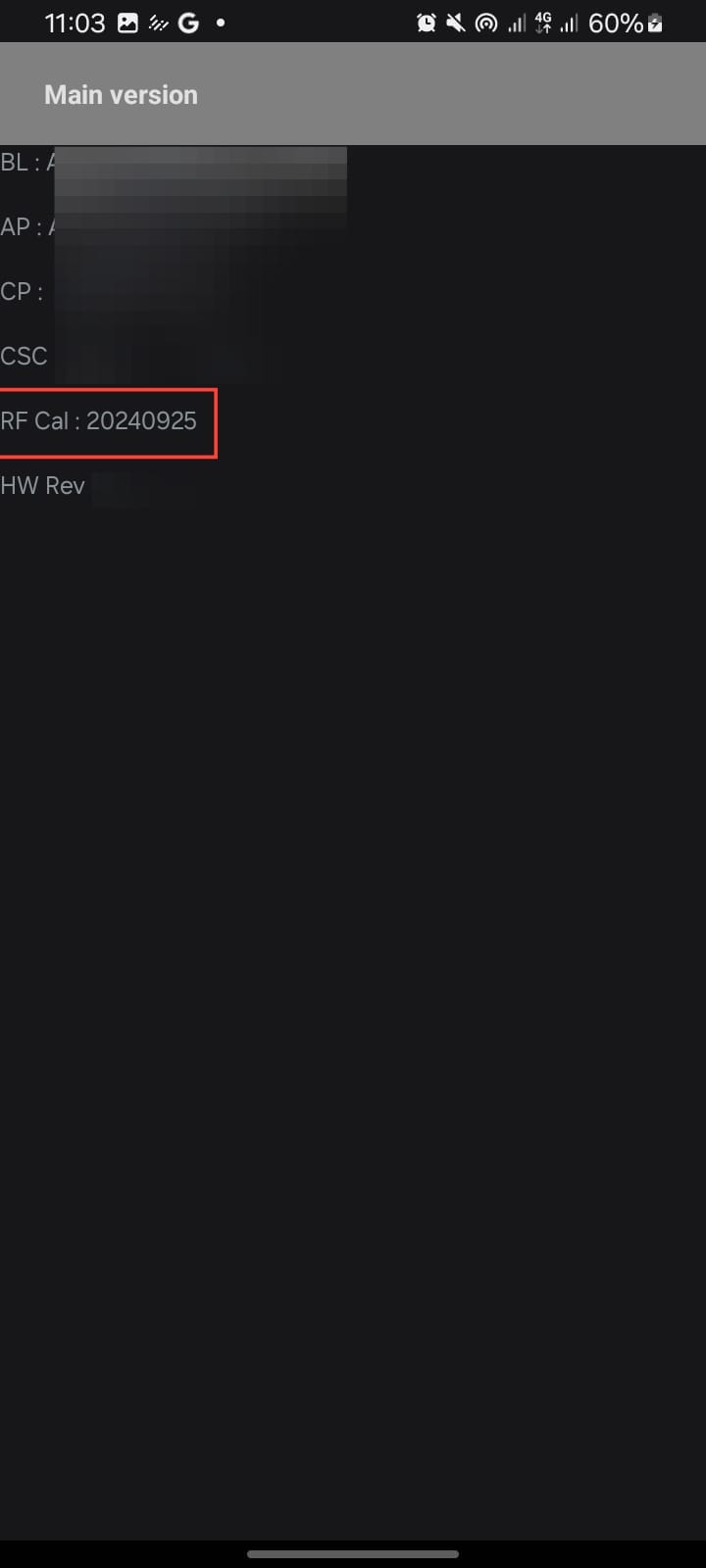
Step 3. A screen will show up with detailed information about your device. Look for RF Call Date, that’s the date your phone was first activated.
 Gabriel Ojeh
Conclusion
Getting to know the activation date of your Android phone is like asking to see the receipt before you hand over your money. It keeps you from being misled and wasting cash on what is not worth buying. You don’t want to spend good money on a phone that’s already close to retirement age.
So the next time you’re tempted by a “like-new” UK-used or refurbished Android, don’t just take the seller’s word for it. Run the code to check, and know exactly what you’re getting.
Image credit: David Adubiina/Techloy.com


