



You post something on X, and within minutes the replies start rolling in, not from real people, but from bots, spam links, and accounts pushing scams you never asked for. What should be a normal conversation quickly turns into noise, burying genuine responses and making your post harder to engage with.
It’s become an almost expected part of posting on the platform, but it doesn’t have to be that way. With a few simple controls, you can limit who interacts with your posts and keep bots and spam from taking over the conversation. Here's how to do it.
5 Steps to Protect Your Post on X
Step 1: Open the X app, then click on your profile

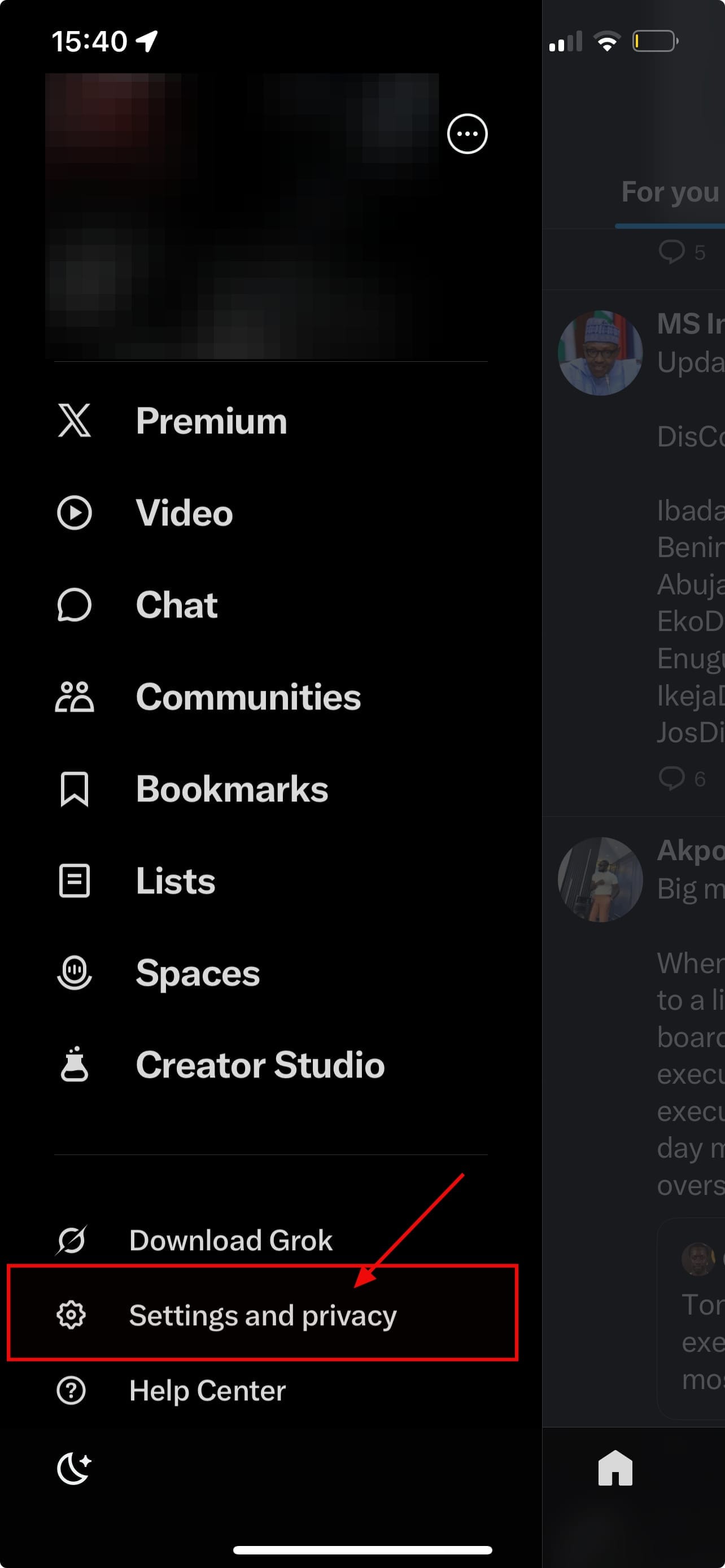
Step 2: Click on "Settings and privacy"
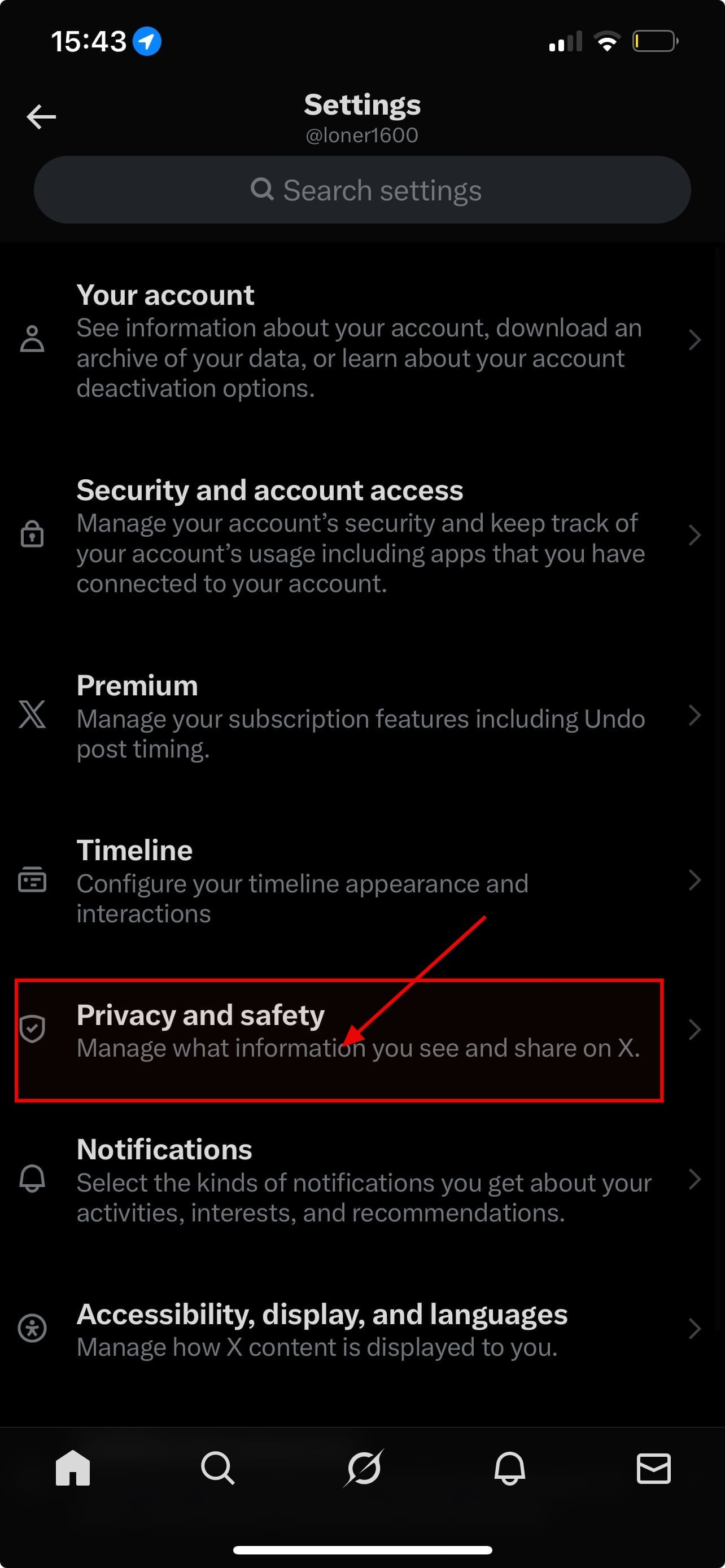
Step 3: In settings, click on "Privacy and safety"
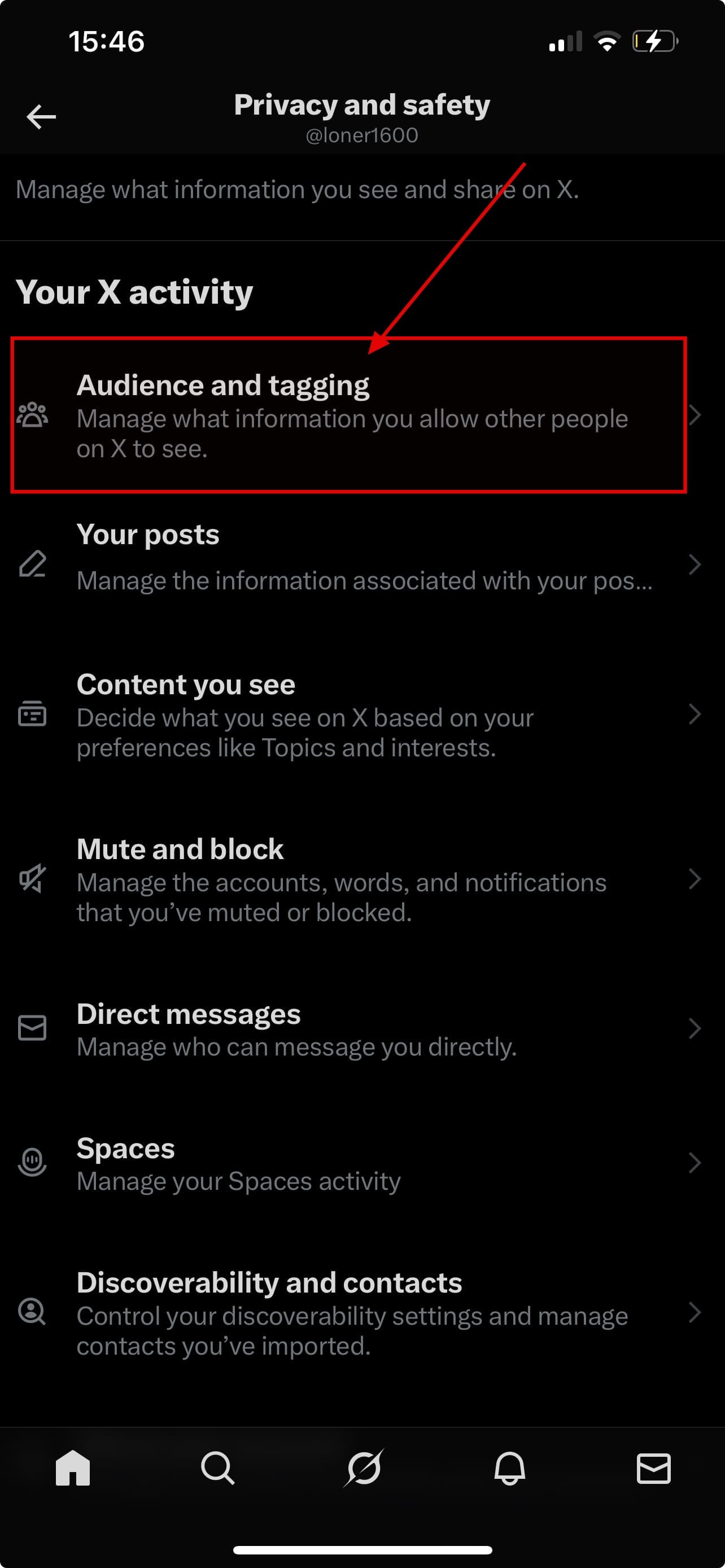
Step 4: Click on "Audience and tagging"
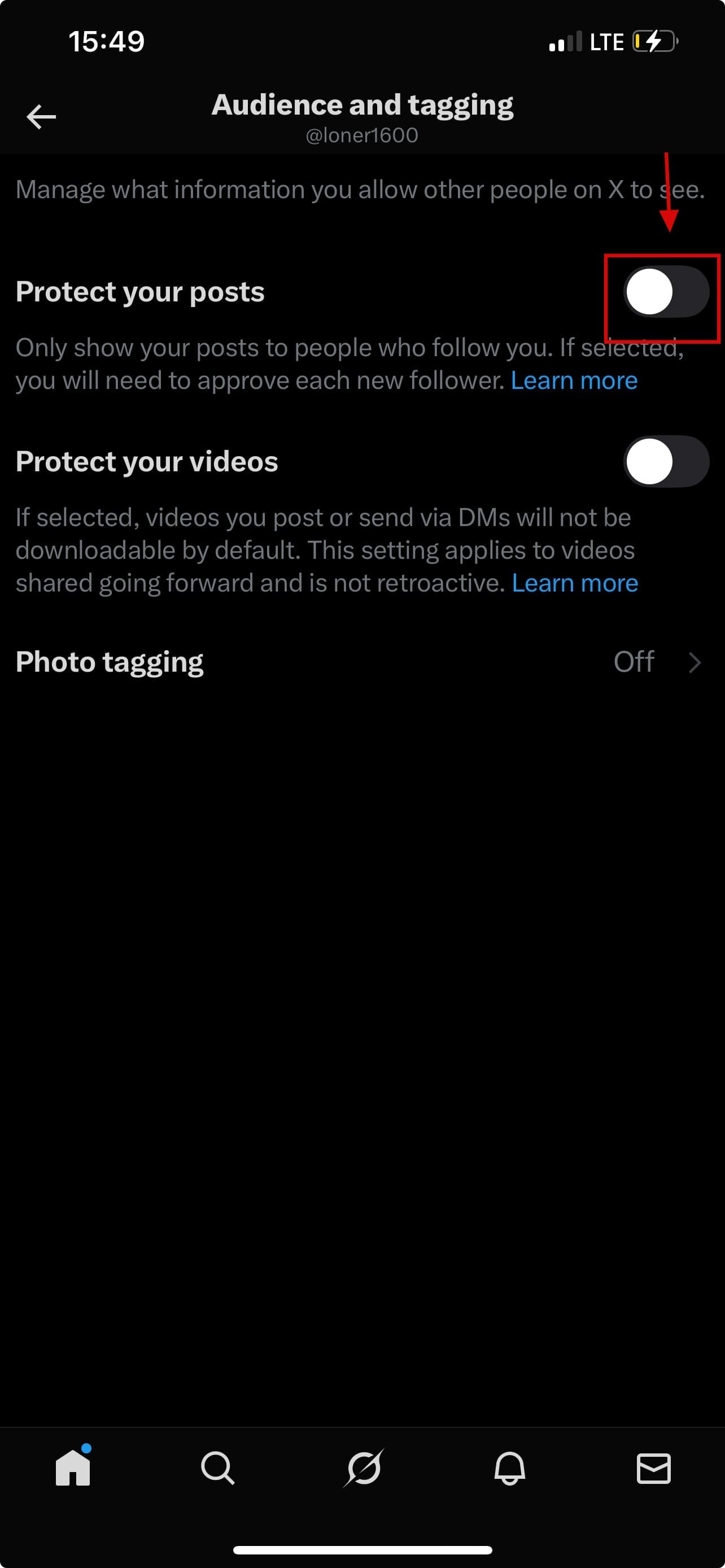
Step 5: Finally, toggle on "Protect your posts"

 Kelechi Edeh
Conclusion
Posting on X doesn’t have to be a battle with bots and spam. By restricting replies, using moderation tools, and cultivating a trusted community, you can keep conversations meaningful and maintain control over your content. Protecting your posts takes a few extra steps, but the payoff is a clearer, safer, and more productive space for you and your audience.
Image Credit: Ogbonda Chivumnovu/Techloy.com


