



Our payment methods change more often than we’d like. Maybe your old card expired, you’re switching to a new bank, or you just want to ditch that prepaid card taking over your Google Play account. But unlike other settings, you can’t update your payment method directly in the Google Play app (quite annoying).
But don’t worry, it’s way easier than it seems. All you need is a quick trip to the Google Play website, and you’re just a few taps away from swapping out payment methods. In this guide, we'll show you how to remove your payment method easily from your Google Play account.
 Oyinebiladou Omemu
How to remove a Payment Method from Google Play
Step 1: On your phone, go to the Google Play webpage.
- If you're not signed into your Google account on the browser, you'll be asked to sign in.
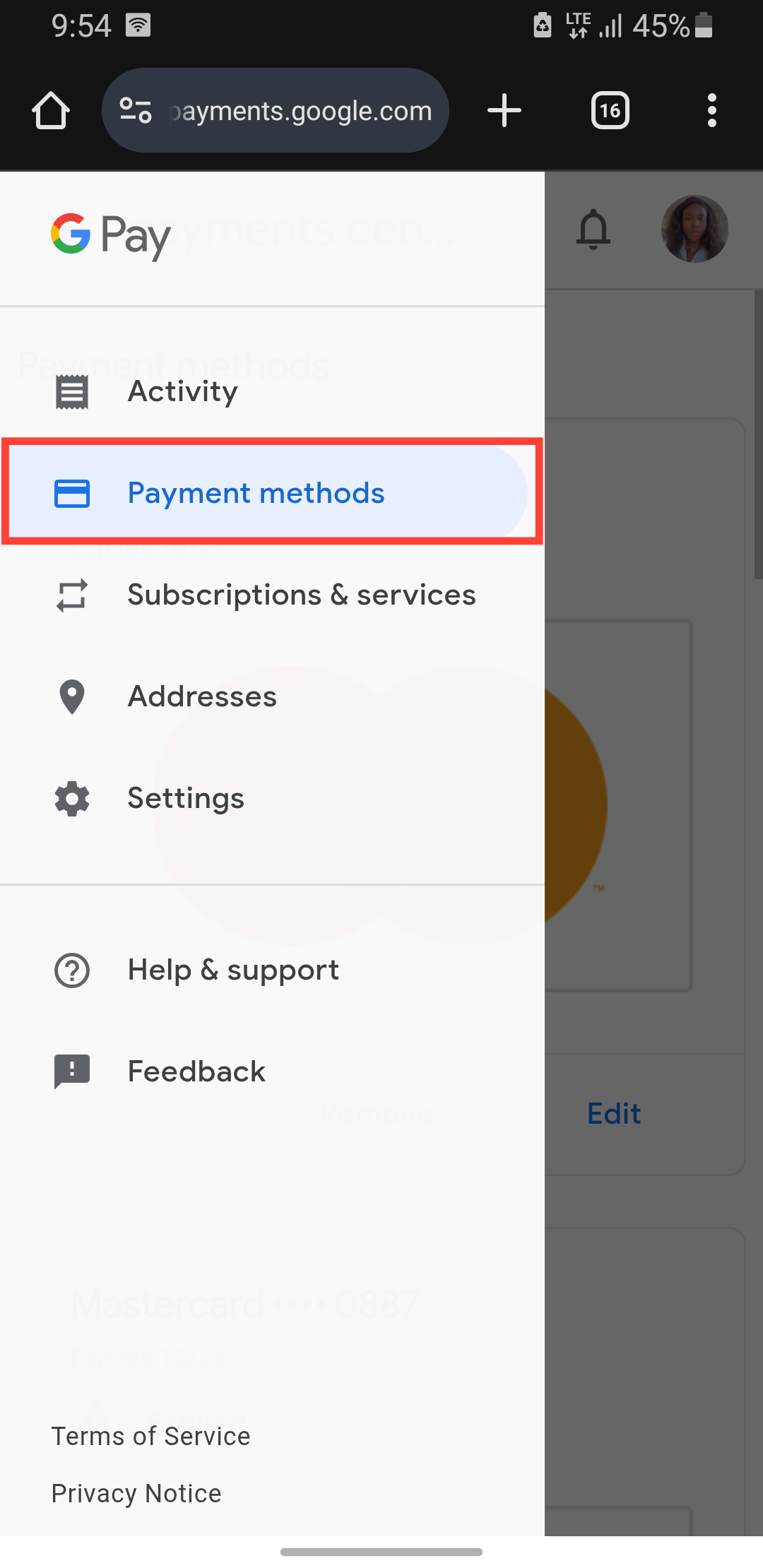
Step 2: Tap the hamburger menu at the top left and select Payment Methods.
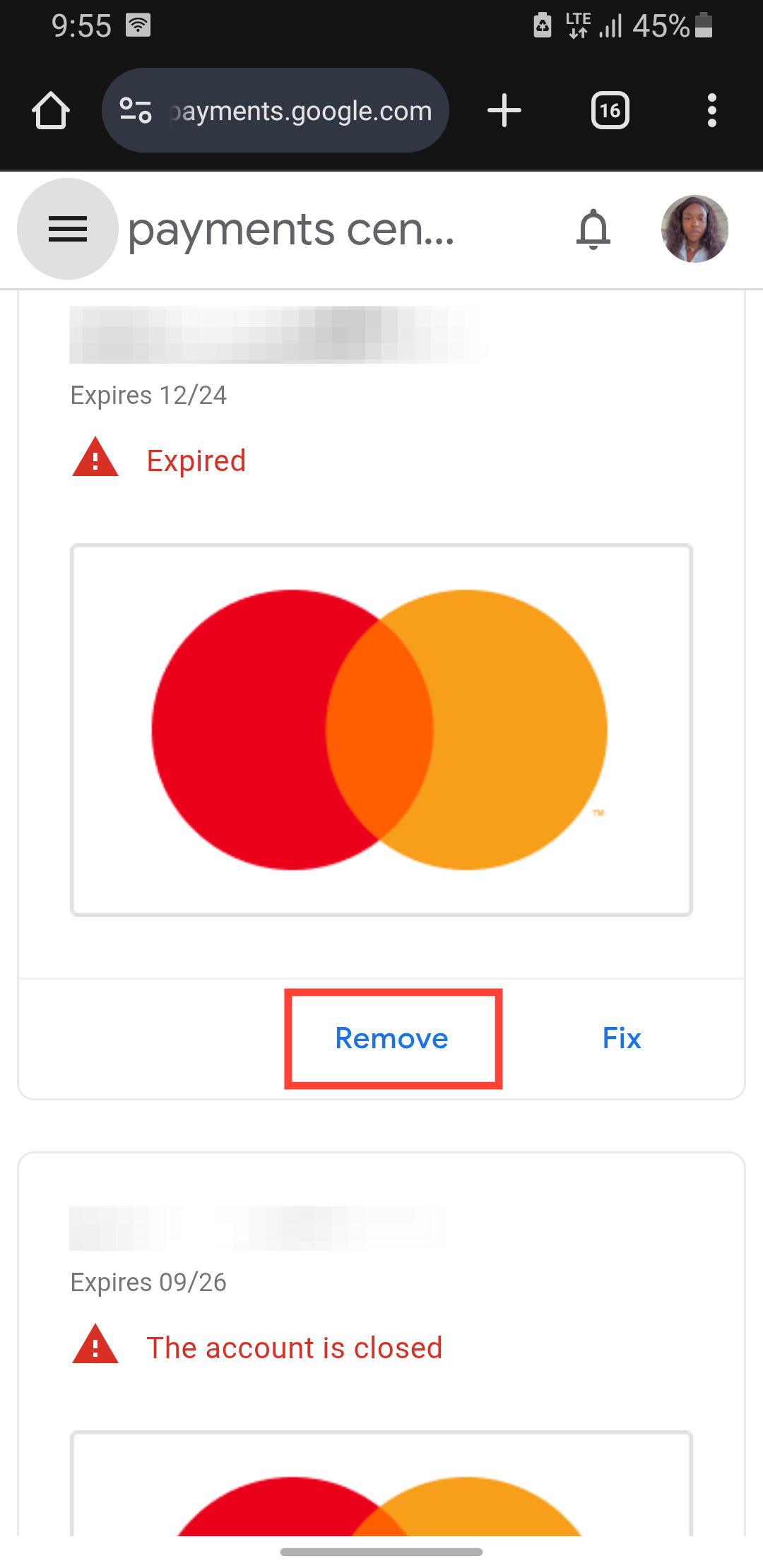
Step 3: Next to the payment method you want to remove, tap Remove.
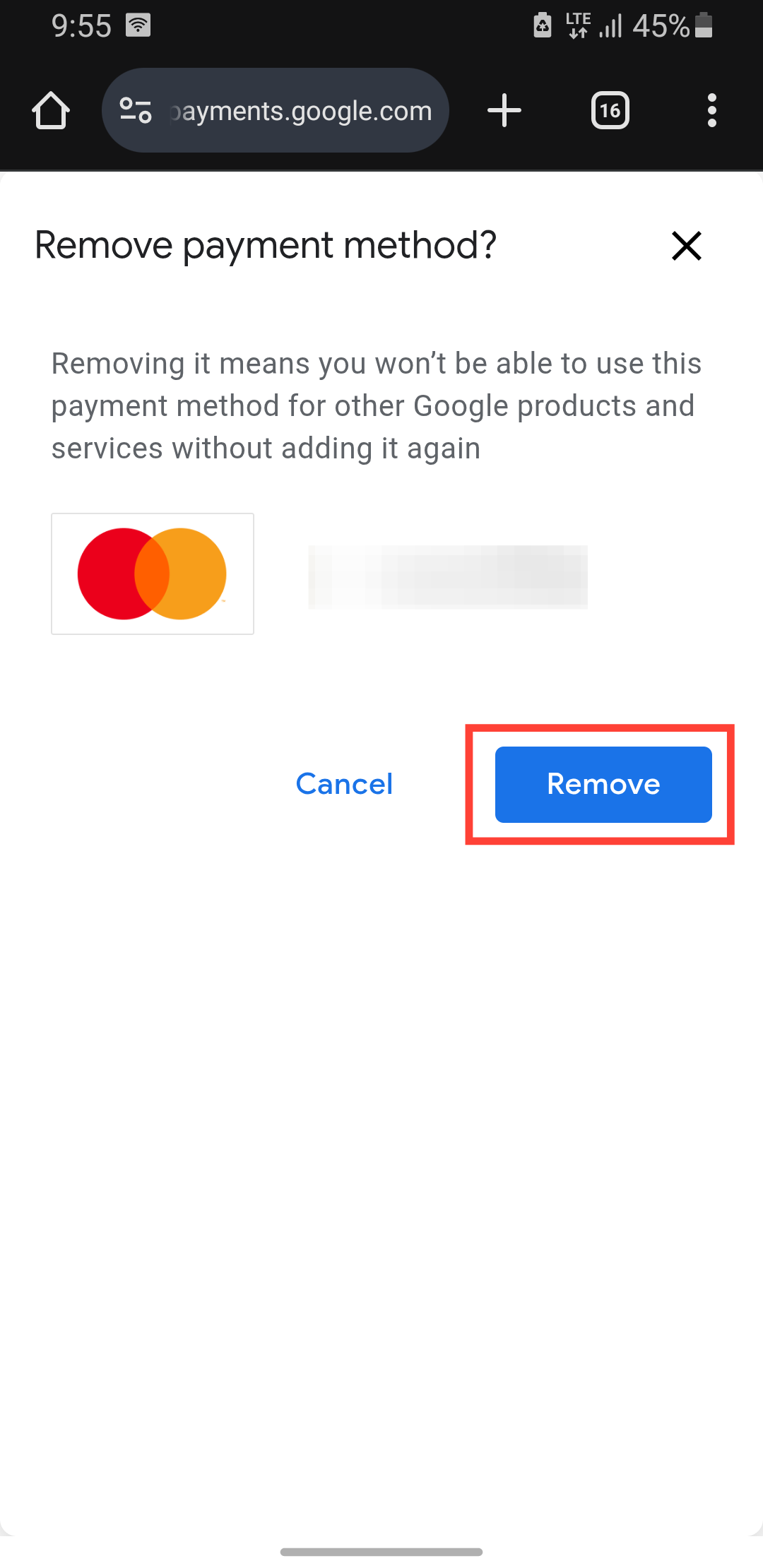
Step 4: Select Remove. This confirms the prompt and removes the payment method from your account.
- Google won't bill you with that payment method anymore.
 David Adubiina
Conclusion
And just like that, you’ve outsmarted Google’s payment settings. It’s a little odd that you can’t do this directly in the app, but now you know the Google Play website is your go-to for painless payment updates.
No more stressing over expired cards or unwanted charges, you’re in full control. You can enjoy your apps, subscriptions, and purchases with the right payment method attached.
Image Credit: Oyinebiladou Omemu/Techloy.com


