



TikTok’s 'For You' feed is usually great at surfacing content you love, but sometimes it drifts. Maybe you used to watch dancing videos, and now your feed is full of unrelated topics, or maybe your tastes have changed, and you’re stuck in the same loop.
Gladly, there's a way to reset the algorithm so it starts recommending content based on fresh engagements. Rather than deleting the app or scrambling to retrain your feed manually, this built‑in tool gives you a reset button.
TikTok will show you popular content first, then build recommendations based on how you interact with those videos. Think of it like starting with a clean slate.
 Ogbonda Chivumnovu
Steps to Reset Your FYP on TikTok
Step 1: Open the TikTok app and click the Profile icon in the bottom right corner
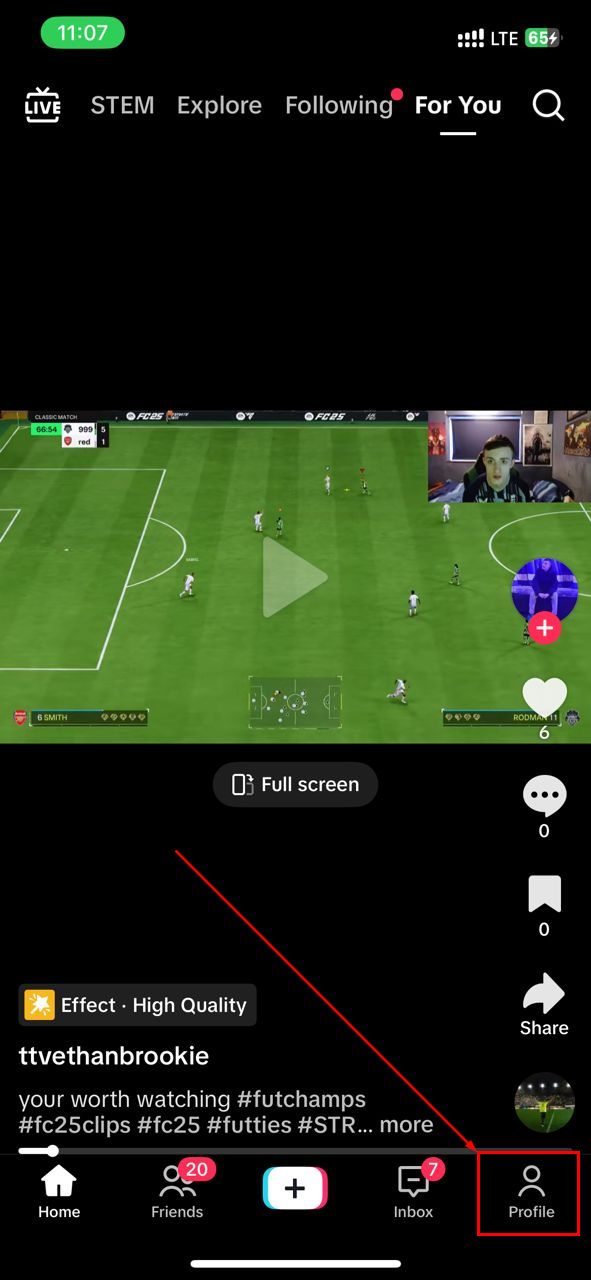
Step 2: Select the menu icon in the top-right
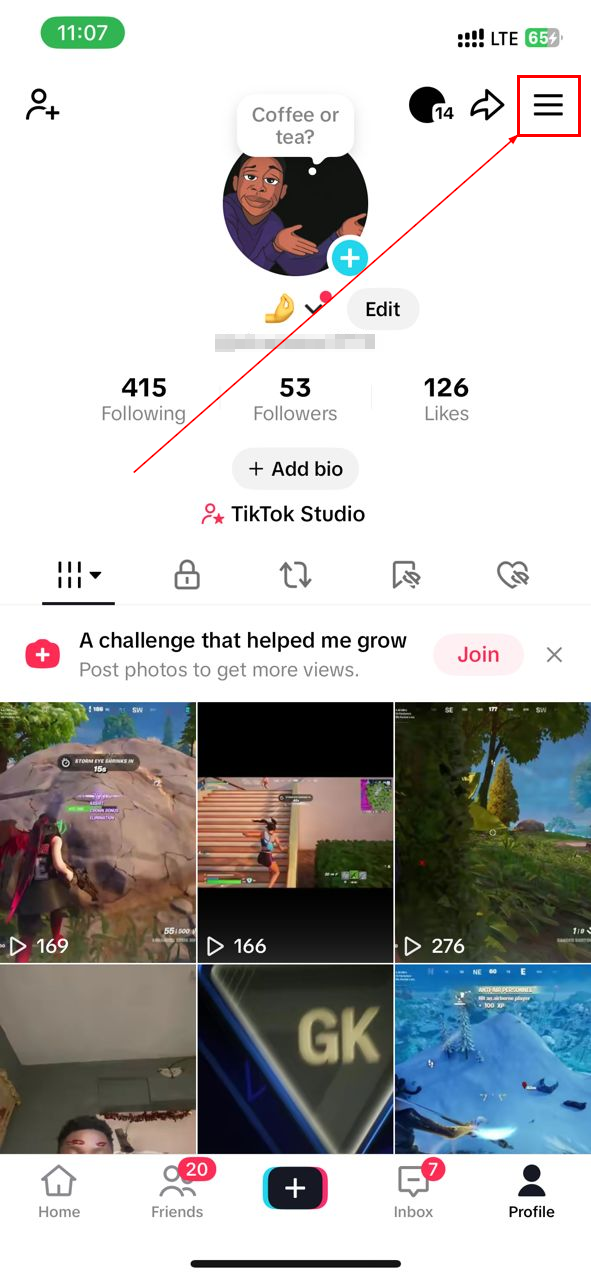
Step 3: Tap "Settings and privacy"
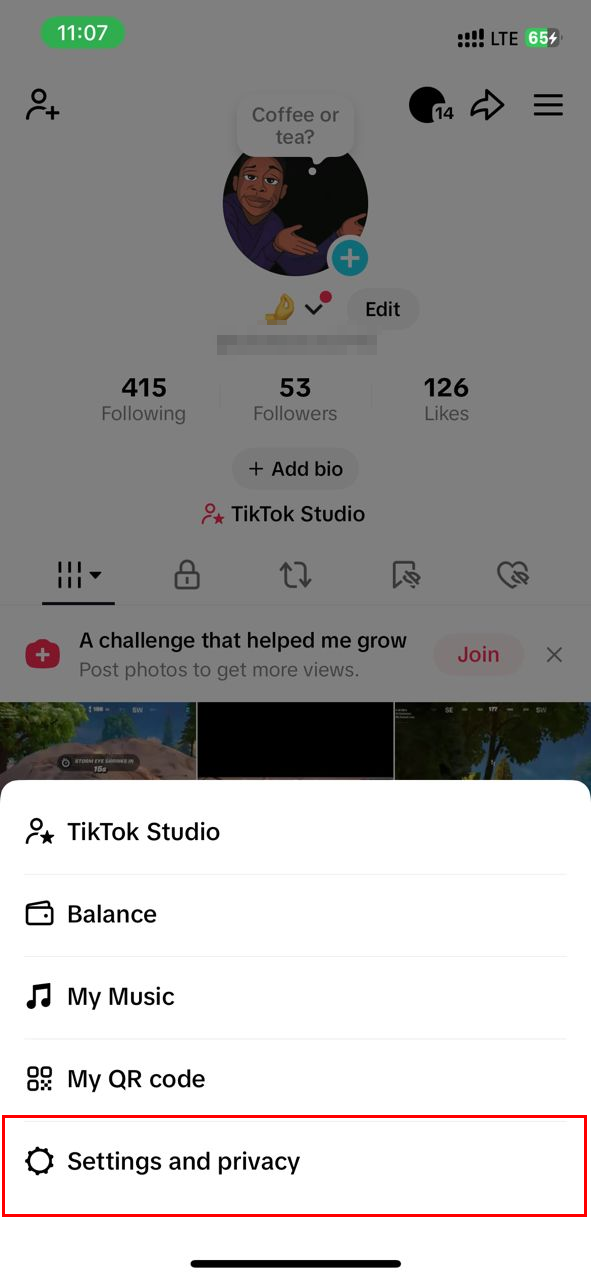
Step 4: Now, choose "Content preferences" under the Content & Display section
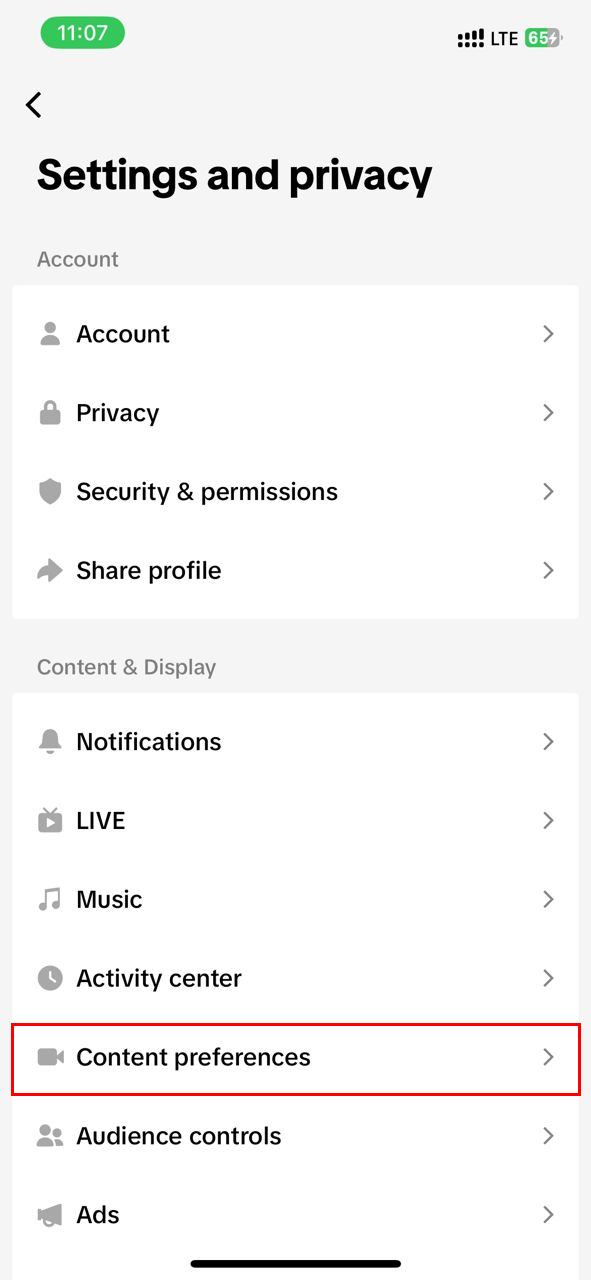
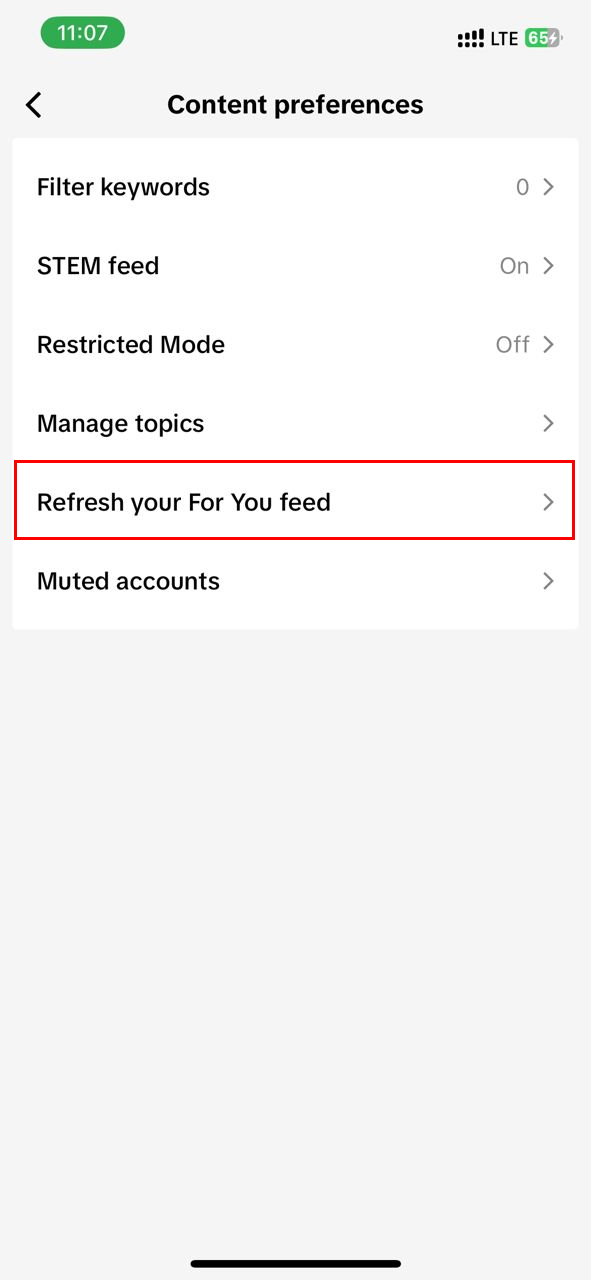
Step 5: Select "Refresh your For You feed"
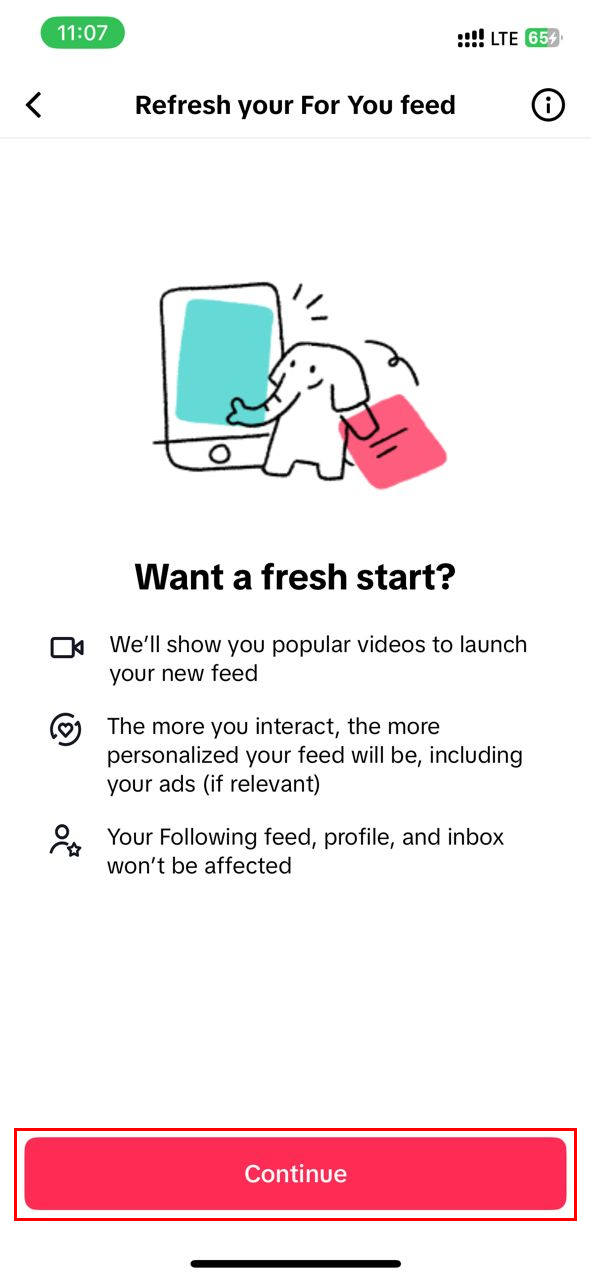
Step 6: On the next page, click the Continue button
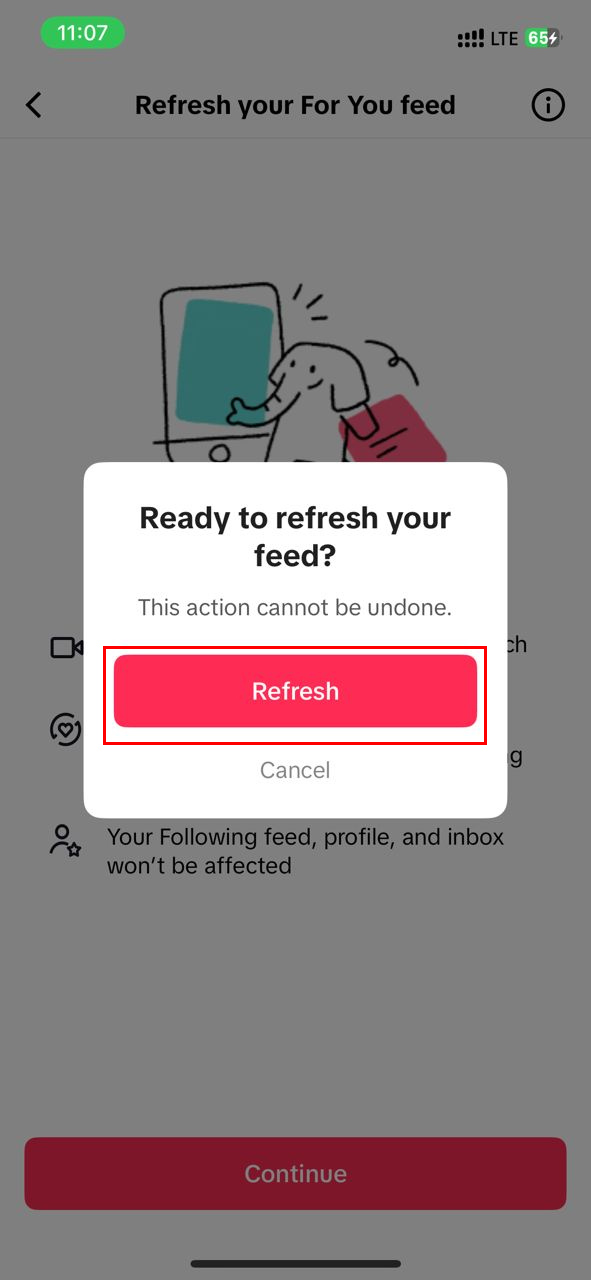
Step 7: Finally, you’ll see TikTok warn you that it can’t be undone. Click "Refresh"
 Oluwaseun Bamisile
Conclusion
Resetting your TikTok feed using the official Refresh feature is a smart and intentional move. It’s ideal when your interests have evolved or your algorithm has gone stale.
Just remember that this action is permanent and can’t be undone. After the reset, TikTok shows popular content first, then gradually learns from what you like.
Combine it with active engagement methods, like watching, commenting, disliking, and searching, to guide your feed quickly toward what you enjoy.
Image credit: Oluwaseun Bamisile/Techloy.com


