



Have you ever found yourself locked out of your iPhone, staring at the screen in frustration because you forgot your Apple ID password? I’ve been there, and it's not a fun place to be.
Data recovery is crucial, as without access, you might be unable to retrieve your precious photos, important documents, and all the apps you've paid for. In the past, resetting your device was often the only solution, which could potentially result in data loss.
Fortunately, Apple's Recovery Contact feature offers a more convenient way to regain access to your account. This feature allows you to designate trusted contacts who can help you recover your account if you're ever locked out.
How to set up a recovery contact for your Apple ID on iPhone
- Open the Settings app on your iPhone.
- Tap your name at the top of the screen.
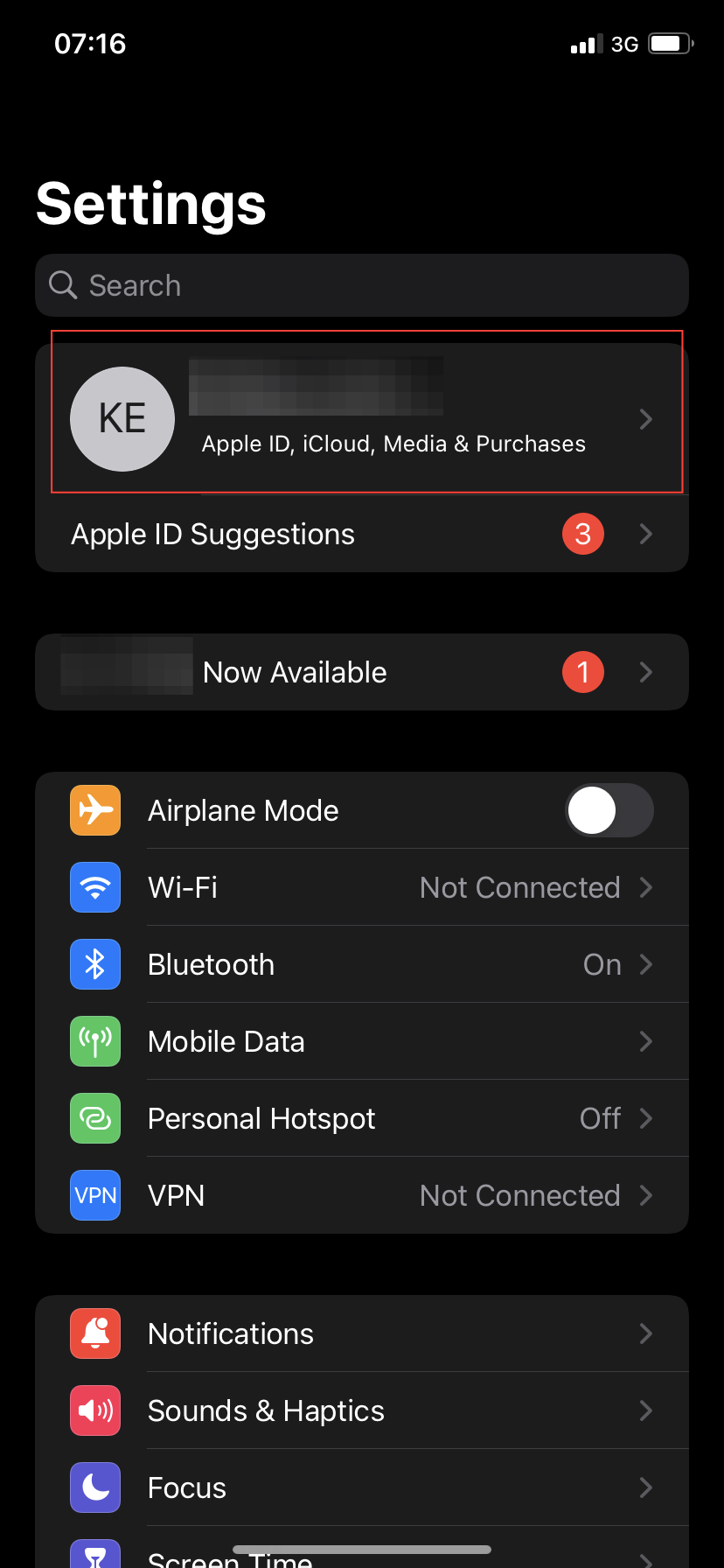
- Select Password & Security.
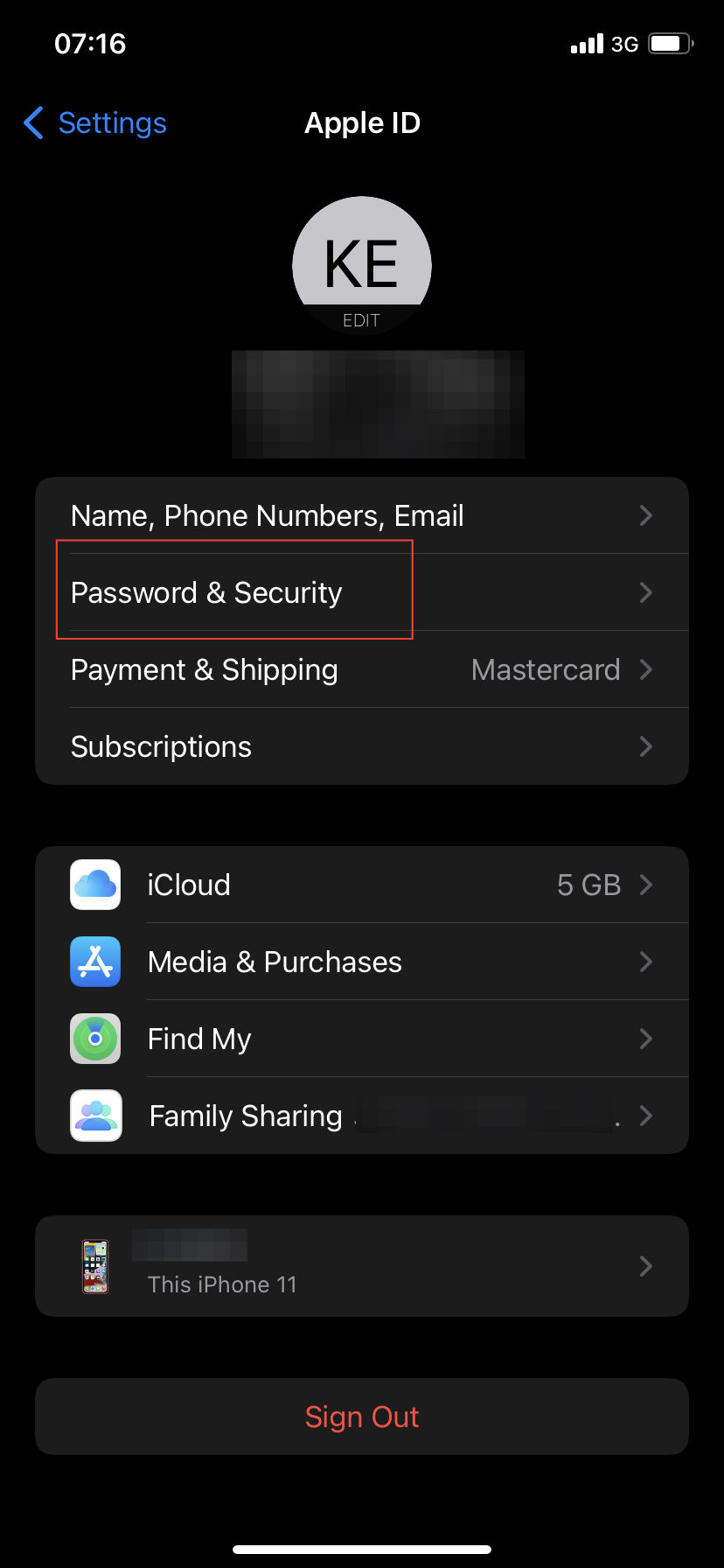
- Tap on Account Recovery.
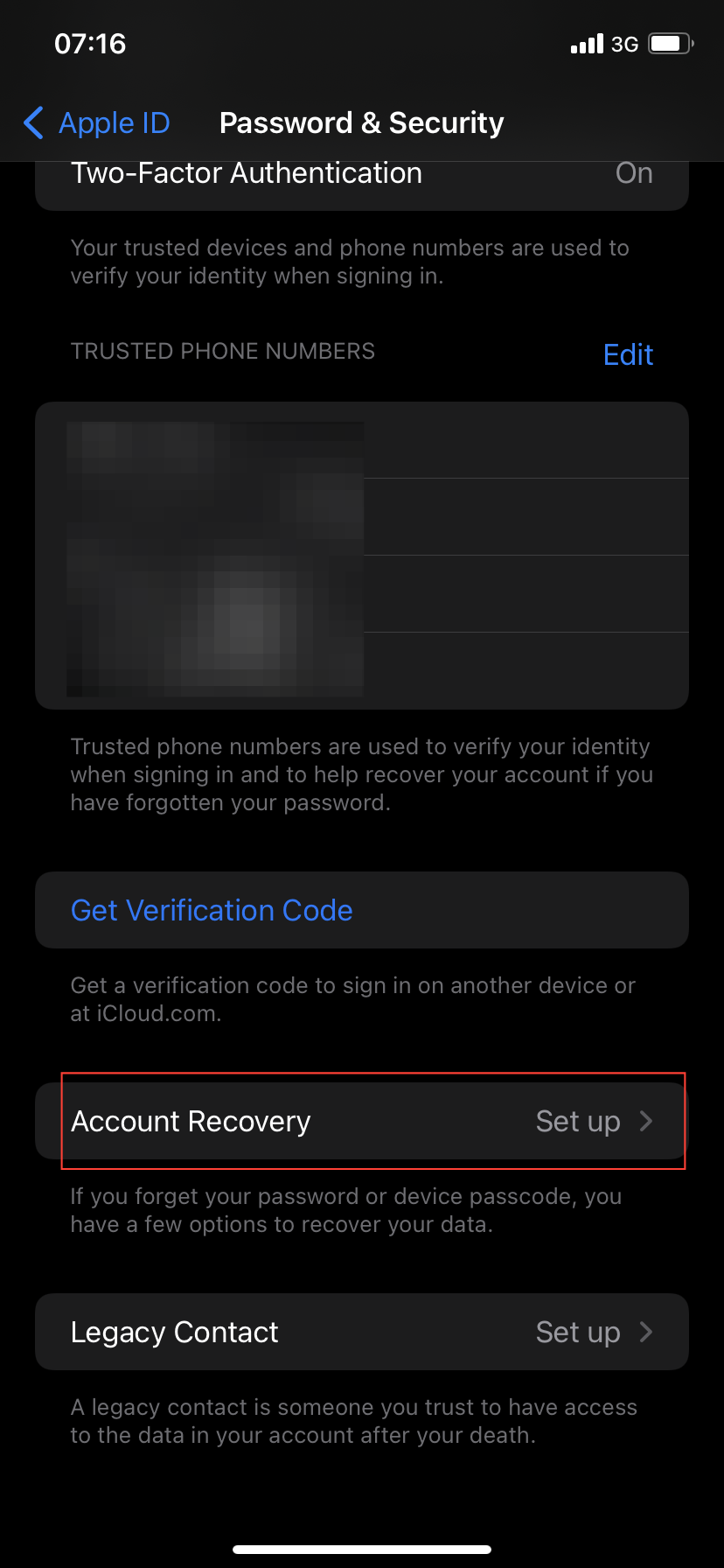
- Choose Add Recovery Contact.
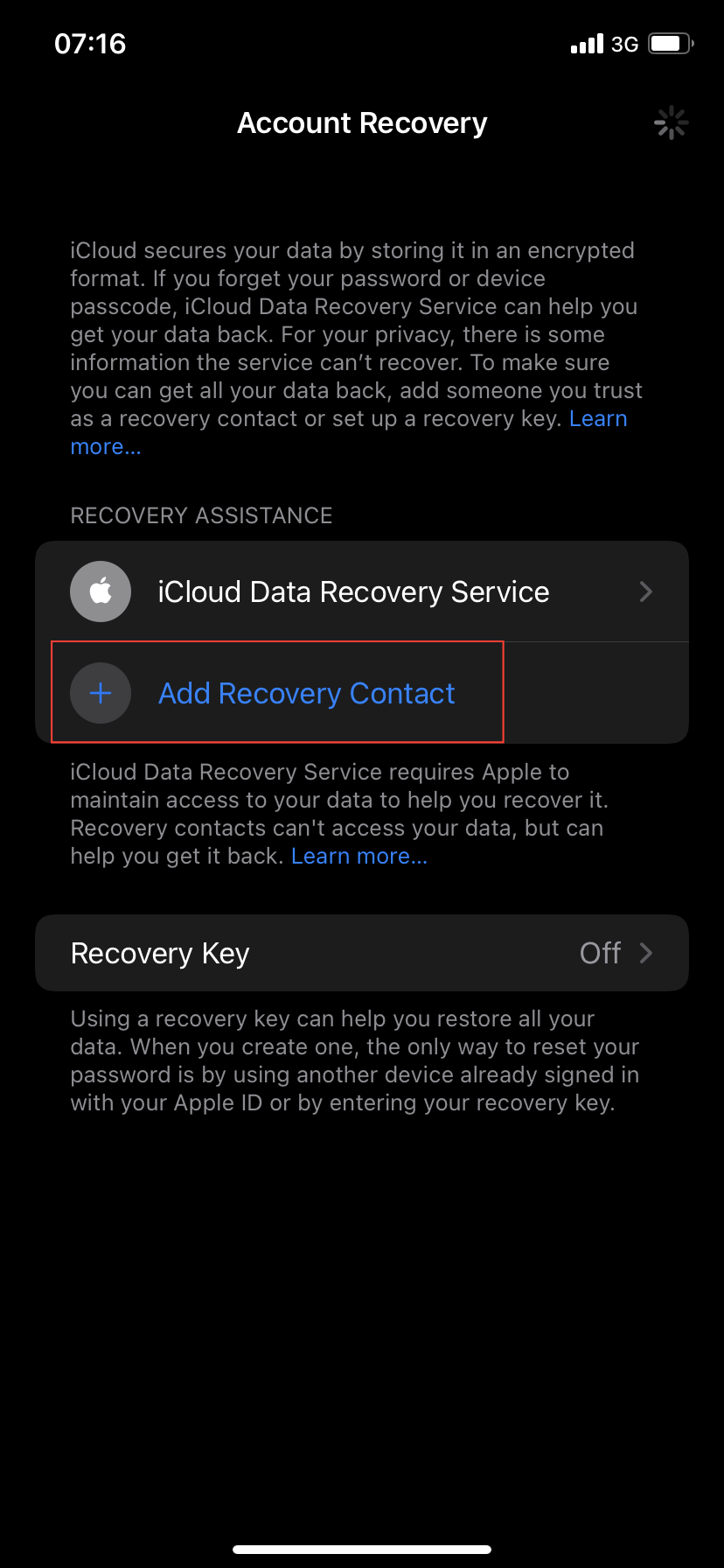
- Tap Add Recovery Contact again.
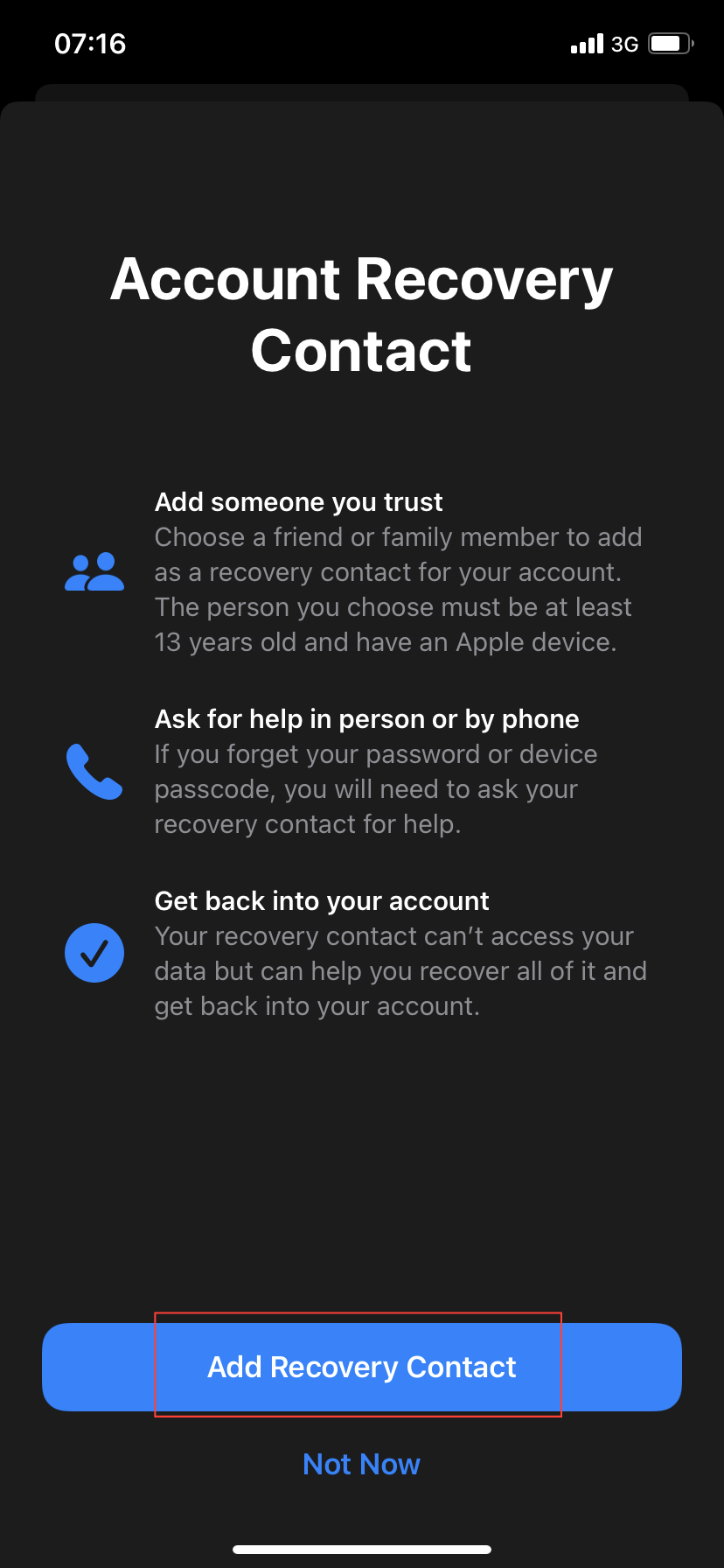
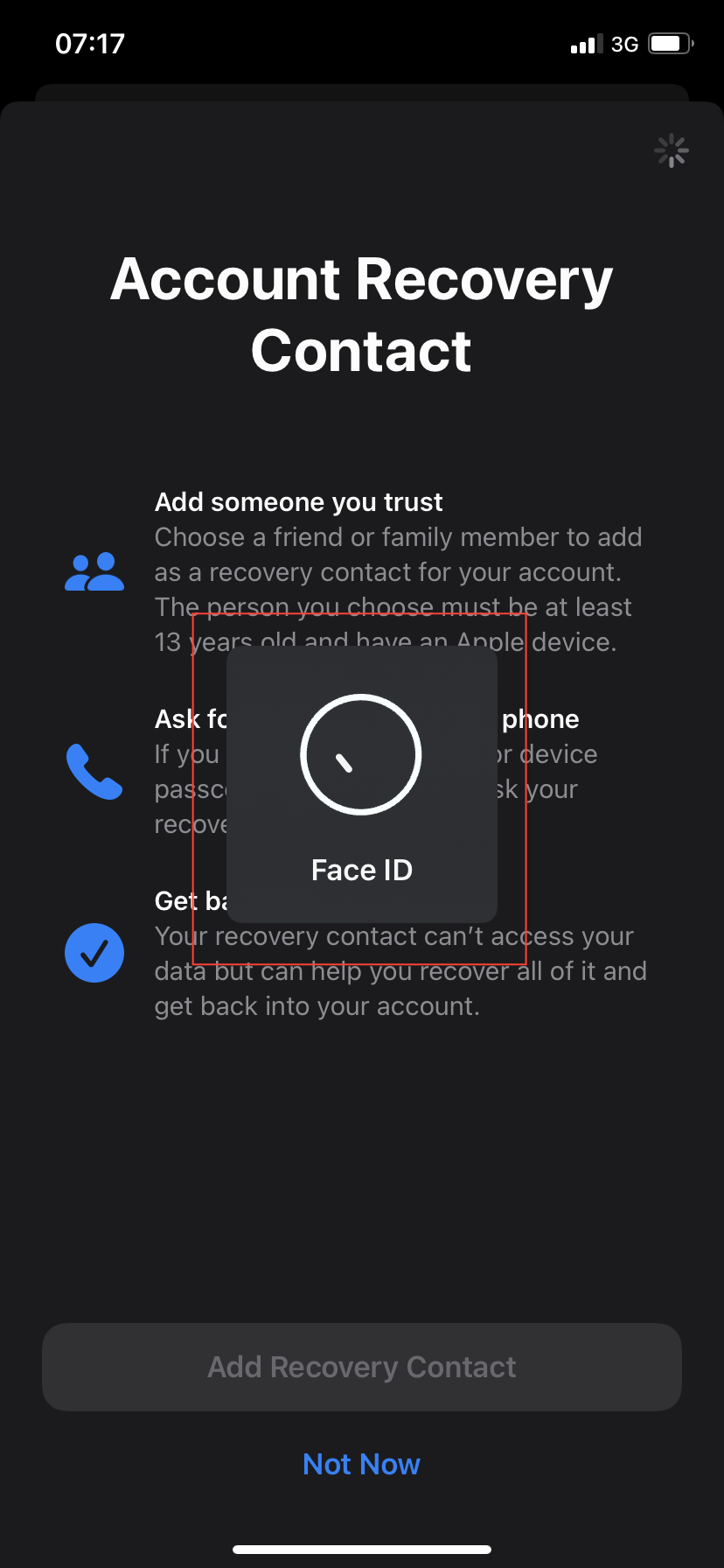
- Unlock your device using Face ID, Touch ID, or your passcode.
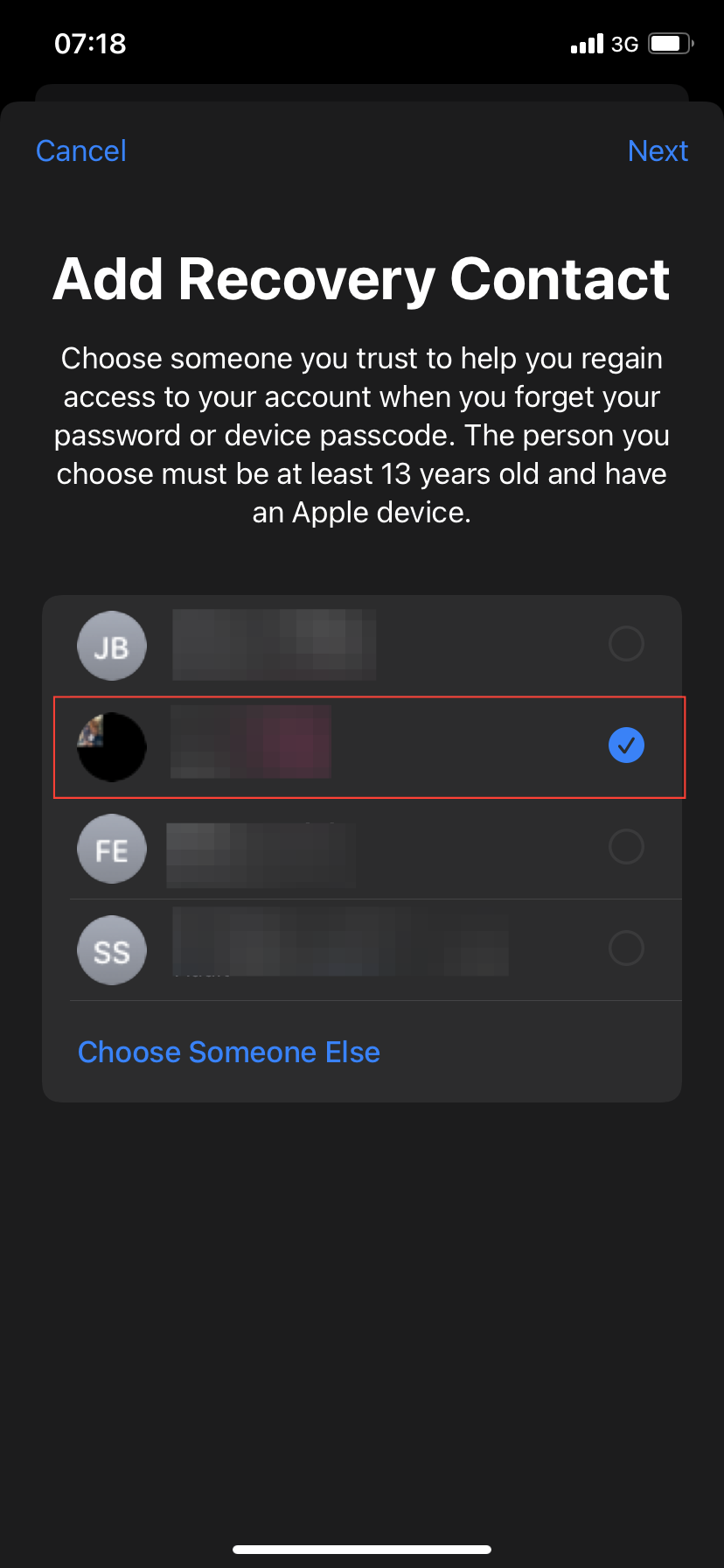
- Select a contact from your list.
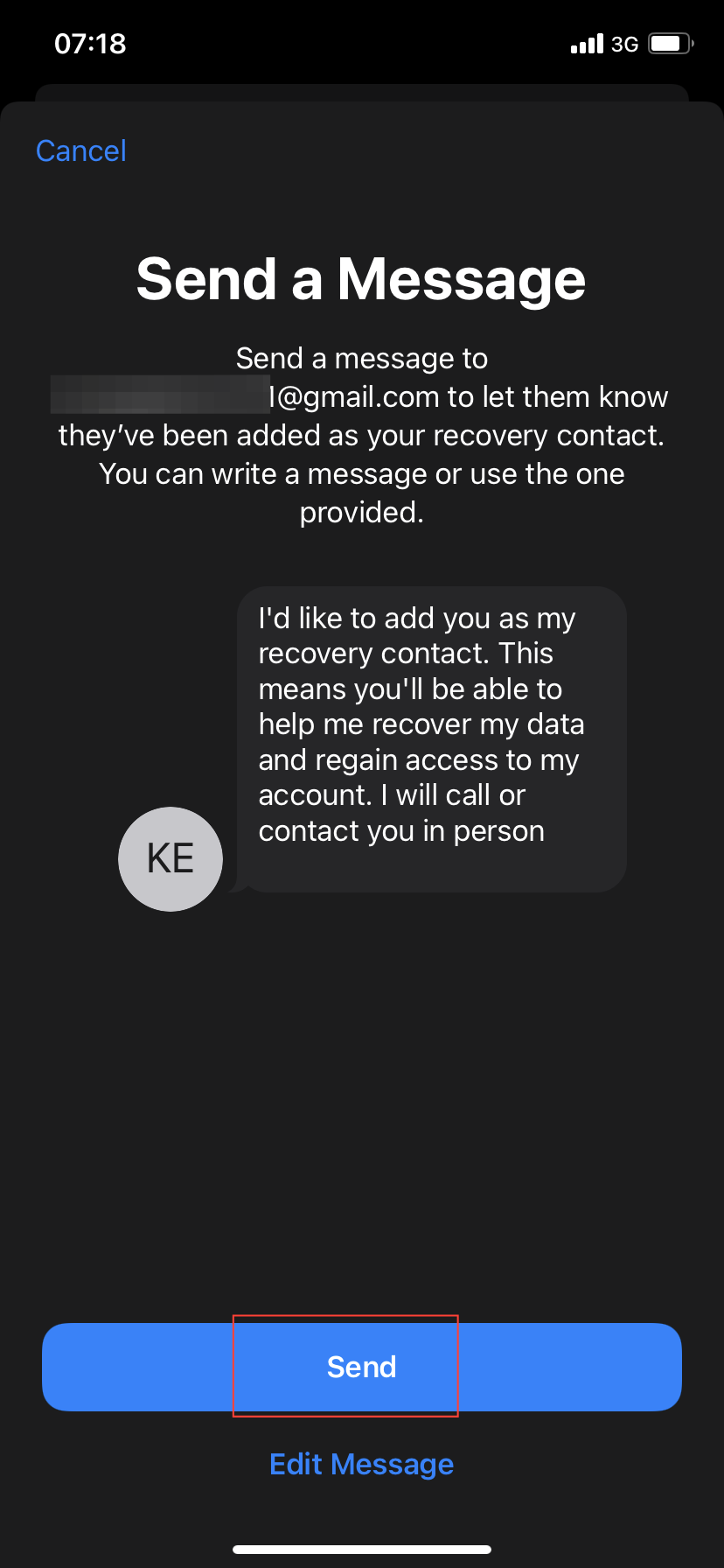
- Tap Send to send the request to your chosen contact.
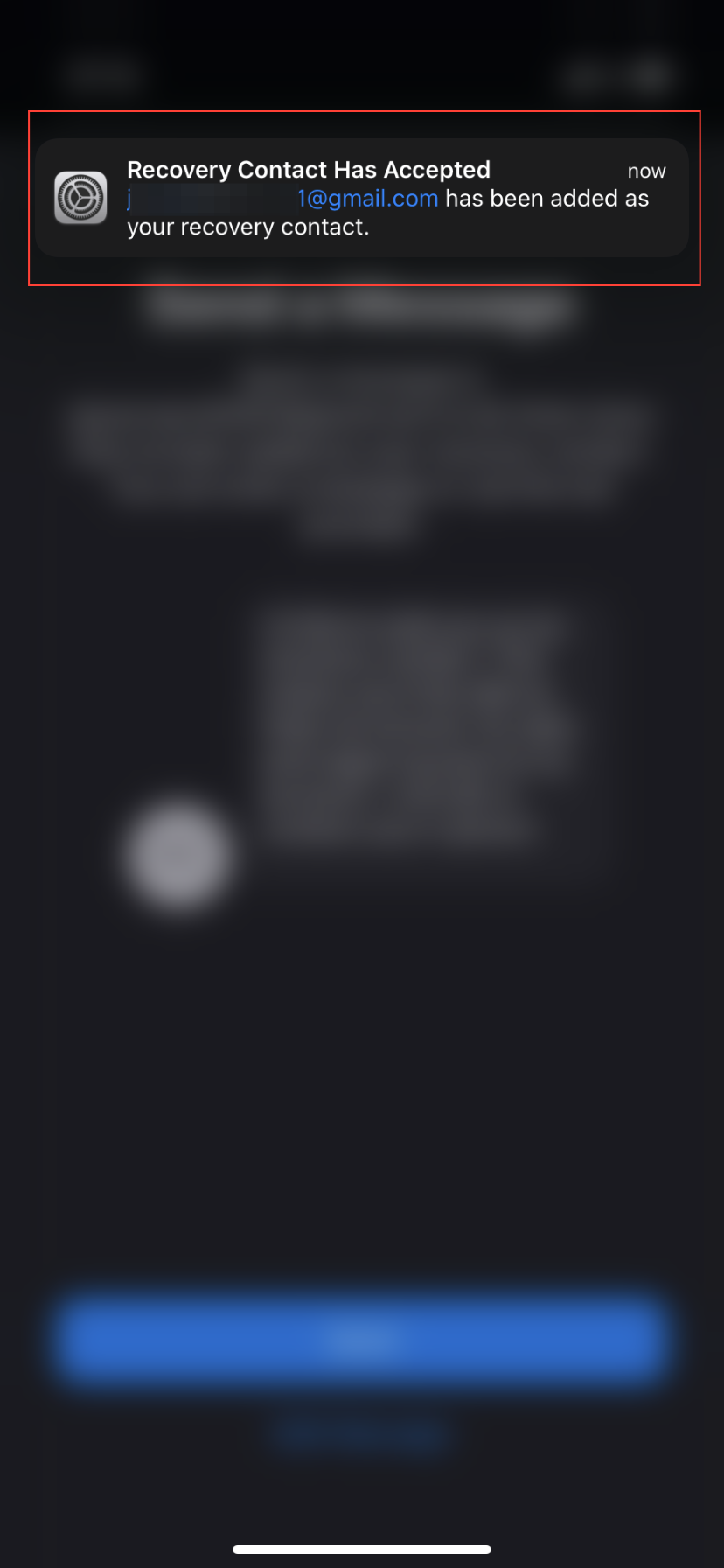
- You should get a notification (like below) once your recovery contact accepts your request.
- Tap Done

Conclusion
Setting up a recovery contact is a straightforward process that can save you a lot of trouble in the future. It provides a secure way to regain access to your Apple ID without risking data loss from a device reset.
By taking a few minutes to set this up now, you're ensuring that you have a reliable method to recover your account if you ever forget your password. Don't wait until you're locked out—set up your recovery contact today and enjoy the peace of mind it brings.
Image credit: Kelechi Edeh/techloy.com


