



Whether you’re referencing a specific quote, pointing out a key fact, or simply making a point in a debate, sending someone to the exact piece of text you're talking about saves a lot of time. That’s where the Scroll to Text Fragment (STTF) feature comes in.
This function (originally rolled out in Chrome) lets you create special links that not only open a webpage, but also automatically scroll to and highlight specific text. You may have seen it in action when clicking a Google Search result that jumps straight to the relevant line, already highlighted for you.
While it has been in Chromium, browsers like Edge, Opera, and Safari just got it a while ago. So now, as an iPhone user, you can copy links with highlights directly from the browser. Whether you're sharing an article, blog post, or long-winded FAQ, you can now guide readers straight to the exact line you want them to see. And in this guide, we will show you how to.
How to Share Apple Safari Links That Highlight Specific Text on a Webpage
Step 1: Open your Safari browser and navigate to the webpage you want to share.
Step 2: Highlight the specific text you want to share, and choose "Copy Link with Highlight" from the menu.
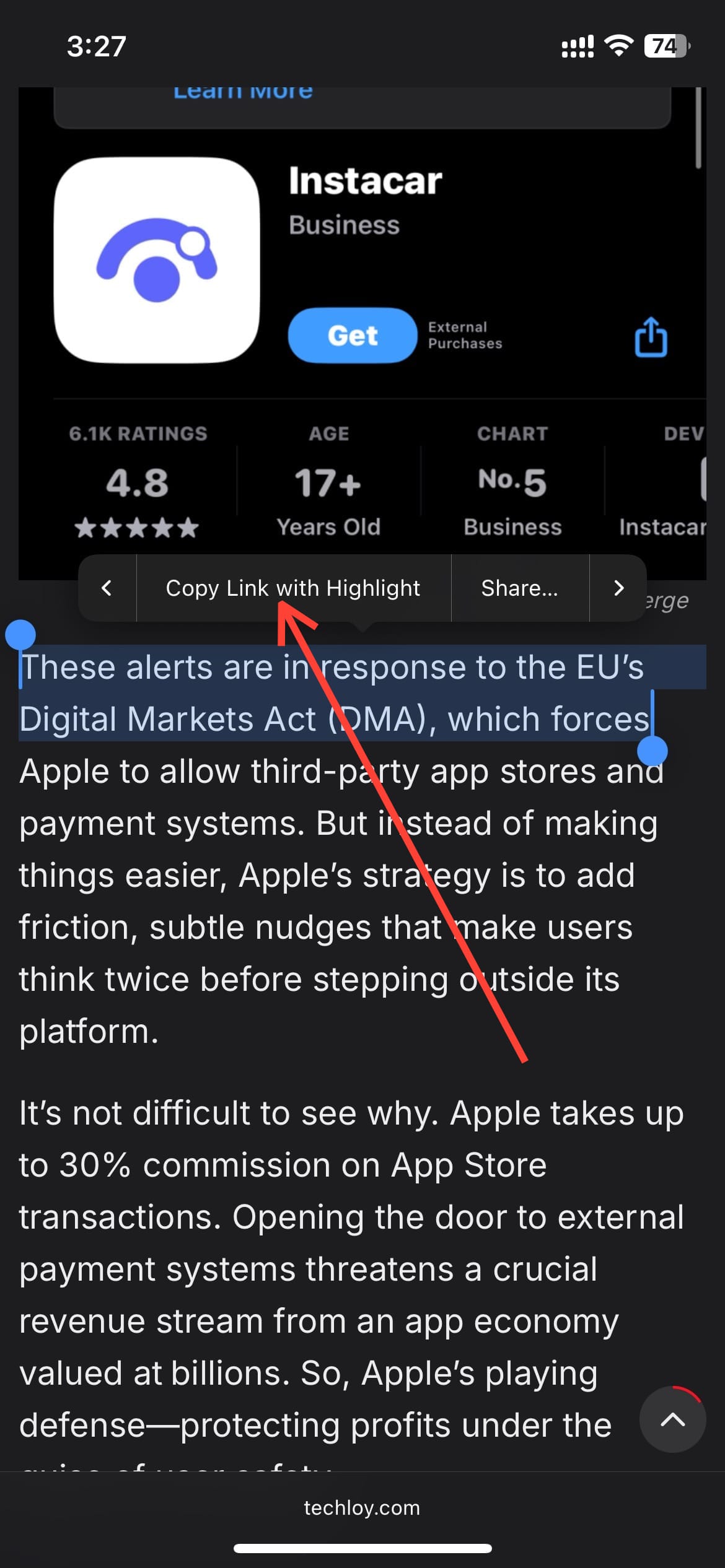
Step 3: Share the link with your friend or any person at all as you wish.
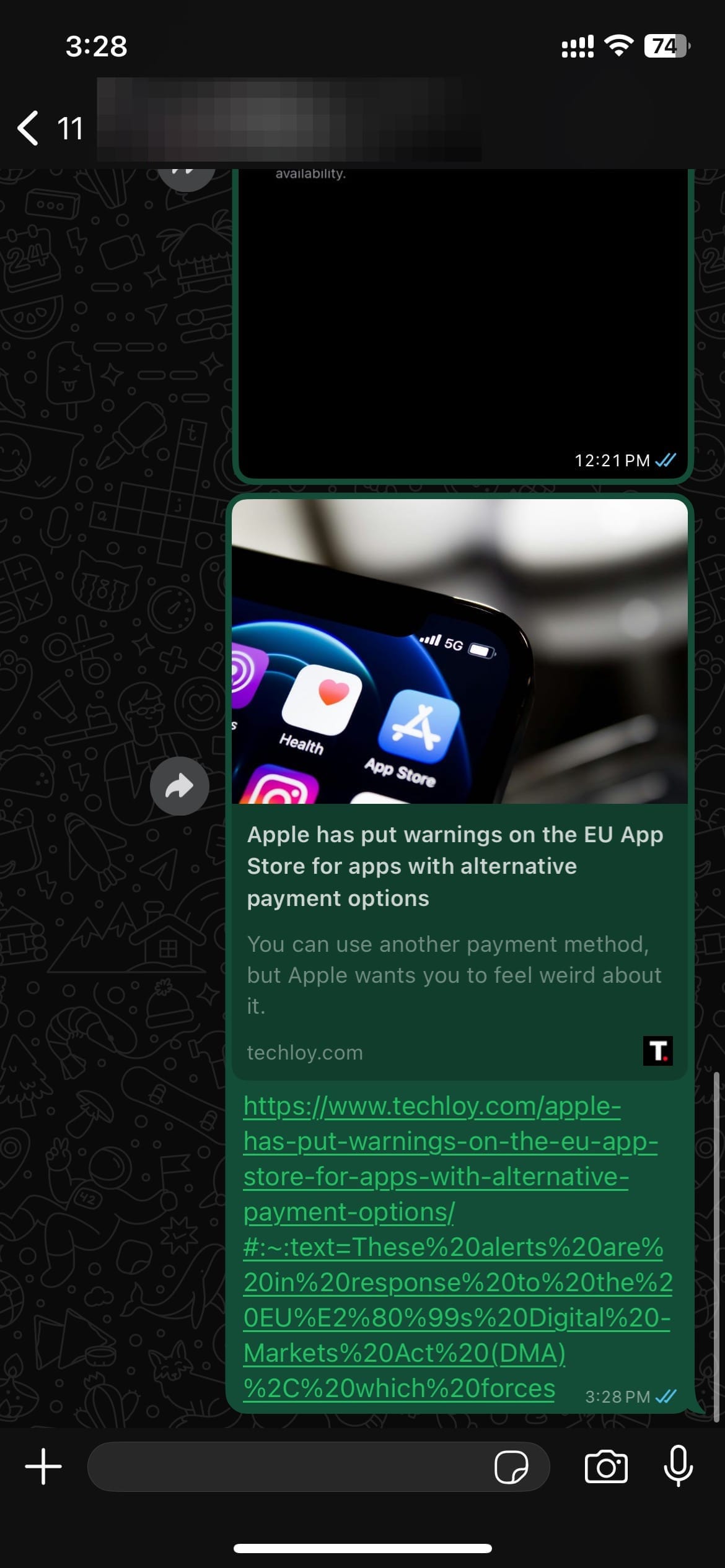
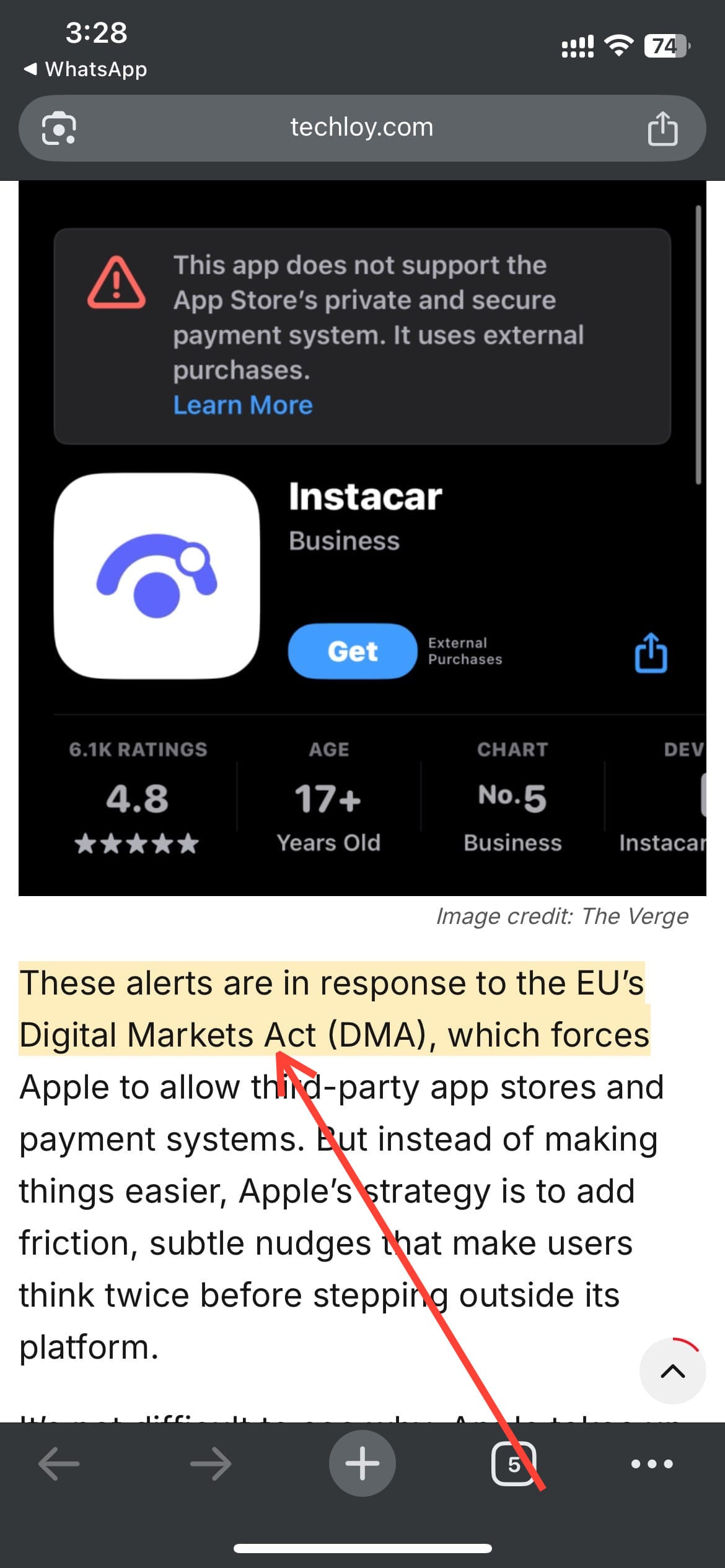
- Once they click on the link, they'd be taken to the highlighted part of the text.
 Ogbonda Chivumnovu
Conclusion
This feature might seem small at first glance, but it makes a surprisingly big difference in how we communicate and share information online. Instead of hoping someone reads through an entire page to understand your point, you can now send them straight to the section that matters, no extra instructions, no wasted time.
So next time you’re reading something in Safari and a particular quote jumps out at you, don’t just copy the whole page link. Use the highlight link feature and send people straight to the significant parts.
Image Credit: Oyinebiladou Omemu/techloy.com


