



We all love how easy it is to ask Siri to set a timer or dictate a quick text without touching the screen. It feels almost magical. But have you ever stopped to wonder how Siri actually gets smarter?
The answer lies in an optional setting called “Improve Siri & Dictation.” When it’s on, Apple can save and review snippets of your voice interactions to train Siri to be more accurate. Apple says the data isn’t tied to your identity, it’s tagged with random identifiers, but knowing your conversations could be stored for up to two years might feel like a step too far.
Apple’s goal is to make Siri, Dictation, and even Translate better, but the trade-off between convenience and privacy is yours to decide. If it doesn’t sit right with you, you can simply turn off Improve Siri & Dictation. In this guide, we'll show you how to do that.
 Oyinebiladou Omemu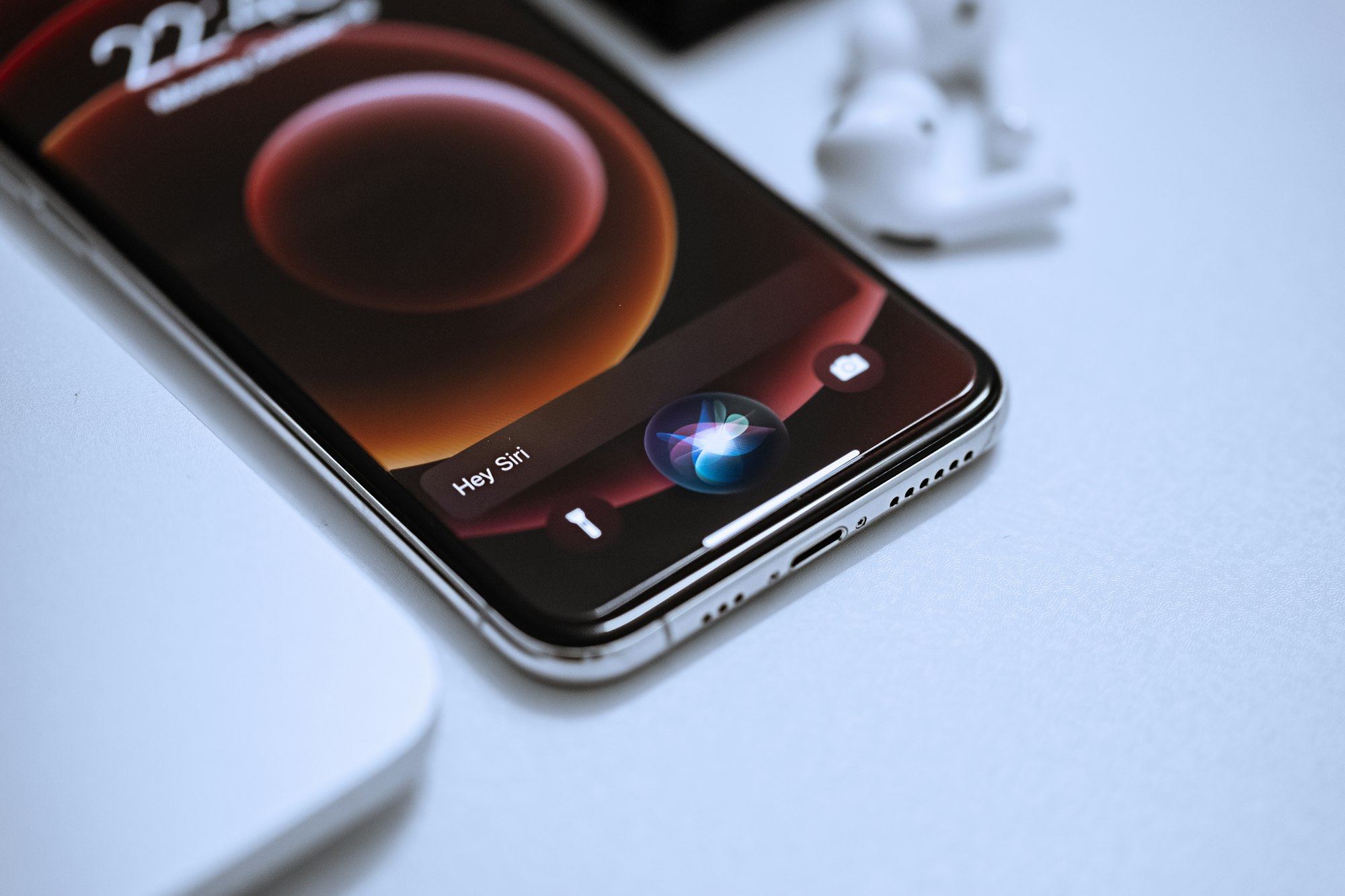
3 Steps to Disable Improve Siri & Dictation
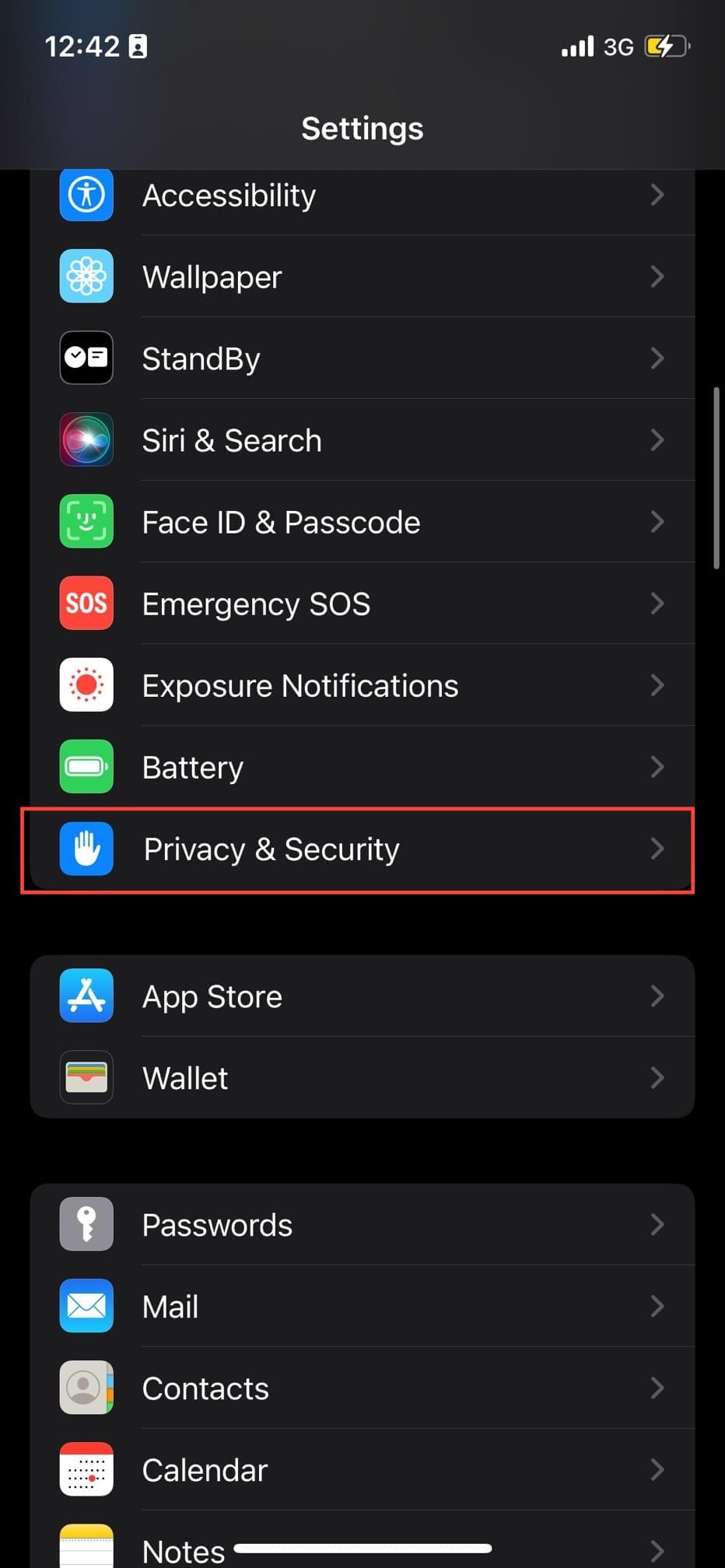
Step 1: Open Settings and select Privacy & Security.
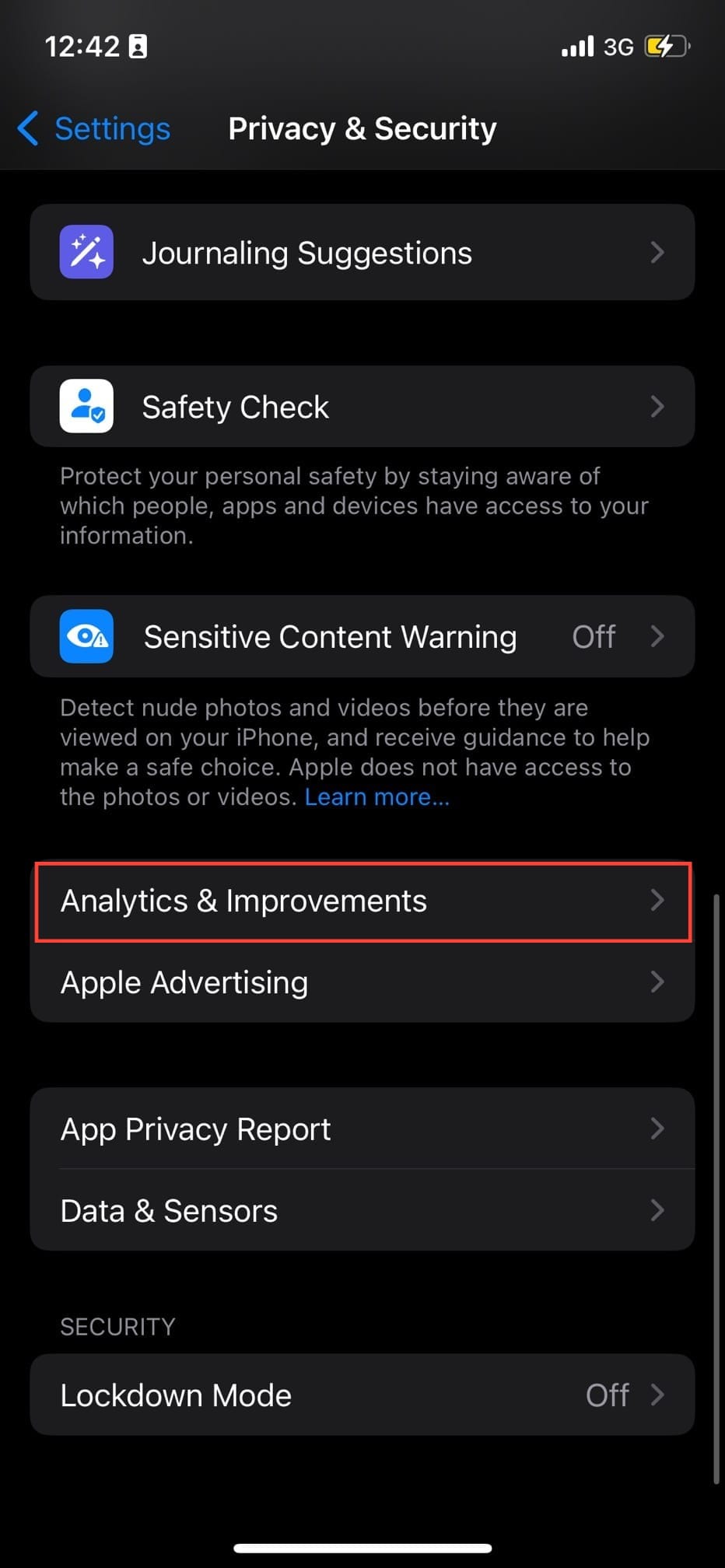
Step 2: Select Analytics & Improvements.
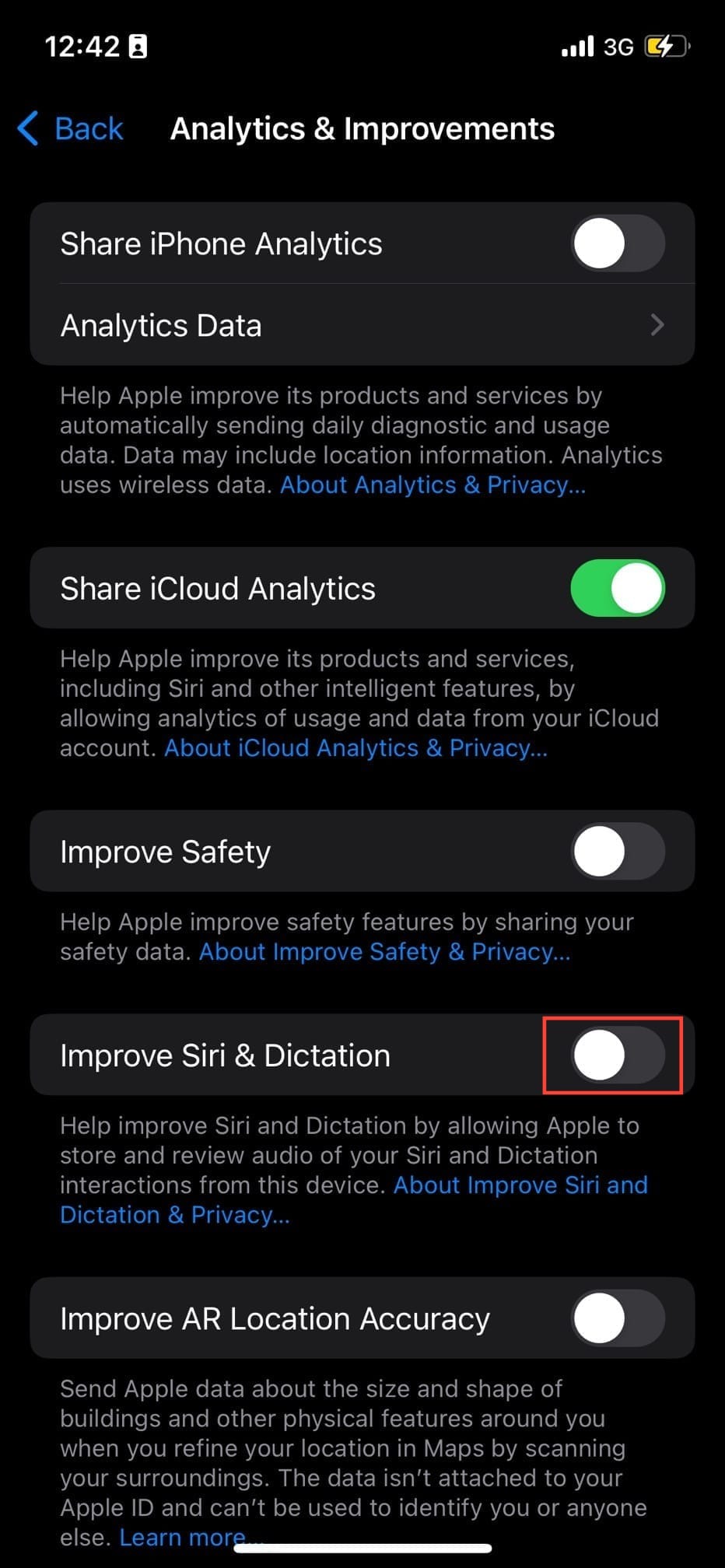
Step 3: Toggle off Improve Siri & Dictation.
 Louis Eriakha
Conclusion
Disabling this feature ensures that your interactions with Siri and Dictation remain between you and your device, with no external review process. While this might mean your contributions aren't helping to train Apple's global algorithms, your personal comfort and security are far more valuable.
You can still enjoy the convenience of asking Siri for the weather forecast, but now you can do it with the peace of mind that your request won't become part of a training dataset.
Image Credit: Oyinebiladou Omemu/Techloy.com


