



Ad tracking in Chrome allows websites and advertisers to monitor your online activity, building detailed profiles of your interests based on what you browse, click, and purchase. This data is then used to serve you targeted ads that follow you across the web.
While Chrome offers a Do Not Track (DNT) feature to request websites stop collecting your data, it's important to note this setting is only available for Android devices and laptops. Chrome on iOS doesn't include this option.
When enabled, DNT sends a privacy preference signal to websites, though many continue tracking regardless, using data for analytics and ad personalization. But while DNT doesn’t guarantee privacy, enabling it still reduces unwanted tracking.
If you’ve ever felt uneasy about how much of your activity is monitored, this guide will show you how to turn on the DNT.
 Oluwaseun Bamisile
How to turn off Ad tracking on Chrome
Step 1: Open the Chrome browser on your phone and tap the three-dot icon on the top right.

Step 2: Select Settings.
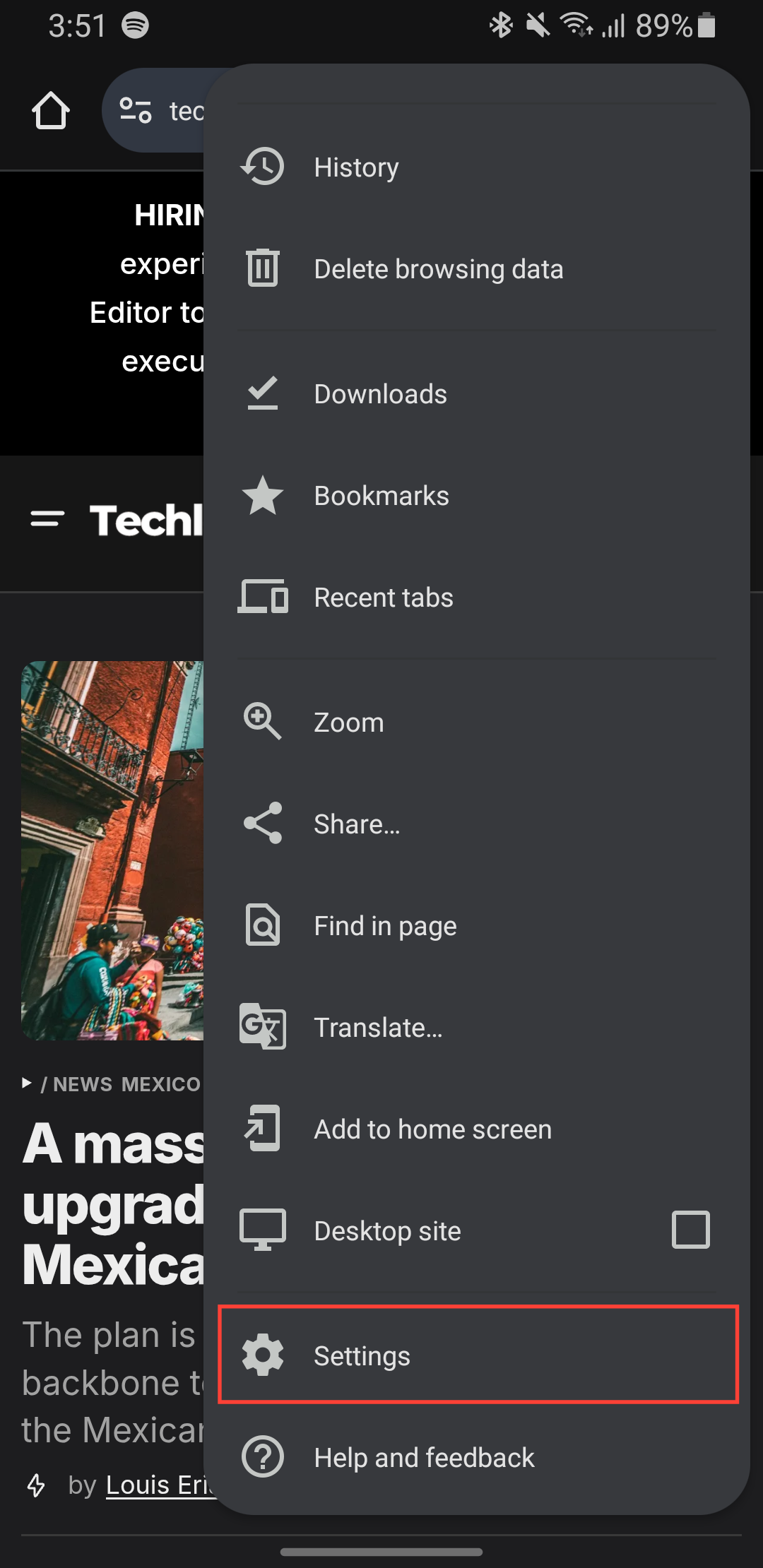
Step 3: Tap Privacy and security.
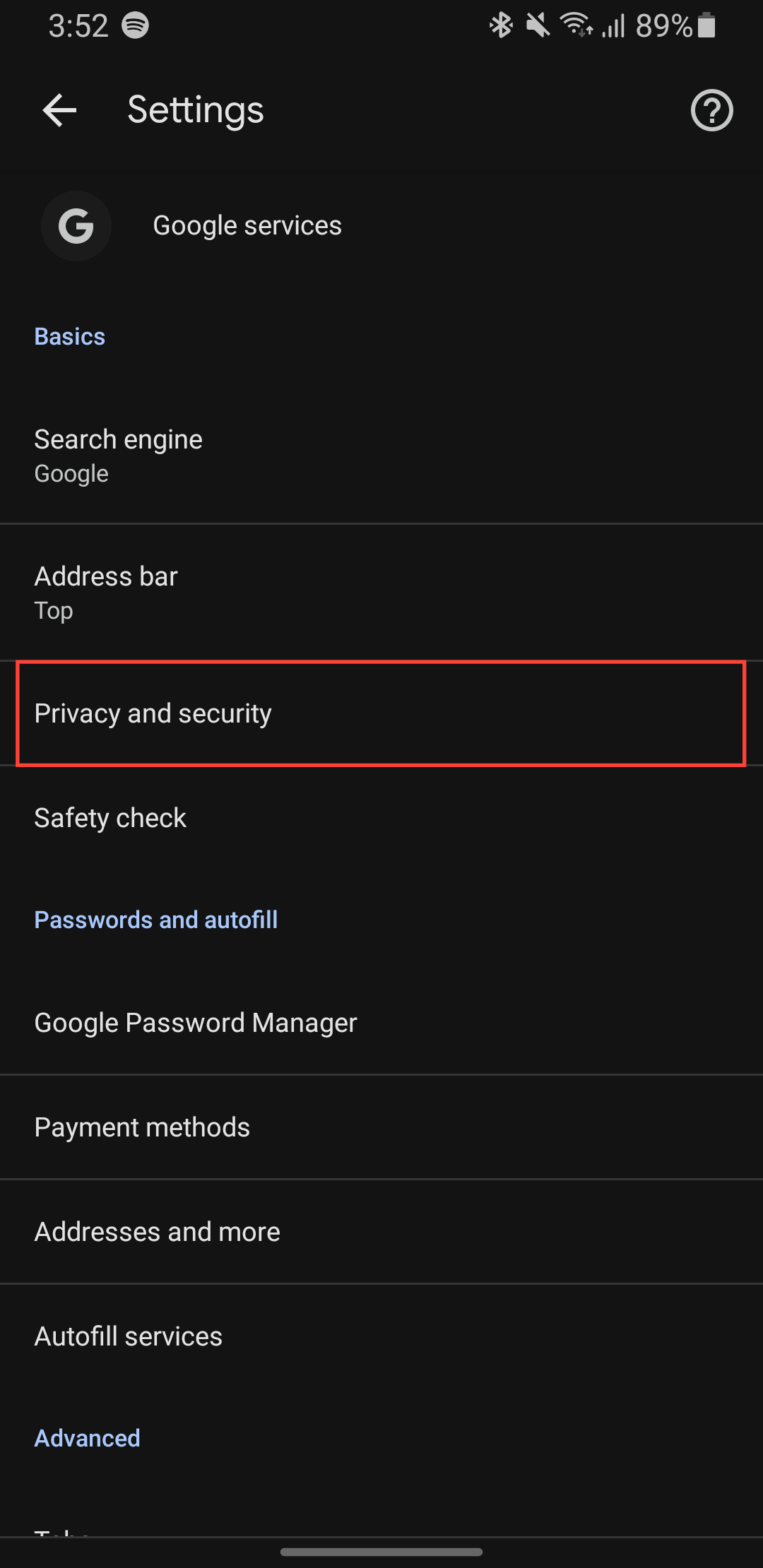
Step 4: Tap Send a "Do Not Track" request.
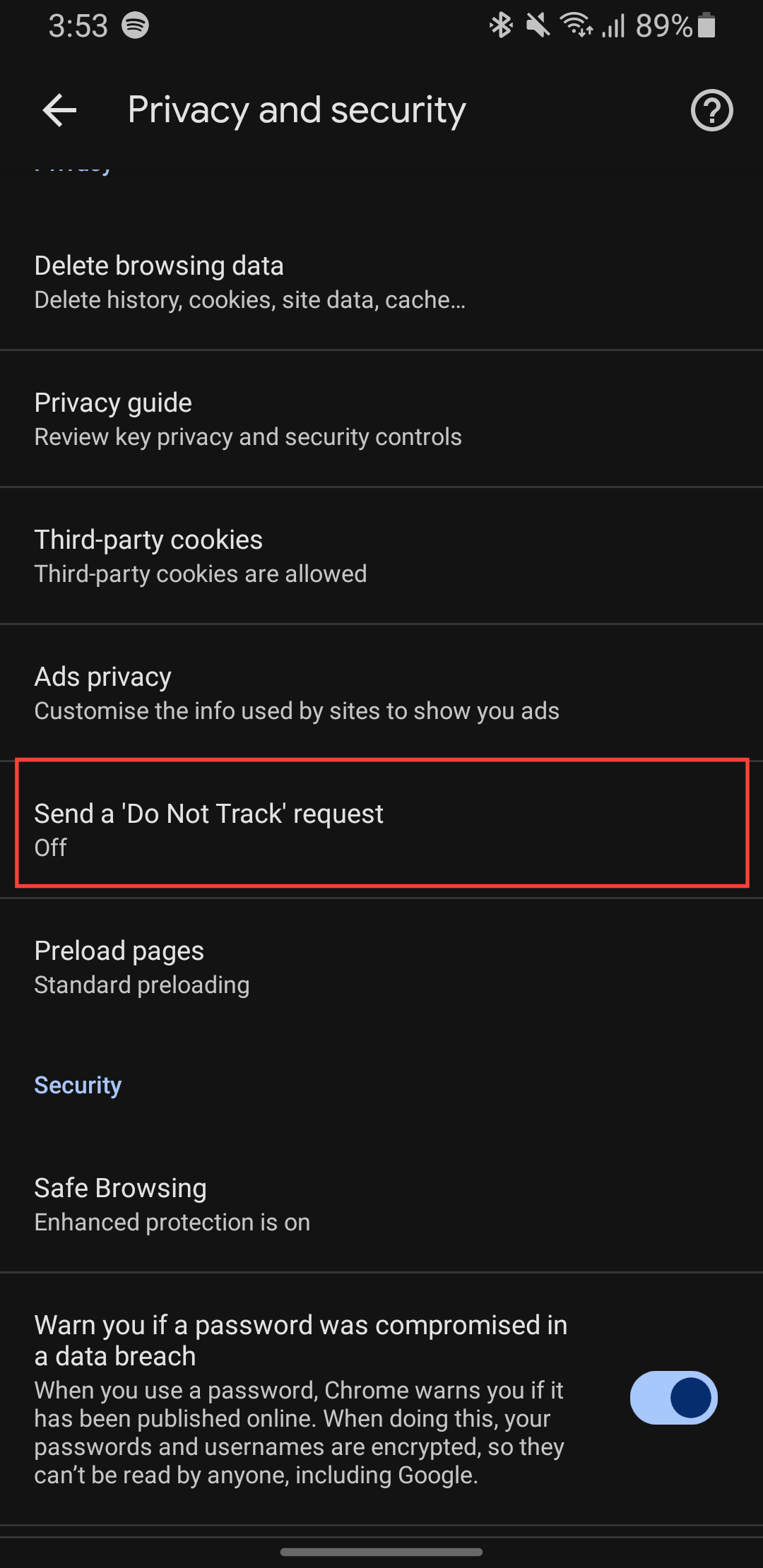
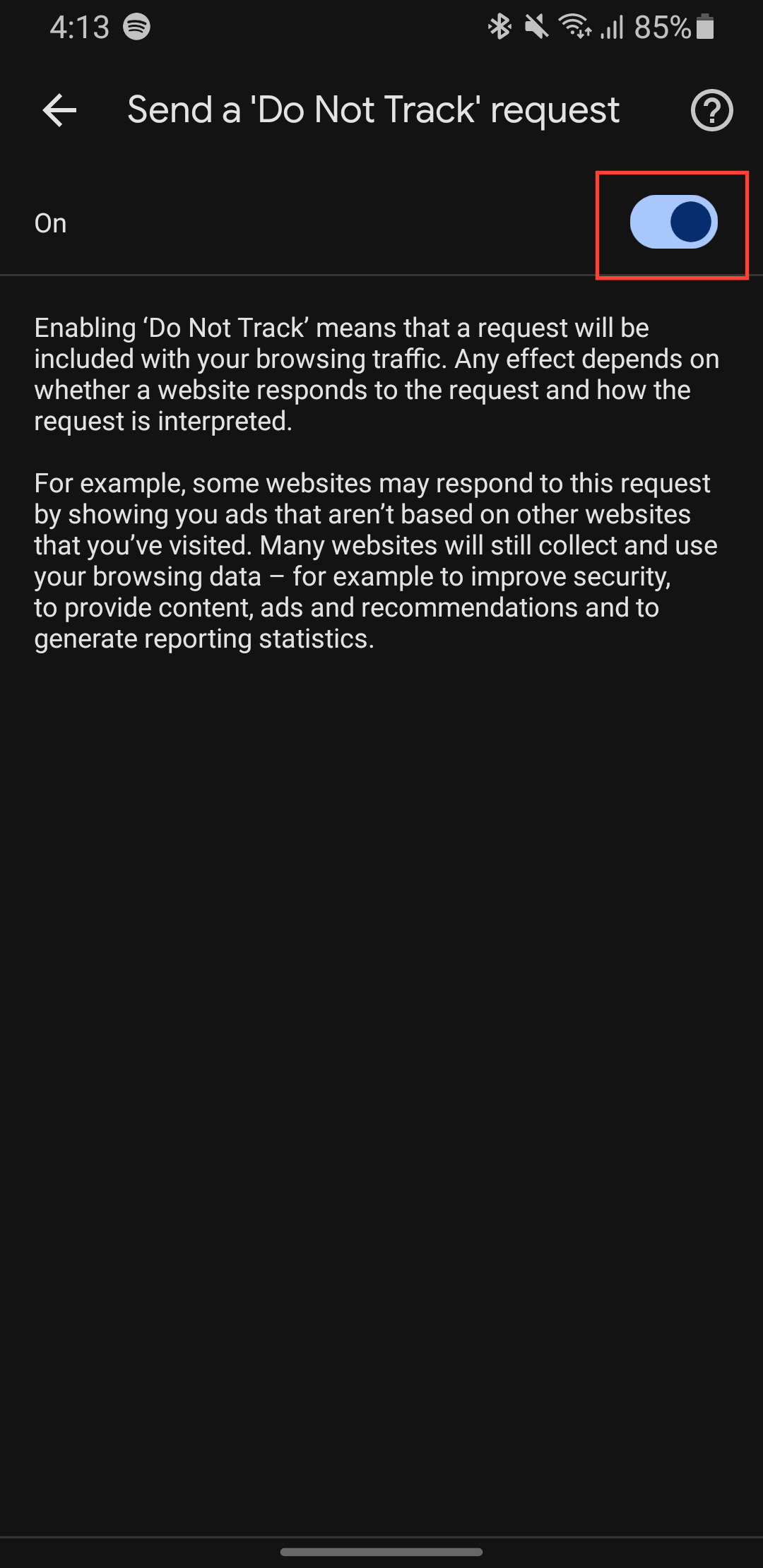
Step 5: Toggle on the button.
 Louis Eriakha
Conclusion
Enabling Do Not Track in Chrome is a simple way to protect your privacy, even if its effectiveness varies across websites. Since many platforms still collect data despite the DNT request, this setting works best when combined with other privacy measures. For stronger protection, consider using an ad blocker to stop tracking scripts, clearing your cookies regularly, or switching to a browser with stricter privacy defaults.
While no single setting can eliminate tracking, turning off ad targeting in Chrome reduces the amount of data collected about you over time. Think of it as closing one door in a hallway of many; it’s not a total lockdown, but it’s a step in the right direction.
Image Credit: Oyinebiladou Omemu/Techloy.com


