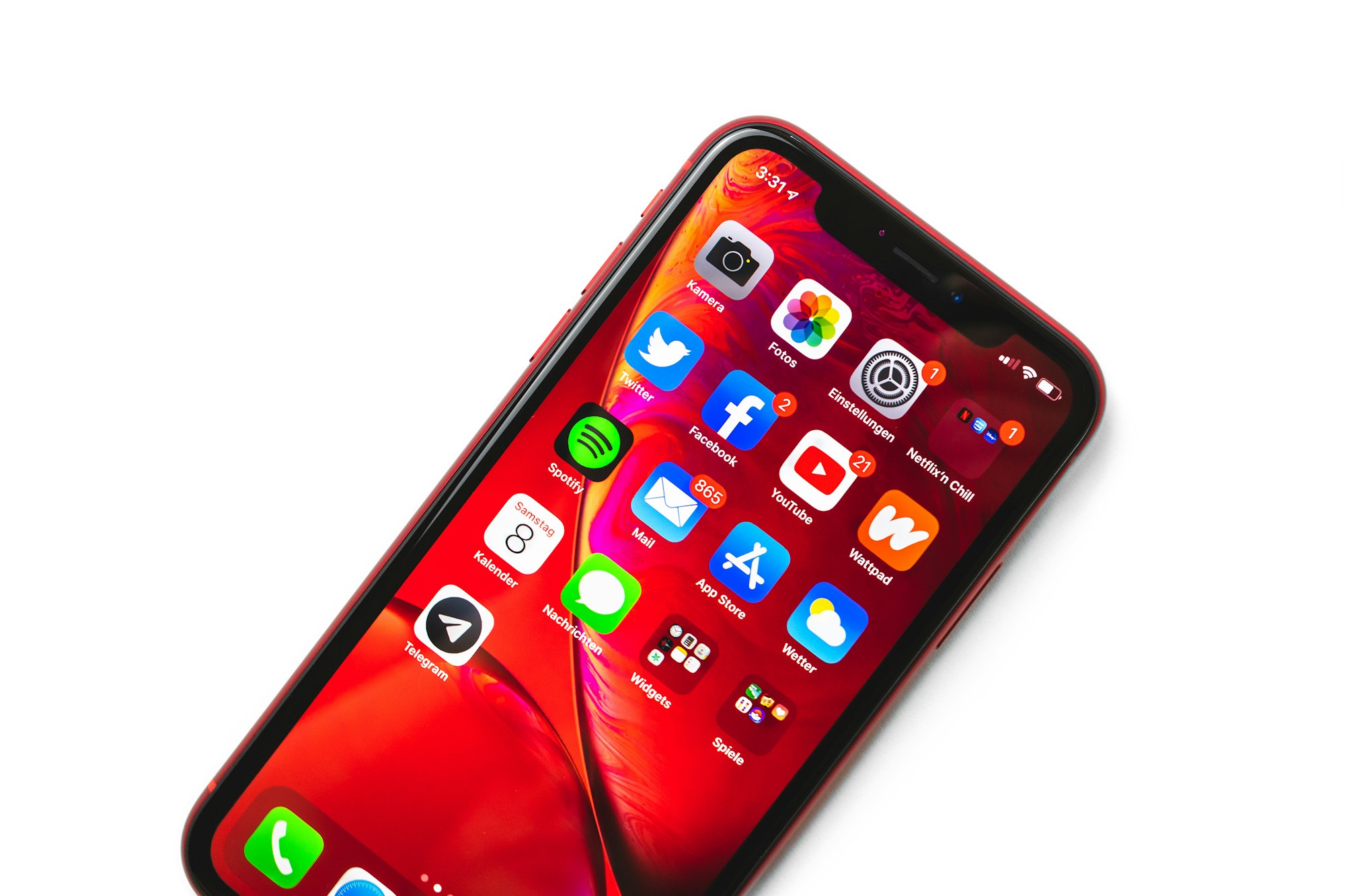
Those oddly specific ads showing up in your apps and across Apple services aren’t a coincidence; they’re powered by Apple’s personalised ad system. It tracks your activity, preferences, and even the content you read to serve ads that feel tailor-made.
But if that level of targeting feels invasive, the good news is that you can turn it off. Apple gives you the option to opt out of personalised ads, and doing so only takes a few taps. Here’s how to take back a bit of your digital privacy.
How to Turn Off Personalised Ads on iPhone
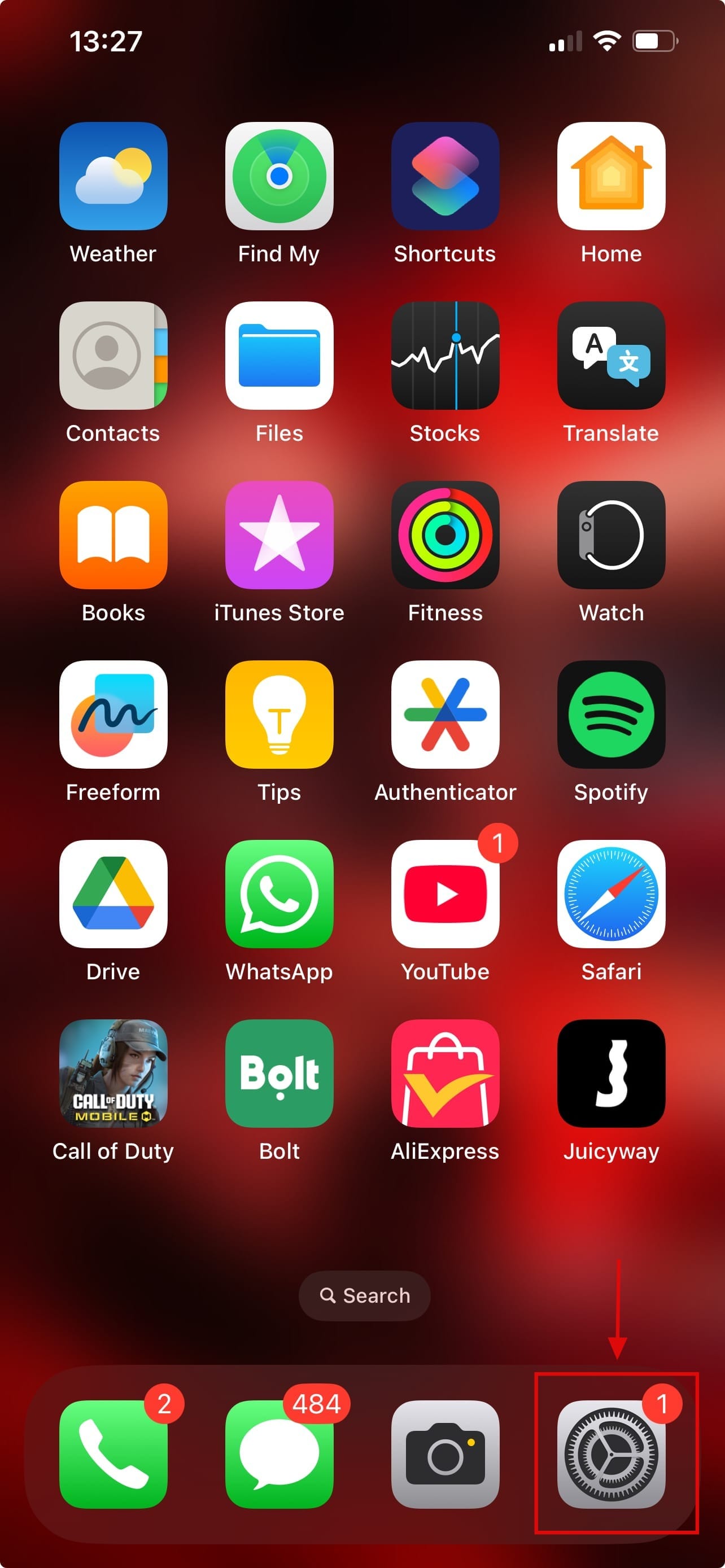
Step 1: Open the Settings app on your device
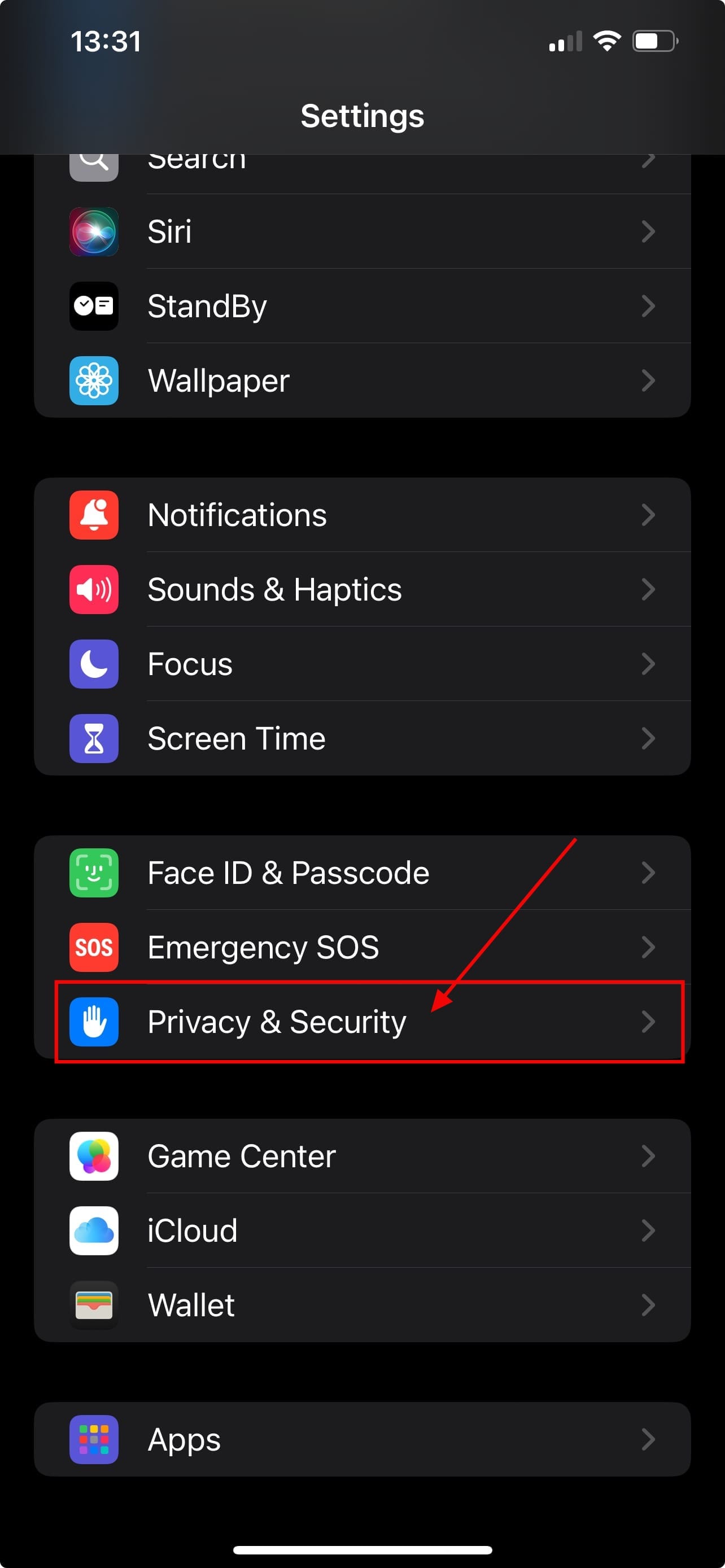
Step 2: In Settings, select Privacy & Security
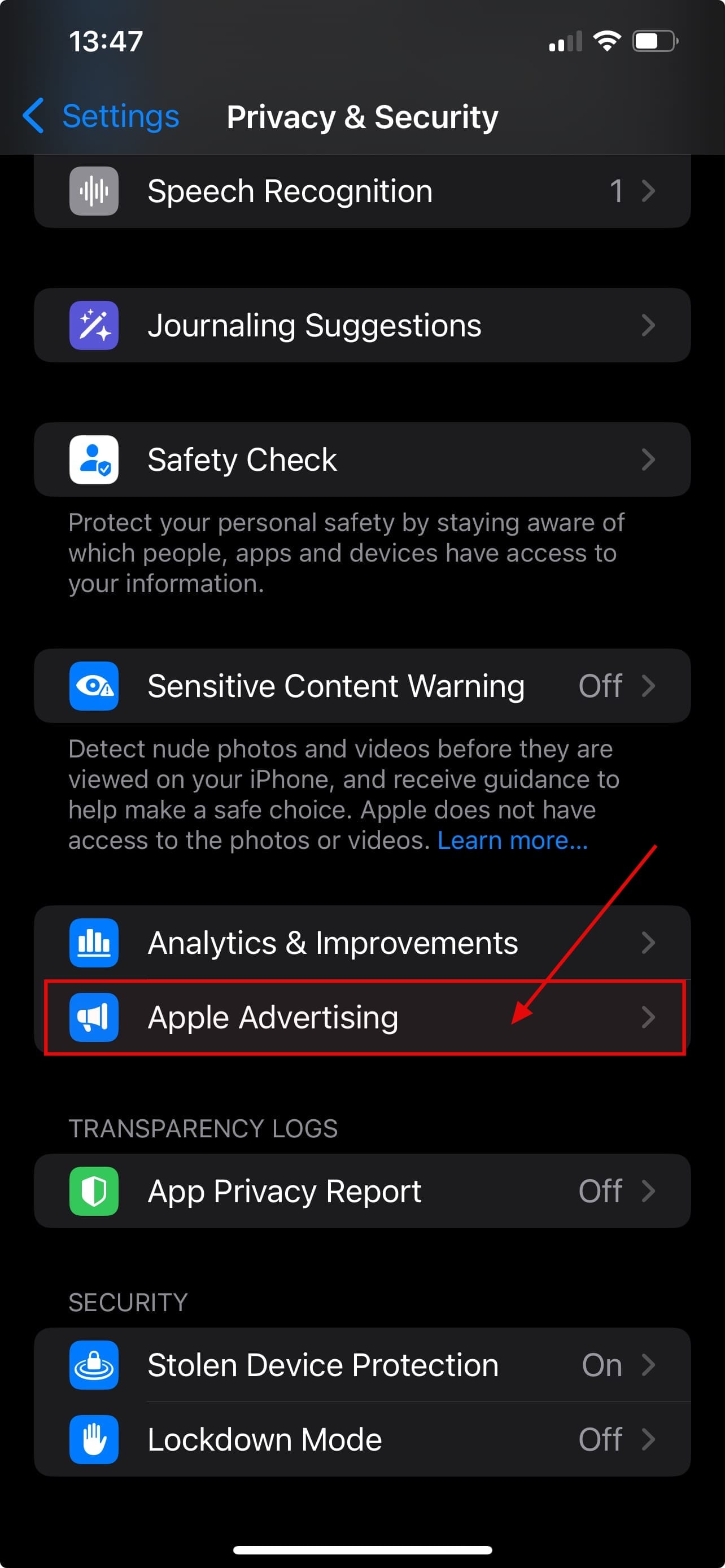
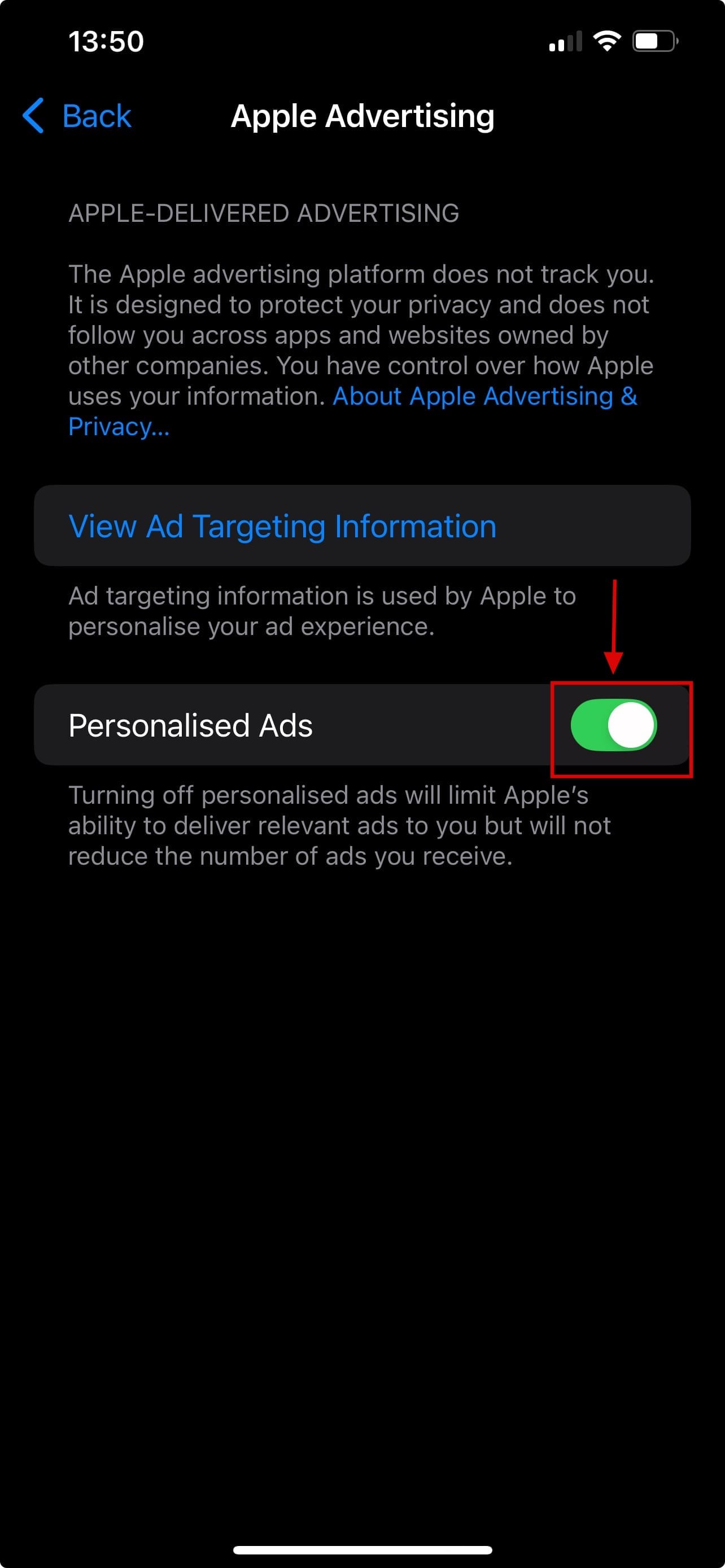
Step 3: Scroll down and select Apple Advertising
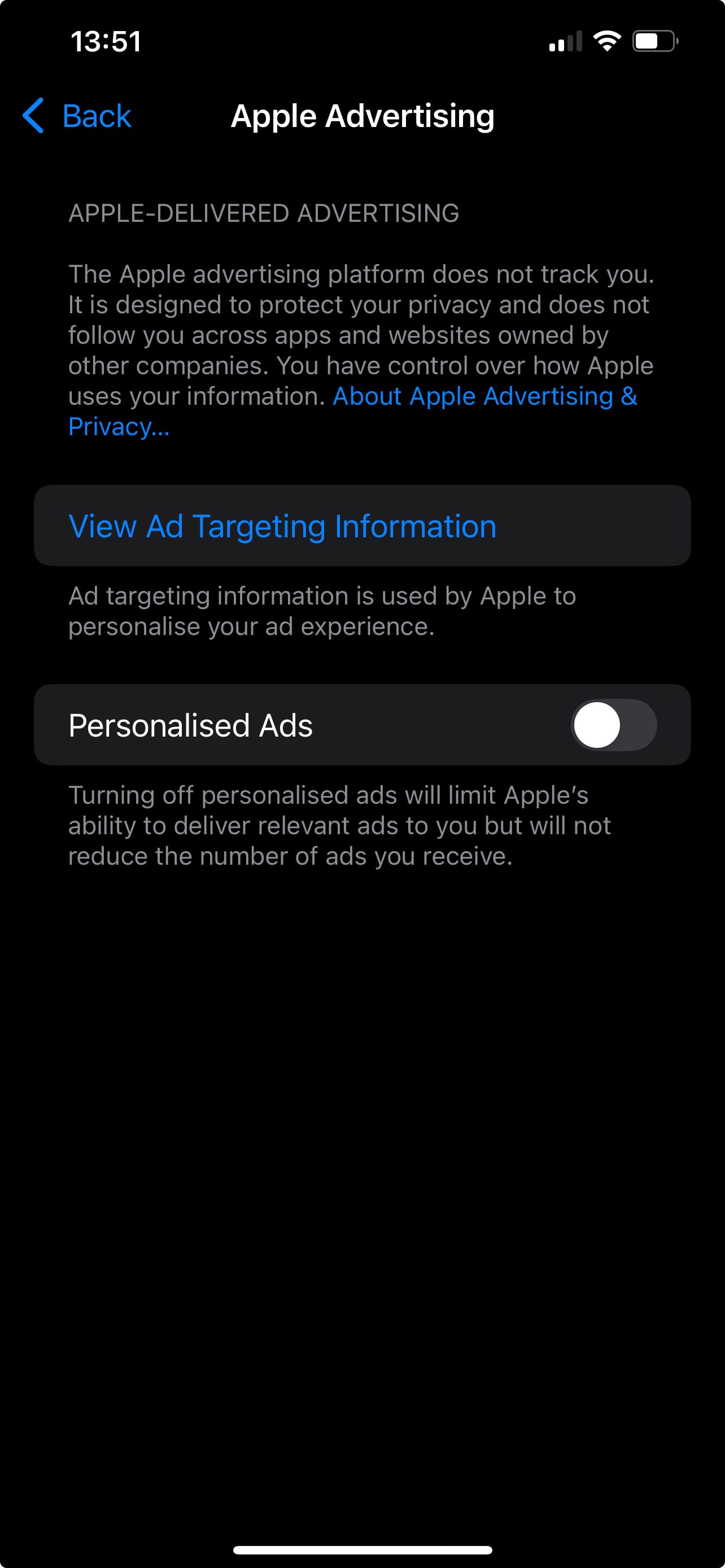
Step 4: Toggle off the switch next to Personalised Ads
Conclusion
Turning off personalised ads on your iPhone won’t eliminate ads entirely, but it does put some control back in your hands. Instead of being tracked across Apple’s ecosystem for ultra-targeted suggestions, you’ll see more generic ads, less creepy, more private. If you're someone who values a less invasive digital experience, it's a small but meaningful change worth making.
 Oluwaseun Bamisile