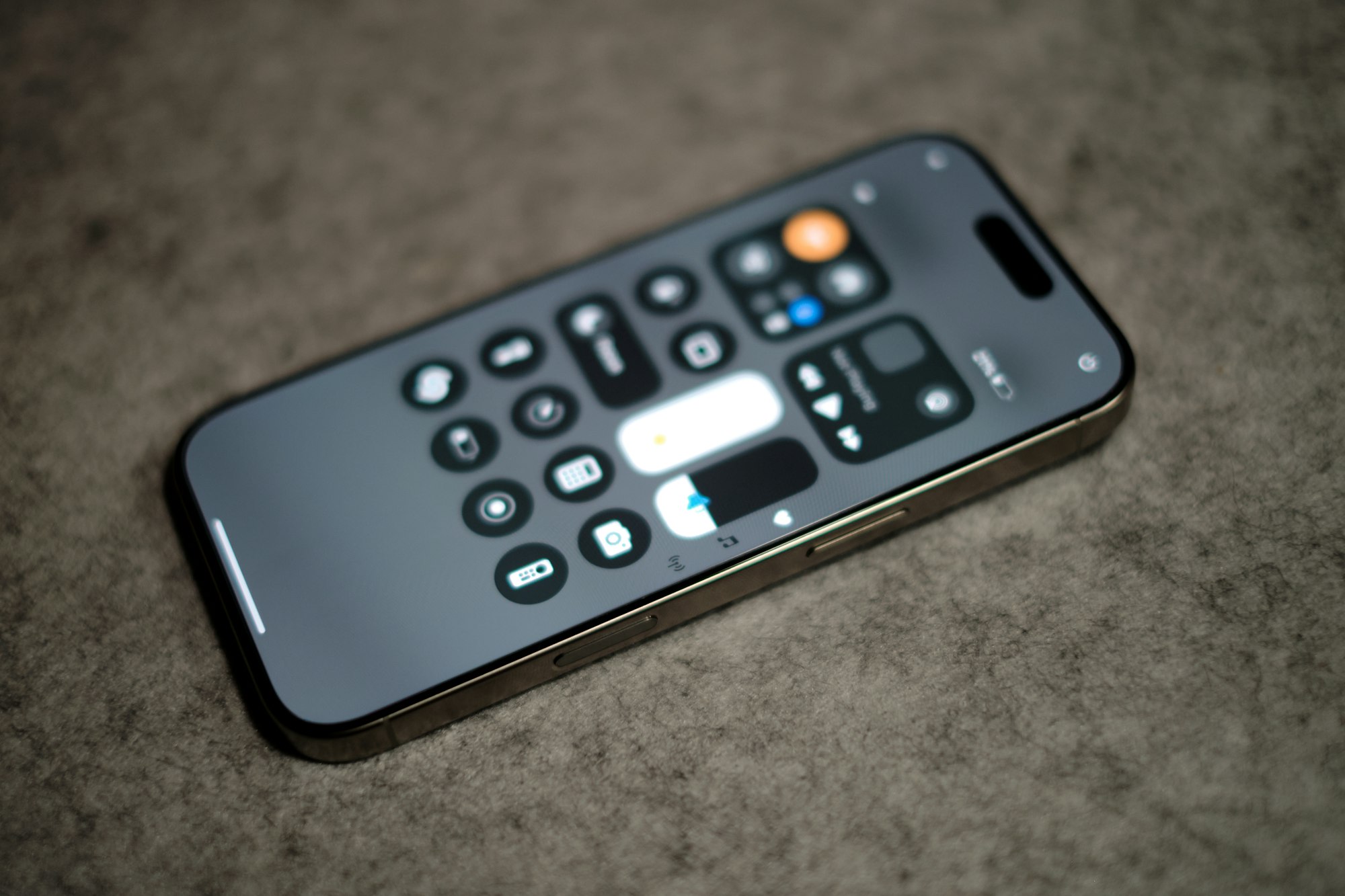
Not a fan of your iPhone turning into a nightstand display the moment it hits the charger sideways? You’re not alone.
StandBy mode is Apple’s always-on feature that kicks in when your iPhone is locked, charging, and positioned horizontally. It lights up your screen with clocks, widgets, or photo slideshows, great if you want a mini smart display, annoying if you just want peace and a dark room. If you’ve been wondering what’s going on or how to make it stop, here’s the fix.
How to Turn off StandBy Mode on an iPhone
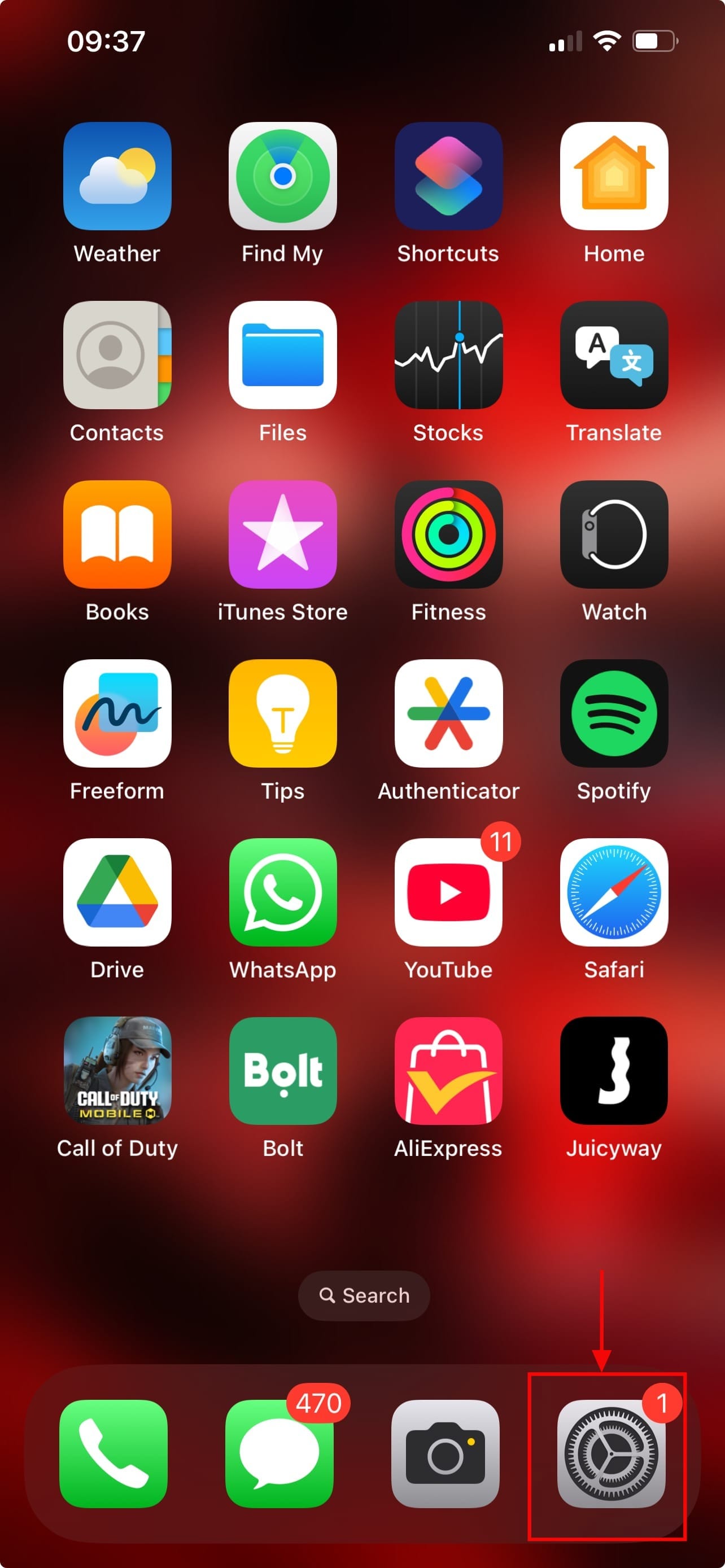
Step 1: Open the Settings app on your device
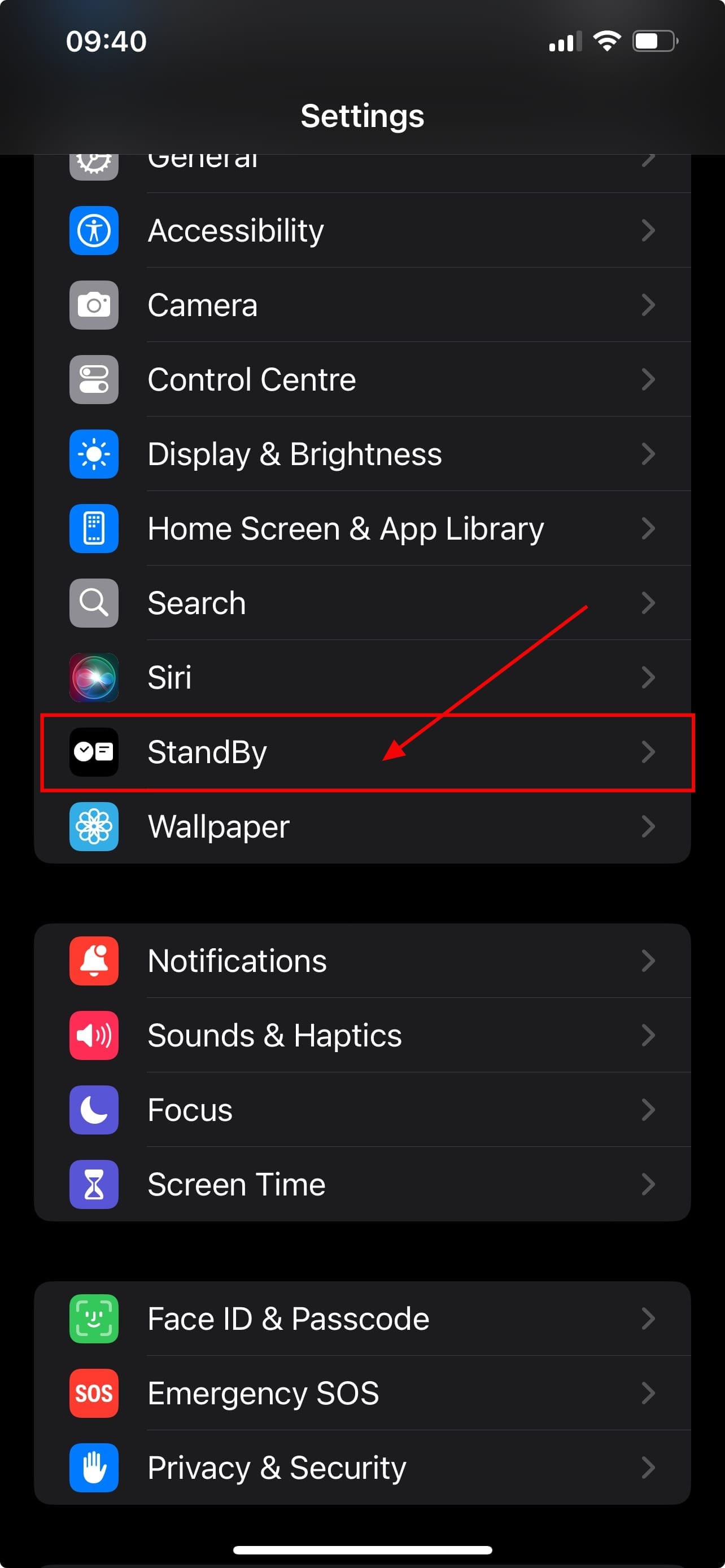
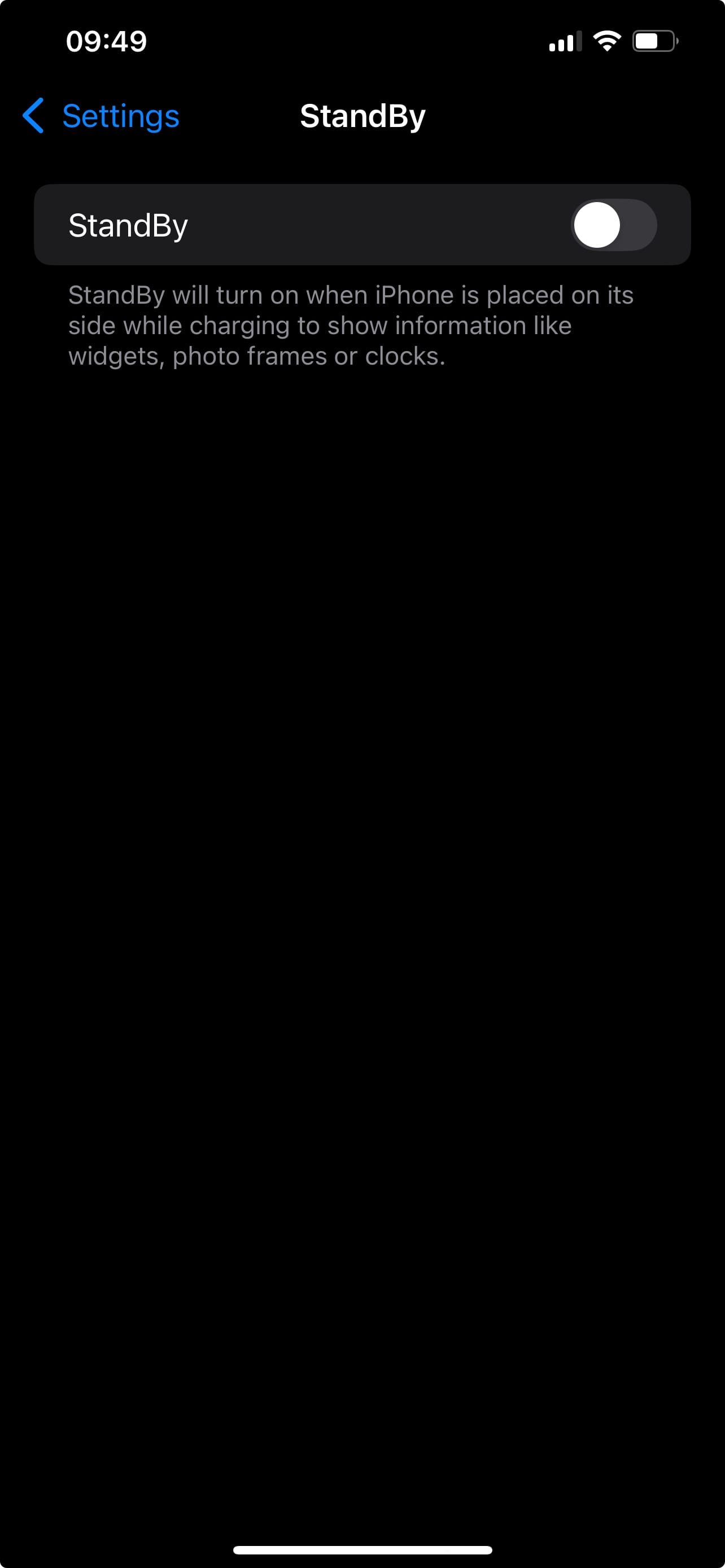
Step 2: Scroll down and click on StandBy mode in Settings
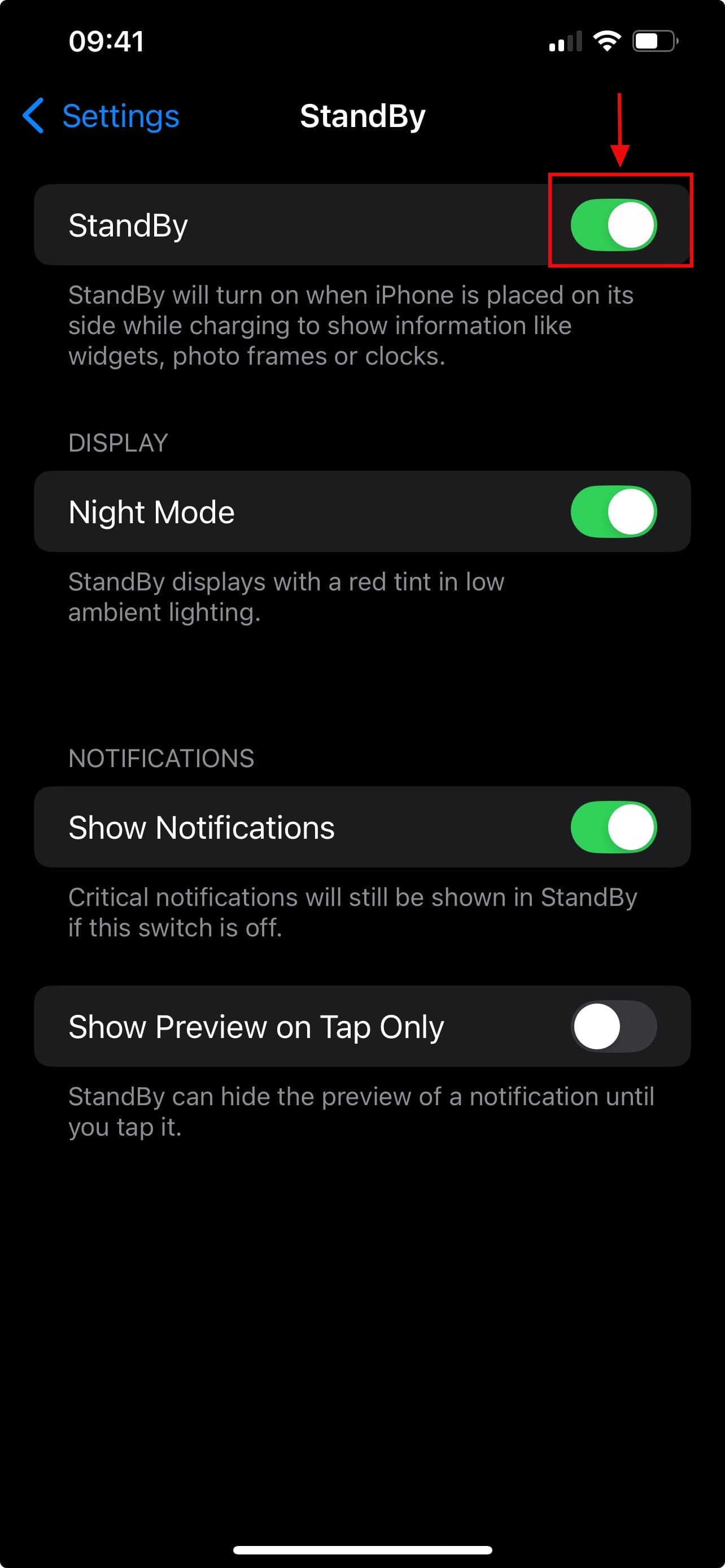
Step 3: To turn off StandBy toggle off the StandBy mode option
Conclusion
Whether you find StandBy mode distracting, battery-draining, or just unnecessary, turning it off takes only a few taps. Apple designed it to be helpful, turning your iPhone into a glanceable smart display, but not everyone wants their phone lighting up like a mini billboard at night. Now that you know how to disable it, you can keep your screen (and your sleep) uninterrupted.
 David Adubiina