Wondering why your iPad isn’t showing any of those flashy Apple Intelligence features? You’re not alone. Apple Intelligence is Apple’s new suite of AI-powered features, including smarter Siri, writing tools, image generation, and systemwide suggestions, designed to make your iPad feel more intuitive and context-aware.
But getting it isn’t just about updating your software. You’ll need an M-series iPad (like an M1 or M2 iPad Pro) running iPadOS 18, where it’s currently limited. Even then, many features are being rolled out gradually. Here’s what you need to know to get started.
How to turn on Apple Intelligence on iPad
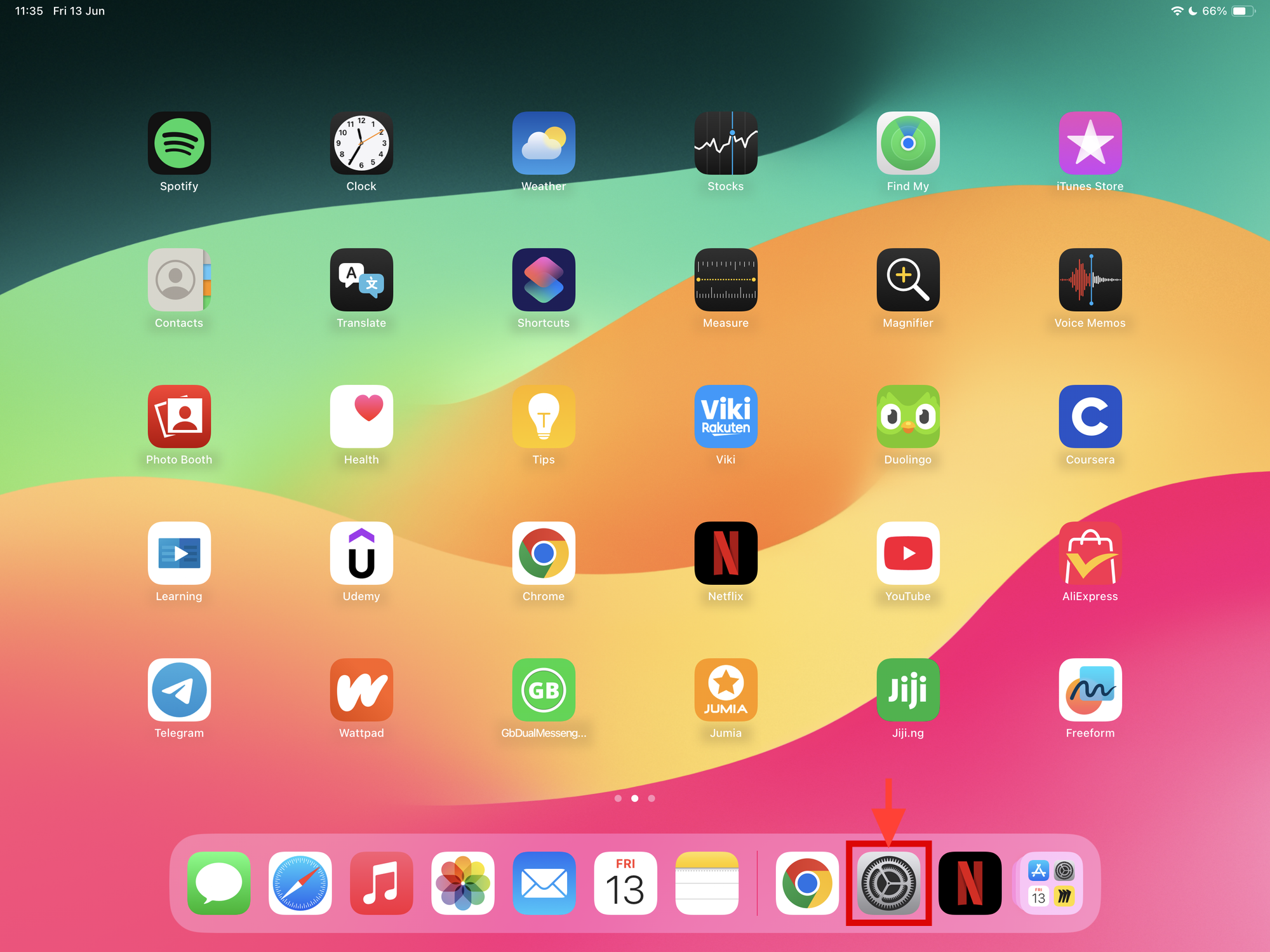
Step 1: Open the settings app on your device
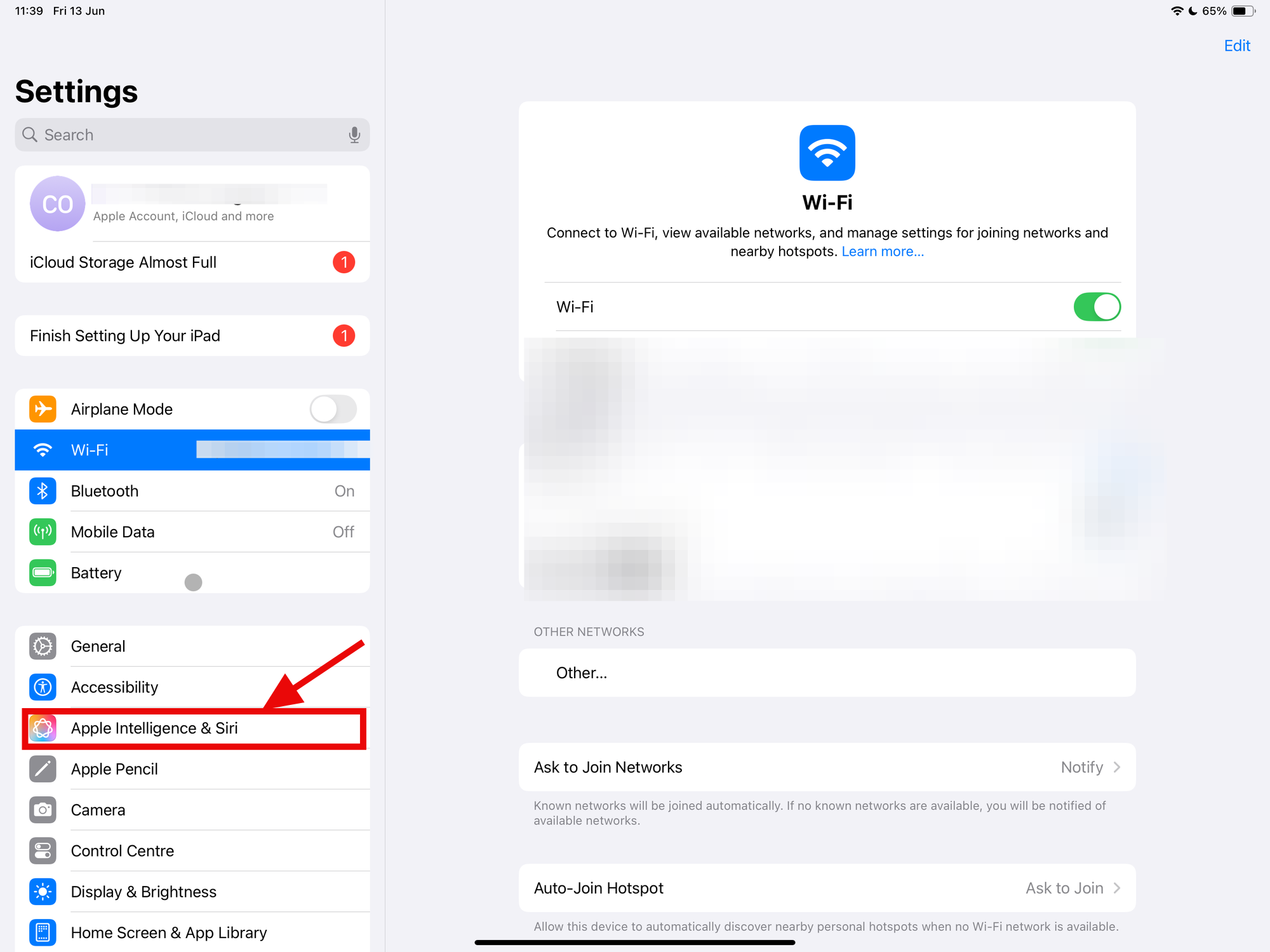
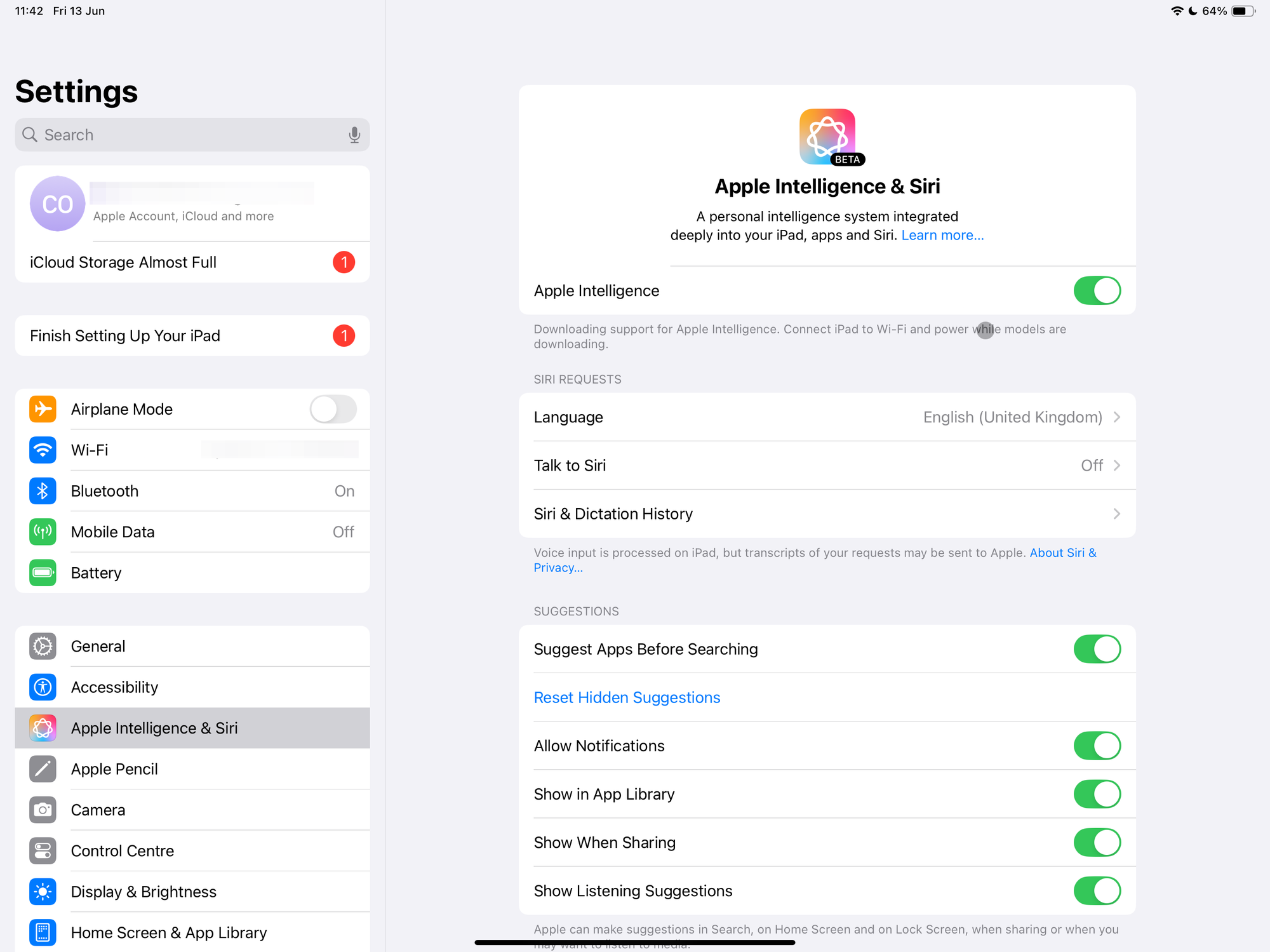
Step 2: In settings, scroll down and select Apple Intelligence & Siri
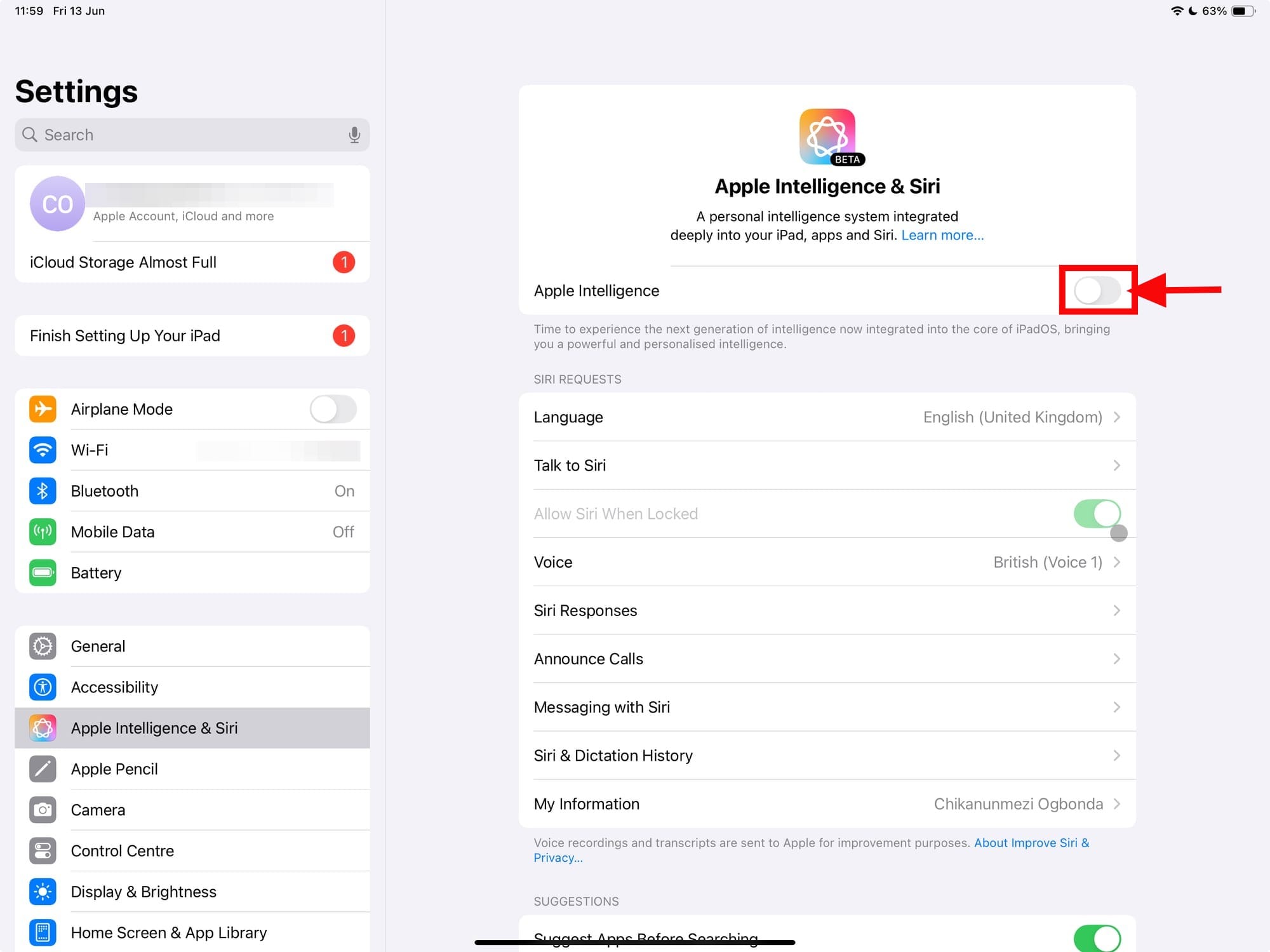
Step 3: Toggle on Apple Intelligence
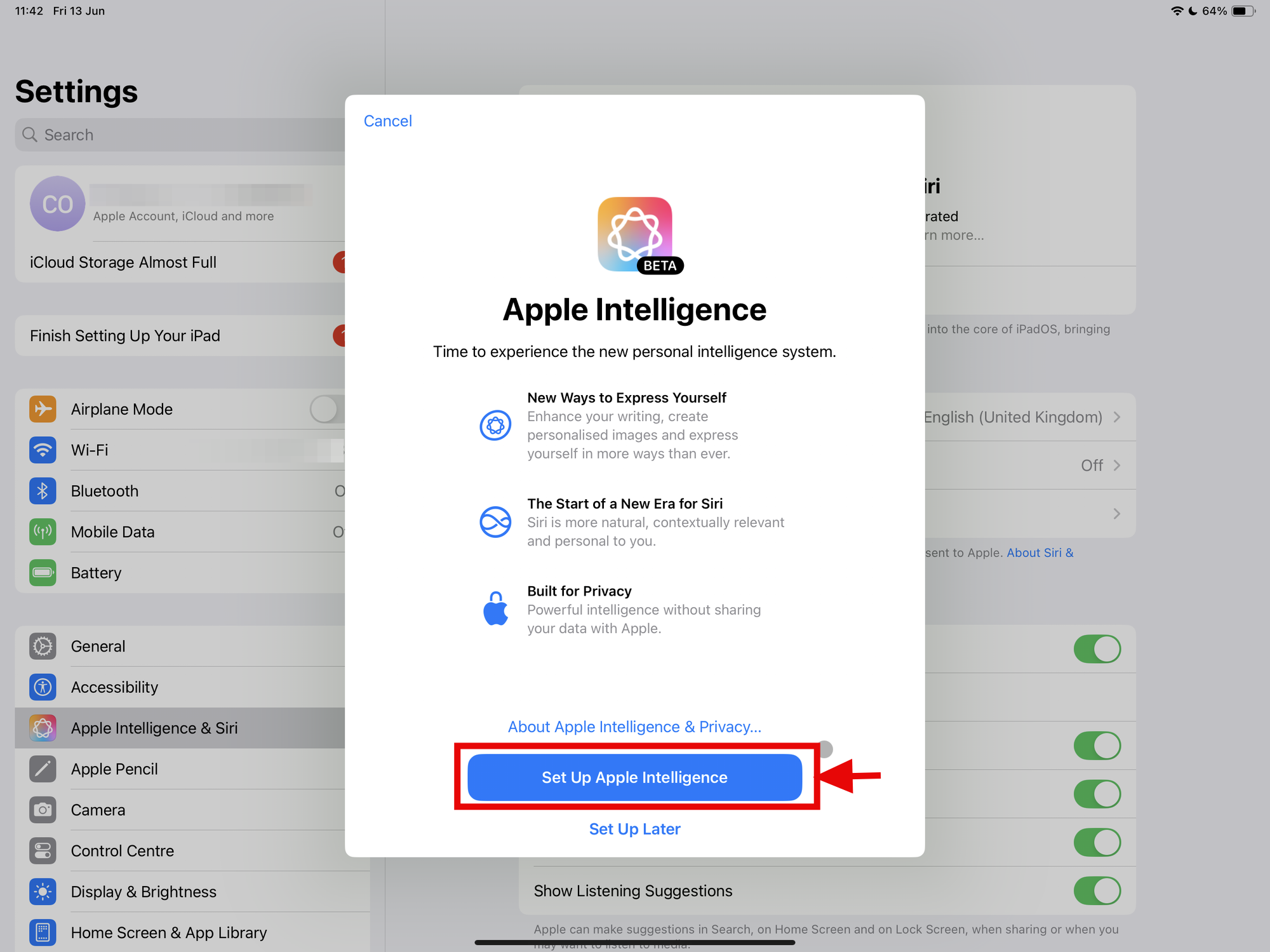
Step 4: Select Set Up Apple Intelligence (if you haven't set it up before)
Step 5: Once you have set up your Apple Intelligence you can now use it
Conclusion
Accessing Apple Intelligence on your iPad isn’t just about staying updated, it’s about having the right hardware, and the right software.
As Apple gradually rolls out these features, some users may need to wait a little longer to experience the full scope of what’s been promised. But if you meet the requirements, you’re already on the path to trying out Apple’s bold step into device-level AI. Just don’t expect everything to be available all at once.
 Ogbonda Chivumnovu