



Life doesn’t stop just because we put on headphones or dive into work. You might be vibing to a playlist and completely miss the doorbell, your baby crying, or the kettle whistling in the kitchen. To avoid that, you probably break your focus now and then just to check in, which isn’t exactly satisfying.
But what if your phone could handle that for you?
On Samsung Galaxy devices, there’s a feature built for exactly this. It listens for specific sounds in your environment so you don’t have to, and sends you a gentle alert when something important happens. That way, you can stay tuned into your surroundings without hitting pause on your music or breaking your flow.
In this guide, we’ll show you how to turn on Sound Recognition on your Samsung phone so it can pick up key sounds in the background while you stay focused.
 David Adubiina
8 Steps to Turn on Sound Recognition on Samsung
Step 1: Open the Settings app on your phone.
Step 2: Select Accessibility.
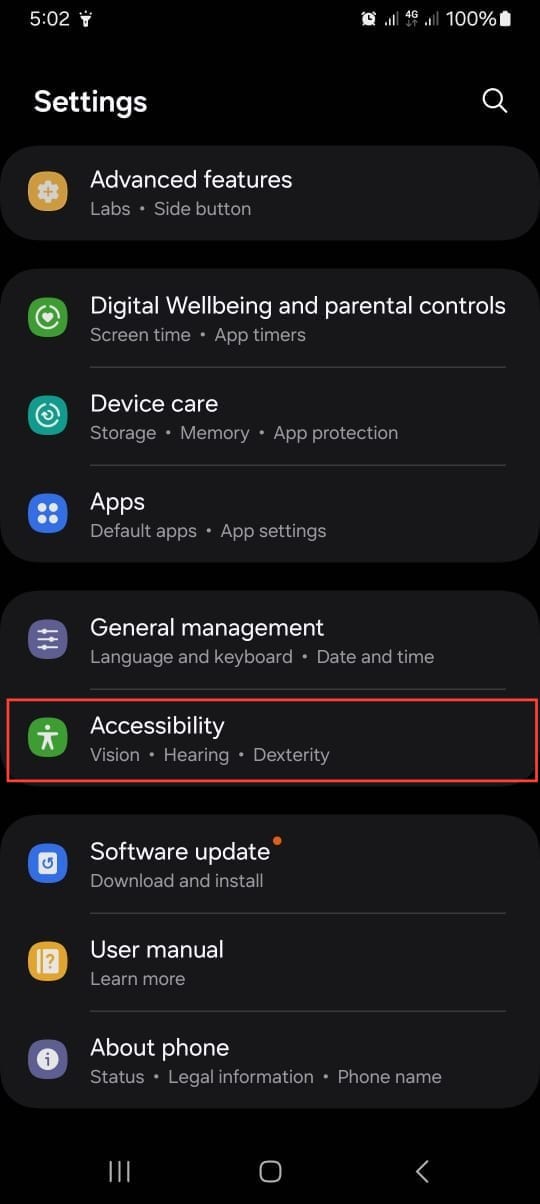
Step 3: Select Hearing Enhancement.
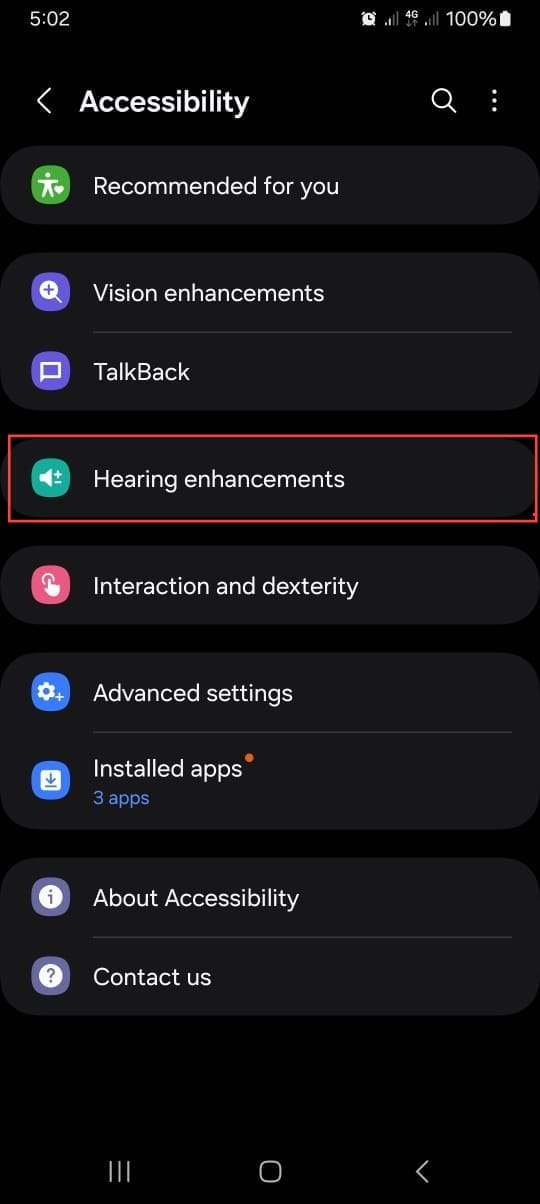
Step 4: Select Sound notification.
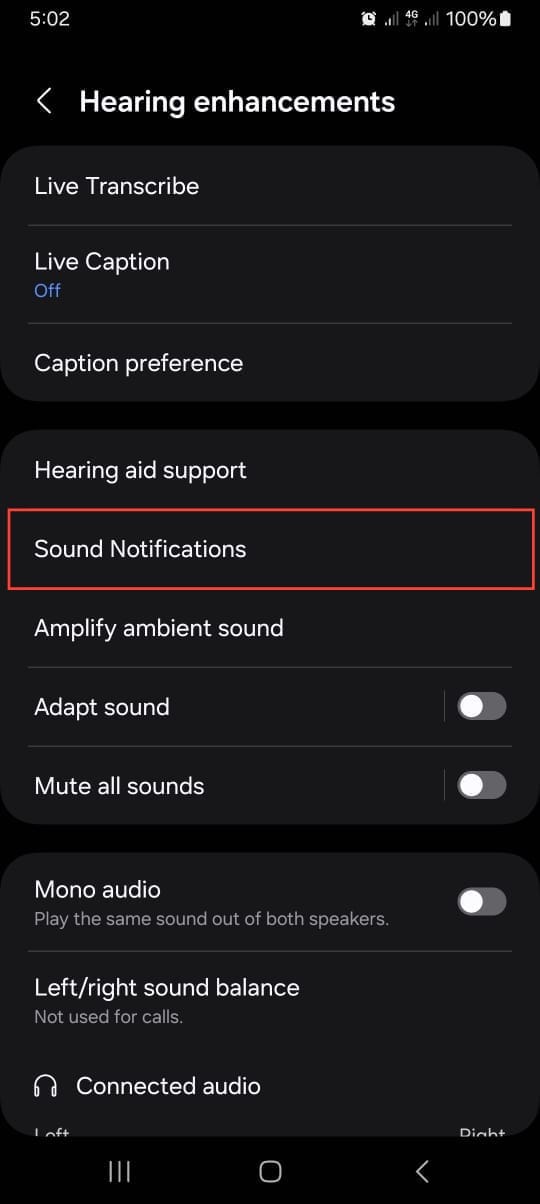
Step 5: Select Open Sound notification.
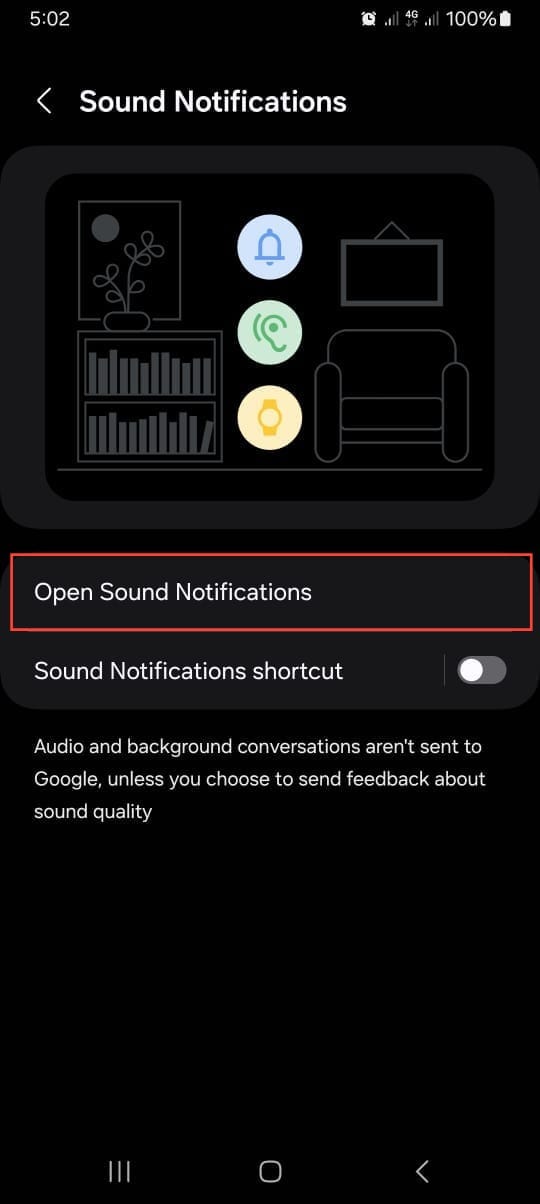
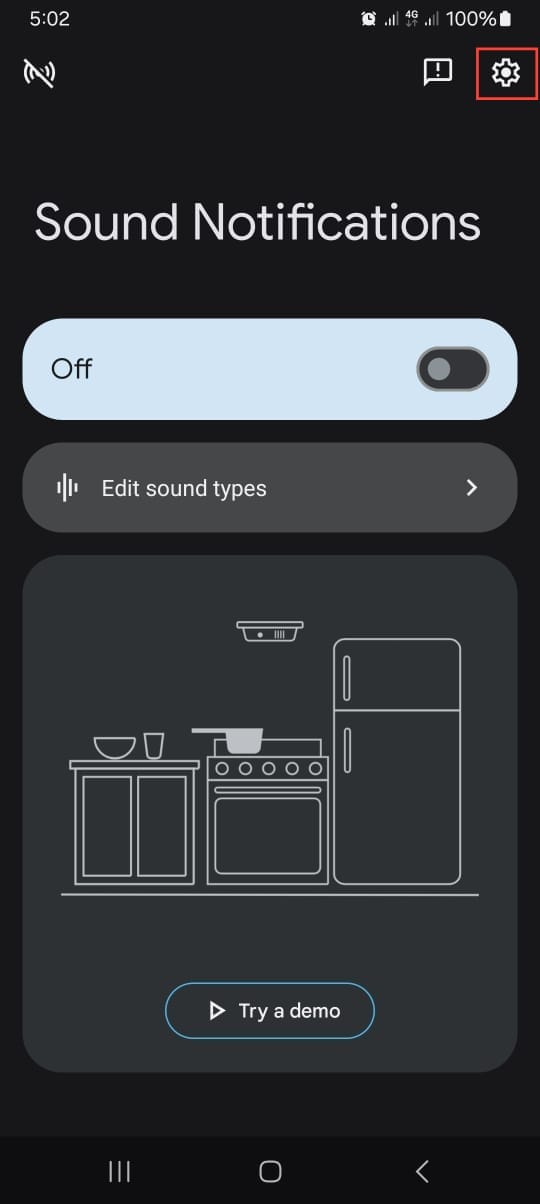
Step 6: Tap the Settings icon at the top right.
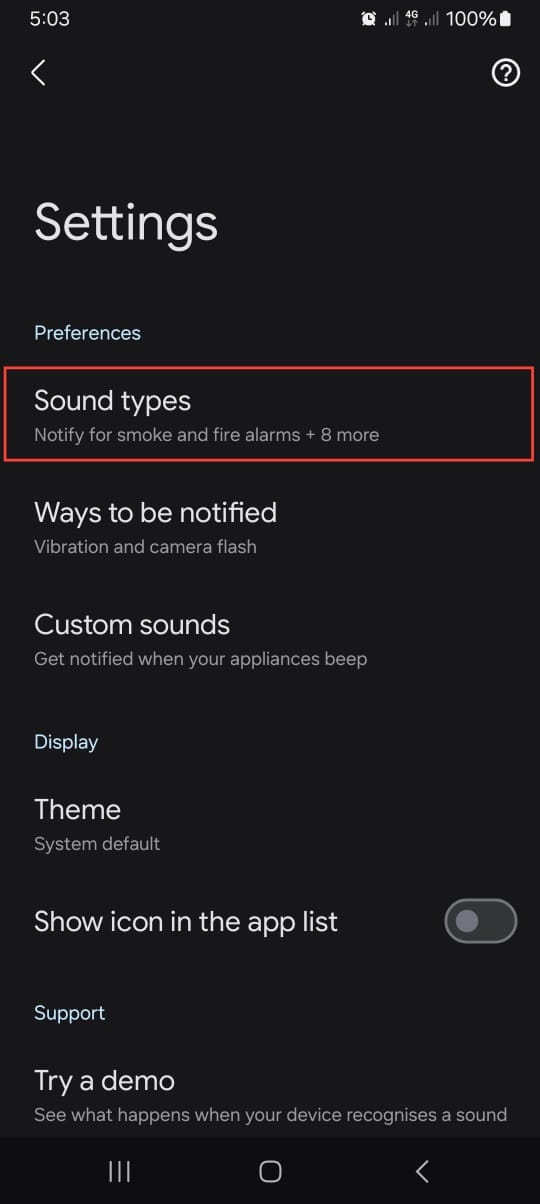
Step 7: Select Sound types.
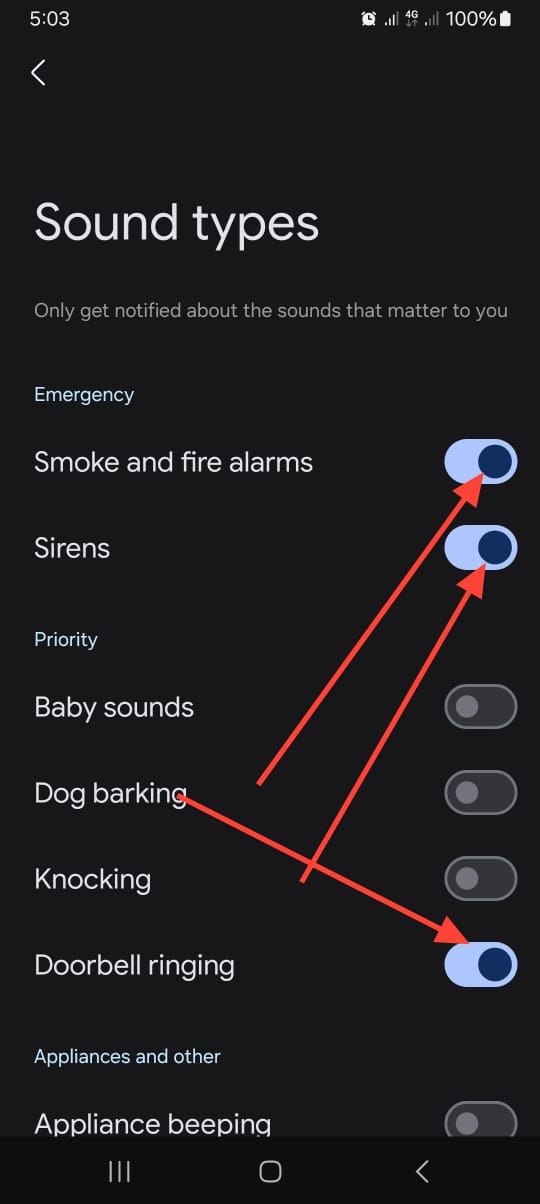
Step 8: Toggle on the sound(s) you want your device to recognize.
 David Adubiina
Conclusion
Setting this up is a straightforward process that takes just a moment, but it adds a powerful layer of awareness to your daily routine. You’ve now taught your phone to be a more helpful partner, one that looks out for the auditory cues you care about most. It’s a perfect example of how a little technology can make a big difference in feeling present and in control.
So go ahead, enjoy your music or dive into your work with a little more peace of mind. Your Samsung is on duty, listening for the sounds that mean something, ensuring you’re always in the loop no matter how distracted you get.
Image Credit: Oyinebiladou Omemu/Techloy.com


