



ChatGPT has become an essential AI assistant for millions worldwide — helping users write, code, brainstorm, and research in seconds. Yet one common frustration remains: the mandatory phone number verification during sign-up. In 2025, many users are seeking safe, legitimate ways to use ChatGPT without a phone number, whether for privacy, regional restrictions, or simple convenience.
This guide explains why OpenAI requires verification and shows three proven alternatives — verified virtual numbers, Google or Microsoft login options, and trusted third-party ChatGPT-powered platforms. Each method is evaluated for privacy, ease of use, and success rate, helping you choose the safest and most effective way to access ChatGPT in 2025.
Method 1: Use a Virtual Number for SMS Verification
A virtual number works online instead of using a physical SIM card, allowing you to receive SMS verification codes remotely. It’s a simple way to sign up for ChatGPT without exposing your personal number — messages are sent to an online inbox that you can access instantly from any device.
How to Verify ChatGPT with a Virtual Number (Step-by-Step)
- Choose a trusted virtual number provider that supports OpenAI verification. Reliable examples include Receive SMS, 5SIM.net, OnlineSim, GetSMSCode, and SMS-Activate.
- Select a country and copy the number provided. Numbers from regions like the U.S., U.K., Canada, or Poland tend to work best with ChatGPT’s verification system.
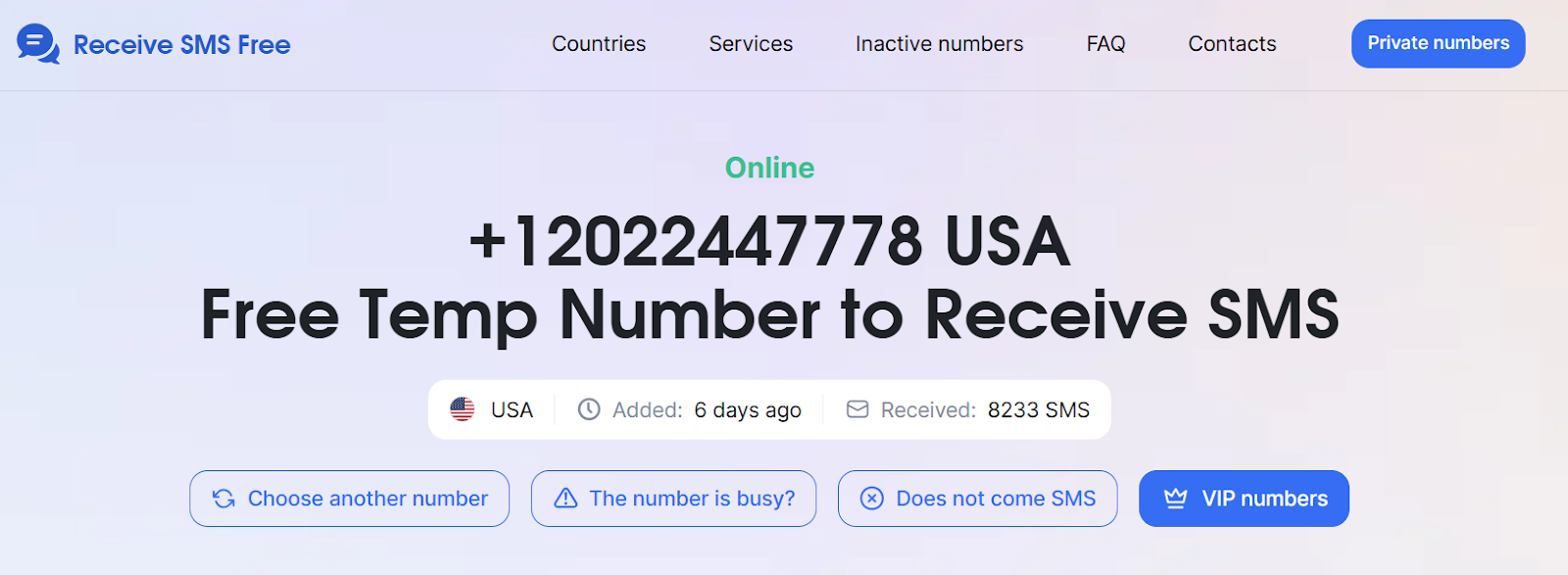
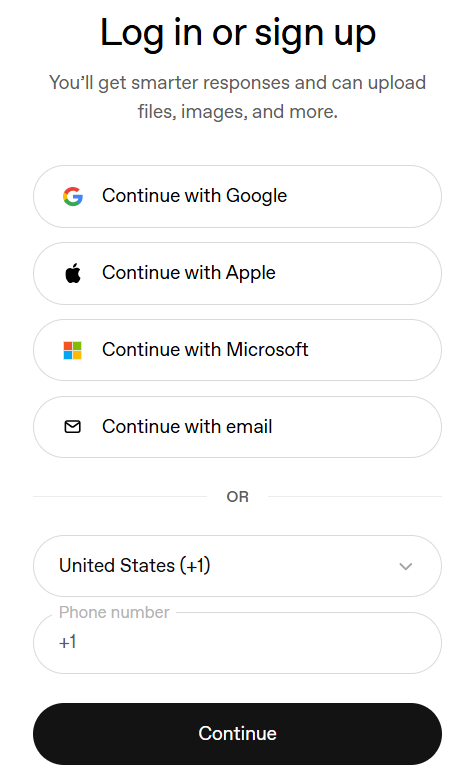
- Paste the number in ChatGPT’s registration form when asked for a phone number.
- Wait for the SMS code to appear in the provider’s inbox. Refresh if needed until you see the OpenAI message.
- Enter the verification code in ChatGPT. Your account will activate immediately after confirmation.
Free vs. Paid Virtual Numbers for ChatGPT Verification
Method 2: Use Microsoft or Google Login (No Phone Needed)
If you already have a Google or Microsoft account, you can sign up for ChatGPT without entering a phone number. These accounts have built-in verification and two-factor authentication, so OpenAI trusts their security systems. It’s a fast, secure, and fully compliant way to access ChatGPT without extra verification steps.
Step-by-Step: How to Sign Up Without a Phone Number
- Go to the ChatGPT sign-up page.
- Click “Continue with Google” or “Continue with Microsoft.”
- Choose your account and confirm login.
- Verify via your email address — no phone number required.
- Start chatting instantly after verification.
Why it’s great: This is the most official, stable, and privacy-safe option, especially for users who already trust Google or Microsoft with their data. You benefit from their top-tier security while avoiding the need to expose your phone number to another platform.
Method 3: Access ChatGPT Through Third-Party Apps
If you prefer not to create an OpenAI account at all, you can still use ChatGPT’s technology through third-party platforms that integrate GPT or GPT-like models. These apps let you chat with the same intelligence — often with no phone verification and sometimes even no signup.
Popular examples include:
- Poe.com (by Quora) – Access GPT-3.5 and GPT-4 instantly with optional login.
- Bing Chat / Copilot (by Microsoft) – Built into Microsoft Edge or Bing, fully powered by GPT-4.
- Perplexity.ai – Combines ChatGPT-like conversation with web search results.
- Writesonic Chatsonic – Offers GPT-style responses, voice input, and image generation.
These platforms are ideal if you want quick AI access without the onboarding process of creating an OpenAI account.
Quick Comparison: Best Ways to Use ChatGPT Without a Phone Number
Tips for Smooth Verification
Even when using legitimate virtual numbers or linked accounts, ChatGPT’s verification process can be sensitive and time-limited. To maximize your success rate, follow these updated 2025 tips that come straight from real user experience and technical testing.
- Refresh the inbox quickly — verification codes often expire within 30–60 seconds.
- Match the number’s country with your intended region to prevent rejection.
- Avoid reusing the same number across multiple OpenAI accounts — duplicate verifications can trigger security blocks.
- Keep notes on which services or regions worked best for you to save time next time.
Best Countries for ChatGPT Verification
Not all countries perform equally well during OpenAI’s verification checks. Based on recent user reports and reliability tests, these regions tend to have the highest success rates for ChatGPT verification:
Insider note: Numbers from high OpenAI-adoption countries like the U.S. or U.K. tend to be recognized more reliably than smaller regions. When in doubt, start with one of these for smoother onboarding.
Conclusion
By 2025, using ChatGPT without a phone number has become simple, secure, and widely accessible. You can verify your account instantly with virtual numbers, skip verification entirely with Google or Microsoft logins, or use third-party apps like Poe.com or Perplexity.ai for quick access.
The best method depends on your needs — privacy-focused users can rely on verified or private numbers, casual users can explore third-party tools, and frequent users may prefer stable paid numbers. Whatever you choose, always use trusted platforms and protect your data to enjoy ChatGPT safely without exposing your personal phone number.


