Knowing how to manage tasks and projects efficiently is very important for staying organized and productive. Fortunately, Trello stands out as a versatile and user-friendly tool that can significantly enhance productivity.
In this guide, learn how to leverage Trello effectively to boost productivity and achieve your goals efficiently.
10 Steps to Using Trello to Boost Productivity
- Step 1: Sign up and log into Trello through the website or the app on your mobile device.

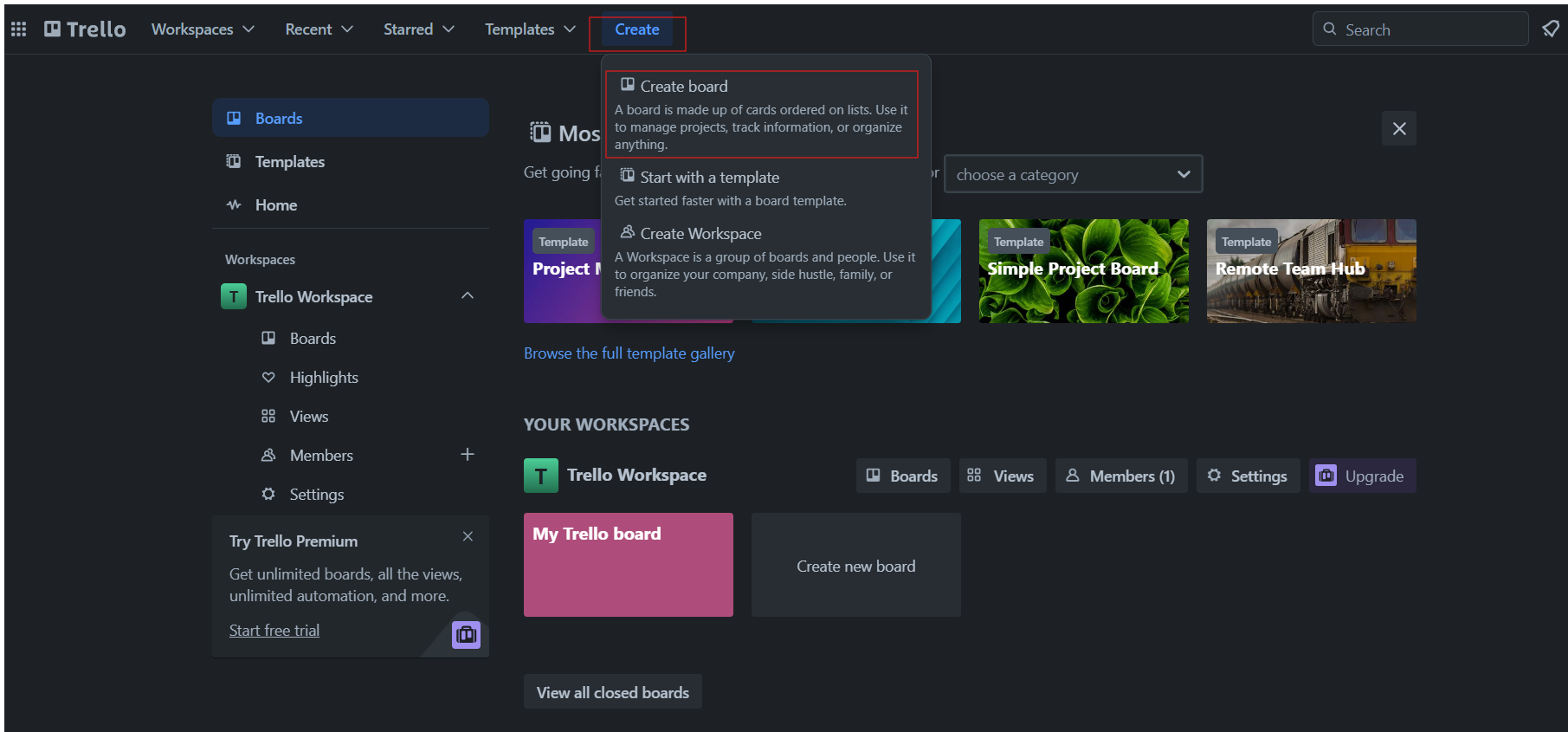
- Step 2: Click on the "Create" button, at the top corner of your dashboard. Then click on "Create Board."