



There's so much noise outside, and this can be very distracting. You can easily drown out the noise with your headphones on Spotify, but your music itself might not always be soothing or calm. The good thing is that you can turn your iPhone into your personal sound machine to give you soothing ambient noise. It’s the perfect tool to drown out the chatter of an open office or the restless thoughts that keep you from falling asleep.
This may seem counterproductive since it adds more noise to your life, but it's different. It allows you to use the right kind of noise as a shield. By playing consistent, calming sounds like ocean waves, gentle rain, or balanced white noise, your iPhone creates a personal audio bubble allowing you to concentrate deeply, meditate without interruption, or drift off to sleep.
In this guide, we'll show you how to enable background sounds on your iPhone.
 Oyinebiladou Omemu
6 Steps to Enable Background Sounds on Your iPhone
Step 1: Open Your Settings App.
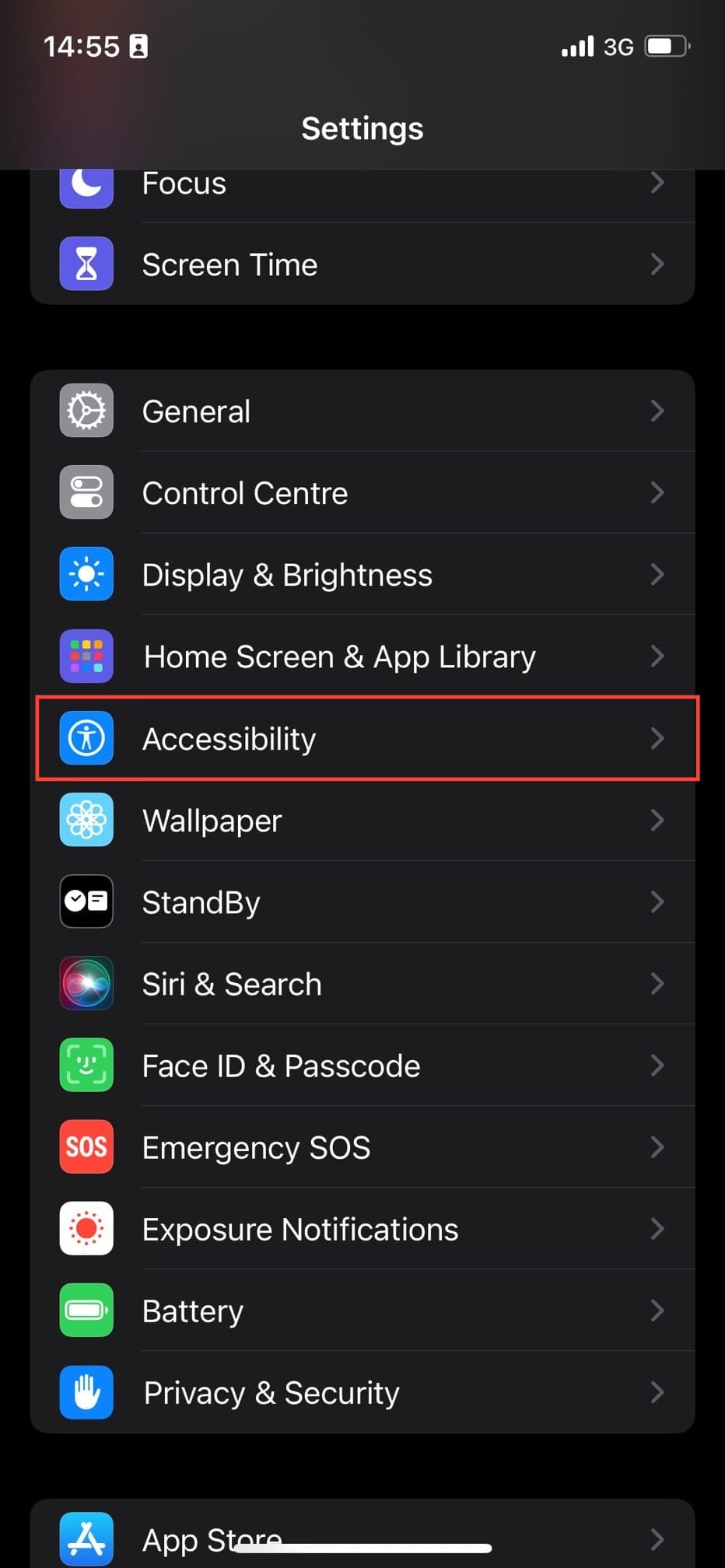
Step 2: Scroll down through the Settings menu and select Accessibility.
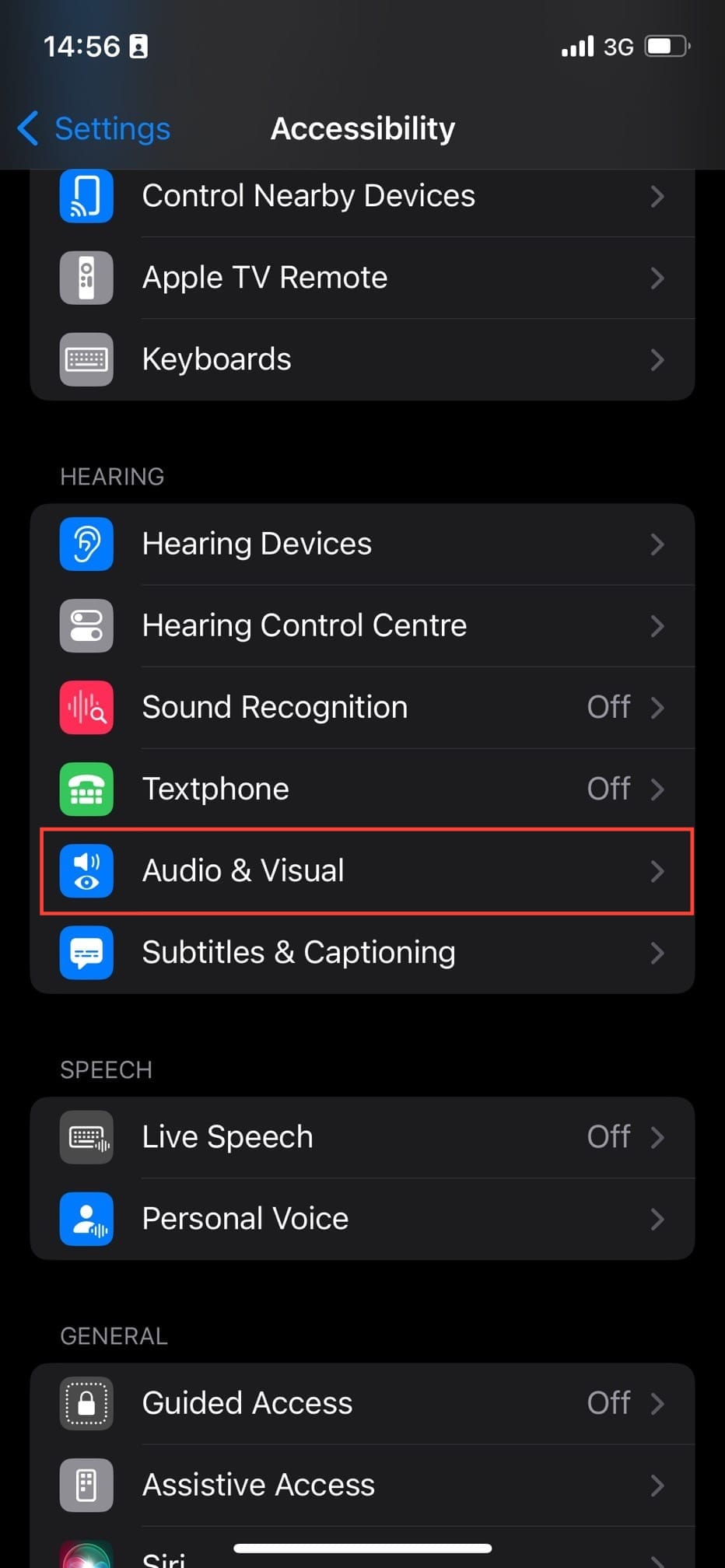
Step 3: Select the Audio/Visual option.
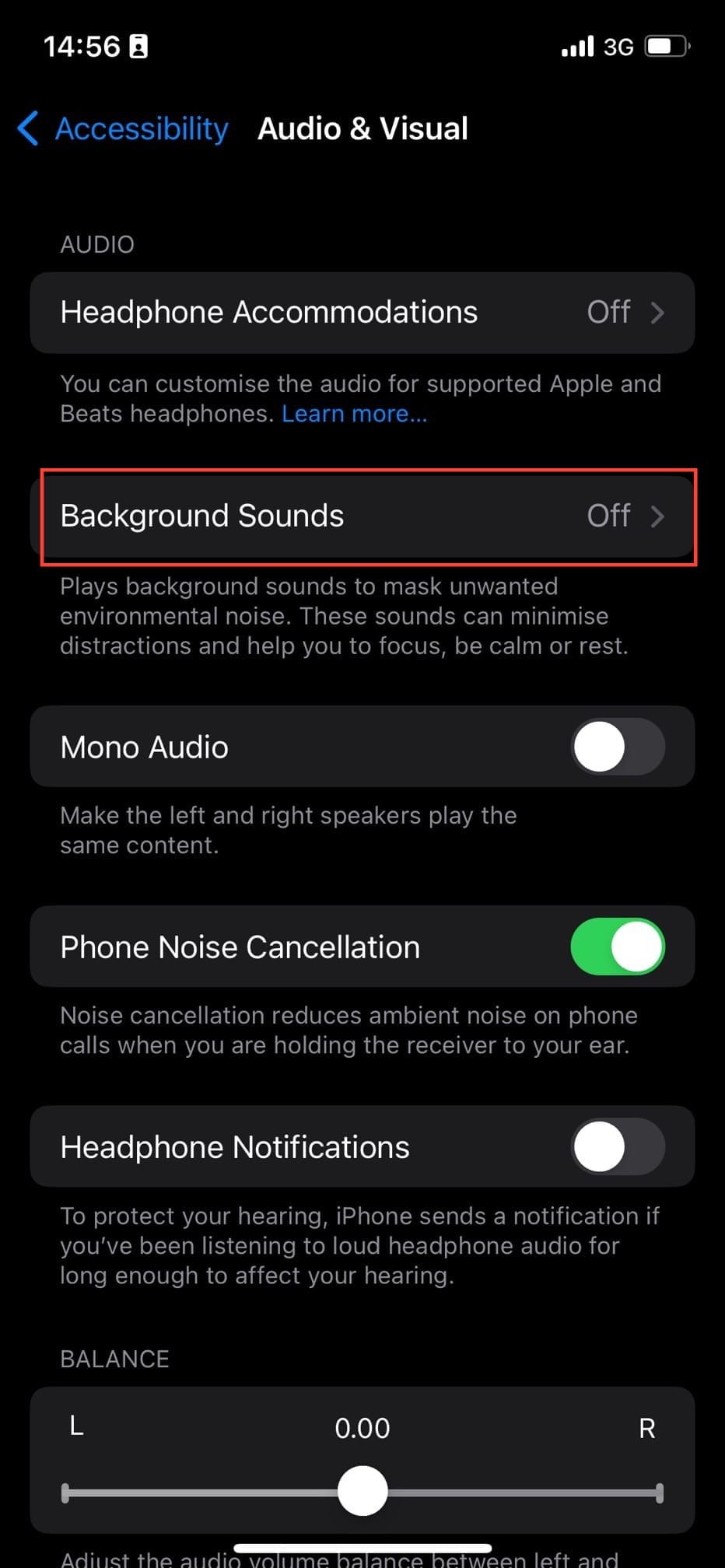
Step 4: At the top of the Audio/Visual menu, you’ll see Background Sounds; tap on it.
Step 5: Toggle on Background Sounds.
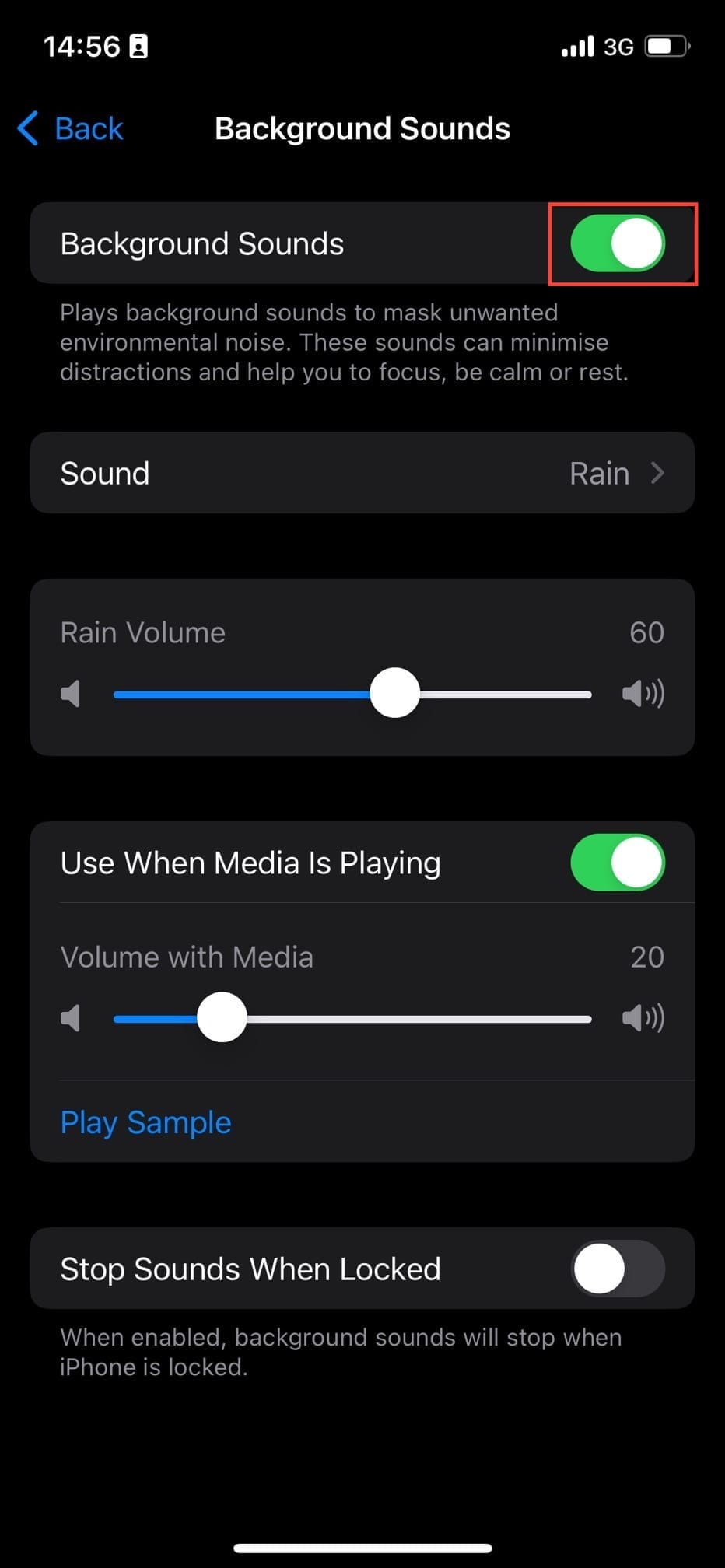
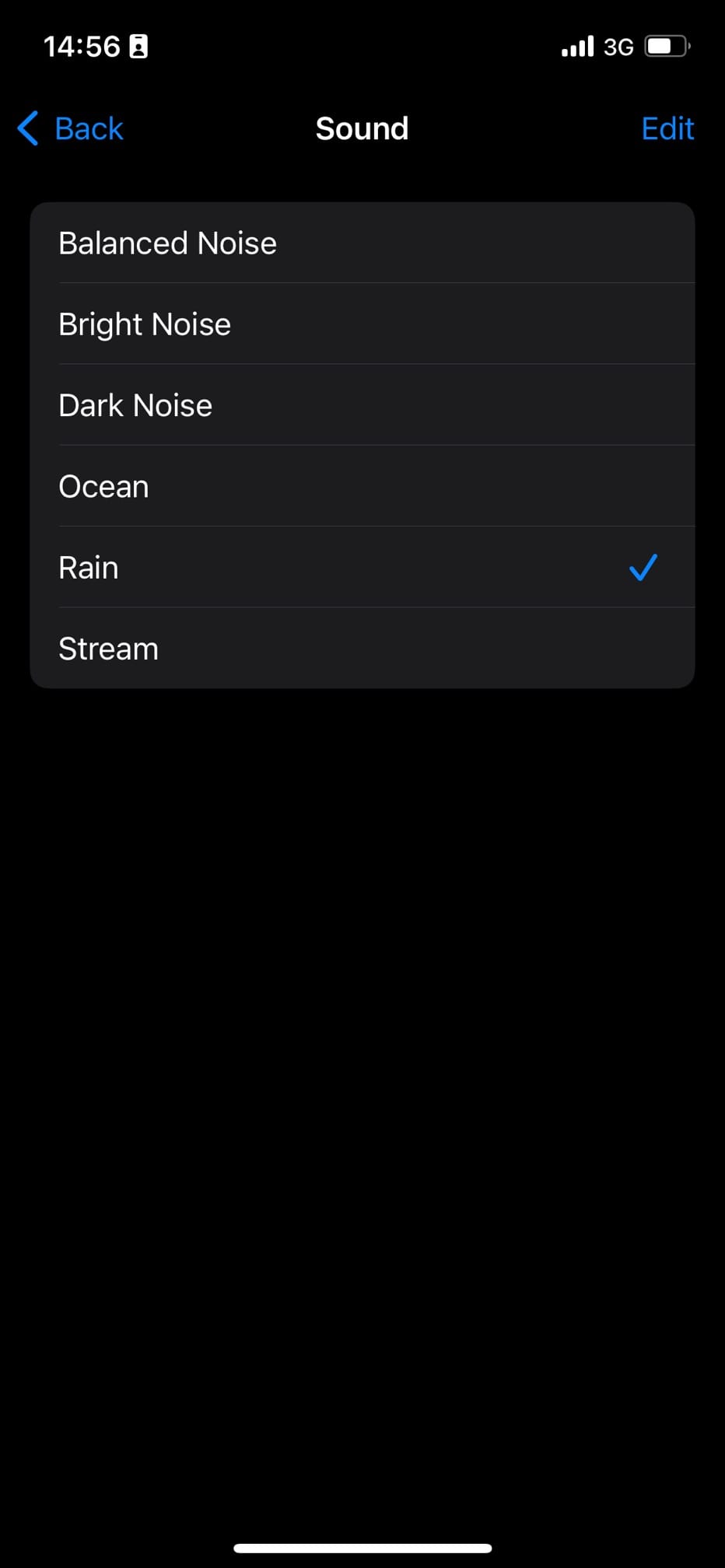
Step 6: Choose your preferred ambient noise.
 Louis Eriakha
Conclusion
By providing a constant, calming soundscape, the feature helps you design your own environment, whether you need to power through a project or tone down for the night.
So the next time you feel overwhelmed by the noise of the world, you have a pocket-sized escape ready to go. With your personal soundscape just a few taps away, you can create a moment of focus or a haven of calm anytime, anywhere.
Image Credit: Oyinebiladou Omemu/Techloy.com


