



iScanner transforms your smartphone into a powerful, pocket-sized office for scanning, signing, and editing documents.
Do you need to scan a few pages of an agreement or an ID Card without visiting a print shop? Sign documents or edit some PDF files on the go? The best solution is to use a scanning app that helps you get a high-quality scan and edit it on your phone. One of the most popular apps on the market is iScanner. Let's look it over and analyze the features that make the app indispensable for small business owners, remote workers, teachers, and anyone who needs to scan documents.
When Digital Copies Beat the Originals
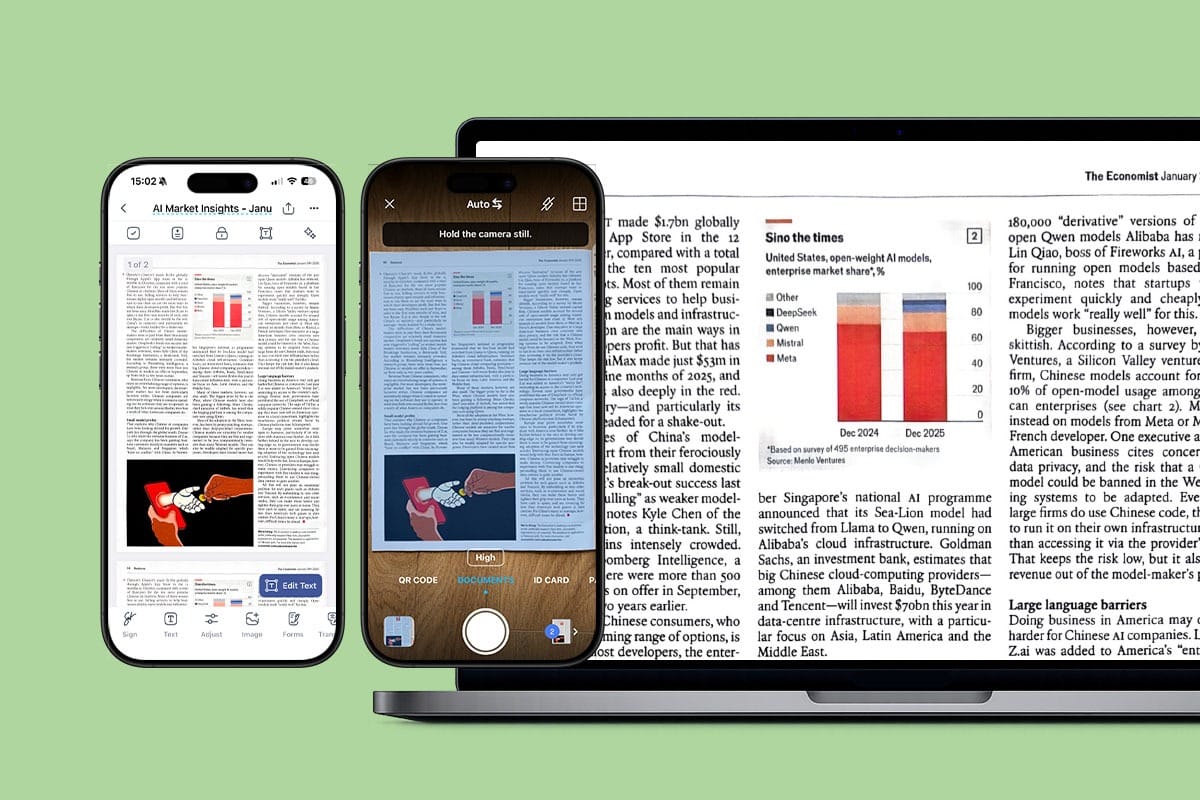
iScanner offers multiple scanning modes to capture high-quality digital copies, including A4 and A5 formats, as well as non-paper items like ID and loyalty cards. Document borders are automatically detected and adjusted, making scanning easier and smoother.
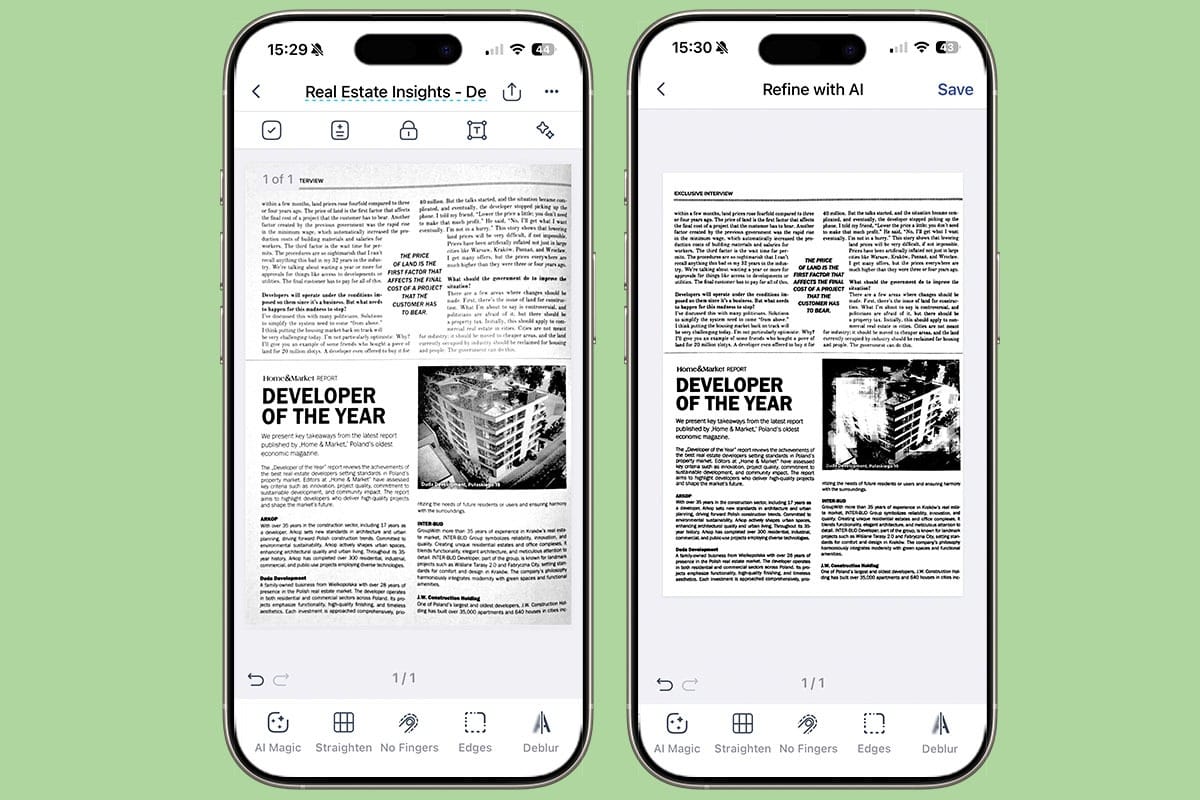
The app can improve the quality of your scanned documents with a range of AI-based features. As a result, digital copies of your document may look better than the originals. For instance, the app detects and fixes imperfections around the corners of users’ documents, whether they're folded, obscured by fingers or objects, stapled, or slightly turned. It intelligently reconstructs missing or damaged areas pixel by pixel, delivering a clean, complete scan every time.
In addition to edge repair features, iScanner straightens pages and corrects curved or skewed scans, removing intrusive fingers, folds, and distortions. It can be critical when you scan a book or receipts and hold them in your hands on the go.
Sign and Edit Documents on the Go
When you need to print an agreement for signing and send your client or partner a digital copy, you can handle this task in a few taps and avoid using a printer. iScanner allows you to sign and edit documents on your phone. You can work with recently scanned documents or upload a doc from Gmail or Google Drive. You have three options: draw your signature on the screen with your finger, scan your wet-ink signature, or pull it from a photo. It’s straightforward, and the feature doesn’t require a subscription.
The process of editing a scanned document is also easy. You only need to tap the Text button in the left corner of the tool menu at bottom of the screen, then tap anywhere in the file where you want to add text. Users can edit existing text, add new text, markup, and annotate it. When you edit a document, you can adjust parameters such as font, font size, style, color, and alignment. These features are based on OCR (Optical Character Recognition) technology that makes scanned text editable.
Chat with AI About Your PDFs to Save Time
The possibilities for working with PDFs are expanding thanks to AI. iScanner users can use the Ask AI feature to chat about scanned or imported documents. This means you can ask AI to summarize the content of scanned or imported documents, identify key points or facts, translate, proofread, or write an answer based on them.
When you need to analyze PDF documents quickly, the iScanner AI assistant helps you save time and focus attention on the most important things. It can be useful for work and personal tasks, from writing emails or reports to reviewing legal documents before signing.
Convenient Tools for Converting Files Online and In-app
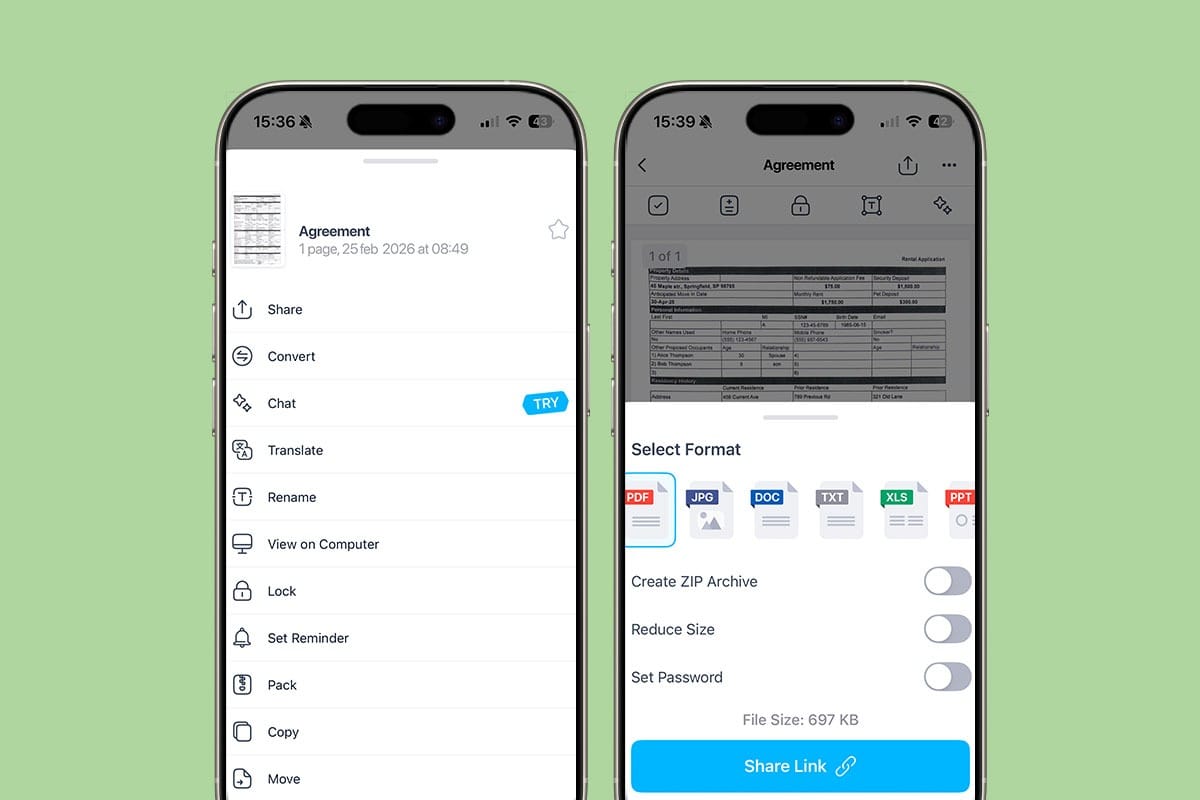
Although PDF is one of the most widely used file formats on the web, you may sometimes need to convert files from PDF to other formats, such as XLS, Word, TXT, or JPEG. iScanner lets you do it in-app by selecting the Convert menu, or you can choose a format when sharing files.
An additional option for people who need to convert files instantly on a laptop is the iScanner site. There are many online converters in the online converters as a part of its Web Tools. Also, users can merge, split, unzip, and compress PDFs, and perform other actions in the app.
Sync Across All Platforms
People who like working on different devices during the day will appreciate the cross-platform functionality and cloud storage of iScanner. The app allows seamless switching between devices and continues to work on the same documents on iOS, Android, and PC. Files are stored on Amazon Web Services with encryption, ensuring high security standards.
To access cloud storage, users must sign in to the app. At the same time, cloud storage is optional; users can store files locally and disable synchronization in Settings.
Your Document Safety is Guaranteed
iScanner takes care of its users by ensuring the safety of all their data. Whether you’re scanning receipts, contracts, personal forms, or any other documents, you can trust that your data remains protected.
Documents are stored locally in the app by default, and cloud syncing is optional. If the cloud is chosen, documents will be stored on AWS (Amazon Web Services). Beyond that, you can also add extra layers of security. You can create a PIN that only you know, or set Face ID or Touch ID to protect the entire iScanner app, or to lock specific folders and documents. Additionally, you can set a password before sending a PDF to ensure only you and the recipient can access it, or set a custom link expiration date so the file is no longer accessible after it expires.
To maximize your security, use the Safe Folder with a private code and set up a decoy password if needed, so instead of seeing sensitive files, prying eyes will only see insignificant ones.
Reduce Your Carbon Footprint Using iScanner
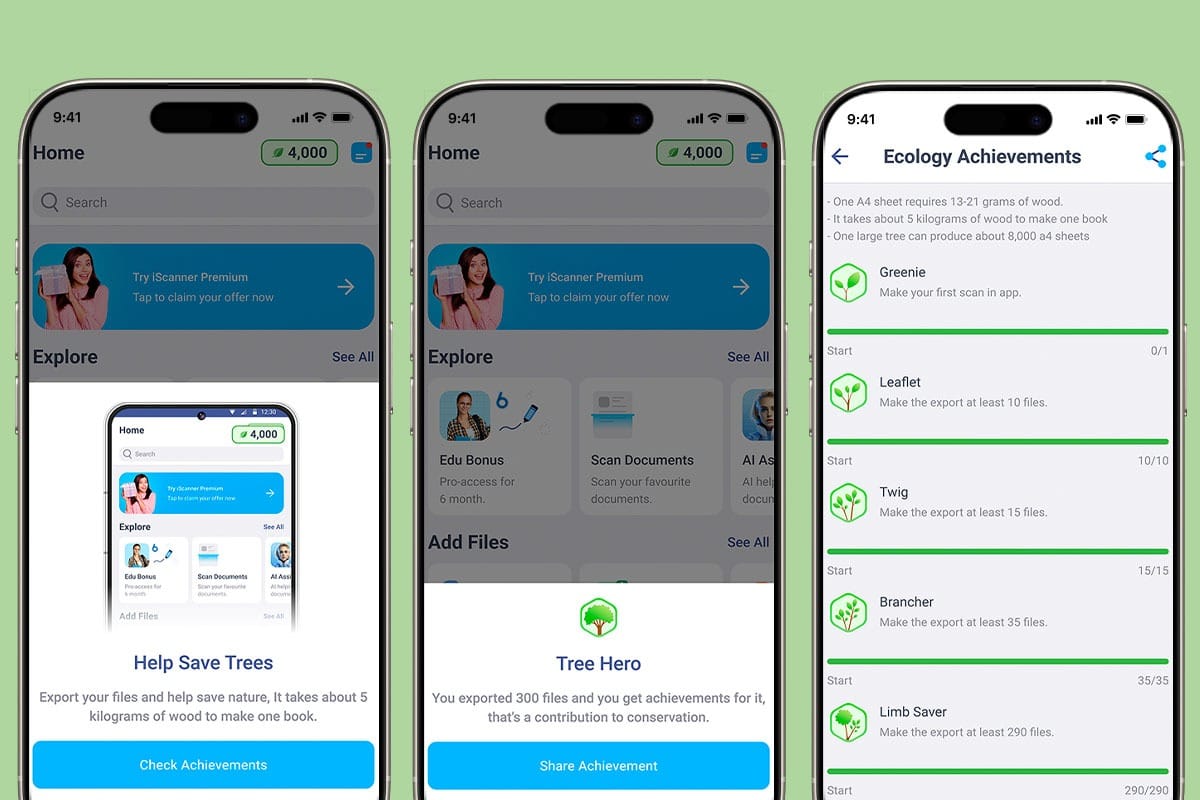
One standout feature of iScanner that sets it apart from competitors is its environmental program. When you work with documents without printing, you help to reduce paper consumption and save trees. The app tracks exported pages and converts the data into milestones until users save an entire young tree, visualizing their results on badges, widgets, and eco-certificates. There are eight levels, from Twig at 100 scans to Tree Hero at 4,000 scans, as that's approximately how many pages it takes to save a small tree.
To sum up
If you are searching for the best solution for scanning and editing documents on your phone, you can confidently choose iScanner. The app has been around for 10 years, helping people make high-quality scans. AI-based filters improve the quality of your scanned or imported documents. OCR makes every scan an editable document. Cloud storage and safety features guarantee that your documents will be available for work anywhere and protected.


