



At last year’s “Scary Fast” October event, Apple introduced its M3 silicon chip family along with the refreshed devices that would house these chips, like the MacBook Pro and iMac.
This year, however, Apple took a different approach, rolling out announcements across a full week instead of a single event. And so far, we've seen the base M4 chips, which first debuted in the iPad Pro earlier this year, extend into some of its devices like the updated iMac.
 Kelechi Edeh
Then, the company took it a step further by unveiling a more compact Mac Mini with the base M4 chip and debuted the M4 Pro chip alongside it. Now, Apple’s latest reveal, the new MacBook Pro, features the complete M4 chip family—the base M4, M4 Pro, and M4 Max.
Apple claims that the new M4 MacBook Pro models offer gains over the M3 MacBook Pro, including enhanced performance, speed, and memory capabilities. But how much difference is there? Let’s explore how these two models compare across key aspects.
 Kelechi Edeh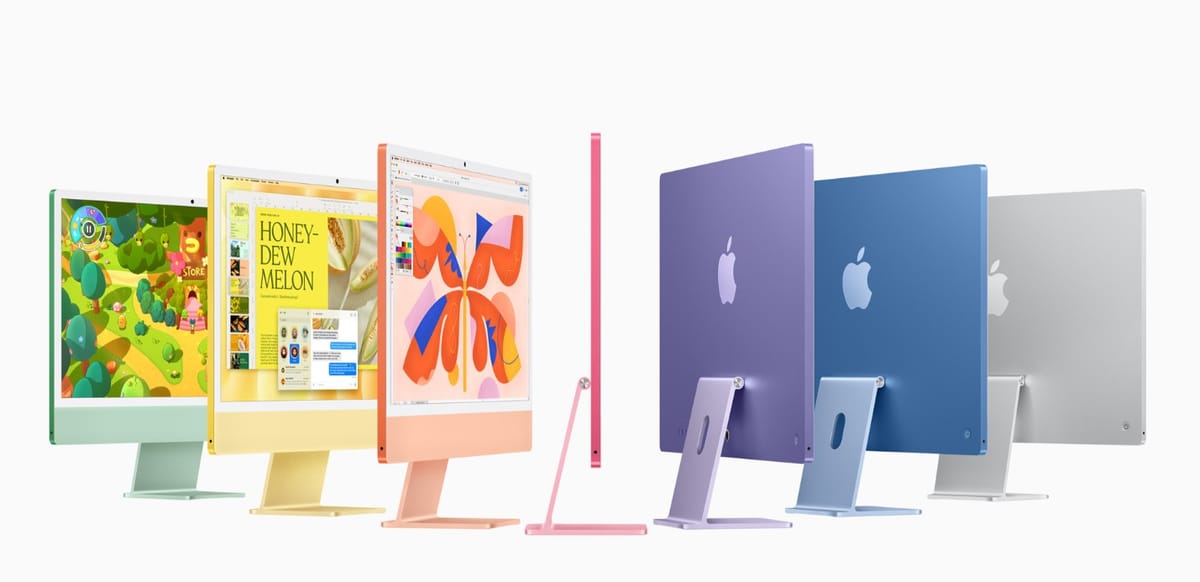
#1: Performance and Chip Architecture
The previous M3 MacBook Pro lineup included an 8-core CPU and 10-core GPU in the base M3 chip, which Apple described as capable of handling a range of tasks from everyday use to moderate professional workloads. For higher performance needs, Apple offered the M3 Pro and M3 Max configurations, scaling up to 12 CPU cores and 38 GPU cores.
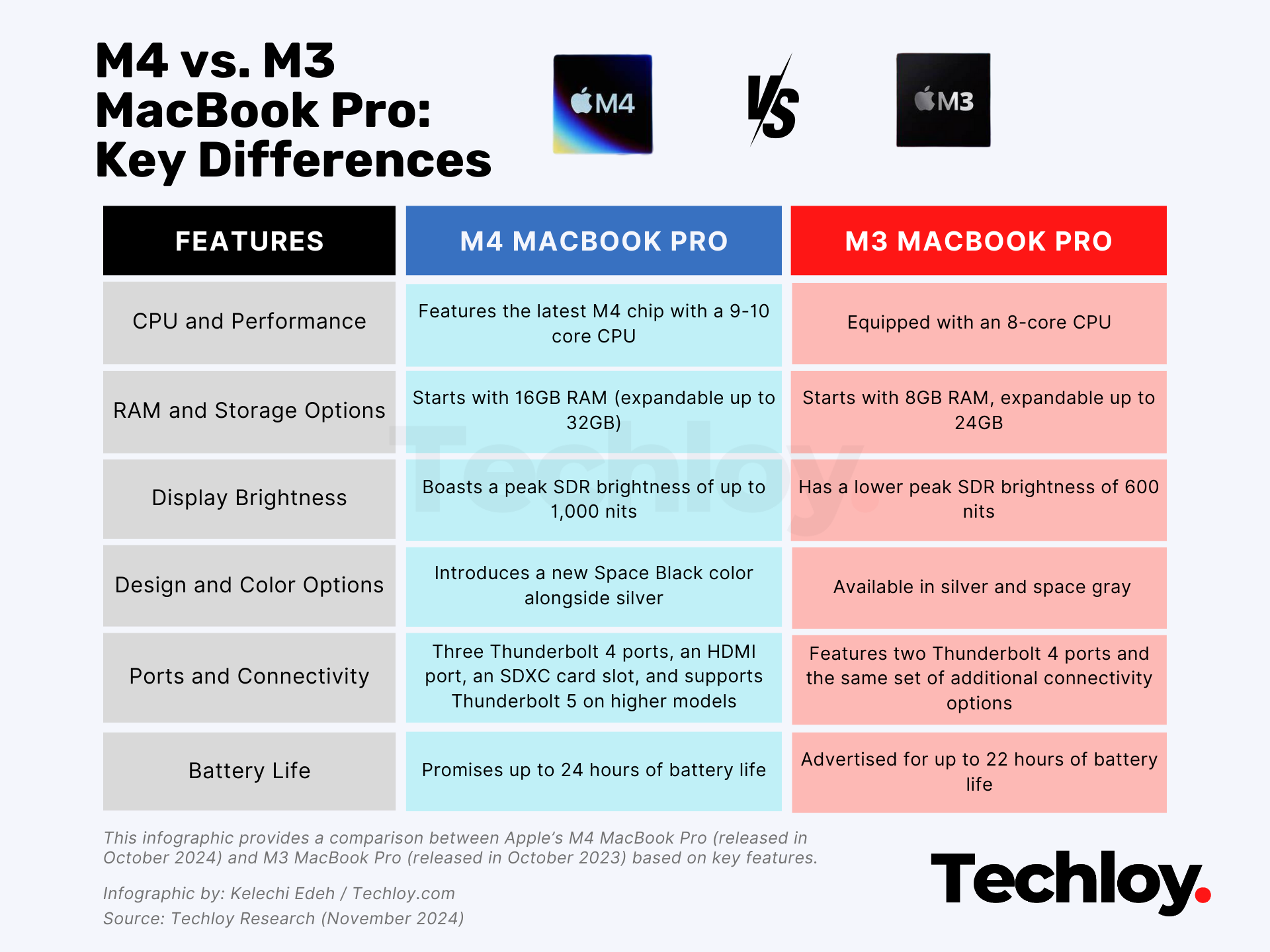
With the new M4 MacBook Pro models, Apple claims enhanced performance. The base M4 chip now includes a 10-core CPU and 10-core GPU, which Apple states may yield approximately 25% greater processing power in multicore tasks compared to the M3.
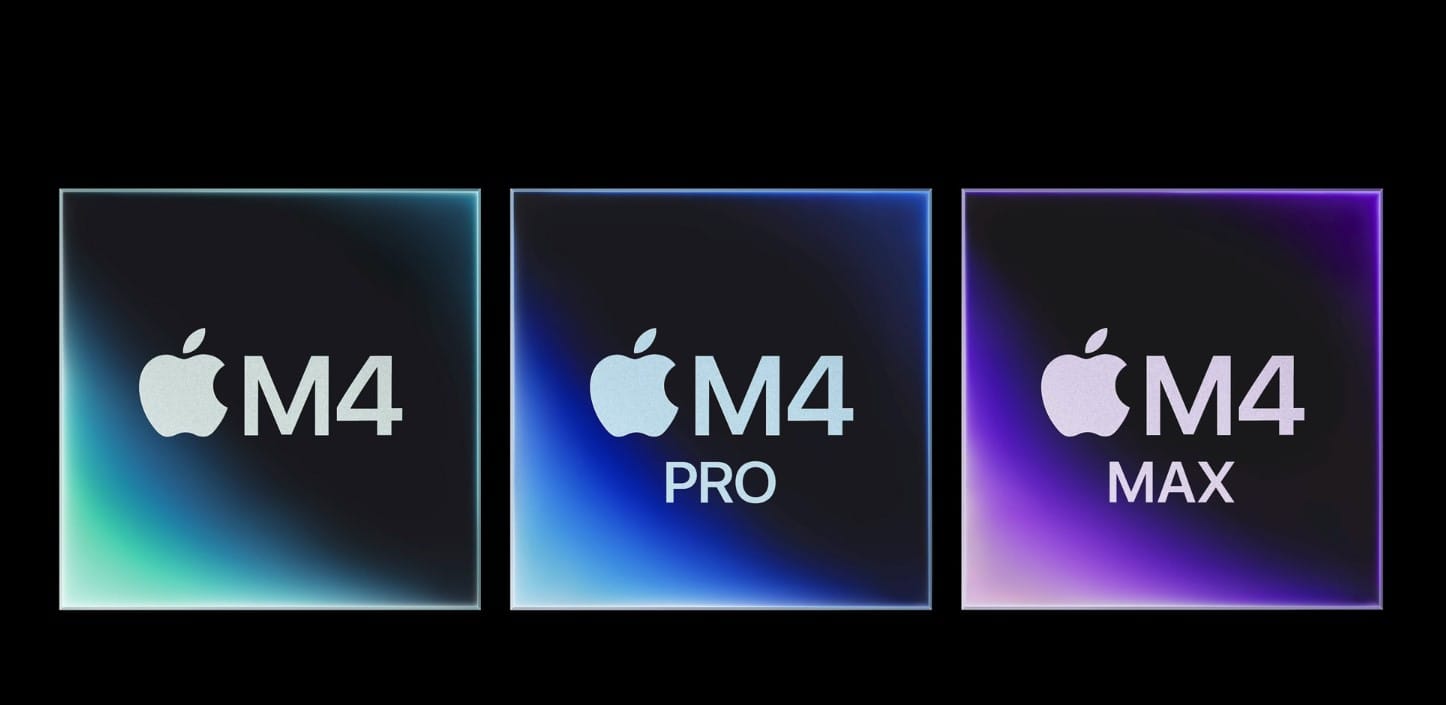
For even greater demands, the M4 Pro offers up to 14 CPU cores and 20 GPU cores, while the M4 Max scales up to 16 CPU cores and 40 GPU cores. Apple suggests that this additional processing power could benefit users managing complex applications, though actual performance improvements may depend on individual workloads.
#2: Memory and Storage Options
One of the more significant differences between the M3 and M4 models, as noted by Apple, is in memory configurations. The M3 MacBook Pro starts with 8GB of RAM, expandable to 24GB, while the M4 base model starts with 16GB, upgradeable to 32GB.
Higher configurations of the M4 Pro and M4 Max can reach up to 128GB of RAM, which Apple suggests might be helpful for complex, memory-intensive workflows. Storage remains the same across both models, starting from 512GB and going up to 2TB.
#3: Display and Brightness
Apple maintained the same 14.2-inch Liquid Retina XDR display with a 3,024 x 1,964 resolution and 120Hz refresh rate across the M3 and M4 models. However, the M4 introduces enhanced SDR brightness of up to 1,000 nits, compared to the M3’s 600 nits.

Additionally, the M4 brings in a nano-texture display option—a feature Apple states is aimed at reducing glare, which may be helpful for users working in varied lighting environments. This feature, previously offered on the iPad Pro and Pro Display XDR, expands display adaptability without necessarily boosting visual fidelity.
#4: Battery Life and Efficiency
Battery performance for the M4 also sees incremental changes. According to Apple, the M4 model is designed to offer up to 24 hours of battery life on a single charge, whereas the M3 MacBook Pro is rated for 22 hours. Apple credits this potential improvement to increased efficiency in the M4 chip. Still, as with any battery metrics, actual performance can vary based on use.
#5: Design and Color Options
While Apple kept the physical design largely unchanged, it did add a new Space Black color for the M4 model, as noted in its announcement.

This finish joins the existing silver and space gray options from the M3 lineup and is designed with a matte anodized coating to reduce fingerprints.
#6: Connectivity and Ports
One area where the M4 MacBook Pro introduces slight upgrades is in connectivity. The M4 base model, Apple notes, now includes three Thunderbolt 4 ports (compared to the M3’s two ports).
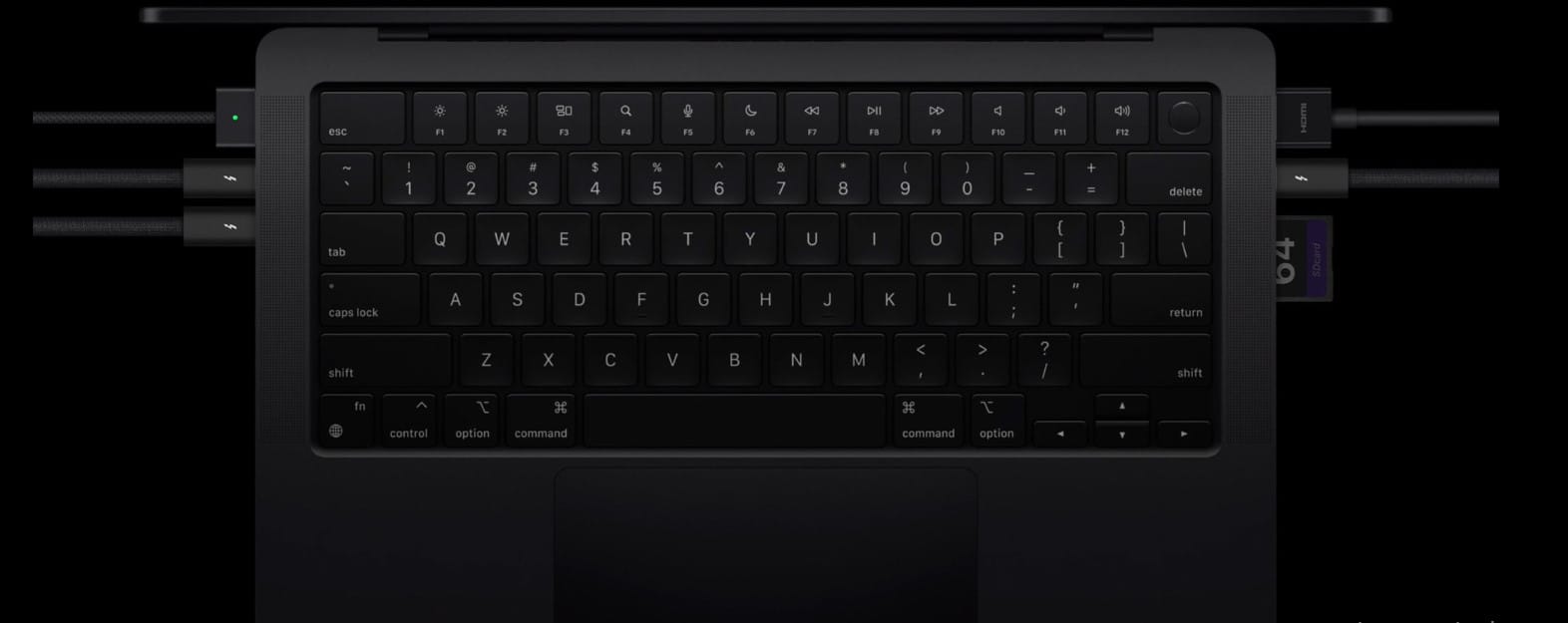
Additionally, M4 Pro and M4 Max configurations offer the new Thunderbolt 5, potentially doubling data transfer speeds to 120 Gb/s, which could enhance workflows requiring high-bandwidth peripherals. Both the M3 and M4 models retain HDMI, SDXC card slots, MagSafe charging, and a 3.5mm headphone jack, and support Wi-Fi 6E and Bluetooth 5.3.
#7: Camera and Apple Intelligence
Apple’s updates to the M4 MacBook Pro also include an upgraded 12MP Center Stage camera and added support for Apple Intelligence, a new set of features focused on AI-driven enhancements.
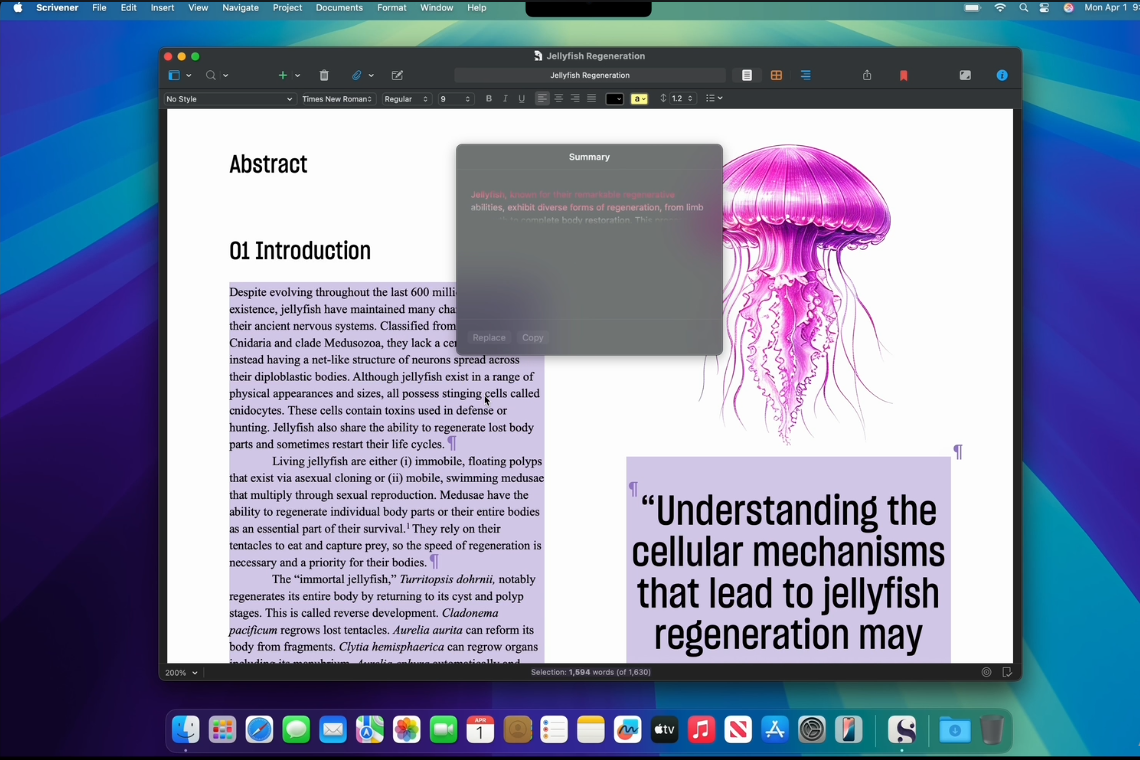
This includes Siri improvements, writing tools, and generative image capabilities. According to Apple, these updates are designed to improve productivity by streamlining certain tasks, though functionality may vary with user preferences and regional availability.
Conclusion: Should You Consider Upgrading?
Apple has maintained consistent pricing across its M3 and M4 MacBook Pro models, with the 14-inch MacBook Pro starting at $1,599 for the M4 base model.
For those looking for higher-tier performance, the 14-inch M4 Pro begins at $1,999, while the 16-inch M4 Max is priced from $2,499. Available for pre-order now, the M4 MacBook Pro models will begin reaching customers on November 8.
The decision to upgrade hinges on whether the M4’s enhanced capabilities match your needs. With upgrades like boosted RAM, brighter SDR content on the display, Apple Intelligence, and additional Thunderbolt ports, the M4 models bring meaningful improvements for power users who rely on intensive multitasking and advanced graphics.
By the way, there are many good used MacBook Pro 2017 options still circulating in the market for those who want reliable performance at a lower cost, especially for light to moderate tasks.
However, for users whose workflows don’t demand these refinements, the M3 MacBook Pro remains a solid choice that balances performance with value, offering many of the same high-quality features at the same price.
Kelechi Edeh
Image credit: Apple


