



Google’s annual hardware event, Made by Google, always brings plenty of new devices, but this year, the spotlight wasn’t just on the long-awaited Pixel 10 series; it was also on AI. At Made by Google 2025, the Pixel 10 lineup stole the show with features powered almost entirely by Gemini.
From smarter ways to manage your calls and emails to intriguing photo tools and translation that speaks in your voice, the updates feel less like add-ons and more like core parts of how the Pixel is designed to work. Instead of the enticing but pointless demos, Google made a push to apply AI to more practical solutions.
From finding an email faster, taking a better group photo, or navigating a conversation in a language you don’t speak, these are the AI features Google brought to the scene this year.
 Louis Eriakha
Magic Cue Steps In

One of the smartest new additions to the Pixel 10 lineup is Magic Cue. Instead of waiting for you to dig through your phone, it proactively surfaces the information you need in real time. Imagine being on hold with your airline, before the agent even asks, Magic Cue has already pulled up your flight confirmation from Gmail or Google Calendar and displayed it on-screen.
This same intelligence is also at work in other everyday situations. If a friend asks for your address, Magic Cue can retrieve that information without you having to scroll through your inbox. It’s essentially Gemini working in the background, cross-referencing your emails, calendar events, and even notes to offer contextual suggestions.
Camera Coach and Guided Frame
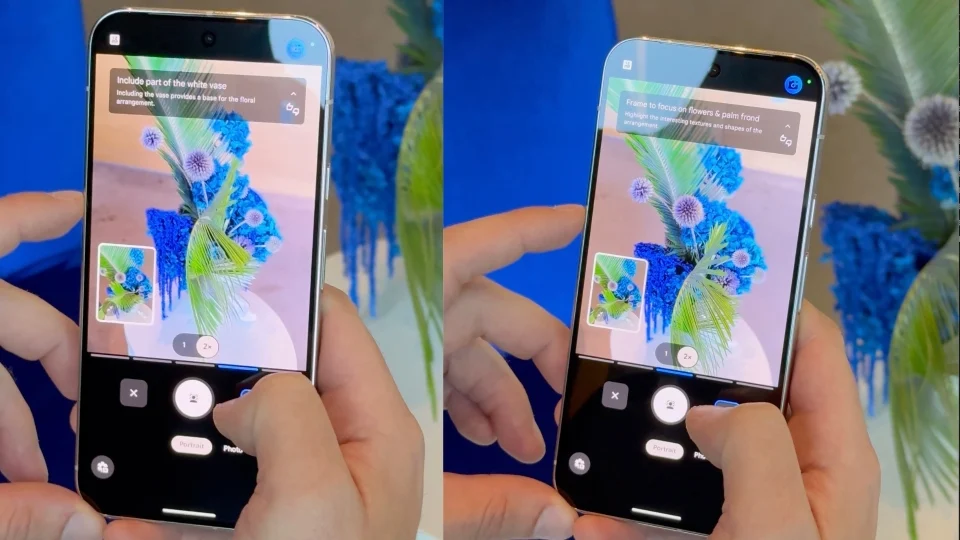
For anyone who has struggled to capture a great shot, Camera Coach feels like having a photography mentor in your pocket. The feature uses Gemini Live to analyze what your camera sees in real time. If your shot looks unbalanced, the phone can suggest how to shift the angle, whether to zoom, or even which camera mode to use for best results.
Accessibility is another major highlight with Guided Frame. It was originally designed to help blind and low-vision users take selfies, but Google has expanded it so the camera can now describe any scene in front of it. Whether it’s identifying people in a group, reading out objects in the frame, or confirming your camera is pointed at the right subject.
Voice Translate With Your Voice
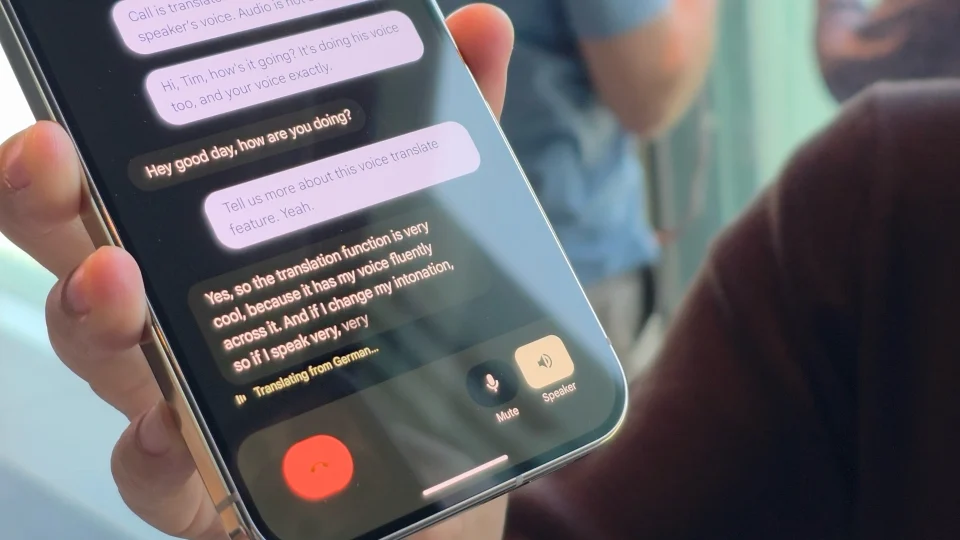
Real-time call translation isn’t new, but Pixel 10 takes it to another level with Voice Translate. Instead of reading out a robotic assistant voice, the translation comes through in a generated version of your voice. For example, if you’re speaking English to someone in German, the German speaker hears the translation in a voice that sounds like yours, tone, inflection, and all.
This feature runs on-device, using a short snippet of your voice when you start speaking to generate the translated version. That means no audio is recorded or stored in the cloud. Currently, it supports a handful of major languages (English, German, Japanese, and Spanish).
Take a Message
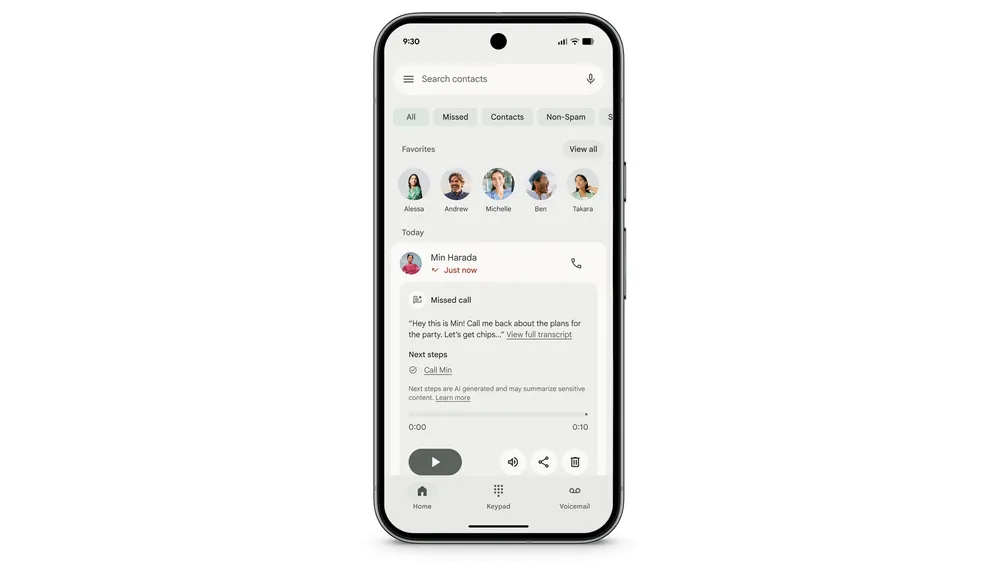
Voicemail is getting a 2025 upgrade. With Take a Message, Pixel can intercept a missed call and politely ask the caller if they’d like to leave a message. The phone then records their response, transcribes it instantly, and saves both the audio and transcript directly inside your call history.
Gemini adds actionable context, too. If someone says, “Let’s do dinner next week,” the phone may suggest creating a reminder in Google Tasks. By running on the Gemini Nano model, all of this happens on-device, so your private messages don’t get sent to the cloud.
Pixel Journal
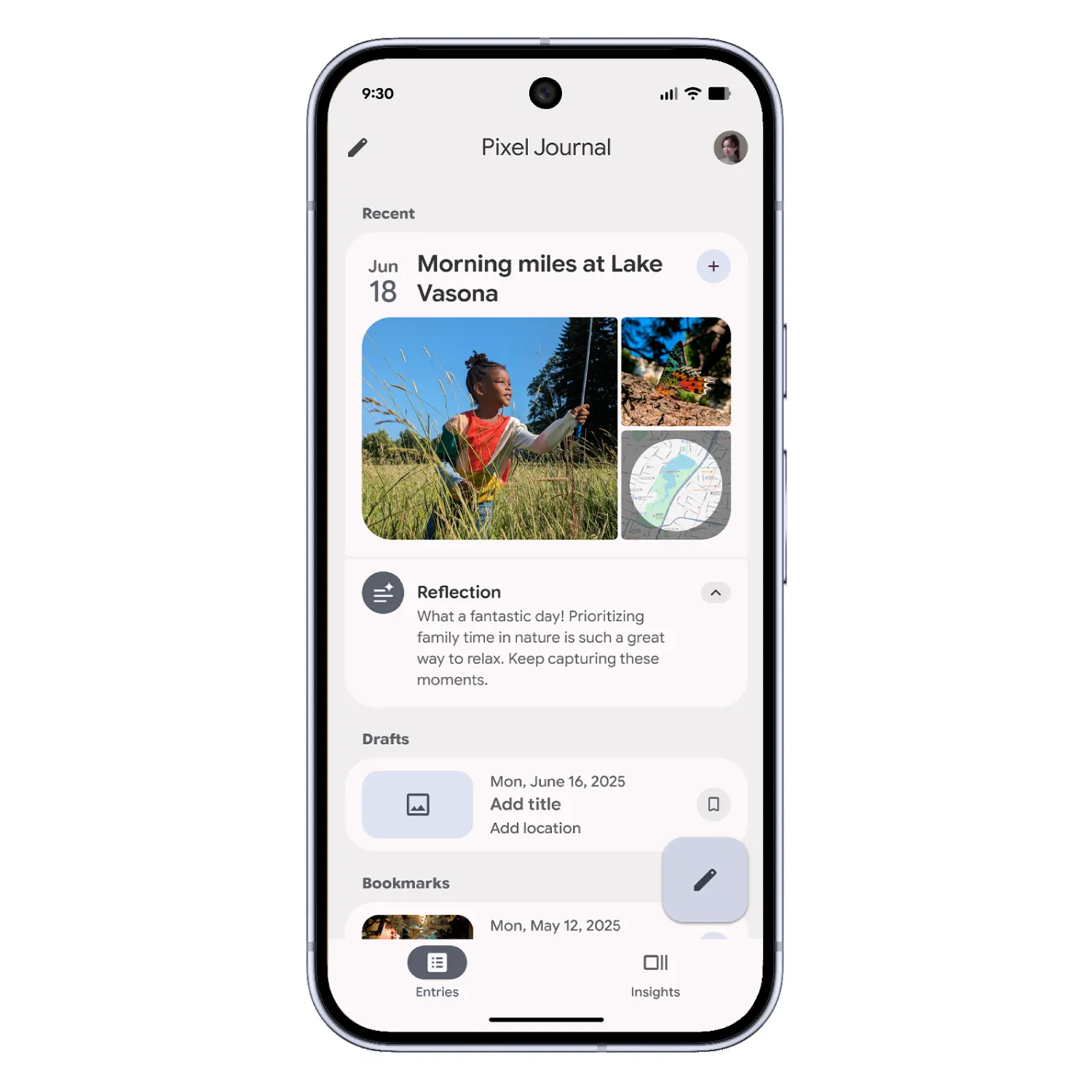
The new Pixel Journal app is a digital diary designed to be both private and intelligent. Unlike traditional note-taking apps, Journal can offer prompts to help you reflect, track progress on goals, or even spark new ideas when you’re not sure what to write.
Importantly, Google is emphasizing privacy here. Your journal entries remain on-device, taking cues from Apple’s recent moves in the same space.
Fitbit AI Coach
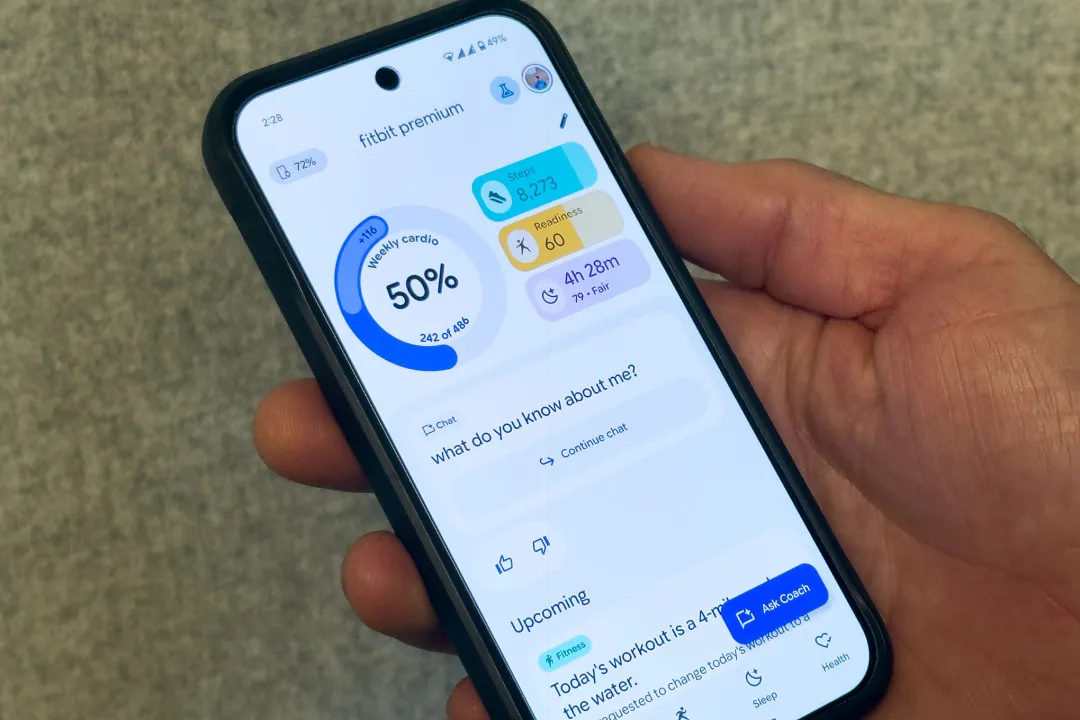
Health tracking is also going smarter. Google is introducing an AI-powered fitness coach for the Fitbit app, designed to give you personalized training without needing a human trainer. You can describe your goals, and the AI will create a tailored routine.
What makes it different is adaptability. The AI coach monitors your performance data and adjusts routines in real time. It also doubles as a sleep coach, analyzing your patterns and offering suggestions for better rest and recovery. A preview of the feature arrives in October, baked into the redesigned Fitbit app, and it will sync seamlessly with the latest Fitbit trackers and Pixel Watches.
Gemini for Home
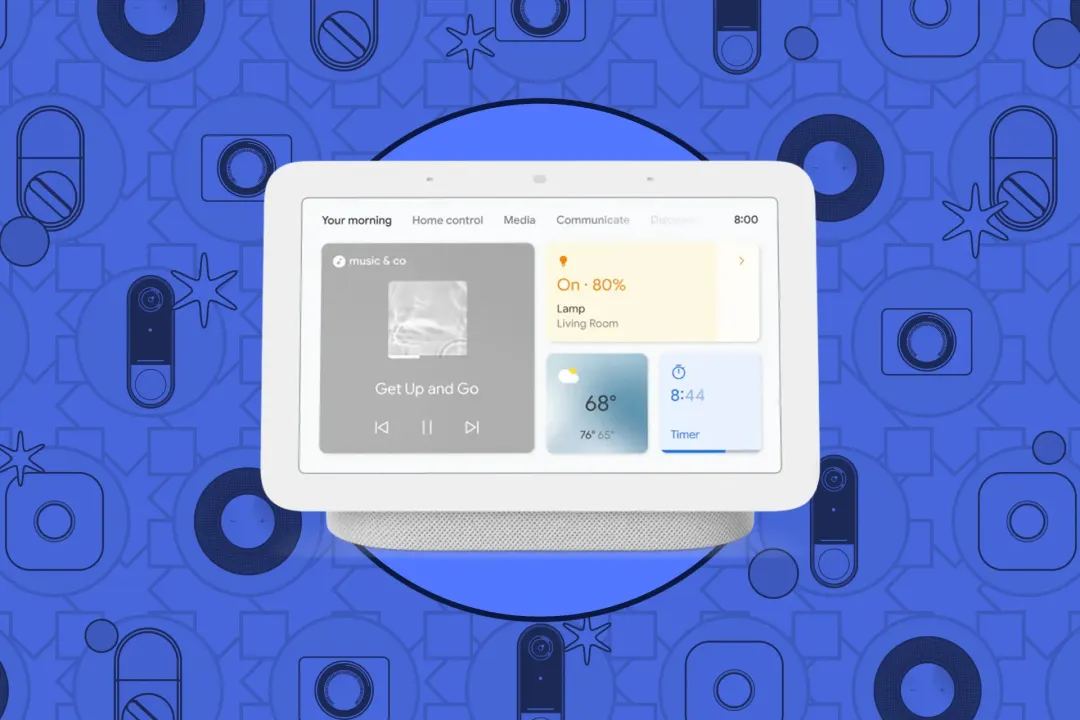
The smart home is entering a new era with Gemini for Home, Google’s next-gen AI assistant that will gradually replace Google Assistant across Nest devices. Functionally, it still responds to “Hey Google,” but Gemini is more conversational and capable of handling multiple requests in one go.
Want to dim the lights, set the thermostat to 70°F, and play the Billboard hit from 1990? Gemini can process all of that in a single command. With Gemini Live built in, you can even brainstorm ideas, ask for personalized advice, or hold casual conversations. Early access begins in October, with Google promising both free and premium versions for existing smart speakers and displays.
Conversational Editing
Photo editing often intimidates people because of the endless settings, sliders, and filters. With Conversational Editing, Google is removing that complexity by letting you talk to your phone. You can say things like “make the photo brighter,” “blur the background,” or “remove that person in the corner,” and Gemini will execute the changes instantly.
This is powered by natural language understanding layered on top of Pixel’s existing AI editing tools like Magic Eraser. What’s new here is the ability to use voice, not just touch, making editing faster and more natural. To ensure transparency, Google has also added C2PA content credentials. Any photo edited with AI in the Pixel’s camera app will include an industry-standard label showing it has been modified.
Pixel Buds Pro 2 Updates
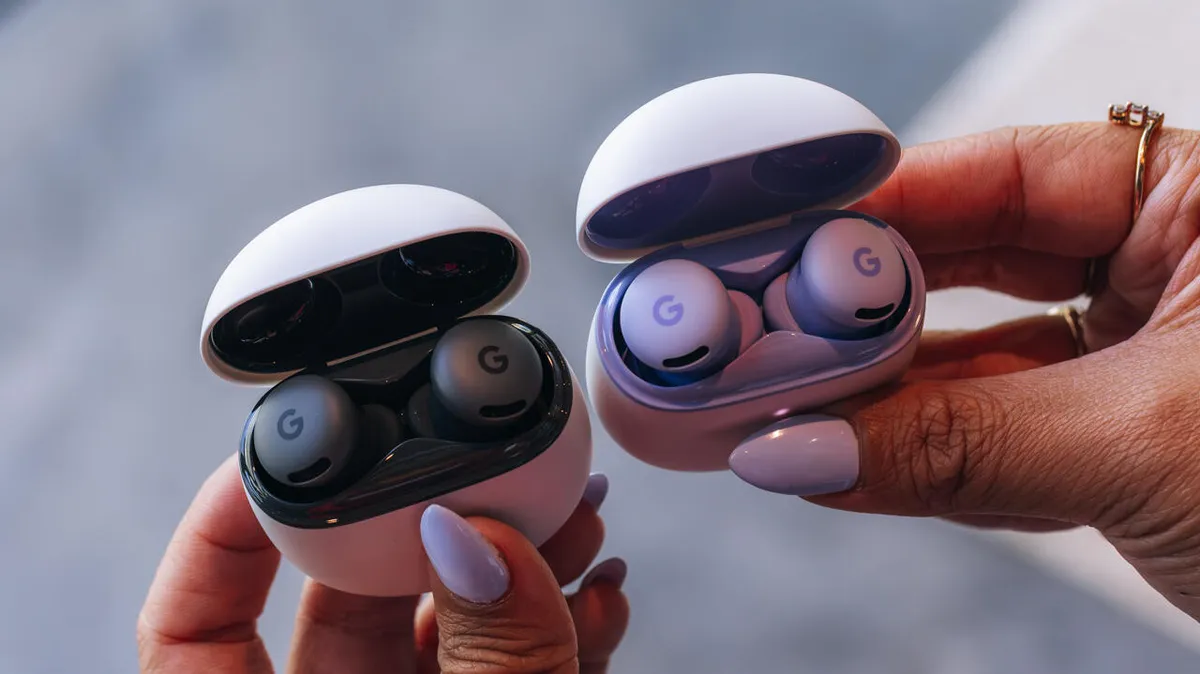
Your ears are getting an upgrade, too. The Pixel Buds Pro 2 will receive a September update with several AI-driven improvements. Adaptive Audio adjusts the volume automatically depending on your surroundings, so you don’t have to keep fiddling with settings.
There’s also Loud Noise Protection, which lowers the volume when sudden, sharp sounds like sirens or alarms are detected, protecting your hearing. Integration with Gemini Live means you can now take calls or reply to texts hands-free by nodding or shaking your head.
Conclusion
Google has proven that it doesn’t just want AI to sit inside an app; it wants to connect Gemini across your phone, earbuds, smart home, and even fitness routines. Whether it’s editing a photo with your voice, getting translations that sound like you, or letting your Pixel Buds automatically adjust in noisy environments, Google is betting on AI as the ultimate differentiator in a crowded smartphone market.


