Anyone who has tried scrolling through hundreds of screenshots just to find a single receipt knows how painful Microsoft Photos can be. It’s been one of Windows’ weakest spots — functional but frustrating. Now, AI might finally fix that.
Microsoft is rolling out Auto-Categorization for its photo app on Windows 11, letting the app sort images into folders like people, documents, and receipts. It's like the digital equivalent of hiring a personal assistant to clean your photo library. The feature uses AI to recognise what’s in a picture and slot it into the right spot, with multilingual support so even non-English text on documents gets picked up.
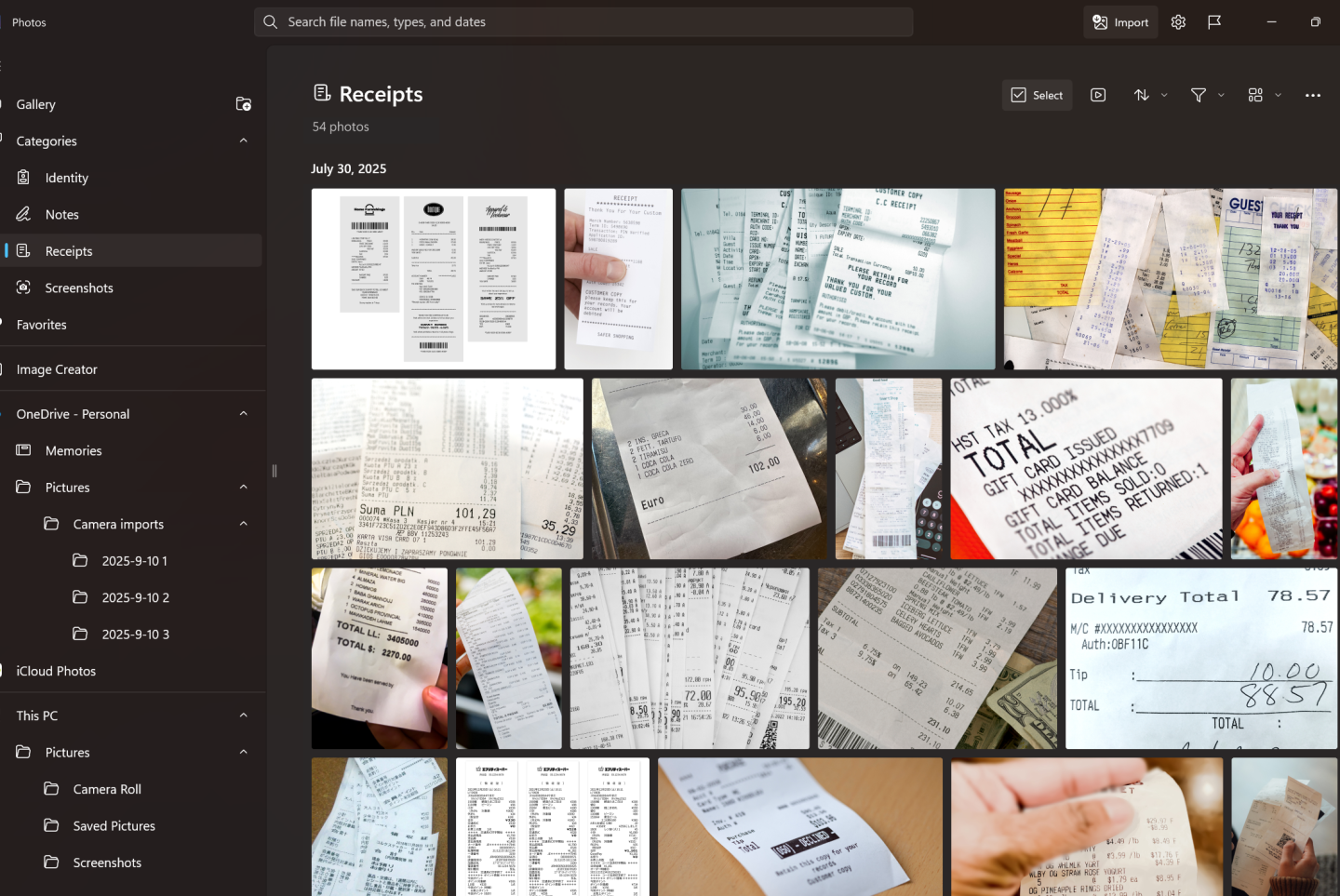
Of course, AI won’t always get it right. A shopping receipt might end up in “documents” instead of “receipts,” but Microsoft says you can manually reassign categories, teaching the system to improve over time. It’s not perfect, but it’s a shift from Photos being a passive storage bin to something more dynamic. Categorized photos can be found by using the left nav or search bar.
Auto-Categorization is available on Copilot+ PCs and, for now, is limited to screenshots, receipts, identity documents, and notes. Along with auto-categorization, Microsoft also launched other features, such as the Super Resolution feature, which uses AI to enhance and improve low-resolution images.
Microsoft is certainly late to the party, as the auto-categorization feature has already been available on other photo apps. In 2023, Google Photos launched a similar feature, where AI identifies photos like screenshots, receipts, and documents. Google took it a step further by allowing users to set reminders on these so they can revisit them at a future date. Imagine booking a flight a week ahead – Google Photos will not only organize the booking in the appropriate category, but it will also set a reminder to help you remember your flight.
 Kelechi Edeh
Apple Photos also offers something similar with built-in features such as smart albums that automatically sort photos into people, selfies, pets, and live photos. It also organizes photos by day, month, and year.
The bigger question is whether this late move will resonate. Microsoft is doubling down on weaving AI across its products, from Copilot in Office to smart features in Windows. Adding intelligence to Photos may seem minor, but it signals that no corner of the ecosystem is off-limits to AI. And for users drowning in digital clutter, even a late solution is better than none.
So while Google and Apple users might shrug, for millions of Windows users, this could be the start of Photos feeling less like a clunky filing cabinet and more like a tool that actually understands them.
 Emmanuel Oyedeji