Microsoft Teams users have waited years for this: threaded conversations are finally rolling out. As part of a public preview, Microsoft has introduced this long-requested feature, but with a few design choices that may divide users.
Threaded conversations let users reply to specific messages within a chat, keeping side discussions organised and easier to follow. The new feature debuts in the Channels section of Teams, allowing for focused discussions without cluttering the main chat. The only catch is that, unlike Slack, where threads are seamless and spontaneous, Teams requires channel owners to pick between a thread or post layout. That means you won’t be able to mix and match in the same channel, limiting flexibility depending on how teams operate.
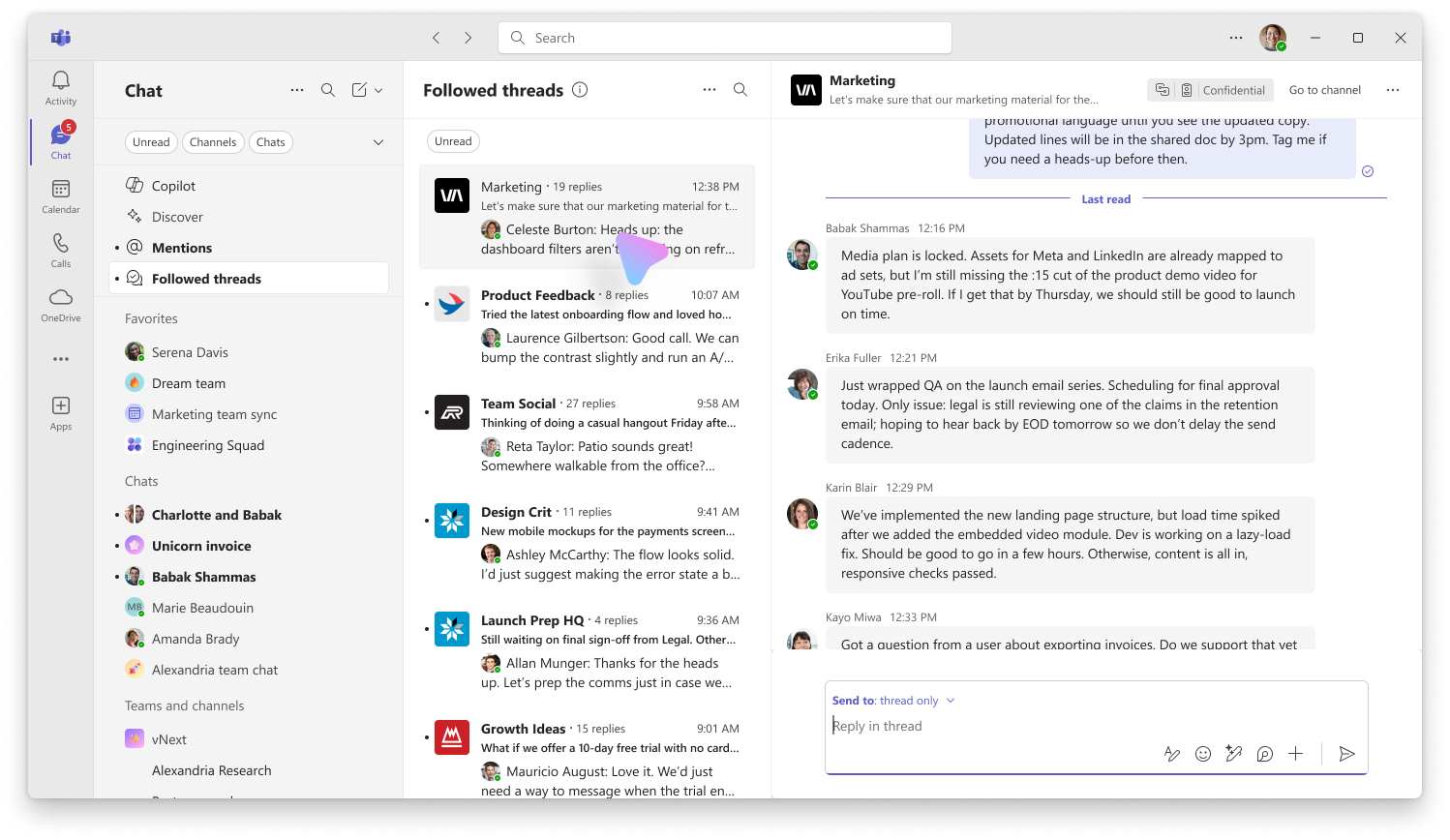
Still, Microsoft is trying to keep things tidy. You’ll only follow threads you’ve started, replied to, been mentioned in, or manually opted into. There’s also a dedicated “Followed Threads” view, making it easier to track what matters and silence the rest.

Alongside threads, Teams is rolling out multi-emoji reactions per message—yes, finally and improved slash commands like /gif for quick image searches. There’s also a new feature that lets users customise keyboard shortcuts, a small but could be useful change for power users who want to speed up navigation.
While this isn’t the cleanest implementation of threads, it’s a step forward for Teams, which has often lagged behind competitors like Slack and Discord when it comes to chat usability. The move signals Microsoft’s effort to make Teams more adaptable for modern collaboration, though the platform’s rigidity may still frustrate some users.
 Louis Eriakha