



Spotify is making playlists more personal with the launch of Playlist Notes, a new feature that lets users add short notes explaining why a song, podcast episode, or audiobook belongs in a playlist.
The update expands on User Notes, which debuted last month and allowed listeners to leave personal notes on individual tracks.
With Playlist Notes, Spotify is bringing that same storytelling experience directly into playlists, whether it’s a song tied to a special memory or simply one you think everyone should hear.
How to Add a Note to a Spotify Playlist
The feature is available on Spotify’s mobile app for playlists you own or collaborate on.
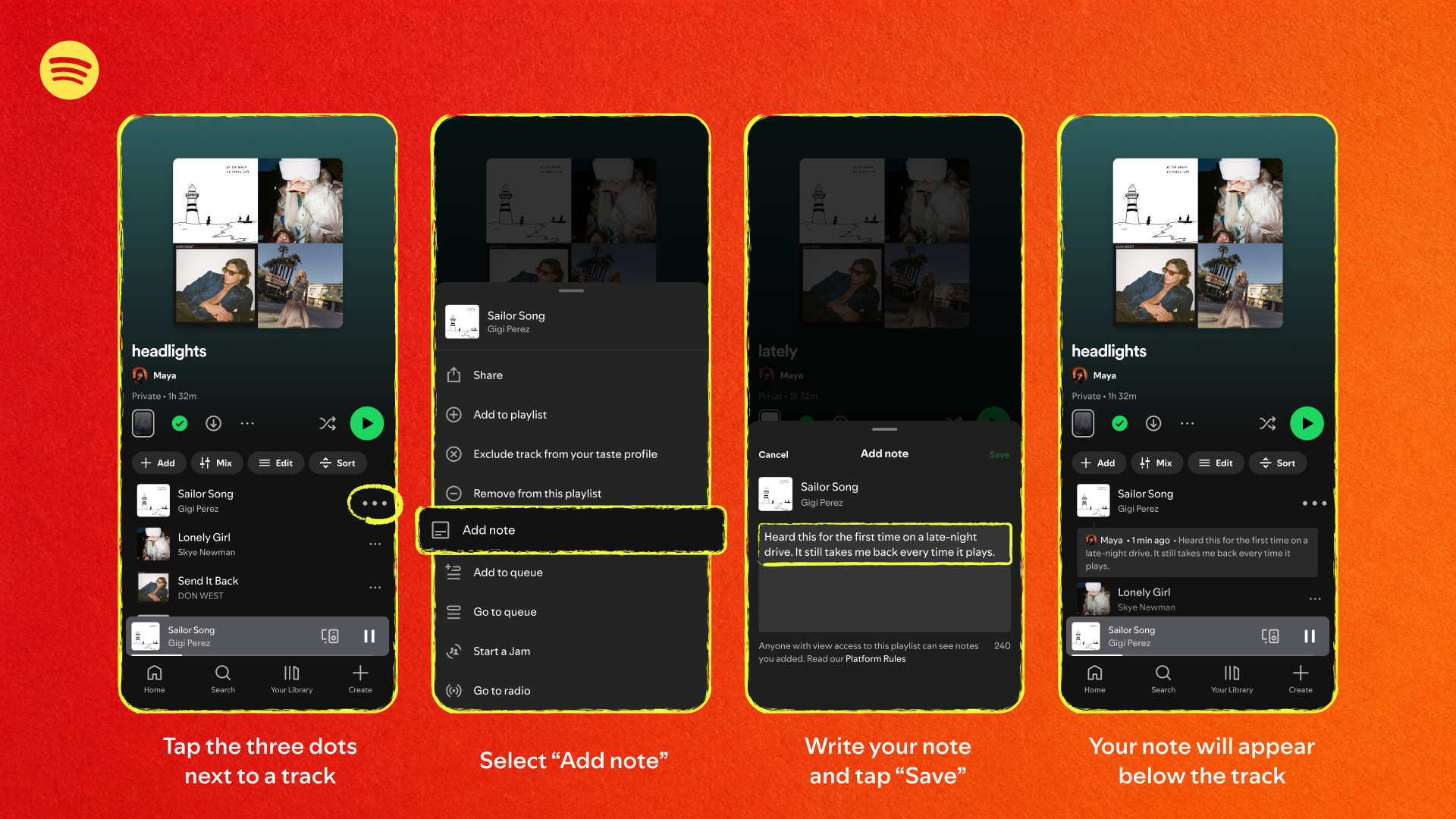
To add a note:
- Open a playlist on iOS or Android.
- Tap the three-dot menu beside a song, podcast, or audiobook.
- Select Add Note.
- Write your message and save it.
Anyone who can view the playlist will also be able to read the note.
What Are Spotify Editor Notes and Editor Profiles?
Spotify is also introducing Playlist Notes to its own editorial playlists. Editors will now be able to explain why specific songs were included, giving listeners more insight into the curation process.
The feature will initially appear on some of Spotify’s biggest playlists, including:
- Today’s Top Hits
- RapCaviar
- Hot Country
- All New Pop
- Fresh Finds Hip-Hop
Alongside this, Spotify is launching Editor Profiles, which showcase an editor’s favorite tracks, albums, and the playlists they curate.
Where Spotify Playlist Notes Is Available
Subscribe for free to continue reading this article
Subscribe SubscribeAlready have an account? Log in


