After an early announcement confirming the rollout of HyperOS 3 for the POCO X8, POCO X9 Pro, and Redmi Note 14 Pro, Xiaomi is now widening the update in India. More devices are receiving the HyperOS 3 update today, all based on Android 16, bringing the new system to a broader range of users.
The latest batch includes the Xiaomi 14, Xiaomi Pad 7, Redmi 13, POCO F7, and POCO M7 Pro 5G. With this rollout, HyperOS 3 moves beyond a limited release and starts to feel like a proper platform update. Alongside Android 16, the update introduces new AI features, system-level refinements, and performance tweaks aimed at making everyday use smoother and more responsive.
Below is a closer look at what’s new in HyperOS 3 and how to install the update on your device.
 Ejiro Onose
What’s new in the HyperOS update, and how to install
It’s not surprising that Xiaomi’s HyperOS 3 update is clearly leaning into Apple-like system features. We’ve already seen this direction with the Xiaomi 17 Pro Max, which looks almost identical to the iPhone 17 Pro Max, and that influence now extends into the software experience as well.
One of the standout additions is HyperIsland, a feature that feels inspired by Apple’s Dynamic Island. It brings live activities to the top of the screen, where important alerts appear as a pill-shaped layer on the notch area. This makes it easier to keep track of ongoing tasks at a glance, without needing to open apps. When your phone is charging, HyperIsland also shows real-time charging status and charging speed.
Xiaomi is also introducing a dual-island design with HyperOS 3. This lets users switch between apps, expand tasks, and manage ongoing activities directly from the current screen, reducing the need to constantly move between apps. On the personalization side, HyperOS 3 adds support for dynamic wallpapers and cinematic lock screens created from still images.
 Oyinebiladou Omemu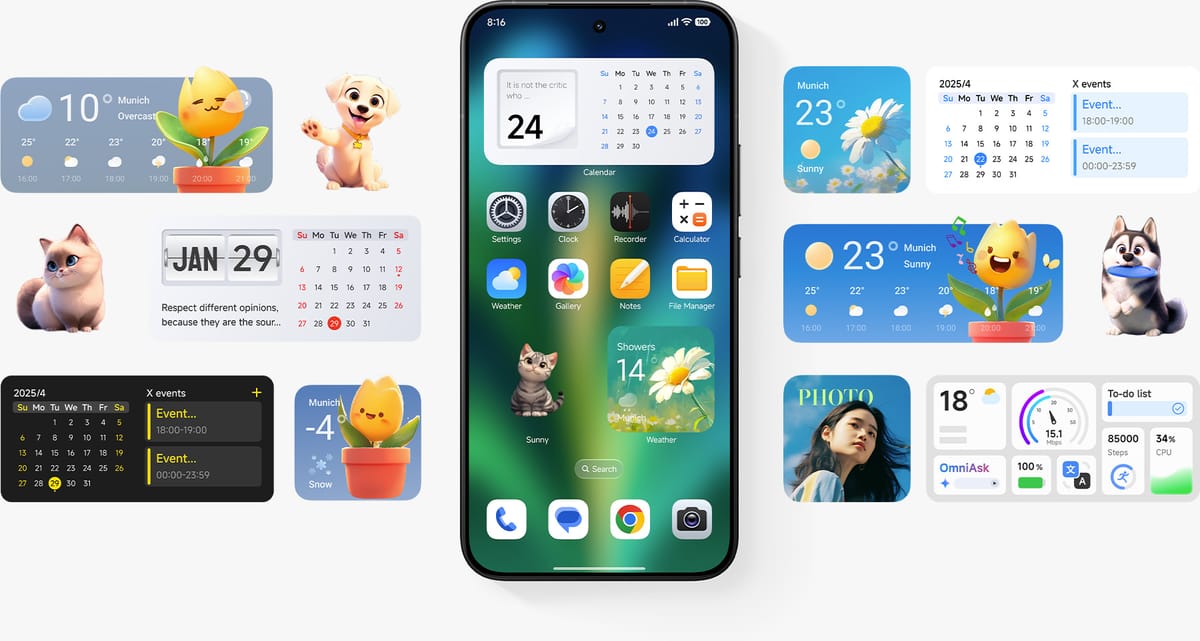
AI is another major focus of the update through Hyper AI. There are AI writing tools that help rewrite text, adjust tone, or change writing style, alongside AI-powered speech recognition that can record conversations, transcribe them in real time, and generate summaries.
More AI features show up in the photo gallery as well, with improved search that can identify things like food and other categories more accurately. Dynamic wallpapers and enhanced lock screen options round out the update, tying personalization and AI more closely into the overall HyperOS 3 experience.
To check if your device has received the Android 16-based HyperOS 3 update, head to Settings, scroll down to My Device, tap the HyperOS banner at the top, and select Check for updates. If it’s available, you’ll see a Download and Install Update option. Your device will restart to complete the installation process.
Conclusion
HyperOS 3 is Xiaomi’s clearest attempt yet to combine Android’s functionality with Apple-inspired design and AI features, all aimed at making daily use smoother, more interactive, and a bit more enjoyable.
If you have one of the supported devices, it’s worth checking for the update today. Beyond the new look and AI features, the Android 16-based system improvements alone can make your device feel noticeably faster and more responsive. For Xiaomi users, this update can be a step toward a more personalized and intelligent experience.
 Emmanuel Umahi