At the Android Show 2026, Google made several announcements covering everything from Gemini updates to better software integration. But one thing that really stood out was when Google surprised us with the announcement of a new laptop, the Googlebook.
It’s calling it a new category of laptop entirely, and, from the looks of it, it’s meant to be the spiritual successor of the Chromebook, with this device focused more on Artificial Intelligence and less about the cloud. It merges the best of Android and ChromeOS, wraps it in premium hardware, and puts Gemini at the very centre of the experience. So how does it stack up against the Chromebook it is quietly replacing?
Here is a breakdown of the key differences.
/1. The Operating System
Chromebooks run ChromeOS, a lightweight operating system built around the Chrome browser. It is simple, fast to boot, and works well for people who live in Google Docs and YouTube, but it has always had limitations, especially around app support and offline functionality.
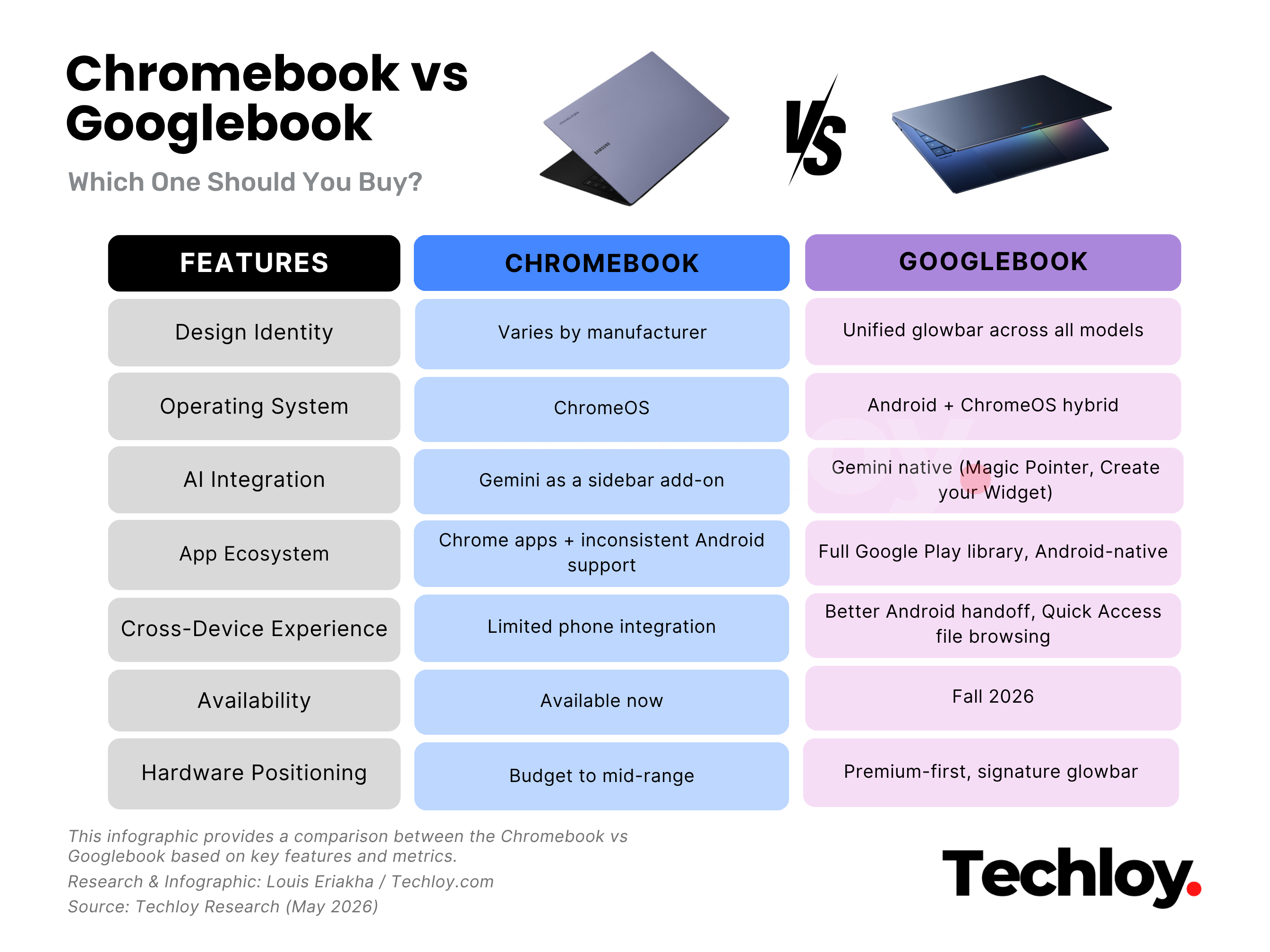
The Googlebook changes that equation. It is built on a hybrid tech stack that combines Android and ChromeOS, giving it access to the full Google Play library of apps alongside the Chrome browser. Google describes the shift as moving "from an operating system to an intelligence system," which tells you everything about where their priorities now lie. You get the familiarity of ChromeOS with the raw app ecosystem of Android underneath it.
/2. Level of AI Integration
This is where the Googlebook makes the sharpest break from everything that came before it.
Chromebooks have Gemini built in; Google added that last year, but it is largely an add-on, sitting in a sidebar or accessible through a shortcut. It does not fundamentally change how you interact with the laptop.
On the Googlebook, Gemini is baked into the hardware experience from the ground up. The headline feature is Magic Pointer, built in collaboration with Google DeepMind. Wiggle your cursor, and it activates Gemini, surfacing contextual suggestions based on whatever is on your screen. Point at a date in an email, and it offers to schedule a meeting. Select two images, say, your living room and a sofa you're considering, and it will visualise them together instantly.
There is also Create your Widget, which lets you generate custom desktop widgets through a prompt. Ask Gemini to pull your flight details, hotel bookings, and restaurant reservations for a trip into one dashboard, and it does exactly that — connecting to Gmail, Calendar, and the web in real time. It is the kind of feature that makes your desktop actually useful, not just decorative.
/3. Cross-Device Experience
Chromebooks have always been somewhat self-contained. Yes, you can access Google Drive, and Android phone mirroring has improved over the years, but the experience has rarely felt seamless.
The Googlebook is explicitly designed around the reality that most people own multiple devices. Because it shares Android's tech stack, the handoff between phone and laptop becomes genuinely fluid. Running a food delivery app on your phone while working on your laptop? You can pop into it without switching devices. Mid-task and your Duolingo streak reminder fires? Handle it right on your laptop screen and get back to work.
The most practical addition here is Quick Access, a feature that lets you browse, search, and insert files directly from your phone through the Google Drive's file browser.
/4. Hardware Quality
Chromebooks built their reputation as affordable, accessible machines. Entry-level models routinely sell for under $300, and that accessibility has been a huge part of their success, especially in education.
The Googlebook is taking a different direction. Google has been deliberate about the word "premium". The announcement mentions premium craftsmanship and materials across all form factors. Every Googlebook will also feature a signature glowbar, a distinctive design element that makes the device immediately recognisable.
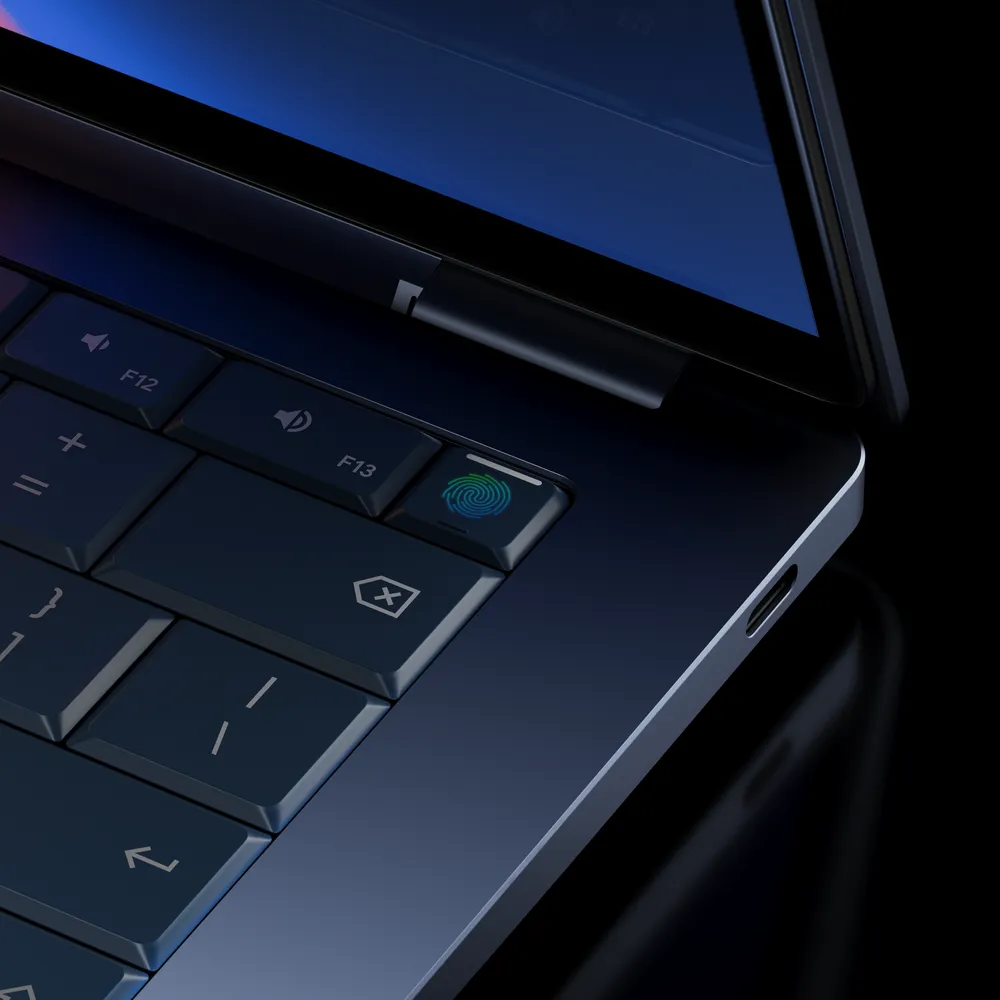
Price points have not been officially confirmed yet, but the premium hardware positioning and the calibre of manufacturing partners involved strongly suggest the Googlebook will sit above the Chromebook's traditional price ceiling. Think of it less as a budget workhorse and more as Google's answer to the MacBook Air crowd.
/5. Software Updates and App Support
One of the long-standing frustrations with ChromeOS has been its app limitations. While Android app support was added to Chromebooks years ago, it has always felt secondary. Not every app works perfectly, and the experience can be inconsistent depending on the device.
Because Googlebook is built natively on Android's tech stack, that inconsistency goes away. Apps from Google Play are first-class citizens, meaning developers building for Android are automatically building for Googlebook. This also means Google can push updates and new AI features to Googlebooks faster than it could with ChromeOS alone, since Android's update infrastructure is more mature and far-reaching.
Conclusion
Google has confirmed that the first Googlebooks are coming this fall, with more details expected later in 2025. The company is working with five of the biggest names in PC hardware to bring them to market: Acer, ASUS, Dell, HP, and Lenovo. It really mirrors the kind of Chromebook partnership model that helped the original devices reach mass distribution quickly.
But in the end, it's things like price and the actual usefulness of these new features that will determine the adoption rate of these new devices, rather than their partnerships.
If you want to stay ahead of announcements, Google has set up googlebook.com as the official landing page for updates.