



Hard to believe, but the end draws near, or at least that’s what it feels like for Windows 10 users. On October 14, 2025, Microsoft will officially end support for its decade-old operating system (OS).
You might shrug and say, “My PC still runs fine,” and you’re probably right. But the thing is, once the updates stop, your system slowly becomes a sitting duck for security and privacy issues. It won't suddenly stop working; it’s that it’ll stop being safe to use online.
If your PC doesn’t meet the strict hardware requirements for Windows 11, we have already broken down some options you can consider here. But if you’d rather breathe new life into your old machine without buying a new one, these lightweight operating systems can make your Windows 10 PC feel surprisingly fresh again, and they’re all free.
 Fishon Amos
/1. AntiX
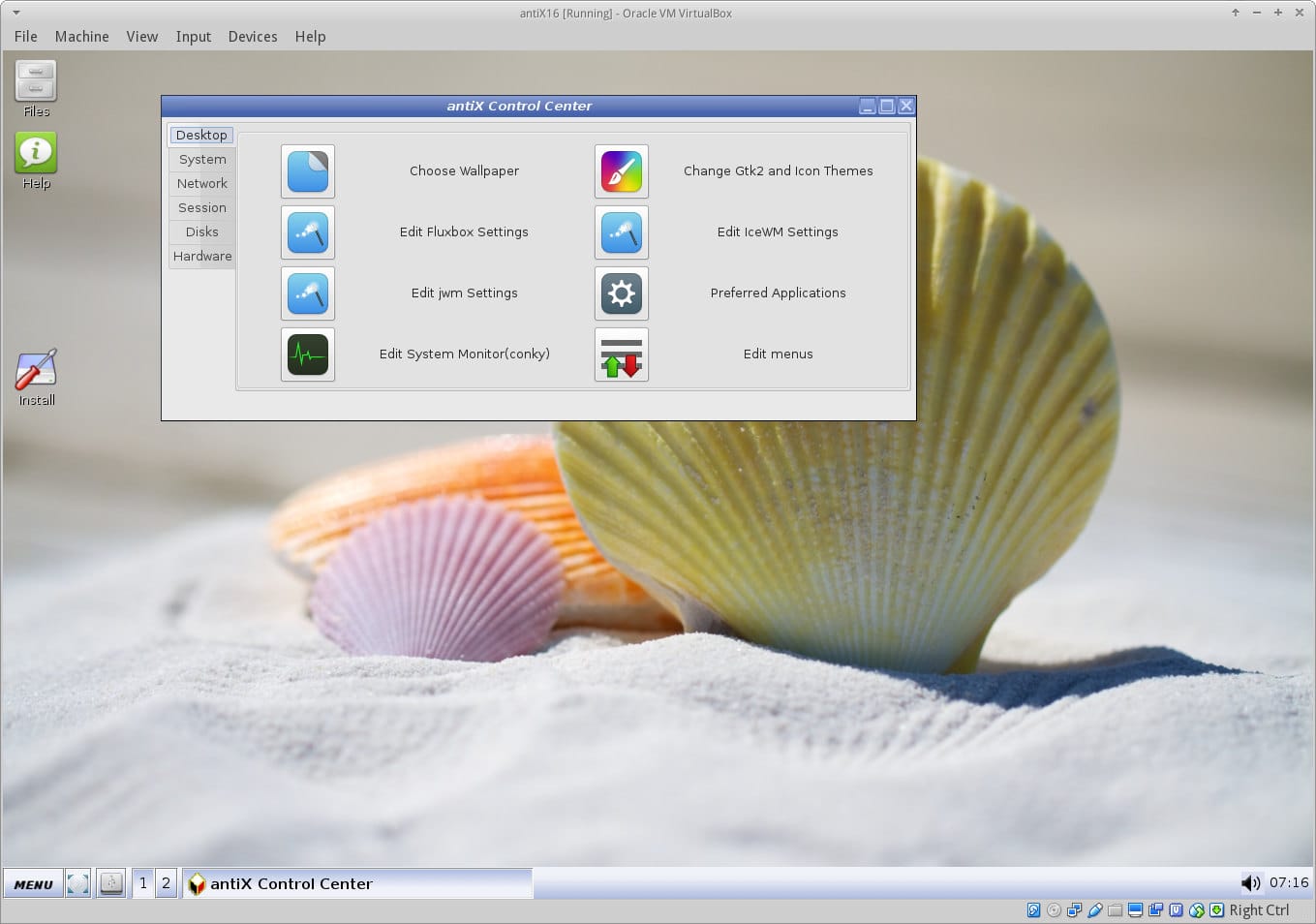
AntiX is one of those lightweight Linux distros that can run on almost any PC, even the really old ones gathering dust in a corner. It’s built to be fast and efficient, using very little system resources, which makes it a solid replacement option for Windows, especially on outdated hardware.
While Windows needs a lot more power to run smoothly (and often won’t even install on older systems), AntiX works fine with as little as 256 MB of RAM and some pre-configured swap space. The recommended minimum is 512 MB of RAM, and you’ll need at least 7 GB of hard drive space to install it.
It’s also free, open source, and surprisingly responsive for something this lightweight.
/2. Lubuntu
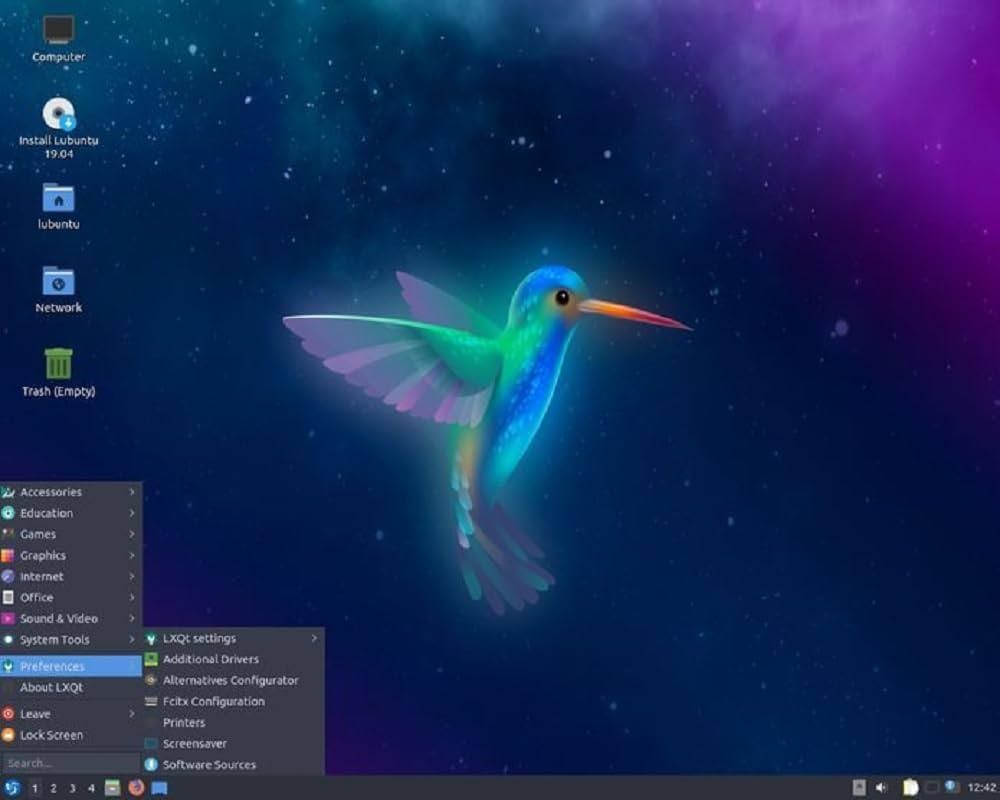
For anyone who values privacy and wants a completely free operating system, Lubuntu is worth a look. It’s a full OS that includes everything you need for daily tasks, office tools, a PDF reader, an image editor, plus built-in music and video players.
It’s designed to run on modest hardware, working fine with just 1 GB of RAM, though 2 GB is recommended for smoother performance. You still get access to Ubuntu’s massive app library and strong community support, which is a big plus.
Lubuntu uses the LXQt desktop environment, giving it a nice balance of speed and efficiency. The interface feels familiar too, with taskbar, start menu, and desktop icons all arranged in a way that makes it easy for anyone coming from Windows to adjust quickly.
/3. Zorin OS Lite
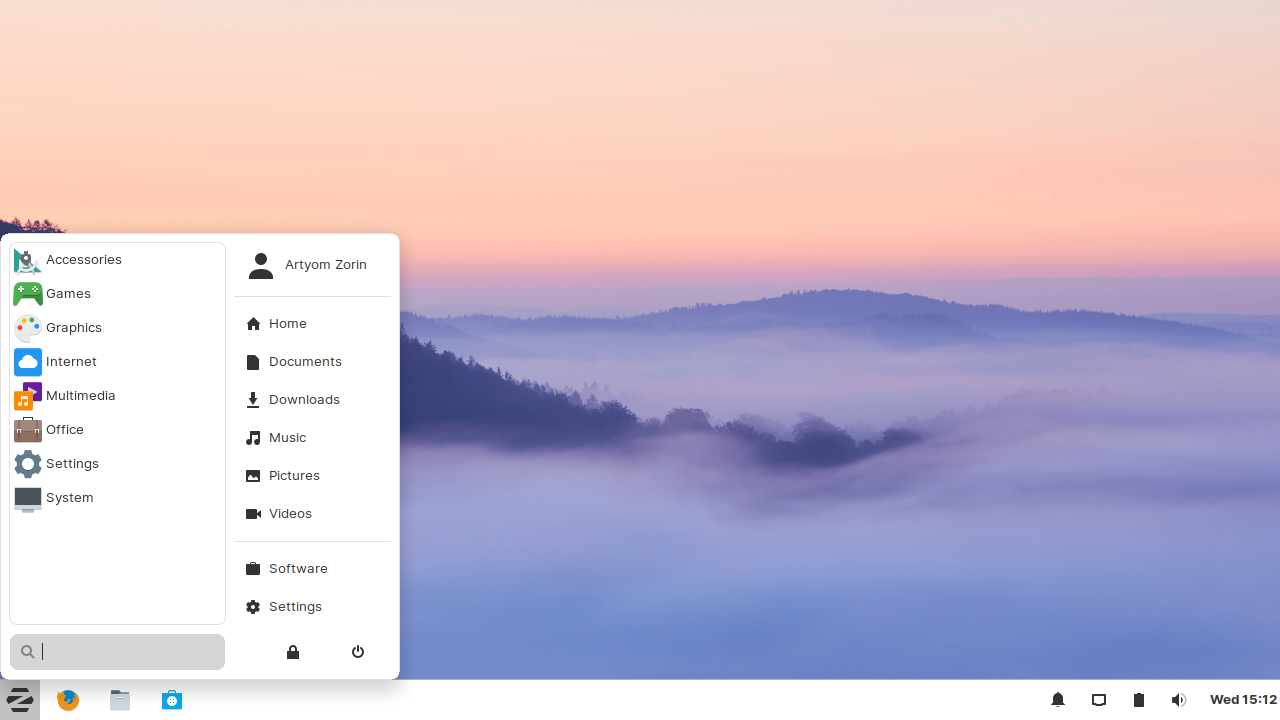
Zorin OS Lite stands out for how well it performs on older or low-spec computers. It’s faster, more secure, and more privacy-focused than Windows, plus the interface is clean and easy to customize. You’ll notice the difference especially when you compare it to newer versions of Windows, which tend to eat up more system resources.
The official minimum requirement is 1 GB of RAM, but it can still run (a bit slowly) on 512 MB if you’re really pushing it. For smoother performance, 2 GB is recommended, and 4 GB feels ideal if you plan to browse the web or multitask with a few apps open.
/4. WattOS
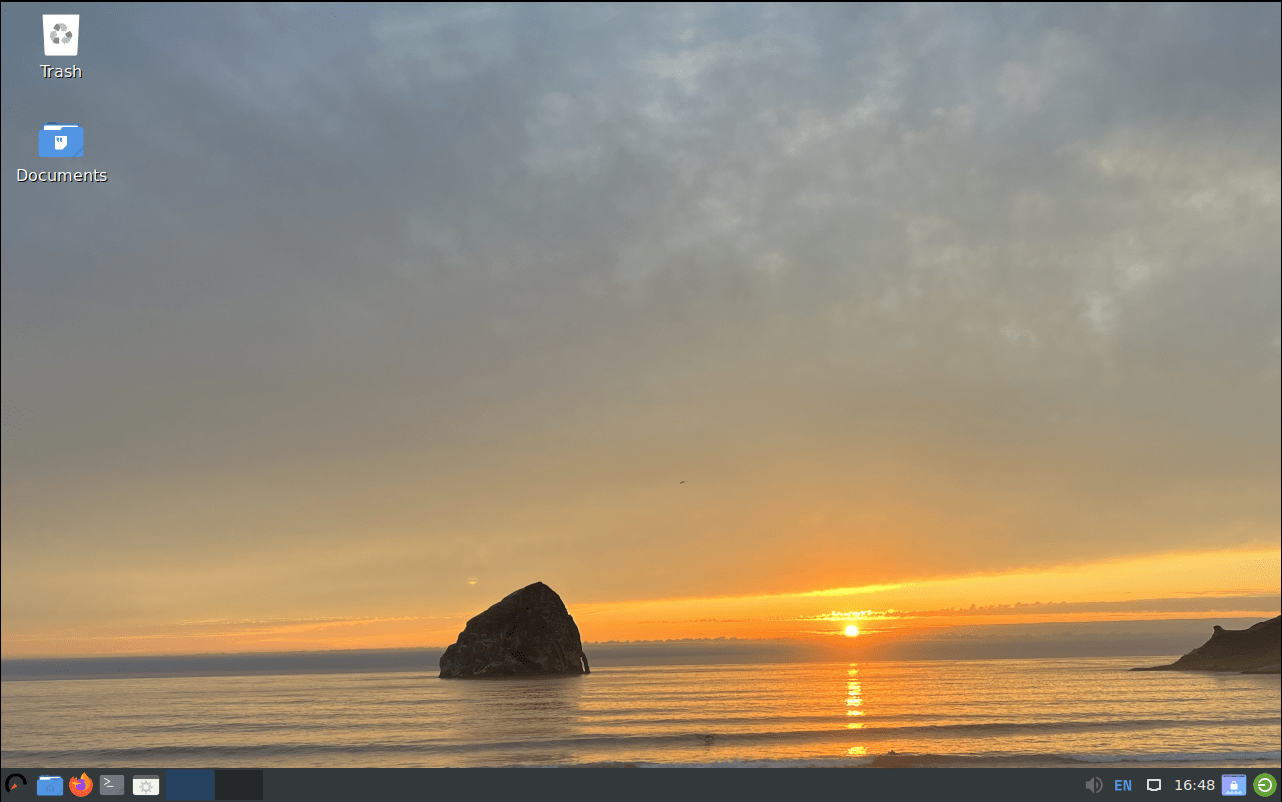
When compared to popular household names like Microsoft or Google, WattOS is as minimalistic as it gets. It has a clean, simple interface with only the essential tools and absolutely no bloatware. You can run it on any x86 or x64 system with just 400 MB of RAM, saving you the hassle of worrying about hardware specs, privacy, or security.
Apart from that, there isn’t much more to the OS. It’ll make your old PC feel fast again, but it’s limited in what it can do. Once you go beyond basic web surfing, you’ll need to install extra software. Still, WattOS does exactly what it promises: it’s lightweight, efficient, and helps stretch the life of older hardware by a good margin.
/5. ChromeOS Flex
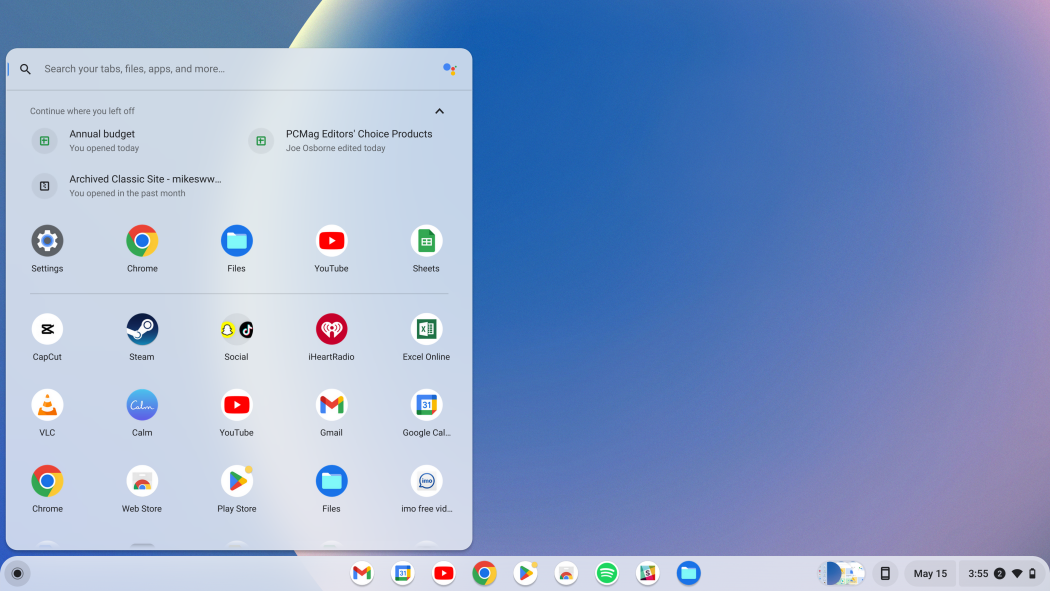
If you’re after a lightweight, cloud-focused alternative to Windows, ChromeOS Flex is a strong option. It follows a cloud-first approach, which gives it better security, faster performance, and automatic updates without much effort on your part. Because it uses very few system resources, you can install it on almost any working PC and still get solid performance.
It’s especially great for online tasks, web browsing, editing documents in the cloud, or running Android apps. You’ll also enjoy quick startup times, built-in Google integration, and the same low-maintenance experience you’d expect from a Chromebook.
The downside is its limited offline functionality and lack of traditional desktop apps. So, while it’s ideal for everyday online use, it’s not the best fit if you rely on heavy software or want deeper hardware customization.
/6. Tiny11
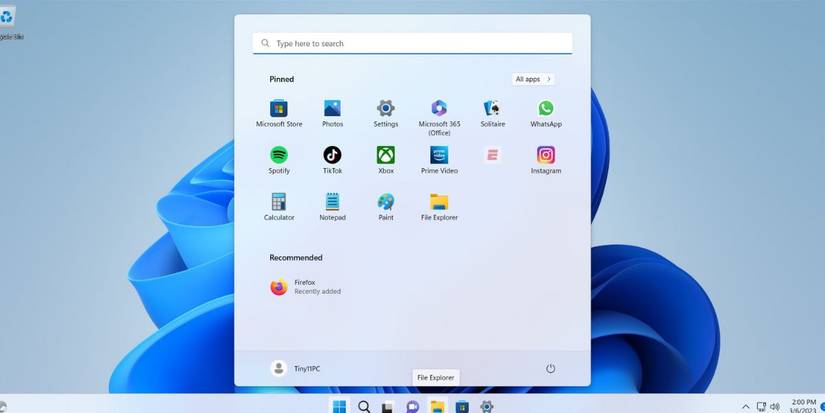
Say your PC can’t handle Windows 11, but you still need to stick with Windows Tiny11. It’s a stripped-down, unofficial version of Windows 11 that cuts out all the bloat and unnecessary extras that slow the system down.
Getting it set up isn’t exactly plug-and-play. You’ll need to grab a regular Windows 11 ISO from Microsoft first, then use a script to trim it down. But the process isn’t as intimidating as it sounds. The official Tiny11 GitHub page walks you through every step, making it easy to build your own lightweight Windows 11 ISO.
 Techloy
Conclusion
While all these operating systems are free and come with their own advantages, it’s worth taking a closer look at what each one actually offers before making the switch. Some are great for reviving old PCs, others for privacy or cloud-based work, and a few simply give you a lighter, faster experience.
Whether you decide to move away from Windows entirely or stick to a trimmed-down version like Tiny11, the most important thing is finding what fits your needs and your hardware while keeping your data secure and your system running smoothly.


