



Just today, I was chatting with a friend who needed help with something, and I suddenly remembered that I’d once used an app that did exactly what they were looking for. The problem? I couldn’t remember the name. I knew I had downloaded it years ago, and I was sure it came from the Play Store, but my memory completely failed me.
After a bit of digging, I found out that Google actually keeps a full history of every app you’ve ever downloaded with your account. Even better, it’s easy to access once you know where to look.
Here’s how to go through your entire app library and find apps you’ve installed in the past.
5 Steps to Check Your Entire App Download History on Android
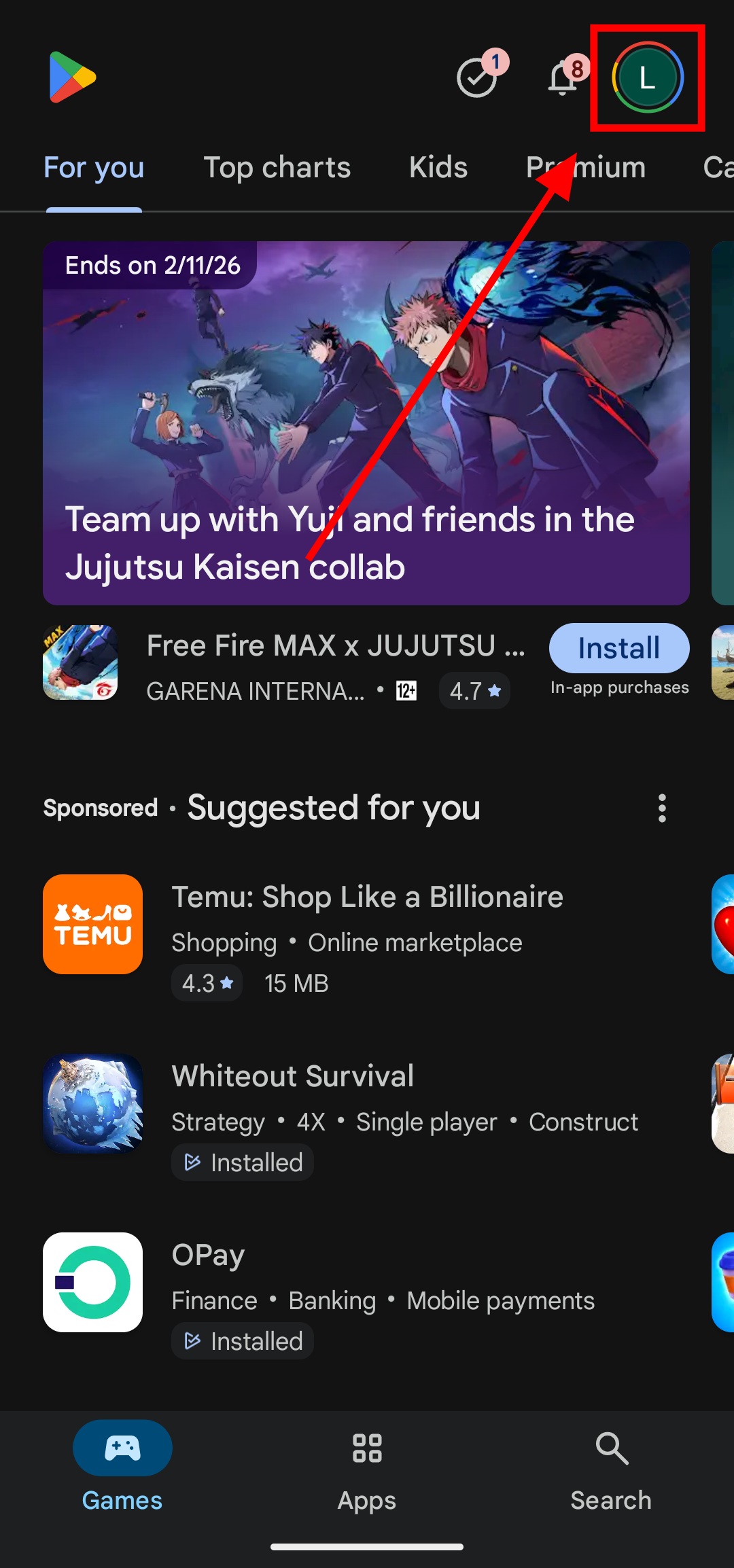
Step 1: Open up the Play Store and tap on your profile picture at the
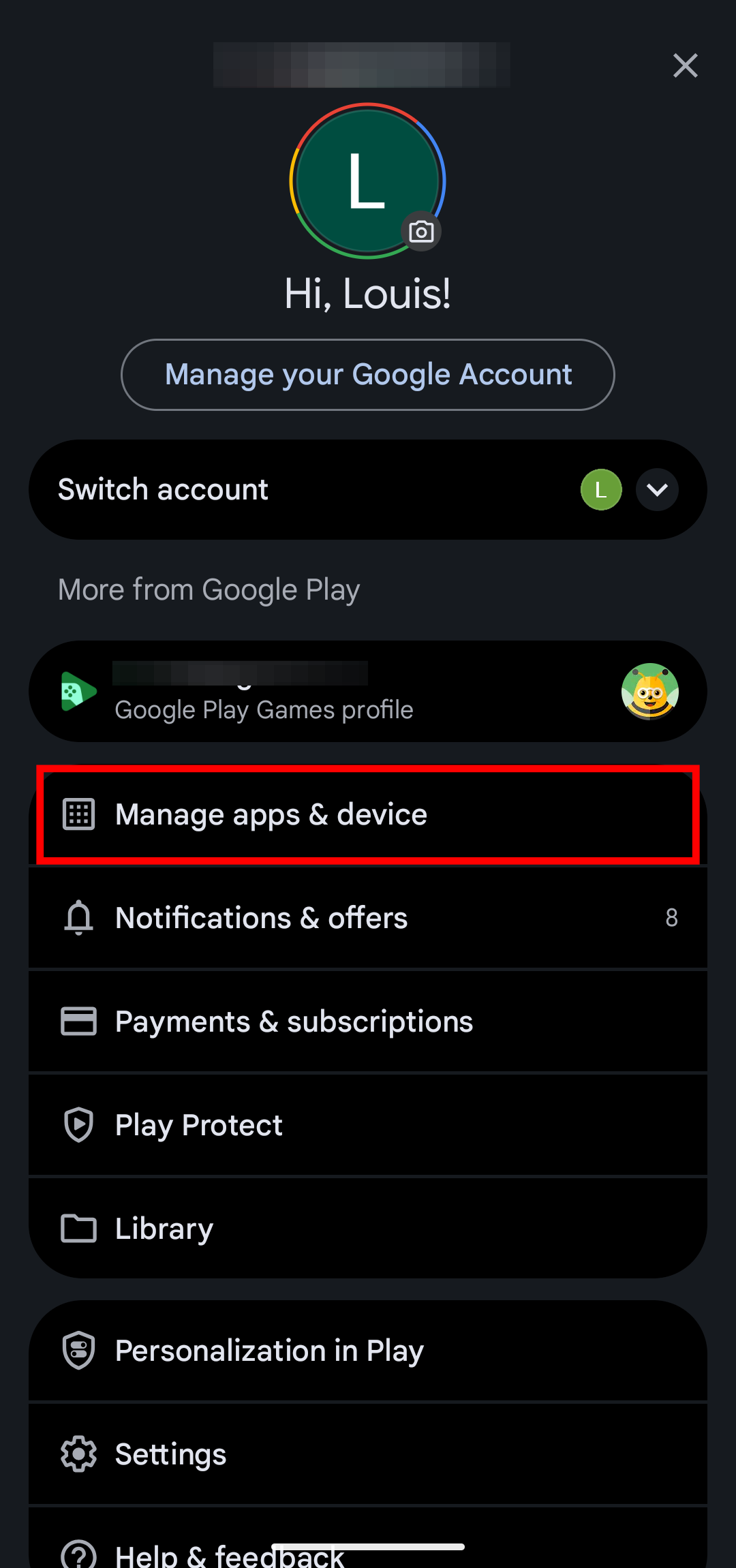
Step 2: Then, tap on 'Manage apps & device'
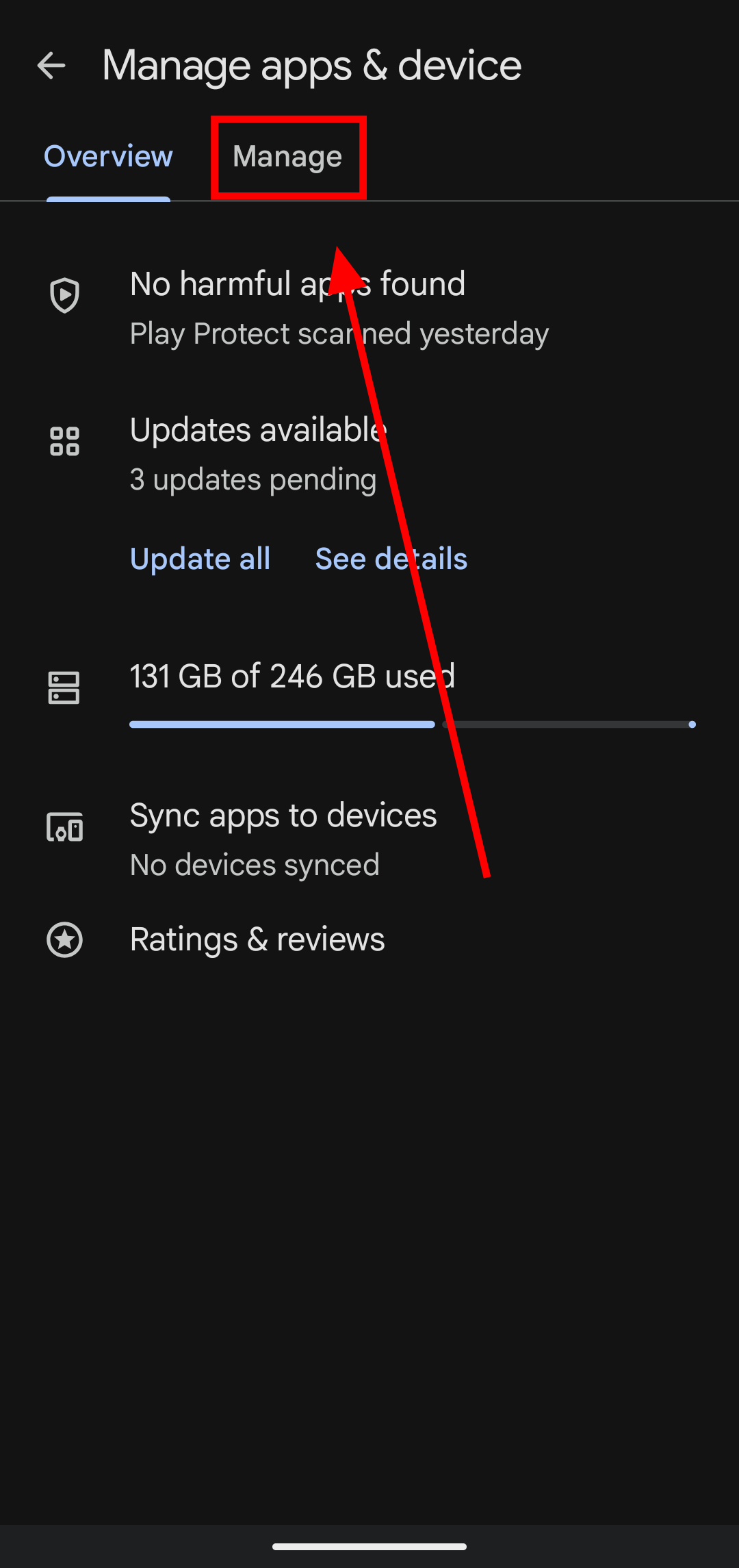
Step 3: At the top, switch over to the 'Manage' tab
Step 4: Tap on 'This device' to switch your filter to 'Not installed'
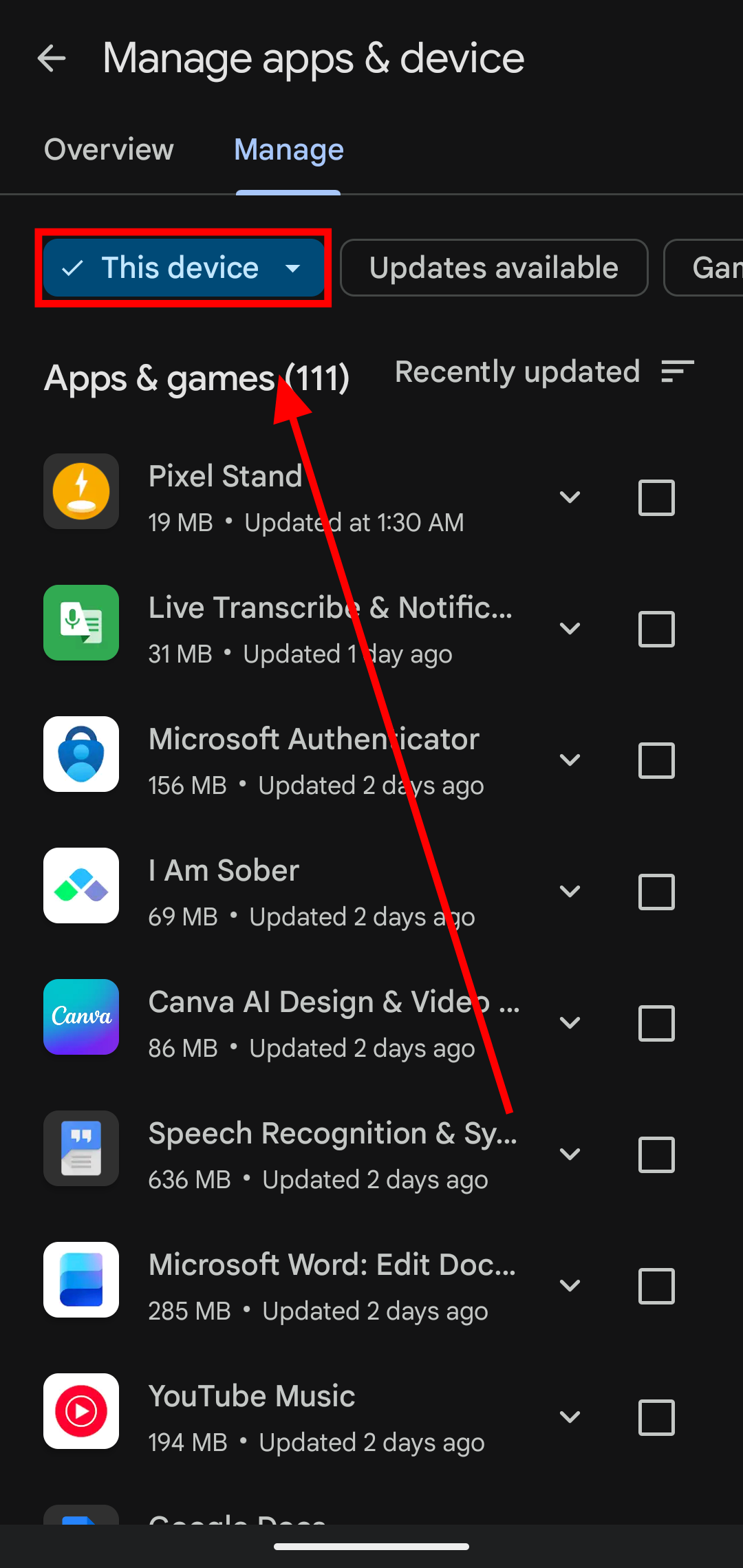
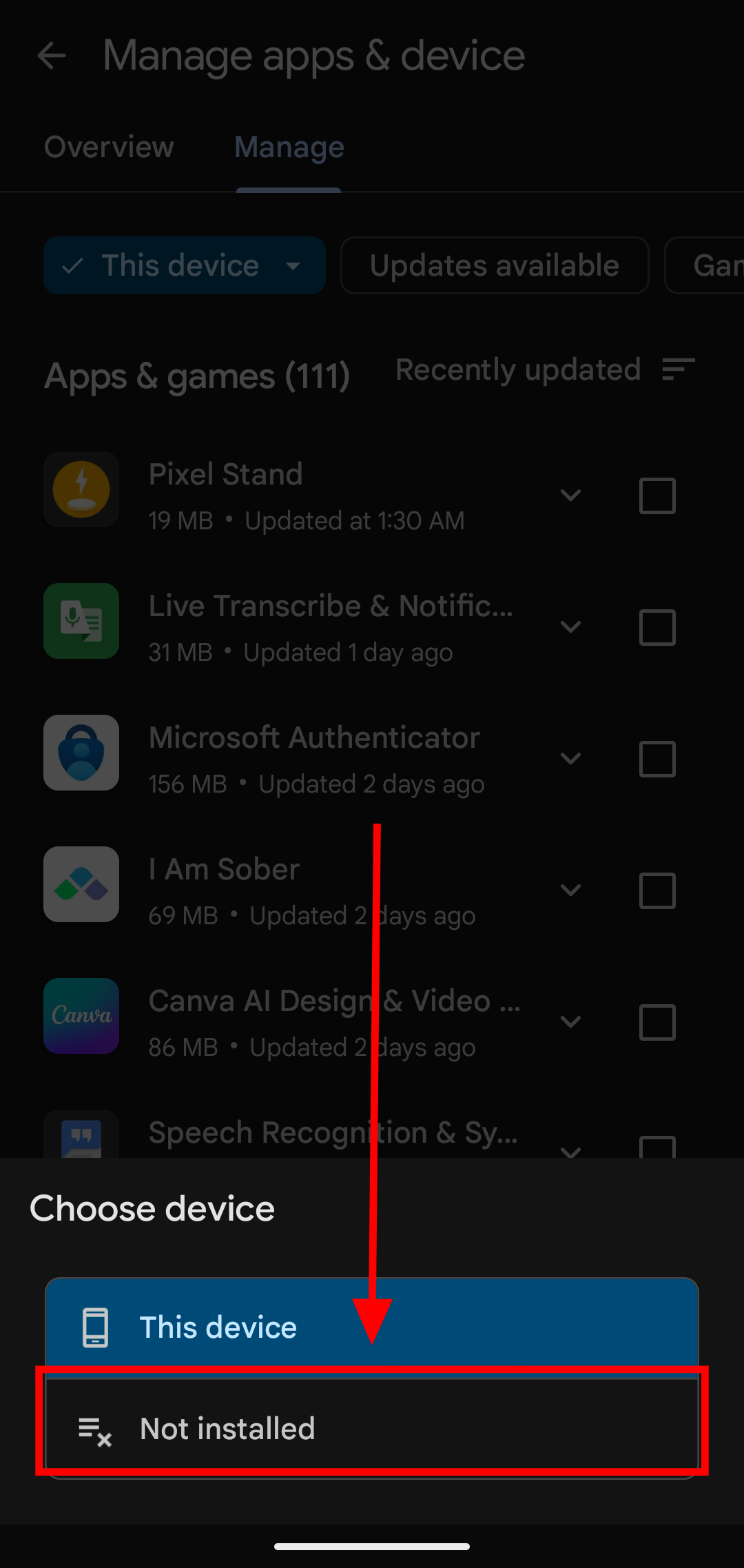
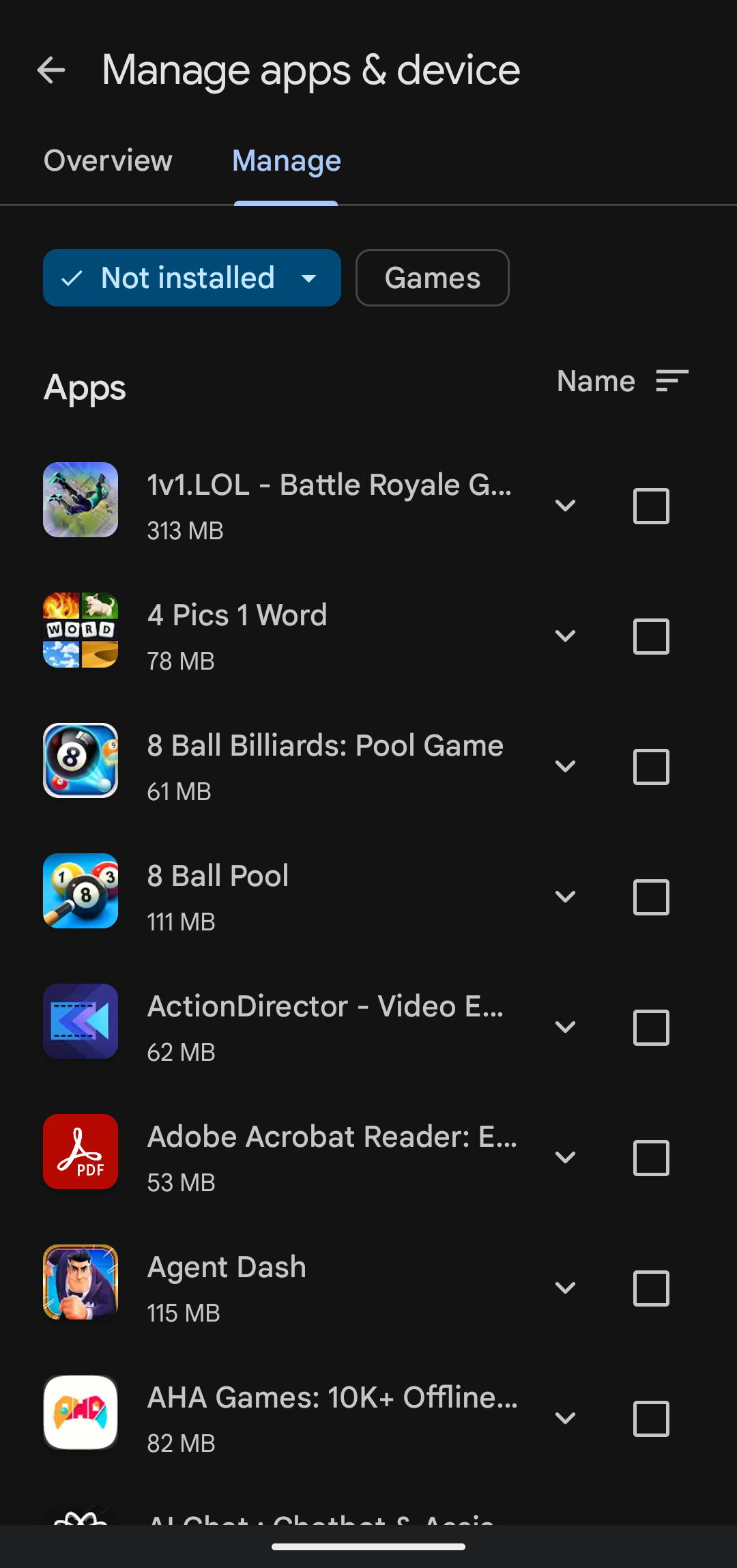
Step 5: And just like that, you have access to all the apps you've ever downloaded using this Google account
Conclusion
Sometimes, it’s not even about solving a problem. Nostalgia hits, and you just want to remember that game you were obsessed with for a few weeks, or an old app you used during a different phase of your life. Whether you’re trying to rediscover a useful tool or simply take a trip down memory lane, your Google account quietly keeps track of it all. Now that you know where to look, finding those long-forgotten apps is only a few taps away.
Image Credit: Louis Eriakha / Techloy.com


